 ProMapRanker
Best HashiCorp Vault Alternatives in 2026


Small teams that want fast setup · Pricing starts at: $21 per user per month
Key takeaways
- Doppler and Infisical are the easiest starting points for small teams that want managed secrets without running their own cluster.
- AWS, Azure, and Google secret services make the most sense when almost all of your workloads already live in one cloud.
- OpenBao is the closest open source path for teams that want a self-hosted engine and full control over their data.
- Akeyless and CyberArk Conjur suit larger teams that need dynamic secrets, audit trails, and strict access policies.
- Bitwarden Secrets Manager is a low cost option for teams that already trust Bitwarden for passwords and want machine secrets in the same place.
Quick comparison
| Pick | Great for | Pricing starts at | Free tier | |
|---|---|---|---|---|
| Doppler | Small teams that want fast setup | $21 per user per month | Yes | Visit |
 Infisical | Open source teams that want self-hosting | $18 per identity per month | Yes | Visit |
 Akeyless | Multi-cloud teams that want managed secrets | See website | Yes | Visit |
 AWS Secrets Manager | Teams built on AWS | $0.40 per secret per month | No | Visit |
 Azure Key Vault | Teams built on Azure | See website | No | Visit |
 Google Cloud Secret Manager | Teams built on Google Cloud | See website | Yes | Visit |
 OpenBao | Self-hosted open source deployments | Free | Yes | Visit |
 CyberArk Conjur | Enterprises with strict governance | See website | No | Visit |
 Bitwarden Secrets Manager | Budget teams already using Bitwarden | See website | Yes | Visit |
The best hashicorp vault alternatives
These nine tools cover managed services, cloud native stores, and self-hosted engines. We compared official pricing pages, feature documentation, and public product descriptions to build this list.
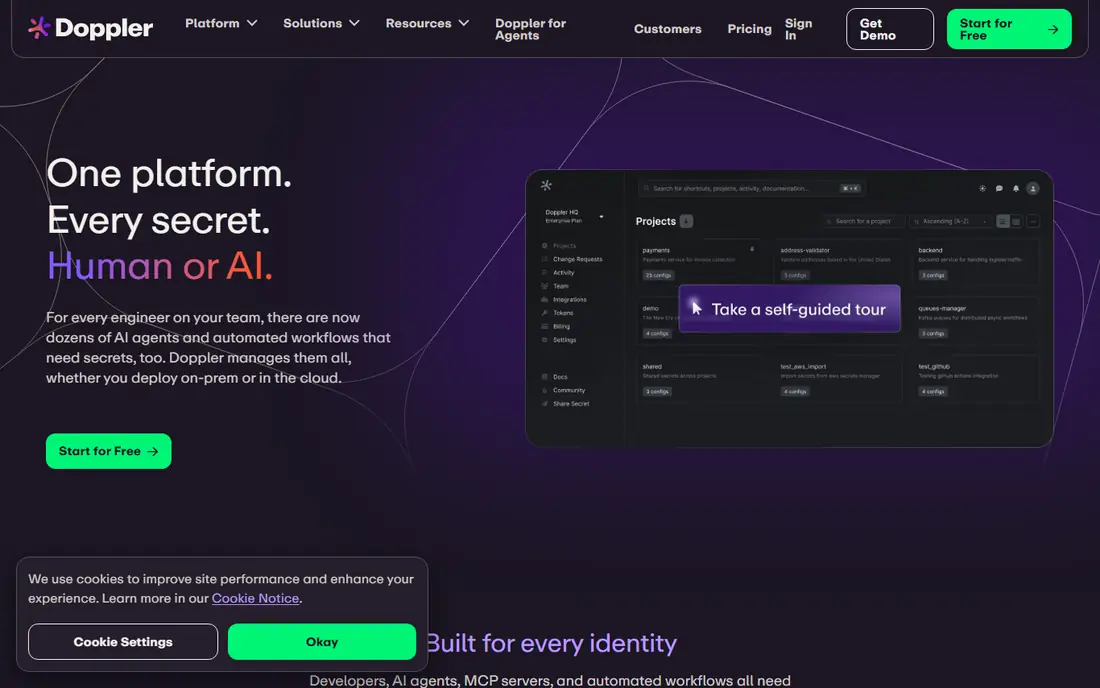
Doppler suits teams that are tired of passing around environment files in chat and email. The dashboard groups secrets by project and environment, and the CLI injects them into local development and deployment pipelines. Integrations cover common hosts, CI tools, and cloud platforms, so most teams can move without rebuilding their workflow.
The catch is scale. Per seat pricing is simple at first, but it adds up as a company hires, and the most advanced features sit behind Enterprise pricing. If your main need is a shared place for app config and API keys, with access controls and audit logs, Doppler is a strong pick. If you need short lived credentials for databases on every plan, check the higher tiers first.
- Clear per seat pricing
- Strong CLI and integrations
- Automatic rotation on Team plans
- Dynamic secrets need the Enterprise tier
- Costs grow with headcount

Infisical appeals to teams that want to inspect the code they rely on and keep secrets inside their own infrastructure when needed. The cloud version works for teams that prefer a managed service, while the self-hosted version fits stricter data rules. Secret scanning helps catch leaked credentials, and the SDKs cover the languages most app teams use day to day.
Pricing is based on identities, which include people and machine accounts, so count services and pipelines before you estimate a bill. The free tier covers up to five identities and three projects, which is enough for a small product or a side project. Larger teams will want Pro for versioning, rotation, and role based access controls.
- Open core with self-hosting
- Client side encryption
- Kubernetes operator and SDKs
- Dynamic secrets need higher tiers
- Identity based pricing can rise with services
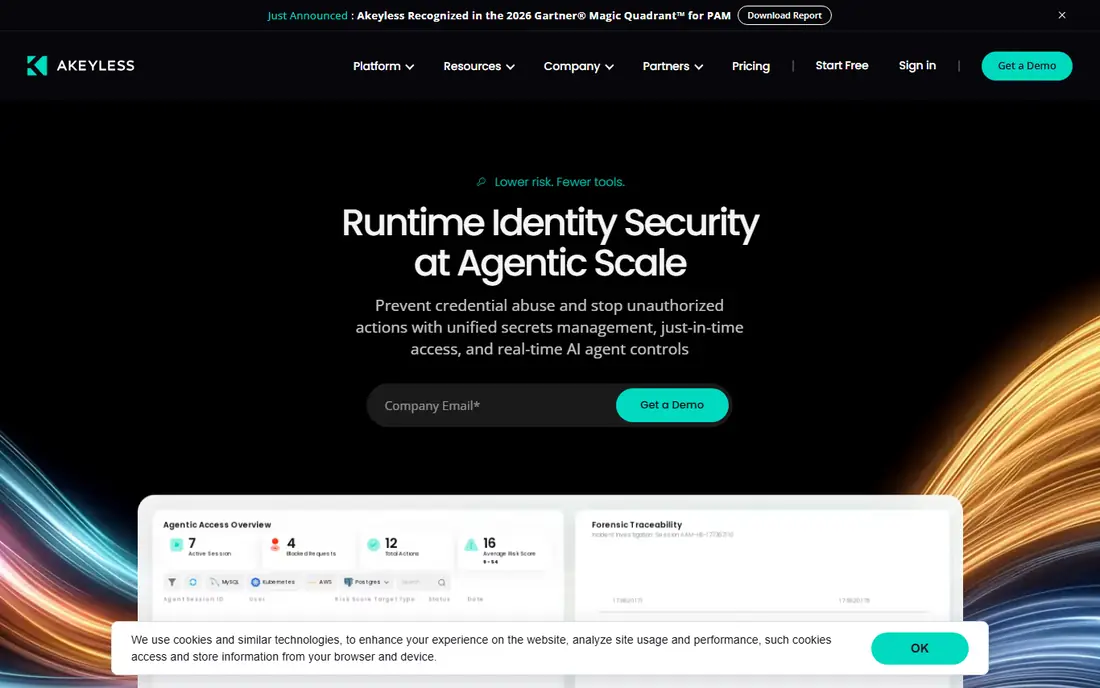
Akeyless is built for organizations that run workloads across clouds and on premises systems and do not want to operate a vault cluster themselves. Gateways connect your environments to the managed service, and policies control who and what can read each secret. Dynamic secrets give databases and cloud accounts short lived credentials instead of long lived passwords.
The trade-off is that pricing requires a conversation with sales for most production use, which makes quick budget comparisons harder. A free community tier exists with limits, so small teams can test the core ideas before committing. For a mid-size team with compliance needs and several clouds, Akeyless is worth a trial alongside the cloud native options.
- Managed SaaS with gateways
- Dynamic secrets
- Zero knowledge design
- Enterprise pricing is not published
- Setup takes more planning than simpler tools
For a team already running on AWS, this is often the path of least resistance. Secrets Manager works with IAM roles, Lambda rotation functions, and services such as RDS and ECS without extra agents. Access is tied to AWS identities, so permissions follow the same model as the rest of your infrastructure.
The billing model deserves attention. You pay per secret per month plus a small charge per API call, so a chatty application or a large secret count can push the bill higher than a flat seat price. Teams with workloads outside AWS may find a multi-cloud tool easier to manage. Inside AWS, though, the native fit is hard to beat.
- Deep AWS integration
- Automatic rotation for supported services
- IAM based access control
- Costs scale with secret count and API calls
- Less convenient outside AWS
Azure Key Vault stores secrets alongside keys and certificates, which helps teams that manage TLS and signing keys as well as app credentials. Integration with Microsoft Entra ID means access policies can reuse existing groups and conditional access rules. A managed HSM tier is available for teams with stricter key protection requirements.
Pricing is based on operations rather than a flat monthly fee, so check the pricing page against your expected read volume before you commit. The service is at its best for .NET shops, Azure Functions, and App Service workloads. Teams that split work across clouds may prefer a tool that treats every cloud the same way.
- Keys, secrets, and certificates in one service
- Microsoft Entra ID integration
- Managed HSM option
- Pricing is usage based and varies by operation
- Best value stays inside Azure
Google Cloud Secret Manager takes a deliberately simple approach. Secrets are stored as versions, access is controlled through IAM, and applications read them through a clean API or workload identity. That simplicity makes it easy to adopt for Cloud Run, GKE, and Compute Engine workloads without learning a separate policy language.
The limits show up when you need more than storage and access control. Dynamic credentials and automatic rotation are not built in the same way they are in dedicated vault products, so teams often add their own automation. A free allowance covers small use, which helps hobby projects and early prototypes. For Google centered teams with steady secrets, it is a sensible default.
- Simple API and IAM model
- Versioning built in
- Low friction for Google Cloud workloads
- No built-in dynamic secrets
- Rotation needs extra work
OpenBao is a community led fork aimed at teams that want a self-hosted secrets engine without a source available license. It keeps a Vault compatible API, so existing tooling and client libraries often work with little change. Namespaces, dynamic secrets, and policy controls cover the core needs of platform teams.
Self-hosting is both the appeal and the cost. Your team owns upgrades, backups, high availability, and incident response, which suits platform teams with that skill in house. Smaller teams without operations capacity may be happier with a managed service. If license terms and full control matter more than convenience, OpenBao deserves a serious look.
- Open source under MPL 2.0
- Vault compatible API
- No vendor license fee
- You run and maintain the cluster
- Support comes from the community and vendors
CyberArk Conjur is aimed at large organizations that already treat privileged access as a formal program. It issues machine identities, controls access to secrets by policy, and records activity for audit and review. Teams running CyberArk for human privileged accounts often find Conjur fits the same governance model for applications and services.
This is not a quick weekend migration for a small startup. Setup, policy design, and integration with existing identity systems take planning, and pricing is negotiated rather than published. For regulated industries and large enterprises, that depth is the point. For a ten person team, a simpler tool will move faster and cost less.
- Strong enterprise governance
- Dynamic secrets
- Fits existing CyberArk programs
- Pricing is quote based
- Heavier setup than developer focused tools
Bitwarden Secrets Manager extends a password manager many teams already know into machine secrets. Developers pull secrets through the CLI or SDKs, and admins control access through organizations and collections. The model is easy to explain to a team that already uses Bitwarden for human credentials.
It does not try to match the deepest vault engines on dynamic credentials or complex policy features. That is fine for teams whose main problem is safe storage and controlled delivery of API keys and tokens. Pricing is tied to Bitwarden plans, so check the current Secrets Manager page for the tier that fits your team size. As a low cost, low friction option, it is a practical choice.
- Open source core
- Familiar vault model
- CLI and SDK access
- Less depth for dynamic secrets
- Best as part of the wider Bitwarden setup
How we picked these
We compared official pricing pages, product documentation, and public descriptions for each tool, and we kept only products that are live and usable in October 2026. We looked for real secret storage, access control, audit history, and a clear way to deliver secrets to applications. We left out tools that had shut down, merged into another product, or could not be verified as a current secrets product.
What to check before you switch
Start with where your workloads live. A cloud native store wins when one cloud holds nearly everything, while a multi-cloud or self-hosted tool wins when workloads are spread out. Count humans and machine identities, because seat and identity pricing behave very differently at scale.
Next, list the features you actually need. Dynamic secrets, automatic rotation, and hardware backed keys matter for some teams and add cost for others. Test the migration path on one non-critical service first, including rotation, revocation, and audit logs. A clean test run tells you more than a feature table about whether a tool fits your team.
Finally, plan the cutover. Rotate old credentials after the move, remove secrets from old config files and chat history, and confirm that former team members lose access promptly. Keep a written runbook for outages, because a secrets service outage can block deploys across the whole company.
Frequently asked questions
What are hashicorp vault alternatives?
They are tools that store, control access to, and deliver secrets such as API keys, database passwords, and tokens to applications. Some are managed services, some are cloud native stores, and some are self-hosted engines. The right one depends on your cloud mix, team size, and governance needs.
Is a cloud secret manager enough for most teams?
For teams that live in one cloud, yes in many cases. AWS, Azure, and Google secret services cover storage, versioning, and access control well. Teams that need dynamic secrets across several clouds, or strict separation from any one provider, usually benefit from a dedicated vault product.
What is the difference between static and dynamic secrets?
Static secrets are stored values that stay the same until someone rotates them. Dynamic secrets are created on demand, used briefly, and then removed. Dynamic secrets reduce the risk of a leaked credential being useful for long, but they need more setup and support from the target system.
How much do these tools cost?
Costs vary by model. Some charge per seat or per identity, some charge per secret or per API call, and some are free to self-host apart from infrastructure costs. Count your users, services, and expected API volume, then compare the pricing page for your actual shape of use.
Can I migrate from Vault without downtime?
In most cases, yes, with planning. Teams usually run both systems in parallel, point one service at a time to the new store, and rotate credentials as they move. Test the new tool on a low risk service first, and keep a rollback plan until the move is complete.
Is OpenBao the same as Vault?
No, but it is designed to be compatible with much of the Vault API and workflow. It is a separate open source project with its own community and governance. Teams considering it should test their specific integrations, since compatibility can vary by feature.
Sources
See where you really rank - block by block
ProMapRanker scans Google Maps across a grid of your service area. Simple monthly plans from $19, white-label on every plan.
Start freeKeep reading
 zscaler alternatives
Best Zscaler Alternatives in 2026
Looking for zscaler alternatives? We compare 9 SASE and zero trust platforms on architecture, data protection, pricing, and fit for your network and team.
Read → zapier alternatives free
Best Zapier Alternatives Free in 2026
Nine automation tools for zapier alternatives free in 2026, all with genuinely free tiers, plus free plan limits, starting prices and upgrade paths explained.
Read → which platform is best for online reputation
Which Platform Is Best for Online Reputation in 2026
Wondering which platform is best for online reputation? We compare 8 review, listing, and response tools for small and multi-location businesses and agencies.
Read →