 ProMapRanker
Best Google Workspace Alternatives in 2026


Closest full Workspace replacement · Pricing starts at: $7 per user per month
Key takeaways
- Microsoft 365 Business Basic at $7 per user per month is the closest full replacement for teams that need desktop Office apps, Outlook, Teams, and OneDrive.
- Zoho Workplace from $3 per user per month, with a free plan for up to 5 users, is the best value full suite for small teams that want email, docs, sheets, chat, and storage in one place.
- Proton suits privacy-first teams, Nextcloud suits teams that want to host their own data, and ONLYOFFICE suits teams that need strong Microsoft file compatibility.
- There is no single free replacement for every Google Workspace feature, so free plans work best for small teams that can accept limits on users, storage, or apps.
Quick comparison
| Pick | Great for | Pricing starts at | Free tier | |
|---|---|---|---|---|
| Microsoft 365 | Closest full Workspace replacement | $7 per user per month | Free trial | Visit |
 Zoho Workplace Zoho Workplace | Best value full suite | $3 per user per month | Yes | Visit |
 Proton Proton | Privacy-first email and storage | See website | Yes | Visit |
 Nextcloud Nextcloud | Self-hosted control | Free | Yes | Visit |
 ONLYOFFICE ONLYOFFICE | Microsoft file compatibility | See website | Yes | Visit |
 Lark Lark | Free collaboration for startups | See website | Yes | Visit |
 Fastmail Fastmail | Simple professional email | $5 per user per month | Free trial | Visit |
 LibreOffice LibreOffice | Free desktop office apps | Free | Yes | Visit |
 Tuta Tuta | Encrypted email | See website | Yes | Visit |
The best Google Workspace alternatives
We compared full suites, email-first services, and self-hosted options on email, documents, storage, chat, price, and how hard migration is likely to be.

Microsoft 365 is the most direct answer for teams leaving Google Workspace because it replaces email, documents, spreadsheets, meetings, chat, and storage in one managed suite. Business Basic at $7 per user per month, on an annual commitment, includes web and mobile Office apps, Exchange email, Teams, OneDrive, and SharePoint. Business Standard at $14 per user per month adds the installed desktop apps, which many teams still need for complex spreadsheets and formatted documents.
The catch is choice overload. Microsoft sells several business and enterprise tiers, plus separate Copilot and security add-ons, so the headline price is rarely the whole story. Teams that only need web apps can stay on Basic and save money. Teams that need desktop apps, device management, and advanced security should price Standard or Premium before they commit, and check whether monthly billing costs more than annual billing.
- Desktop Word, Excel, and PowerPoint
- Outlook, Teams, OneDrive, and SharePoint in one suite
- Strong offline access
- Licensing tiers can confuse buyers
- Price rises with higher tiers and add-ons
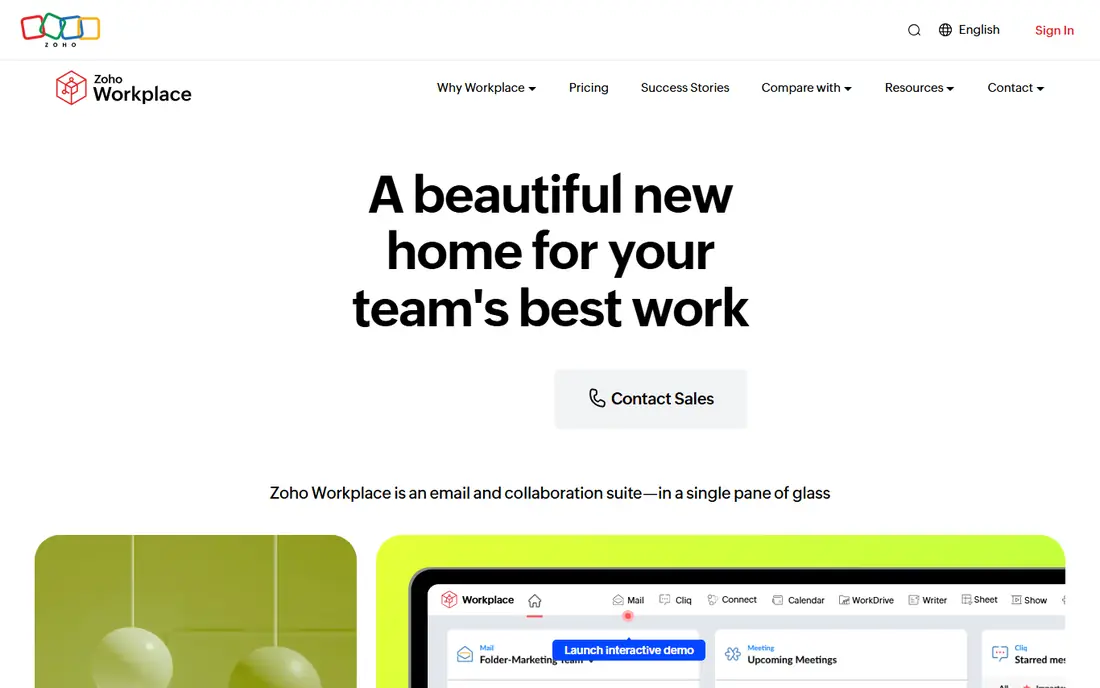
Zoho Workplace is our value pick for small businesses that want a complete suite without Google or Microsoft prices. Standard starts at $3 per user per month and includes Mail, WorkDrive, Writer, Sheet, Show, Cliq chat, and Meeting, while a free plan covers up to 5 users with core apps. Mail-only plans from $1 per user per month also exist for teams that only need professional email on their own domain.
Zoho trades some polish for price. Its apps work well, but document collaboration, mobile apps, and third-party integrations are not quite as deep as Google Workspace, and teams used to Gmail may need a week to adjust. For a new business, a nonprofit, or a team already using Zoho CRM or Books, that trade is easy to accept, because the savings grow with every seat you add.
- Email, docs, sheets, chat, and storage from $3
- Free plan for up to 5 users
- Broad Zoho app ecosystem
- Interface feels less polished than Google
- Third-party integrations are narrower
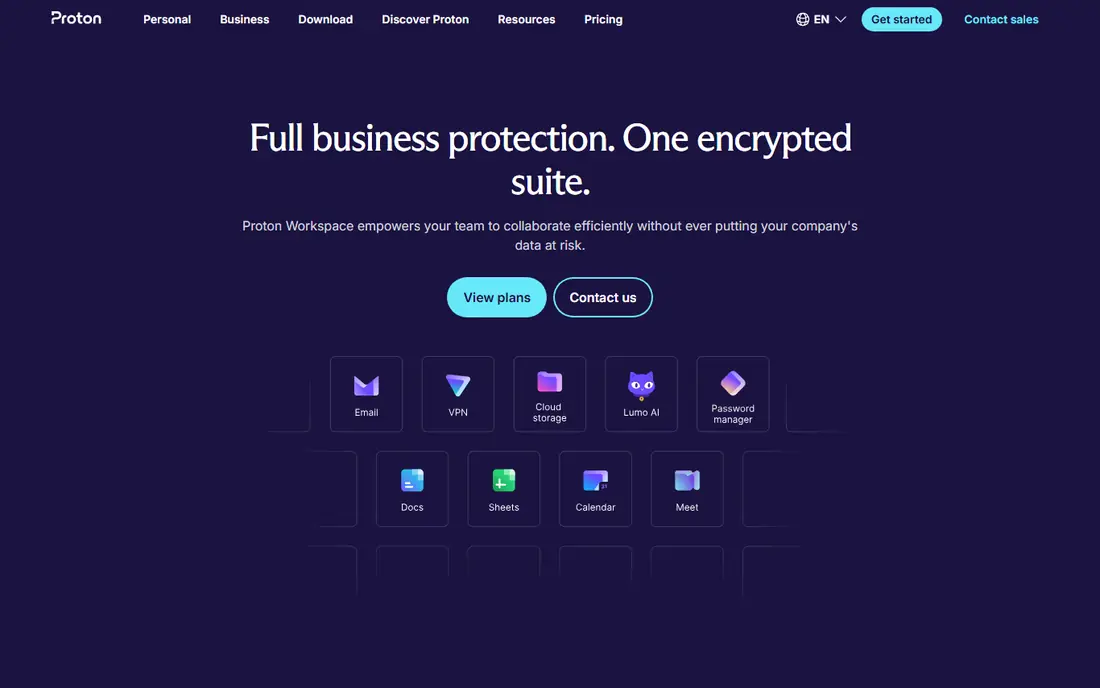
Proton is the pick when privacy, not price alone, drives the move. Its mail and drive services use end-to-end encryption, and its business plans bundle mail, calendar, drive, and VPN tools under Swiss privacy law. That matters for legal, health, journalism, and advocacy teams that handle sensitive messages and want a provider whose business does not depend on advertising.
The trade-off is breadth. Proton Docs and Sheets exist, but they do not yet match Google Docs or Microsoft Office for large-team collaboration, templates, and integrations. Check the current business pricing page before you plan a migration, since Proton lists several tiers and the entry business price has changed over time. Use Proton as your secure core, and keep a separate office suite if your team needs heavy document work.
- End-to-end encryption for mail and files
- Based in Switzerland
- No ad-based business model
- Productivity suite is less mature than Google or Microsoft
- Business pricing varies by plan
Nextcloud is not a hosted suite in the usual sense. It is open-source software you install on your own server or a host you choose, giving you Nextcloud Files, Talk, Calendar, Contacts, and office editing through connected apps. That control appeals to schools, public bodies, and companies with data rules that forbid storing files with a large US cloud provider.
Control comes with responsibility. Someone on your team must handle server updates, security patches, backups, and user support, or you must pay a hosting partner to do it. That cost can erase the free software advantage for a very small team. Nextcloud suits teams with IT help, or with a clear compliance reason to self-host, far more than it suits a solo founder who just wants email to work.
- Host files, mail, calendar, and chat yourself
- Open source
- No per-user vendor lock-in for the software itself
- You manage hosting, updates, and backups
- Setup takes technical skill
ONLYOFFICE earns its place for teams that live in Microsoft file formats but do not want Microsoft prices. Its editors open and save DOCX, XLSX, and PPTX files with formatting that usually survives the round trip better than many free alternatives, and it offers Docs, Sheets, Slides, mail, calendar, and project tools in its workspace editions. A free desktop suite covers single-user document work, while cloud and self-hosted workspace plans suit teams.
The suite is not a one-click Google replacement. Some editions focus on documents first, and email, CRM, and collaboration features depend on which workspace version you choose. Price the cloud workspace for your exact team size, and test a complex spreadsheet and presentation from your own files before you migrate, since formatting is where compatibility claims are won or lost.
- Strong compatibility with Word, Excel, and PowerPoint files
- Self-hosted and cloud options
- Desktop editors are free
- Email and full suite features vary by edition
- Cloud pricing needs checking per team size
Lark, also known as Lark Suite, bundles docs, spreadsheets, chat, calendar, video meetings, and cloud storage into a single workspace, with a free tier that suits startups and small teams. It is designed for fast-moving teams that want chat and documents in the same place, rather than jumping between separate email, chat, and drive apps. Its mobile apps are strong, which helps field and remote teams.
US teams should check two points before adopting Lark: data residency and long-term vendor fit. Lark is less established than Microsoft, Google, or Zoho for US business procurement, and some organizations have rules about where data is stored. For a small startup that values a generous free plan and an all-in-one workspace, Lark is worth a trial. For a regulated business, get the data and compliance answers in writing first.
- Docs, chat, video meetings, and storage in one app
- Generous free tier for small teams
- Good mobile experience
- Less familiar in US business settings
- Enterprise pricing and data residency need checking
Fastmail is for teams that want excellent email and nothing else. It gives you mail on your own domain, calendar, contacts, and strong spam filtering, without ads and without a bundle of apps you will never open. At $5 per user per month for its entry business tier, it costs less than a full suite, and it suits consultants, agencies, and small firms that already use desktop office apps or a separate docs tool.
The limit is obvious. Fastmail does not replace Google Docs, Sheets, or Drive, so you must pair it with LibreOffice, ONLYOFFICE, or a cloud drive of your choice. That split can actually be a benefit, because you keep email independent from your document provider. If your team mainly needs reliable professional email, Fastmail is a clean, focused pick.
- Fast, ad-free email on your domain
- Good calendar and contacts
- Clear privacy stance
- No full document suite
- You still need a separate office app
LibreOffice is the free desktop alternative to Word, Excel, and PowerPoint, and it remains the best no-cost option for individuals and small teams that work mainly on their own computers. Writer, Calc, and Impress handle everyday documents, spreadsheets, and presentations, and they open Microsoft formats for sharing with clients. There is no subscription, no account requirement, and no cloud lock-in for the apps themselves.
LibreOffice does not replace Google Workspace on its own, because it has no hosted email, shared drive, or real-time co-editing in the Google sense. Pair it with Fastmail for email and Nextcloud or another drive for files, and you get a workable free stack. Teams that need live multi-person editing every day will still prefer a cloud suite from this list.
- Free Writer, Calc, and Impress
- Works offline on Windows, Mac, and Linux
- No account required
- No hosted email or team drive
- Collaboration is weaker than Google Docs
Tuta is a smaller, privacy-focused mail provider that encrypts mailboxes and calendars end to end and publishes open-source clients. Its free tier lets individuals try encrypted mail without a payment, and paid plans add custom domains, more storage, and business features. For a solo professional or a tiny team that wants encrypted email at a low cost, Tuta is a credible alternative to larger providers.
Tuta is not a full Workspace replacement. It does not offer a Google Docs equivalent, a large drive suite, or the same range of business integrations as Microsoft or Zoho. Treat it as an email-first choice, pair it with a document tool if needed, and check current business pricing, since Tuta lists several tiers that differ by storage and user count.
- End-to-end encrypted mail and calendar
- Open source clients
- Free personal tier
- Smaller ecosystem than Proton or Google
- Business features are more limited
How we picked these
We compared official pricing and feature pages, app store listings, and public reviews, and we kept only services that offer a real email, document, storage, or collaboration replacement for at least part of Google Workspace. We included full suites, email-first services, and self-hosted options because no single alternative fits every team. Where pricing varied by billing period or had changed recently, such as Microsoft 365 in July 2026, we used the current annual-commitment figure we could verify and noted that monthly billing may cost more.
We did not claim hands-on testing we did not do. Migration effort, file compatibility, and admin controls matter as much as price, so we weighed those factors alongside the headline monthly cost. Check the vendor pricing page at purchase time, and test your own documents and mail migration before you move a whole team.
How to choose without a painful migration
Start by listing what your team actually uses in Google Workspace. Many teams pay for a full suite but only use Gmail, Drive, and Docs. Others rely on Meet, shared drives, admin controls, and third-party integrations. That list decides whether you need a full suite like Microsoft 365 or Zoho, or whether email plus a free office app will do.
Test migration with a small group first
Move three to five users, including one heavy spreadsheet user and one heavy document collaborator, before you move everyone. Check mail history, calendar invites, shared drive permissions, and formatting in your most complex files. A pilot catches broken macros, lost sharing settings, and calendar quirks while they are still easy to fix.
Count the full cost, not just the seat price
Add admin time, migration tools, training, and any add-ons for security, backup, or compliance. A $3 seat that needs a paid migration service and extra support may cost more in the first year than a $7 seat with smoother tools. Also check storage limits, user caps on free plans, and whether a free plan allows a custom domain, since that detail alone rules out several free options for businesses.
Keep an exit plan
Choose a provider that exports mail, calendar, contacts, and documents in standard formats, and keep a local backup during migration. Standard formats make the next move easier, whether you return to Google or switch again later. Avoid building critical workflows on a feature that only one provider offers, unless you have a clear reason to accept that lock-in.
Frequently asked questions
What are the best free alternatives to Google Workspace?
Zoho Workplace offers a free plan for up to 5 users, Nextcloud software is free to self-host, LibreOffice is free for desktop documents, and Lark and Proton offer free tiers with limits. No free plan matches every paid Google feature, so pick the free option that covers your main need, such as email, documents, or storage, and accept limits elsewhere.
What are the alternatives to G Suite for small business?
Microsoft 365, Zoho Workplace, Proton, and Fastmail paired with an office app are the most practical G Suite alternatives for small business. Microsoft suits teams that need desktop Office files, Zoho suits budget teams that want one suite, Proton suits privacy-first teams, and Fastmail suits teams that mainly need professional email.
Is there a Google Workspace alternative with a free custom domain plan?
Zoho Workplace is the best-known option here, with a free plan for up to 5 users that supports a custom domain for mail in its free tier structure, subject to current Zoho terms. Check Zoho's current free plan page before you rely on it, since free plan limits change. Most other full suites require a paid plan for business mail on your own domain.
Are Google Apps for Work alternatives hard to migrate to?
Migration difficulty depends on mail volume, shared drive structure, and document complexity. Simple mail and calendar moves are routine with vendor tools. Large shared drives, complex spreadsheets with macros, and many third-party integrations take longer and need a pilot group. Plan for a few weeks for a small team, and longer for a large one.
Which Google Workspace alternative is best for privacy?
Proton and Tuta lead on encrypted email, while Nextcloud leads on data control because you host the software yourself. Proton offers the broader business suite of the two encrypted mail providers. Nextcloud offers the most control, but only if you manage hosting and security well.
Can I replace Google Workspace with only free tools?
Yes, for a small team, by combining Fastmail alternatives or Zoho's free tier for mail, LibreOffice or ONLYOFFICE for documents, and Nextcloud or another drive for storage. That stack works, but it needs more setup and admin time than a single paid suite. For most growing businesses, a paid suite from $3 to $7 per user per month saves enough admin time to justify the cost.
Sources
- https://www.microsoft.com/en-us/microsoft-365/business
- https://www.zoho.com/workplace/
- https://proton.me/business
- https://nextcloud.com
- https://www.onlyoffice.com
- https://www.larksuite.com
- https://www.fastmail.com
- https://www.libreoffice.org
- https://tuta.com
- https://www.cloudwards.net/google-workspace-alternatives/
See where you really rank - block by block
ProMapRanker scans Google Maps across a grid of your service area. Simple monthly plans from $19, white-label on every plan.
Start freeKeep reading
 zendesk alternatives
Best Zendesk Alternatives in 2026
Compare the best Zendesk alternatives in 2026, from budget help desks to AI-first support tools, with current pricing, free plans, and honest trade-offs.
Read → wordpress alternatives
Best WordPress Alternatives in 2026
Looking for the best WordPress alternatives? We compare 8 free and paid options for blogs, business sites, stores, and developer-led projects in 2026.
Read → which real estate company has the best training
Best Real Estate Company Training in 2026
Compare which real estate company has the best training, from Keller Williams and eXp to Compass and Coldwell Banker, by program, mentor, and fit in 2026.
Read →