 ProMapRanker
Google Sites Alternatives in 2026

Key takeaways
- WordPress.com is the closest low-cost step up from Google Sites, with a free plan and a large theme and plugin range on paid tiers.
- Wix and Squarespace suit small businesses that want templates, hosting, and support in one bill, without managing plugins.
- Webflow and Framer suit designers who want more visual control, but they need more time to learn than Google Sites.
- Notion and Carrd suit simple pages, docs, and one-page sites, where speed matters more than a full website builder.
- If you only need a free info page, start free and pay only when you need a custom domain or extra features.
Quick comparison
| Pick | Great for | Pricing starts at | Free tier | |
|---|---|---|---|---|
 WordPress.com | Low-cost flexible sites | $4 per month | Yes | Visit |
 Wix | Beginner-friendly business sites | $17 per month | Yes | Visit |
 Squarespace | Design-led business sites | $19 per month | Free trial | Visit |
 Webflow | Designer-grade control | $15 per month | Yes | Visit |
 Notion | Docs and simple pages | Free | Yes | Visit |
 Carrd | One-page sites | $9 per year | Yes | Visit |
 Framer | Modern animated sites | $10 per month | Yes | Visit |
 Weebly | Simple small sites | See website | Yes | Visit |
 Duda | Sites for clients at scale | See website | Free trial | Visit |
The best google sites alternatives
Google Sites is free and simple, which is why many people start there. The tools below add custom domains, better templates, blogs, stores, or design control, and each one suits a different step up from a basic Google Sites page.
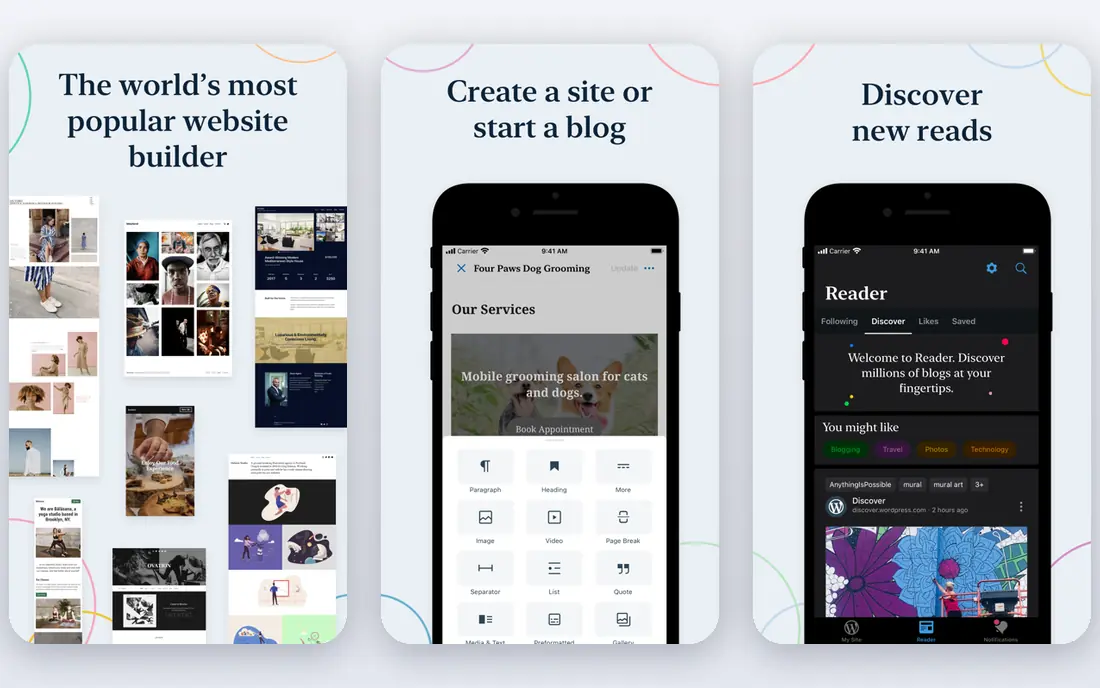
WordPress.com is the most flexible low-cost move from Google Sites. The free plan lets you publish pages and posts on a subdomain, and paid plans add a custom domain and remove ads. The theme range is wide, and the blog tools suit sites that will grow with regular posts.
The catch is tiering. Plugin installs and deeper customisation sit on higher plans, so check what your site actually needs before you assume the cheapest paid plan covers it. For a simple info site or blog, though, WordPress.com offers a lot for a small bill.
- Free plan to start
- Large theme range
- Blog and page tools built in
- Plugin installs need higher tiers
- Free plan shows ads and uses a subdomain
Wix suits owners who want to build a site without learning a platform. Pick a template, drag blocks into place, add text and photos, and publish. Hosting, security, and support come in the same plan, which removes the plugin and update chores that come with self-hosted WordPress.
The free plan is a fair trial, but a business site will need a paid plan for a custom domain and no Wix branding. Template switching is also limited once a site is built, so pick a template you can live with for a while.
- Drag-and-drop editor
- Many templates
- Hosting and support in one plan
- Free plan shows Wix branding and uses a subdomain
- Switching templates later is limited

Squarespace is the pick when design matters as much as content. Templates look polished out of the box, and the editor keeps layout choices tidy, which helps non-designers avoid a messy result. Blogging, a store, and scheduling tools sit in the same account, so a small business can run most of its site from one place.
There is no permanent free plan, only a trial, so budget for a paid plan from the start. Squarespace also offers less plugin freedom than WordPress, which suits owners who want fewer choices, not more.
- Polished templates
- Built-in blogging, store, and scheduling tools
- Domain included on annual plans
- No permanent free plan
- Less plugin freedom than WordPress
Webflow gives designers control that Google Sites never tries to offer. You can set layout, spacing, and interactions visually, and the CMS handles structured content like blog posts, team pages, and case studies. For a portfolio or agency site, that control shows in the result.
Beginners should expect a learning curve. Webflow rewards time spent learning its layout model, and CMS or store features need higher plans. It is a strong pick for designers, and a slower pick for someone who just wants a quick info page.
- Precise visual design control
- CMS for structured content
- Clean hosting and publishing
- Steeper learning curve
- CMS and store features need higher plans
Notion is the closest free alternative in spirit to Google Sites. Build a page, add text, tables, and embeds, and share it by link or publish it. Teams already using Notion for docs can publish a help centre, a handbook, or a simple landing page without learning a new tool.
The limit is design. Public Notion pages look like documents, and custom domain options are limited compared with a real builder. Use Notion for docs and simple pages, and move to Wix, Squarespace, or WordPress.com when you need a polished public site.
- Fast page building
- Good for docs, wikis, and internal pages
- Generous free plan
- Public sites feel like docs, not full websites
- Custom domain and design options are limited
Carrd is the cheapest serious option here, and it knows its job. Build a single page for a link hub, a portfolio intro, a landing page, or a simple business card site, and publish it fast. The paid yearly price is low enough that a custom domain and forms cost very little.
It is not a full website builder. Carrd does not suit blogs, stores, or multi-page sites, so do not force a large site into one page. For a single focused page, though, it is hard to beat on price and speed.
- Very low yearly price
- Fast one-page builds
- Forms and embeds included on paid plans
- One-page only
- Not suited to blogs or large sites
Framer suits creators who want a modern, animated site without code. Templates feel current, the design tools will feel familiar to Figma users, and the free plan lets you publish on a subdomain to test a design. For portfolios and startup landing pages, that polish matters.
CMS content and extra editors need higher plans, so a blog-heavy site can cost more than the starting price suggests. Framer is best for a small, design-led site, not for a large content library.
- Modern templates with animation
- Figma-like design feel
- Free plan for a subdomain site
- CMS features need higher plans
- Smaller template range than Wix or Squarespace
Weebly remains a simple option for a small site. The editor is easy to learn, the free plan lets you publish on a subdomain, and basic store tools cover a small shop. Owners who want a straightforward site without many decisions will find it comfortable.
Newer builders offer fresher templates and stronger features, so Weebly suits simple needs best. If you want modern design, strong blogging, or advanced marketing tools, Wix, Squarespace, or WordPress.com will serve you better.
- Simple drag-and-drop editor
- Free plan to start
- Basic store tools
- Template range feels dated next to newer builders
- Advanced features are limited
Duda is built for people who build sites for others. Agencies can manage many client sites, reuse sections, and hand clients a simple editor without giving away full design control. That workflow saves time when you build sites regularly.
For a single personal site, Duda is more tool than you need, and the pricing reflects a professional audience. Solo owners should start with Carrd, WordPress.com, or Wix, and leave Duda for agency or multi-site work.
- Built for agencies and multi-site work
- Client management tools
- Good mobile design controls
- Priced for professionals, not hobby sites
- Less suited to a single personal page
How we picked these
We compared official pricing and feature pages, and looked for tools that cover the main reasons people leave Google Sites: custom domains, better templates, blogs, stores, and design control. We favoured tools that are still maintained, that offer a free plan or trial, and that fit a clear site type. We did not claim hands-on testing.
How to move from Google Sites
Start by listing what your current site must keep, such as pages, files, forms, and embeds. Google Sites content does not move with one click to most builders, so plan to copy text and re-upload images. Next, pick a builder that matches your future needs, not just your current page count, since moving again costs time.
Then secure your domain first, if you have one, and test the new site on a subdomain before you switch the domain over. Check forms, mobile layout, and links on a phone, since most visitors will arrive there. A short test week catches problems that a rushed launch would not.
Frequently asked questions
What is the best alternative to Google Sites?
WordPress.com suits most people moving from Google Sites, since it is low cost, flexible, and good for blogs. Wix suits beginners who want an easy editor, and Squarespace suits design-led business sites. For a single page, Carrd is the cheapest strong pick.
Is there a free alternative to Google Sites?
Yes. WordPress.com, Wix, Notion, Carrd, Webflow, and Framer all offer free plans, usually on a subdomain with some branding or limits. Notion suits docs and simple pages, while Carrd suits one-page sites. A custom domain will need a paid plan on any of these.
Can I use WordPress instead of Google Sites?
Yes, and WordPress.com is the simpler route, since hosting is included. Self-hosted WordPress offers more freedom but needs hosting, updates, and plugin care. Start with WordPress.com if you want low effort, and move to self-hosted only if you need plugins or control it cannot offer.
What is the easiest Google Sites alternative?
Carrd is easiest for a one-page site, and Wix is easiest for a full small business site. Both use visual editors and need little setup. Notion is also easy if your site is mainly docs or a simple shared page.
How do I choose between Wix and Squarespace?
Choose Wix for more templates, a free plan, and a flexible drag-and-drop editor. Choose Squarespace for more polished templates and a tidier design system. Both cover small business sites well, so trial each one with your own text and photos before you pay.
Sources
See where you really rank - block by block
ProMapRanker scans Google Maps across a grid of your service area. Simple monthly plans from $19, white-label on every plan.
Start freeKeep reading
 zscaler alternatives
Best Zscaler Alternatives in 2026
Looking for zscaler alternatives? We compare 9 SASE and zero trust platforms on architecture, data protection, pricing, and fit for your network and team.
Read → zapier alternatives free
Best Zapier Alternatives Free in 2026
Nine automation tools for zapier alternatives free in 2026, all with genuinely free tiers, plus free plan limits, starting prices and upgrade paths explained.
Read → which platform is best for online reputation
Which Platform Is Best for Online Reputation in 2026
Wondering which platform is best for online reputation? We compare 8 review, listing, and response tools for small and multi-location businesses and agencies.
Read →