 ProMapRanker
Best Google Keep Alternatives in 2026

Key takeaways
- Microsoft OneNote is the closest free replacement for Keep users who want notebooks, handwriting, and a generous free tier.
- Notion suits people who want notes to grow into docs, databases, and team wikis, while Obsidian suits people who want local files they own.
- Bear and Apple Notes are the best simple picks, but both are Apple-only, so Windows and Android users should look elsewhere.
- The best alternative to Google Keep depends on capture speed first: if a new app is slower to open than Keep, it will not stick.
Quick comparison
| Pick | Great for | Pricing starts at | Free tier | |
|---|---|---|---|---|
 Microsoft OneNote | Free notebook-style replacement | Free | Yes | Visit |
 Notion | Notes, docs, and databases together | Free | Yes | Visit |
 Evernote | Heavy capture and search | $14.99 per month | Yes | Visit |
 Obsidian | Private local-first notes | Free | Yes | Visit |
 Apple Notes | Apple users wanting a free simple app | Free | Yes | Visit |
 Bear | Clean Markdown writing on Apple devices | Free | Yes | Visit |
 Simplenote | Ultra-light fast notes everywhere | Free | Yes | Visit |
 Joplin | Open source encrypted notes | Free | Yes | Visit |
 Standard Notes | Encrypted notes with long-term focus | Free | Yes | Visit |
 Zoho Notebook | Cheap upgrade with a migrator | Free | Yes | Visit |
The best google keep alternatives
We compared these apps on capture speed, reminders, organisation, sync, and price, using official pricing pages and current October 2026 comparisons. Keep's appeal is speed and simplicity: open, type, pin, set a reminder, done. Every app below can replace part of that, but none matches Keep on every dimension, so the right pick depends on which part of Keep you use most.
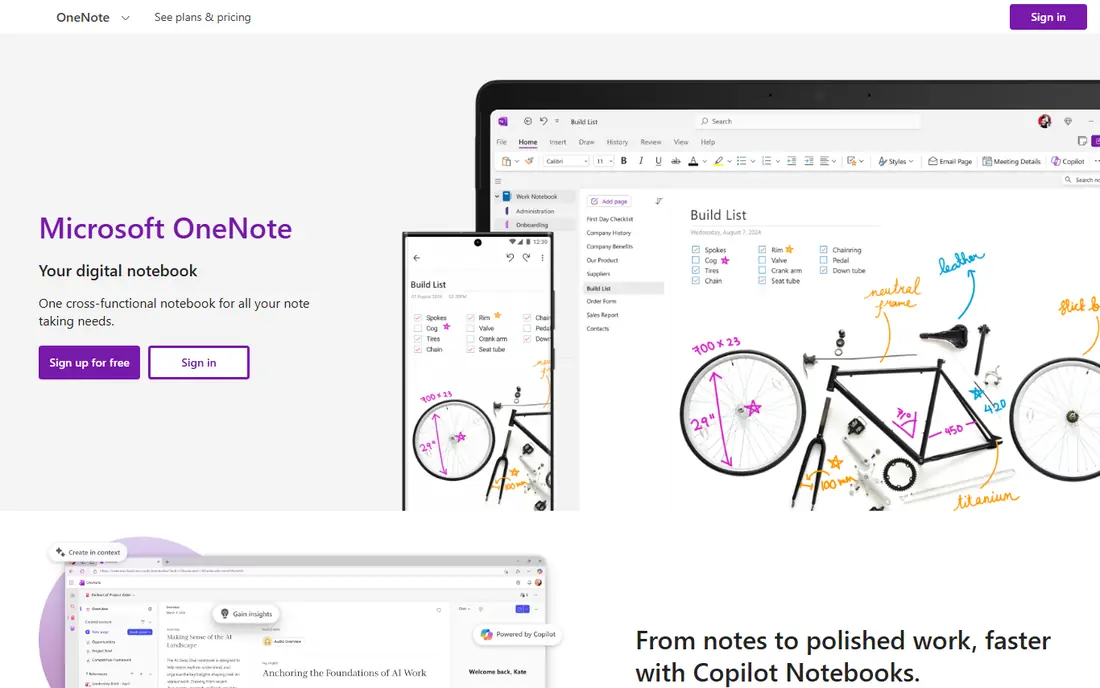
OneNote is the most generous free alternative for Keep users who want more structure without paying. Notebooks, sections, and pages give a place for long notes that Keep's flat card grid handles poorly, and handwriting, drawing, and audio notes suit students and meeting-heavy workers. The web and mobile apps are free, with a Microsoft account, and Microsoft 365 adds storage rather than gating the core app.
The trade is polish. Formatting can behave inconsistently across devices, and OneNote has no true database features for people who want Notion-style tables. Storage is also shared with OneDrive, with 5 GB free, so heavy image and file users may need a storage plan. For a free, structured, cross-platform replacement, OneNote is the safest first move from Keep.
- Free web and mobile apps
- Notebook, section, and page structure
- Handwriting and drawing support
- Formatting can be inconsistent
- No true database features
- Storage is shared with OneDrive
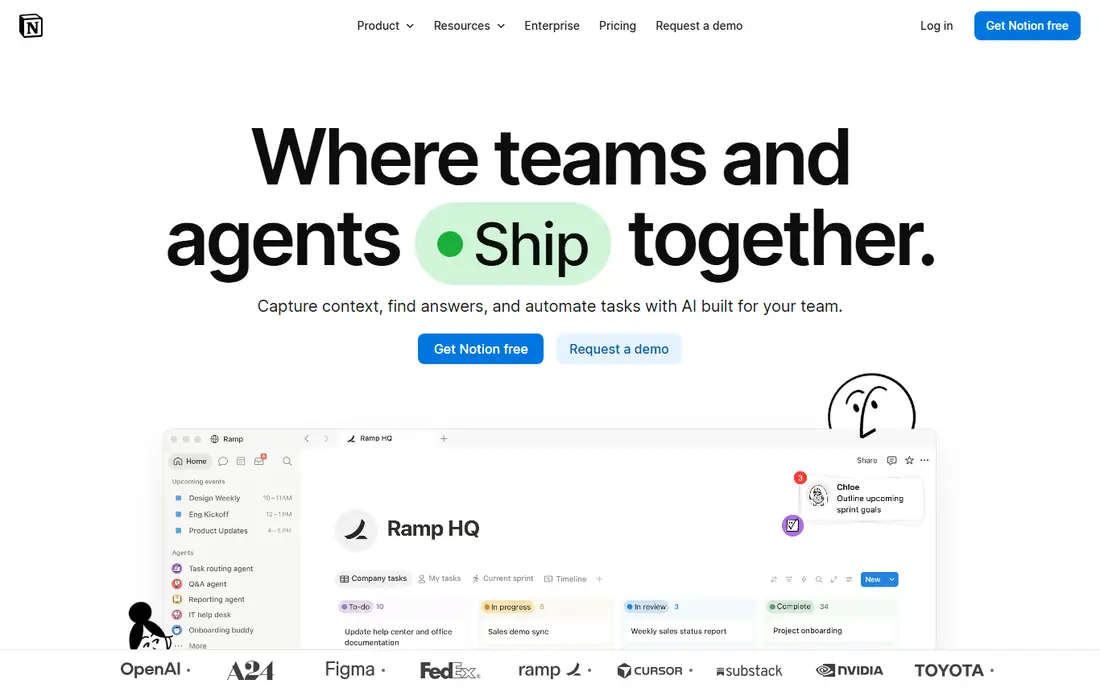
Notion is the pick for Keep users whose notes keep outgrowing sticky notes. A quick note can become a doc, a task list, a database, or a team wiki without moving to another tool, and the free plan for individuals is generous, with Plus at $10 per member per month on annual billing for heavier use. Templates for journals, projects, and reading lists make starting easier than a blank page.
The cost is speed. Notion opens slower than Keep, and a user who only wants a grocery list may find its flexibility a burden. Offline support is also more limited than a local-first app. If your notes are becoming projects, Notion is the best upgrade path. If you only need fast capture, a lighter app on this list will serve you better.
- Flexible pages, docs, and databases
- Generous free plan for individuals
- Huge template library
- Can feel slow for quick capture
- Learning curve for databases
- Offline support is limited
Evernote remains the heavy capturer's tool, built for clipping web pages, scanning documents, and searching a large archive years later. Its search, including text inside images and PDFs on paid plans, is still a reason people stay. Tasks and calendar connections help turn captured notes into follow-ups, which Keep handles only lightly.
The free plan is now tight, limited to 50 notes, one notebook, and one device, so it works as a trial rather than a home. Paid plans start with Starter at $99 per year, or $14.99 per month billed monthly, and Advanced costs considerably more. Evernote has also changed plans more than once, which has frustrated long-term users. For a large, searchable archive, it still earns a place, but casual Keep users should weigh the price.
- Strong web clipping and search
- Good for large archives
- Tasks and calendar connections
- Free plan is limited to 50 notes and one notebook
- Paid plans are pricey
- Past plan changes annoyed users
Obsidian suits people who want to own their notes outright. Notes are plain Markdown files stored on your own device, so they survive app changes, work offline, and can be edited in any text editor. The core app is free for personal use, with a graph view that shows how notes link together and a large plugin community for extra features. For a personal knowledge base, that ownership is a real advantage.
Sync is the part to price honestly. Obsidian Sync starts at $4 per user per month on annual billing, or $5 monthly, and Publish for a website costs extra. There is also no native real-time collaboration, so teams should look at Notion instead. For a solo user who values privacy, speed, and file ownership, Obsidian is the best Keep alternative that is not a cloud notebook.
- Notes are plain Markdown files on your device
- Free for personal use
- Graph view and deep linking
- No native real-time collaboration
- Sync is a paid add-on
- Setup takes more effort than Keep
Apple Notes is the obvious Keep replacement for anyone already on iPhone, iPad, and Mac, and it is free with an Apple ID. Capture is fast, with Siri, share-sheet, and lock-screen entry, and notes support checklists, tables, scanned documents, and drawing. Folders, tags, and shared notes cover most personal organisation needs without any setup.
The limit is the ecosystem. Apple Notes is Apple-only in practice, with web access through iCloud but no real Windows or Android app. Storage is shared with iCloud, with 5 GB free and iCloud+ from $0.99 per month for 50 GB. For an Apple household, Apple Notes replaces Keep with no cost and no learning curve. For a mixed-device household, it is the wrong pick.
- Free with an Apple device
- Fast capture and Siri support
- Folders, tags, and collaboration
- Apple ecosystem only
- Web access is limited
- No database or advanced organisation
Bear is the writing-focused alternative, with a clean Markdown editor and tag-based organisation that suits writers and solo creatives. Notes look good without effort, links and tags replace folders, and the app stays fast even with a large library. The free version covers local notes, while Bear Pro, at $2.99 per month or $29.99 per year, adds sync across devices and more export options.
Bear is Apple-only, with no Windows or Android version, and the free version does not sync at all, so a single-device user gets the best free experience. Writers who live on Apple devices and want a calmer space than Notion will love it. Anyone on Windows or Android should skip Bear and look at Simplenote or Joplin instead.
- Beautiful Markdown editor
- Tag-based organisation
- Fast and focused writing
- Apple-only
- Free version has no sync
- Pro needed for sync and export options
Simplenote is the closest in spirit to Keep's speed, with a completely free app that syncs across web, Windows, Mac, iOS, and Android. Notes are plain text with tags, search, and version history, and the app opens fast enough to capture a thought before it fades. For a Keep user who wants the same lightness without Google, Simplenote is the simplest switch.
The simplicity is also the ceiling. There is no rich formatting depth, no notebook hierarchy, and limited attachment handling, so long research notes and image-heavy collections fit poorly. Simplenote does one job well and refuses the rest. If your Keep use is lists, ideas, and short notes, that focus is a feature, not a flaw.
- Completely free
- Fast sync across web, Windows, Mac, iOS, and Android
- Tags and search
- No rich formatting depth
- No notebooks or databases
- Limited attachment handling
Joplin is the privacy-minded, open source alternative, with Markdown notes, notebooks, tags, and end-to-end encryption across Windows, Mac, Linux, iOS, and Android. The app itself is free and unlimited, and sync can run through your own Dropbox, OneDrive, or WebDAV storage at no extra cost. Joplin Cloud, from about 2.40 euros per month on annual billing for a basic plan, adds hosted sync for users who prefer not to configure storage.
The interface is less polished than Bear or Apple Notes, and collaboration is manual rather than real-time. Setup also takes a little more care, especially for self-hosted sync. For a user who wants open source software, encryption, and control over where notes live, Joplin is the best free alternative on this list.
- Free and open source
- End-to-end encryption
- Sync via your own cloud or Joplin Cloud
- Interface is less polished
- Collaboration is manual
- Joplin Cloud costs extra for hosted sync
Standard Notes is built for people who want notes that stay private and readable for years. Every note is end-to-end encrypted by default, and the free plan covers unlimited devices with plain text notes. The project is open source and focused on longevity, which appeals to users who have been burned by apps shutting down or changing plans.
The free plan is plain text only, so rich text, folders, and file features need the Productivity plan at $90 per year, with a Professional plan above it for file storage. The ecosystem is also smaller than Notion or Evernote, with fewer templates and integrations. For a user who puts encryption and longevity first, Standard Notes is a principled and solid choice.
- End-to-end encrypted by default
- Plain text free plan
- Long-term, sustainability-focused development
- Free plan is plain text only
- Rich features need the Productivity plan at $90 per year
- Smaller ecosystem
Zoho Notebook is the budget upgrade that is easy to overlook. The free plan carries no stated note limit, with 500 MB of storage and a 10 MB per-file limit, while Pro costs $19.99 per year, or about $1.99 per month billed monthly, and Pro Plus costs $39.99 per year. A built-in migrator helps move notes from other apps, which lowers the switching cost for a Keep user with a large archive.
The free storage limit will bite heavy image users, and the community and template library are smaller than Notion's. Advanced database and collaboration features are also thinner. For a user who wants a cheap, simple, cross-platform notebook with an easy migration path, Zoho Notebook is a good and underrated alternative.
- Free plan with no note limit stated
- Very cheap Pro plans
- Built-in migrator from other note apps
- Storage limits on the free plan
- Smaller community
- Fewer advanced features than Notion
How we picked these
We compared official pricing pages, app listings, and current October 2026 note-app comparisons, and we favoured apps that are live, actively maintained, and available in the US. We covered free, Apple-only, local-first, encrypted, and all-in-one options, because Keep users leave for different reasons, from privacy to structure to platform change. We did not list Google Keep itself, since this is a list of alternatives to it, and we wrote the free plan honestly where a free tier is limited.
How to move your notes from Google Keep
Start by exporting with Google Takeout, which gives your Keep notes as files you can import or copy elsewhere. Test the move with a small set of notes first, since colours, labels, and reminders do not always transfer cleanly between apps. Joplin and Zoho Notebook offer the smoothest import paths, while Notion and OneNote need more manual copying for a large archive.
Next, rebuild reminders deliberately. Keep reminders are tied to Google's system, so a new app's reminder flow should be tested with a real task before you rely on it. Set one test reminder for tomorrow, check that it fires, and confirm it works on every device you use.
Finally, keep Keep installed for a month after the move. That safety net lets you check any note that did not transfer well, and it costs nothing while you confirm the new app fits daily use. Delete the old notes only after you have lived with the replacement for a few weeks.
Frequently asked questions
What are the best google keep alternatives for Android and Windows?
Microsoft OneNote, Notion, Simplenote, Joplin, and Zoho Notebook all run on Android and Windows, with free plans to start. OneNote is the most structured free pick, Simplenote is the fastest, and Joplin is the best open source pick. Apple Notes and Bear are Apple-only, so they do not suit a mixed-device setup.
Is there a free alternative to Google Keep?
Yes, several. OneNote, Notion, Obsidian, Simplenote, Joplin, Standard Notes, and Zoho Notebook all offer free plans, though limits differ. Simplenote and Joplin are fully free for core notes, while Evernote's free plan is limited to 50 notes and one notebook. Check the free tier limit before moving a large archive.
Which alternative to Google Keep is best for reminders?
OneNote and Notion both support reminders and tasks, while Apple Notes supports reminders through the Apple ecosystem. Simplenote and Obsidian handle reminders less directly, relying on plugins or manual checks. If reminders are your main Keep feature, trial OneNote first and test a reminder end to end.
Can I import my Google Keep notes into another app?
Yes, through Google Takeout, which exports Keep notes for import or manual copying. Joplin and Zoho Notebook offer migrators that ease the move, while Notion and OneNote need more manual work for large archives. Test with a small batch first, since labels and reminders may not transfer perfectly.
What is the simplest alternative to Google Keep?
Simplenote is the simplest cross-platform pick, with fast sync and plain text notes on every major platform. Apple Notes is the simplest pick for Apple-only users, since it is free and already installed. Both are faster to learn than Notion, which suits users who only need quick capture.
Sources
- https://www.onenote.com
- https://www.notion.so
- https://evernote.com
- https://obsidian.md
- https://www.apple.com/notes/
- https://bear.app
- https://simplenote.com
- https://joplinapp.org
- https://standardnotes.com
- https://www.zoho.com/notebook/
- https://www.flozic.ai/blog/alternatives/onenote-alternatives
- https://www.taskade.com/blog/best-evernote-alternatives
See where you really rank - block by block
ProMapRanker scans Google Maps across a grid of your service area. Simple monthly plans from $19, white-label on every plan.
Start freeKeep reading
 leg extension alternatives
Leg Extension Alternatives in 2026
Leg extension alternatives that build quad strength without a machine, from goblet squats to step-ups, with form tips for home and gym training in our guide.
Read → kemono alternatives
Kemono Alternatives in 2026
Find legal kemono alternatives for creators in 2026, from Patreon and Ko-fi to Substack and Ghost, with fees, features, safety notes, and honest limits.
Read → kafka alternatives
Kafka Alternatives in 2026
Compare the best Kafka alternative platform options for event streaming, queues and messaging, with trade-offs on scale, ops and cost for developers now.
Read →