 ProMapRanker
Best Google Colab Alternatives in 2026

Key takeaways
- Kaggle Notebooks is our pick for free GPU work and competitions, while Deepnote suits teams that want shared notebooks and data connections.
- Hex and Databricks fit larger data teams, with Hex leaning to notebook-led analysis and Databricks to full data and AI pipelines.
- Paperspace, Lightning AI, RunPod, and Modal suit heavier compute, with different trade-offs between ease of use and raw control.
- Session limits and GPU quotas matter more than headline prices, so check weekly limits and idle timeouts before committing to a project.
Quick comparison
| Pick | Great for | Pricing starts at | Free tier | |
|---|---|---|---|---|
 Kaggle Notebooks | Free GPU notebooks and competitions | Free | Yes | Visit |
 Deepnote | Team notebooks and data connections | Free | Yes | Visit |
 Hex | Notebook-led data analysis | See website | Free trial | Visit |
 Databricks | Data and AI pipelines at scale | See website | Free trial | Visit |
 Paperspace | Accessible GPU notebooks | $8 per month | Yes | Visit |
 Lightning AI | Studio notebooks with persistent storage | Free | Yes | Visit |
 Datalore | Collaborative data science notebooks | See website | Yes | Visit |
 Amazon SageMaker Studio | Managed ML notebooks on AWS | See website | Free trial | Visit |
 RunPod | On-demand GPU rentals | See website | No | Visit |
 Modal | Serverless compute for code jobs | See website | Yes | Visit |
The best Google Colab alternatives
Google Colab is a free, browser-based notebook with GPU access, so the best replacements cover the same ground in different ways. Some are free notebooks for learning, others are team platforms, and a few are raw GPU services for heavier training. We compared official pricing pages, GPU access, session limits, and collaboration features for each tool.
Kaggle Notebooks is the closest free alternative to Colab for many learners. You get a browser notebook with GPU options, plus access to public datasets and competitions that make practice projects easy to start. There is no paid tier to manage, which keeps the focus on learning and experimenting.
The limits are real. GPU sessions are time-boxed and weekly quotas apply, so a long training run can hit a cap. Kaggle also feels more tied to its own platform than Colab does to Drive. For free, short-to-medium work and competition practice, it is our pick.
- Free GPU access
- Built-in datasets and competitions
- No setup needed
- Weekly GPU limits
- Tied to the Kaggle ecosystem
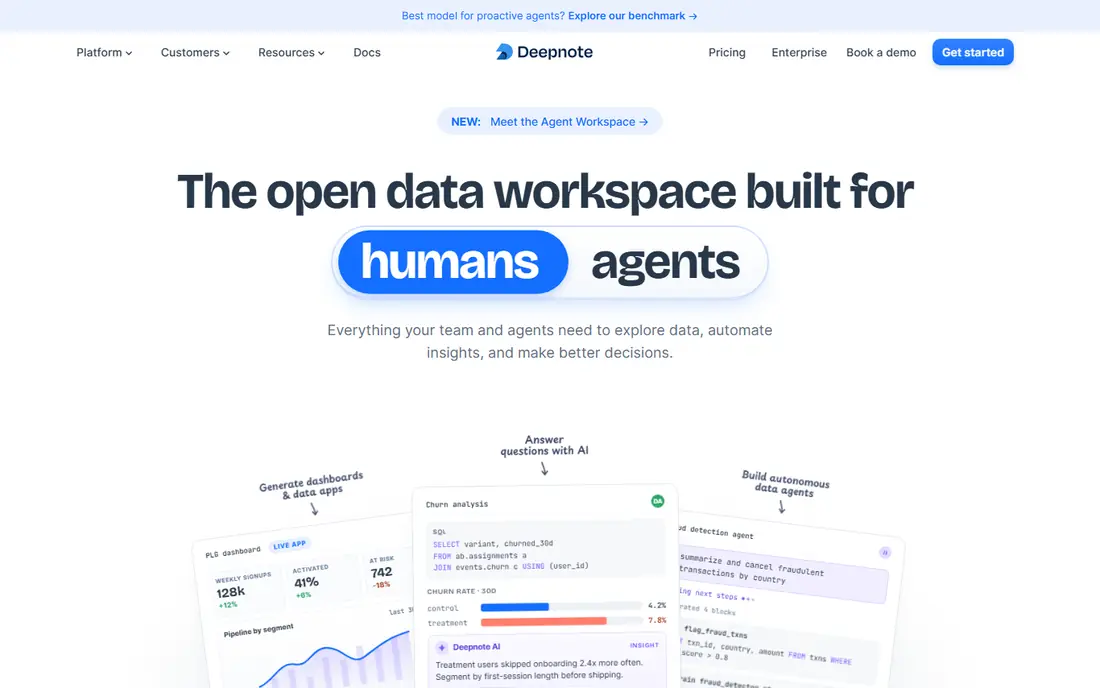
Deepnote is built for data teams that share notebooks rather than working alone. Multiple editors can work in the same notebook, and connections to Snowflake, BigQuery, Postgres, and other sources keep analysis close to the data. The interface is cleaner than a bare Jupyter setup, which helps when non-technical stakeholders need to read results.
It is not primarily a GPU rental service, so heavy model training may fit better on Paperspace or RunPod. Paid plans add stronger machines and premium integrations. For collaborative analysis and reporting, Deepnote is a strong Colab replacement.
- Real-time collaboration
- Connections to warehouses and databases
- Clean notebook interface
- GPU options are more limited than raw GPU services
- Paid plans needed for larger teams
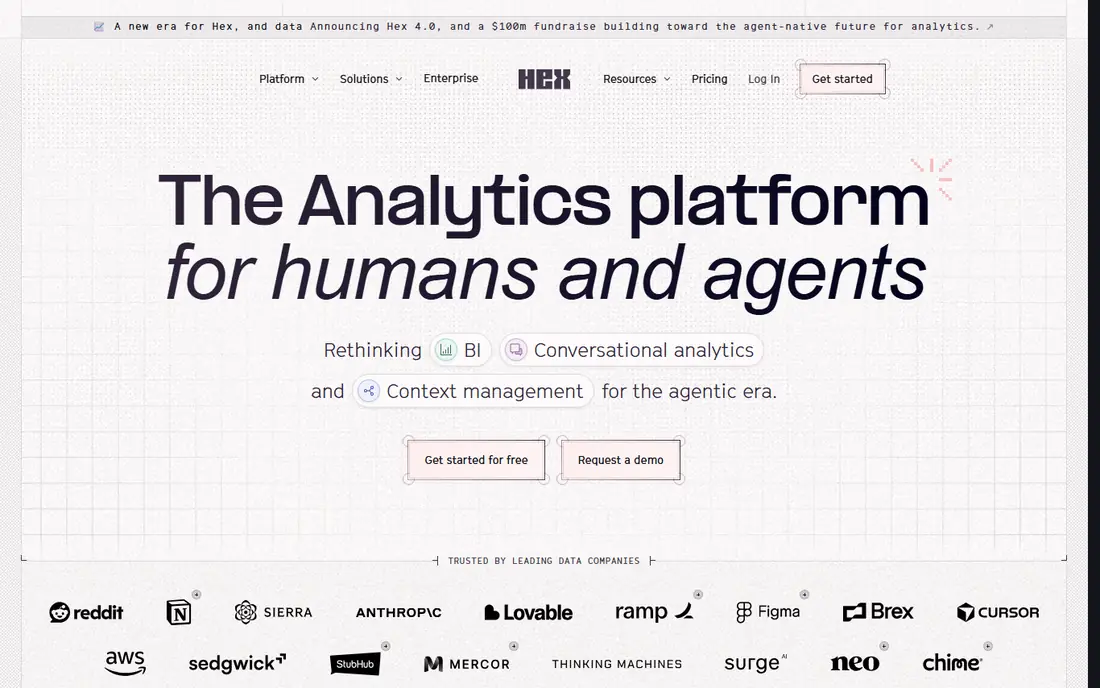
Hex combines notebooks, SQL, and app building, so an analyst can query data, chart it, and publish a small interactive app from the same project. That makes it useful when the end goal is a shared result, not just a private experiment. Teams can also schedule runs and manage permissions in one place.
Hex is less of a GPU training platform than Colab, so deep learning teams should look elsewhere for heavy compute. It also sits at a higher price point for full team use. For data analysis that ends in a stakeholder-facing report, Hex is a compelling choice.
- Notebook plus app building
- Strong SQL and Python mix
- Good for sharing results with stakeholders
- Less suited to pure deep learning training
- Pricing needs a quote for larger teams
Databricks is the heavyweight option here, built for companies that move from notebooks to production pipelines. Notebooks sit alongside data engineering, machine learning, and governance tools, with scalable compute that grows with the workload. That breadth suits teams that need jobs, versioning, and access controls in one platform.
A solo learner will find Databricks far more complex and costly than Colab or Kaggle. Pricing depends on compute and plan, so a small test can still cost real money if clusters run idle. Choose it when a team needs production scale, not just a free notebook.
- Unified data and AI platform
- Scalable compute
- Strong governance and job scheduling
- Complex and costly for solo learners
- Setup suits engineering-led teams
Paperspace Gradient offers notebooks with GPU access at a lower entry price than many cloud platforms. A free tier suits learning PyTorch and TensorFlow, while paid plans add private projects, stronger GPUs, and team features. The setup is more straightforward than renting a bare virtual machine.
Free GPUs are modest, so large models will need a paid tier and careful session management. Auto-shutdown settings also need attention to avoid lost work or idle charges. For learners who want to step up from free Colab without moving to a full cloud platform, Paperspace is a practical middle step.
- Free tier for learning
- Range of GPU options on paid plans
- Private projects on paid tiers
- Free GPUs are modest
- Auto-shutdown needs management
Lightning AI gives you a studio environment that feels closer to a full development setup than a single notebook tab. Persistent storage means files and environments survive between sessions, which helps on multi-day projects. Free credits let new users test GPU options before paying.
Studios do restart after a set period, so long unattended jobs need planning. Credit consumption also varies with the GPU you choose, so a powerful card can use a free allowance quickly. For builders who want an IDE-style workflow with cloud GPUs, Lightning AI is worth testing.
- Free credits to start
- Persistent storage
- IDE-style studio plus notebooks
- Studios restart after a set period
- Credit use varies with GPU choice
Datalore, from JetBrains, is a collaborative notebook platform with a polished editor and support for Python and SQL. Teams can share notebooks, comment, and work together in real time, which suits small data teams and classrooms. The JetBrains heritage shows in the editing experience.
The community and library of public notebooks are smaller than Kaggle, and GPU options are not the main selling point. Datalore is best for collaborative analysis and teaching rather than heavy training. If your team already uses JetBrains tools, the fit is even better.
- Built by JetBrains
- Real-time collaboration
- Python and SQL support
- Smaller community than Kaggle or Colab
- GPU options are limited
Amazon SageMaker Studio is a managed notebook environment inside AWS, built for teams that already run data and models on Amazon infrastructure. You can scale compute, schedule jobs, and move from experiment to deployment without leaving the AWS ecosystem. That integration is the main reason to choose it over a standalone notebook.
The trade-off is AWS complexity. Billing, permissions, and service choices take time to learn, and a simple learning notebook can feel buried in enterprise tooling. SageMaker Studio suits professional ML teams on AWS, not students who want a free notebook in one click.
- Managed notebooks on AWS
- Scalable compute and jobs
- Strong for production ML teams
- AWS complexity and billing
- Overkill for simple learning notebooks
RunPod is for users who want a specific GPU for a specific job and are happy to manage the setup. You rent a pod by the hour, choose from many GPU types, and run notebooks or custom code on it. That flexibility suits training runs that need a larger card than free notebooks offer, or a card that free tiers never provide.
It is not a one-click notebook for beginners, since you handle environment setup, storage, and shutdown. Costs also depend on GPU choice and idle time, so a forgotten pod can keep billing. For experienced users who know what GPU they need, RunPod offers strong value and control.
- Wide choice of GPUs
- Pay per hour
- No hard session cap on rented pods
- Needs more setup than a notebook platform
- You manage the environment
Modal takes a different approach from a notebook: you write Python functions and run them on serverless cloud compute that scales to zero when idle. That suits batch jobs, inference, and training scripts that do not need an always-on notebook. Per-second billing and free credits make short, bursty jobs cheap to test.
It is less friendly for exploratory notebook work, since the workflow is code-first and functions, not cells in a shared notebook. Cold starts can also add delay when a job scales up from zero. For developers who want to run code jobs without managing servers, Modal is a strong Colab complement.
- Serverless scaling to zero
- Per-second billing
- Free credits to start
- Code-first and less notebook-like
- Cold starts on scaled-down jobs
How we picked these
We compared official pricing pages, GPU access, session limits, and collaboration features for notebook and cloud compute tools that are live in October 2026, and we kept a mix of free notebooks, team platforms, and raw compute services. We excluded Google Colab itself, so every entry is a genuine alternative. We did not claim hands-on testing, and we used See website where pricing depends on compute choice or a quote.
How to choose a Colab replacement
Match the job to the platform
Free notebooks such as Kaggle suit learning and competitions, team notebooks such as Deepnote and Hex suit shared analysis, and GPU rentals such as RunPod suit heavy training. Picking a platform for the wrong job is the most common mistake, since a great analysis tool can be a poor training platform.
Check limits before you start a project
Compare session length, idle timeout, weekly GPU quota, and storage persistence. A tool that looks free can still block a long run, and a tool with persistent storage can save hours on a multi-day project. Read the current limits in your account settings, since vendors change them.
Watch the billing model
Notebook platforms often charge per user per month, while GPU services charge per hour or per second. For a short training run, hourly billing can cost only a few dollars, while a monthly seat can be better for daily analysis. Estimate both models for your actual usage before committing.
Frequently asked questions
Is there a completely free Google Colab alternative?
Kaggle Notebooks is the closest free option, with free GPU access and no paid tier, but weekly limits apply. Deepnote and Lightning AI also offer free plans or credits, though stronger machines need payment. For long or heavy training, a paid GPU rental is usually needed.
Which alternative is best for a data science team?
Deepnote is a strong team default, because it combines shared notebooks with data connections and permissions. Hex suits teams whose work ends in shared apps and reports, while Databricks suits larger teams moving to production pipelines. Pilot with a real project before choosing.
Can I run deep learning models on these tools?
Yes, but the right tool depends on model size. Kaggle and Paperspace cover small to medium models, while RunPod and Modal cover larger or custom jobs. Check GPU memory for your model, since a card with too little memory will fail even if the platform looks suitable.
Do these tools support Python and common libraries?
Yes, all the notebook tools here support Python, and most come with common data science libraries preinstalled or easy to add. Check for TensorFlow, PyTorch, pandas, and any special library your project needs, since preinstalled sets vary by platform.
How do I move notebooks from Colab?
Most tools accept standard Jupyter notebook files, so you can download a notebook from Colab and upload it elsewhere. Data files, Drive connections, and GPU settings will need manual adjustment, so test one notebook end to end before moving a whole project.
Sources
See where you really rank - block by block
ProMapRanker scans Google Maps across a grid of your service area. Simple monthly plans from $19, white-label on every plan.
Start freeKeep reading
 zoro.to alternatives
Best Zoro.to Alternatives in 2026
We compare the best zoro.to alternatives in 2026, listing only legal licensed anime streaming services, from Crunchyroll to free options for fans today.
Read → zip alternatives
Best Zip Alternatives in 2026
We compare the best zip alternatives for buy now, pay later in 2026, covering pay-in-4 plans, fees, spending limits, and credit reporting options today.
Read → yesware alternatives
Best Yesware Alternatives in 2026
Compare the best yesware alternatives for sales email tracking, templates, and sequences, with current pricing and honest tradeoffs for small sales teams.
Read →