 ProMapRanker
Best GoAudits Alternatives in 2026

Key takeaways
- SafetyCulture is the broadest option, with a free plan for up to 10 users and a large template library.
- Lumiform suits teams that want inspection-focused workflows with clear per-team pricing.
- GoCanvas and ProntoForms fit teams that need custom mobile forms beyond standard checklists.
- Fieldwire fits construction teams that need drawings and field tasks alongside inspections.
- Offline mode, report branding, and corrective action tracking matter more than template counts for most field teams.
Quick comparison
| Pick | Great for | Pricing starts at | Free tier | |
|---|---|---|---|---|
 SafetyCulture | Broadest inspections and safety | Free | Yes | Visit |
 Lumiform | Inspection-focused workflows | $115 per month | No | Visit |
 ProntoForms | Custom field forms at scale | See website | No | Visit |
 Fulcrum | Location-based field data | See website | No | Visit |
 GoCanvas | Custom mobile forms | $49 per user per month | No | Visit |
 Xenia | Team-based operations execution | $79 per month | No | Visit |
 Jolt | Food service daily tasks | See website | No | Visit |
 Fieldwire | Construction field management | See website | No | Visit |
 Kizeo Forms | Simple custom forms for field teams | See website | No | Visit |
The best goaudits alternatives
GoAudits is a mobile-first audit platform for multi-location teams, with structured checklists, offline mode, branded reports, and corrective action tracking. The apps below cover the same ground with different strengths, from safety-focused suites to custom form builders. We compared official pricing pages, product documentation, and public reviews, and we did not claim hands-on testing we did not do. For regulated work, check that the tool meets your record-keeping, signature, and audit trail needs before relying on it for compliance.
SafetyCulture, originally built around iAuditor, is the most widely used inspection platform in this list. The free plan covers up to 10 users, which lets a small team run real inspections before paying. Premium costs $24 per user per month on annual billing, or $29 month to month in published summaries, and adds analytics, workflow automation, training, and sensor modules.
The breadth is both a strength and a weakness. A team that only needs checklists may find training, assets, and sensors distracting, and the mobile app carries more features than a single-purpose audit app. For a safety, quality, or operations team that wants one platform for inspections plus related work, SafetyCulture is the safest default.
- Free plan for up to 10 users
- Large template library
- Offline mobile inspections
- Broader platform can feel heavy for a pure inspection team
- Premium costs $24 per user per month
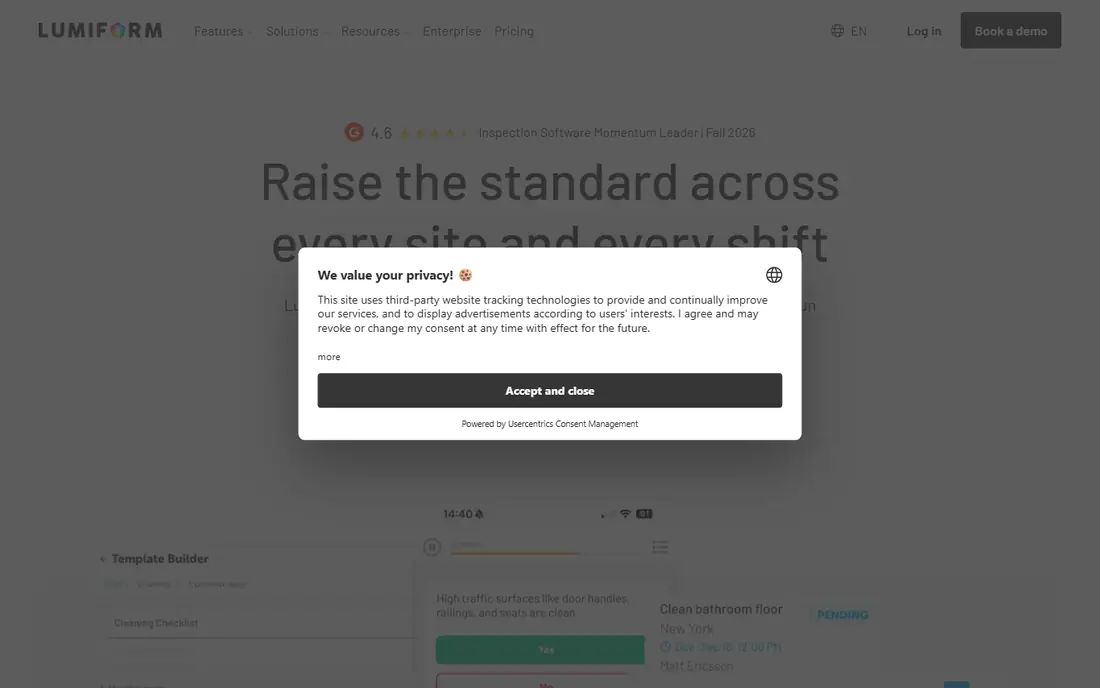
Lumiform focuses on inspections rather than trying to cover every operations need. Teams build checklists with conditional logic, run them offline on phones or tablets, and generate reports in seconds with photos and corrective actions routed automatically. Published pricing puts the Professional plan at about $115 per month in some comparisons, or €100 per month for five users on its own pricing pages, with volume discounts as teams scale.
That team-based pricing helps a five-person team but can cost more for a solo inspector than a per-user plan. Lumiform also hosts data in the EU, which suits privacy-sensitive European teams. For a retail, logistics, or food team that wants inspections done well without a larger suite, Lumiform is a focused pick.
- Inspection-first design
- Over 12,000 templates in published summaries
- Offline mode and fast reports
- Entry pricing is team-based, not per user
- Enterprise features need a higher plan

ProntoForms is a mobile form platform for field teams that need more than a checklist. Forms can include conditional logic, calculations, photos, signatures, and barcode scans, with data flowing to back-office systems through integrations. That depth suits utilities, field service, and asset inspection teams with complex data capture needs.
Pricing is quote-based, so a small team cannot judge the cost from a public page. Setup also takes more design work than picking a ready template in SafetyCulture or Lumiform. For a team with unusual forms or system integrations, ProntoForms gives more control than a checklist-only app.
- Powerful form builder with workflows
- Strong offline support
- Enterprise integrations
- Quote-based pricing
- Setup can take longer than a template-based app
Fulcrum is built for field data collection where location matters. Inspectors capture photos, GPS points, and form data offline, then sync when back online, with maps showing where inspections happened and where issues cluster. That makes Fulcrum a good fit for environmental, utility, and infrastructure teams that work across large sites.
Fulcrum is less audit-specific than SafetyCulture or GoAudits, with less emphasis on audit scores and branded compliance reports out of the box. Pricing is quote-based, so the total depends on users and data volume. For a team that maps inspections across a site or a region, Fulcrum is the location-first choice.
- Strong mapping and location features
- Custom forms with offline sync
- Good for outdoor field work
- Quote-based pricing
- Less focused on audit scoring than GoAudits or SafetyCulture
GoCanvas turns paper forms into mobile apps, with drag-and-drop builders, photos, signatures, and PDF reports. Published comparisons place the entry price at $49 per user per month, which gives a small team a clear budgeting figure. Offline capture and dispatch features suit service, construction, and inspection teams that need forms tailored to their exact workflow.
GoCanvas analytics are more basic than a dedicated audit platform, so a multi-location team that needs trend reports and corrective action tracking across sites may need extra work. The form builder is the strength here, not the audit dashboard. For a team replacing paper forms with custom mobile forms, GoCanvas is a practical pick.
- Flexible custom form builder
- Offline mobile capture
- Published entry price for budgeting
- Analytics are more basic than SafetyCulture
- Higher plans needed for advanced workflows
Xenia combines checklists, tasks, messaging, and work orders in one team app, with published team pricing starting at $79 per month in comparisons of Lumiform alternatives. That team model can be cheaper than per-user pricing for a larger frontline crew, and the AI features help generate checklists and surface issues. Operations managers can assign corrective actions and track completion across locations.
Xenia is newer and smaller than SafetyCulture, so its template library and branded report options are thinner. A team that needs highly polished compliance reports may prefer GoAudits or SafetyCulture. For a multi-location team that wants daily operations, not just audits, in one app, Xenia is worth a trial.
- Team-based pricing
- AI-assisted operations execution
- Checklists plus tasks and messaging
- Branded reporting is less deep than GoAudits
- Smaller template library than SafetyCulture
Jolt is built for food service operations, with daily checklists, temperature logs, label printing, and staff training in one system. That focus suits restaurants, cafes, and food retail chains that need the same opening, closing, and food safety tasks done every day. The frontline design is simple enough for hourly staff to use without lengthy training.
Jolt is not a general audit platform for manufacturing or construction, and pricing is quote-based rather than published per user. A team outside food service will get less value from its label and food safety features. For a food business that wants daily task compliance plus training, Jolt is the specialist pick.
- Built for restaurants and food service
- Daily checklists, labels, and training in one app
- Simple frontline design
- Quote-based pricing
- Less suited to general industrial audits
Fieldwire is a construction field management tool that covers inspections alongside drawings, punch lists, tasks, and RFIs. Site teams can mark issues directly on plans, assign them to subcontractors, and track completion, which makes inspections part of the construction workflow rather than a separate report. Offline mobile access helps on sites with poor connectivity.
Fieldwire is broader than a pure audit app, so a retail or hospitality team may find construction features distracting. Pricing for paid plans is quote-based, with a free tier for basic use in published summaries. For a construction team that wants inspections tied to drawings and punch lists, Fieldwire is the most relevant option here.
- Drawings, punch lists, and inspections together
- Strong construction focus
- Offline mobile access
- Quote-based pricing for paid plans
- Broader than a pure audit app
Kizeo Forms lets a small team build custom mobile forms without coding, with fields for photos, signatures, barcodes, and GPS. Field staff complete forms offline and sync later, and managers receive structured data and PDF reports. That simplicity suits a team that needs a handful of custom inspection forms rather than a full audit suite.
Kizeo Forms analytics and corrective action tracking are lighter than SafetyCulture or GoAudits, so a multi-location compliance team may need to manage follow-up outside the app. Pricing is not published as a single per-user rate, so a quote is needed for an exact budget. For a small team that wants custom forms quickly, Kizeo Forms is an easy start.
- Easy custom form builder
- Offline capture with photos and signatures
- Good for small field teams
- Pricing is not published as a simple per-user rate
- Audit analytics are lighter than SafetyCulture
How we picked these
We compared official pricing pages, product documentation, and public reviews for inspection and audit apps that are actively sold in October 2026. We kept tools that offer mobile checklists, offline mode, photo capture, and reports, and that serve multi-location or field teams. We left out general survey tools and pure project management apps, since they lack audit scoring, signatures, or corrective action workflows. Where pricing is quote-based, we say so rather than guessing a seat price.
What matters most in an audit app
Offline mode is the first test, since inspections often happen in basements, warehouses, or rural sites with weak signal. Check that the full checklist, photos, and signatures work offline, and that sync does not lose data when the connection returns. Next, check corrective actions: can you assign a task, set a deadline, track it to closure, and see overdue items across locations without a spreadsheet.
Report quality matters for clients and regulators. A branded PDF with scores, photos, and history looks professional and saves office time, while a raw data export creates extra work. Finally, check user pricing: per-user pricing suits a small expert team, while team-based pricing suits a large frontline crew. A free plan for up to 10 users, as SafetyCulture offers, can be the cheapest way to test a real rollout.
Template or custom form
Template libraries save time for standard safety, food, or retail audits, while custom builders suit unusual workflows. SafetyCulture and Lumiform offer large libraries, while ProntoForms, GoCanvas, and Kizeo Forms offer deeper customisation. The best choice is often a mix: start from a template, then adjust scoring, required photos, and corrective actions to match your own standard. Avoid a tool that locks templates so tightly that you cannot change a question without vendor help.
Frequently asked questions
What is the best GoAudits alternative for multi-location teams?
SafetyCulture is the broadest multi-location option, with a free plan for up to 10 users, analytics across sites, and corrective action tracking. Lumiform is a strong focused alternative for inspection-heavy teams, while Xenia suits teams that want daily operations plus audits in one app. Compare report branding and cross-location analytics, since those differ more than checklist features.
Can these apps work offline?
Yes, all nine tools here offer offline mobile capture, though the depth varies. SafetyCulture, Lumiform, ProntoForms, Fulcrum, GoCanvas, and Kizeo Forms all support offline forms with photos and signatures, syncing when connectivity returns. Test offline mode on your actual devices and sites before rollout, since large photo sets and long checklists can expose sync limits.
Do I need a paid plan to start?
Not always. SafetyCulture offers a free plan for up to 10 users, which is enough for a small team to run real inspections. Fieldwire also offers a basic free tier in published summaries. Other tools here need a paid plan or a trial, so use the free SafetyCulture plan to test your checklists before committing to a paid platform.
How do corrective actions work in audit apps?
A failed checklist item creates a task with an assignee, a deadline, and a severity level. The assignee fixes the issue, adds photos or notes, and marks it complete, while managers track overdue items across locations. SafetyCulture, Lumiform, and GoAudits-style tools all support this flow, though the depth of reminders and escalation varies by plan. Check that closed actions keep a history for audits.
Can I import my existing checklists?
Most tools here let you build checklists from templates, duplicate existing forms, or import from spreadsheets and PDFs, though the ease varies. Template-based tools are fastest for standard audits, while form builders need more setup for custom scoring. Ask for an import demo with one of your real checklists before signing, since a clean import saves weeks of manual rebuilding.
Are digital audit reports accepted for compliance?
Digital reports are widely accepted when they include timestamps, photos, signatures, and an audit trail of changes. Check your regulator or client requirements for retention, signature type, and export format before relying on a single tool. Keep PDF exports and data backups outside the app as well, so a vendor change does not lose your compliance history.
Sources
See where you really rank - block by block
ProMapRanker scans Google Maps across a grid of your service area. Simple monthly plans from $19, white-label on every plan.
Start freeKeep reading
 zyte alternatives
Best Zyte Alternatives in 2026
These zyte alternatives cover managed scraping APIs, proxy networks and no code tools for lawful collection from your own or consented sources only in 2026.
Read → zerto alternatives
Best Zerto Alternatives in 2026
Compare the best zerto alternatives for disaster recovery and replication, with recovery targets, cloud options and honest trade-offs for teams in 2026.
Read → zerofox alternatives
Best ZeroFox Alternatives in 2026
We compared 9 zerofox alternatives for brand protection, phishing takedowns, dark web monitoring, and social impersonation, with clear coverage notes.
Read →