 ProMapRanker
Best Gmelius Alternatives in 2026

Key takeaways
- Help Scout is the only pick here with a free plan for up to 5 users, which makes it the easiest low-risk trial for a small support team.
- Drag and Keeping are the closest Gmail-native swaps, since both work inside Gmail instead of asking the team to learn a separate app.
- Front, Zendesk, and Freshdesk suit teams that have outgrown email alone and need ticketing, automation, and reporting in one place.
- Per-seat prices cluster between $12 and $25 a month on annual billing, but AI add-ons and higher tiers can change the real bill fast.
Quick comparison
| Pick | Great for | Pricing starts at | Free tier | |
|---|---|---|---|---|
 Front | Omnichannel support teams | $25 per seat per month | No | Visit |
 Hiver | Gmail and Outlook teams | $25 per user per month | No | Visit |
 Missive | Email plus chat in one inbox | $14 per user per month | No | Visit |
 Drag | Gmail teams wanting kanban boards | $12 per user per month | No | Visit |
 Keeping | Simple Gmail help desk | $14 per user per month | No | Visit |
 Help Scout | Small support teams | Free | Yes | Visit |
 Zendesk | Growing support operations | $19 per agent per month | No | Visit |
 Freshdesk | Budget ticketing teams | $19 per agent per month | No | Visit |
 Trengo | Multichannel teams | See website | No | Visit |
The best gmelius alternatives
These nine tools all help a team share an inbox without double replies or lost threads, but they split into Gmail-native tools and full help desks.
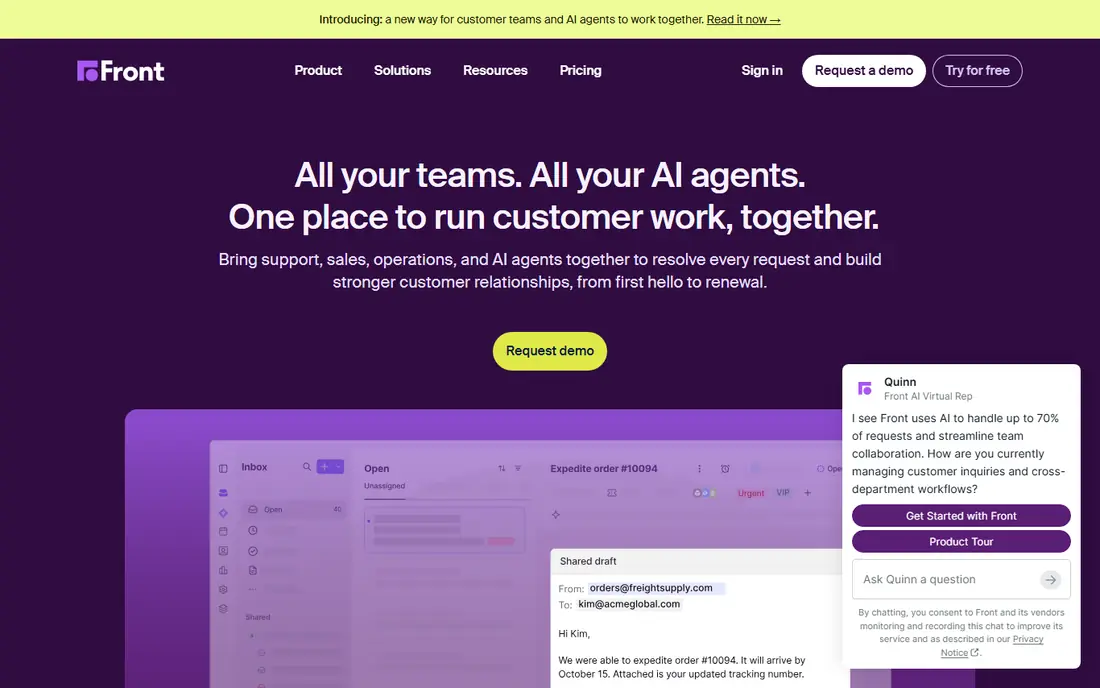
Front is the pick for a team that answers customers in more than one place and wants one queue for all of it. Email, live chat, SMS, and social messages can land in shared inboxes where teammates assign work, leave internal comments, and see who is already replying. That chat-style collaboration is the main reason teams move here from a Gmail-only tool, and its automation rules and reporting give managers a clearer view of volume and response times.
The catch is cost and setup. Starter is capped at 10 seats and covers a single channel, so a growing team will move to higher plans sooner than the headline price suggests. Small teams that only need a shared Gmail inbox may find Front more than they need, and its interface takes a little time to learn. Still, for a support team that plans to scale, it is a solid long-term home.
- Shared inboxes across email, chat, and social
- Strong automation and analytics
- Clear collision detection
- Price adds up per seat
- Omnichannel channels sit on higher plans
- Can feel heavy for a two-person team
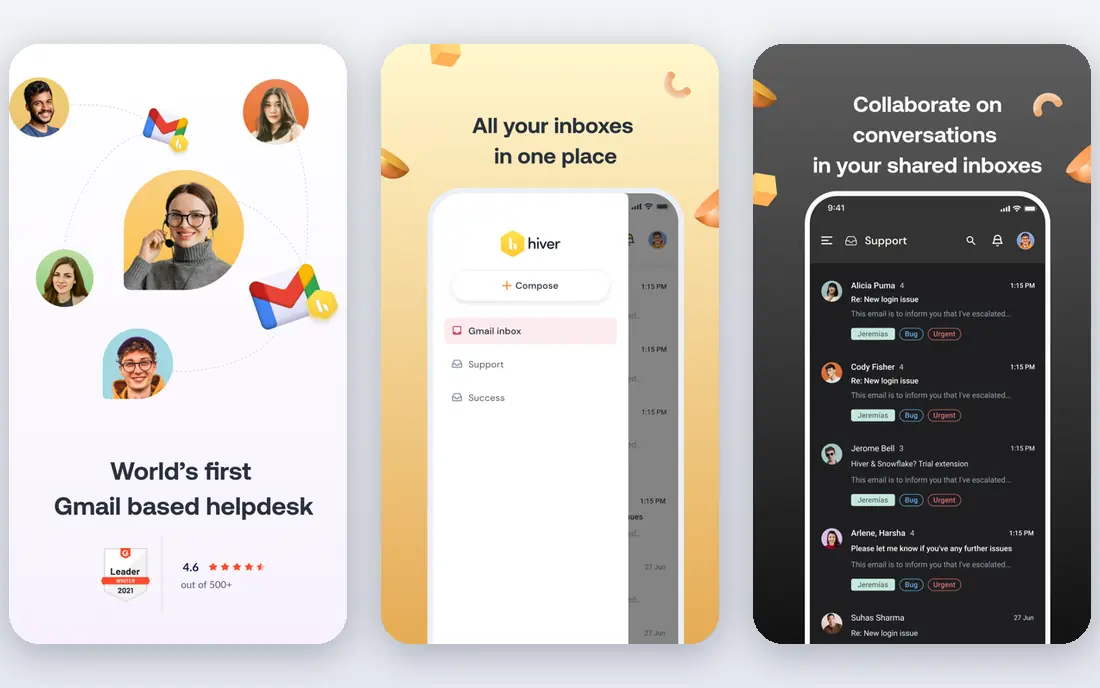
Hiver turns Gmail itself into a shared workspace, which is a big comfort for teams that do not want another app open all day. Shared inboxes, labels, assignment, and status tracking sit alongside ordinary mail, and managers get reports on response times and workload. Its automation can route and escalate requests, and internal notes keep side conversations attached to the original thread instead of scattered across chat apps.
The trade-off is that Hiver is priced as a help desk, not a light add-on, and its top tiers climb steeply. Teams on Outlook should check Hiver Omni carefully, since the Gmail experience is the one most reviewers describe. If your team lives in Gmail and wants help desk discipline without leaving it, Hiver is one of the strongest fits here.
- Works inside Gmail
- Shared inboxes with assignment and status
- Built-in analytics and automation
- Two-user minimum on paid plans
- Higher tiers cost much more
- Outlook users need Hiver Omni

Missive suits a small team that wants email and team chat in the same window. Shared inboxes, assignment, and internal comments sit next to chat channels, so a question from a customer and a discussion about it do not live in two apps. The price is also friendlier than the big help desks, which matters when every seat counts.
What it lacks is the depth of a full ticketing platform. Reporting and automation are useful but not as extensive as Zendesk or Front, and teams that need a knowledge base or complex workflows may outgrow it. For a team of under ten people that mainly needs shared email plus chat, though, Missive hits a good balance of price and simplicity.
- Email, chat, and social in one threaded view
- Internal chat built in
- Lower starting price than Front
- No free plan
- AI features depend on the plan and setup
- Smaller ecosystem than Zendesk
Drag is the cheapest way to turn Gmail into a shared workspace, and its kanban boards are the reason many small teams pick it. Emails become cards that move across columns, so the whole team can see what is open, in progress, or done without opening a separate tool. Assignment, shared labels, and collision alerts cover the basics that stop two people answering the same customer.
The limits are clear. Drag lives inside Gmail, so teams that also handle phone, WhatsApp, or social messages will need another tool for those channels. Its Starter plan has no AI features, and reporting is lighter than a full help desk. If Gmail is where your team already works and you want boards on top of it, Drag is hard to beat on price.
- Lowest starting price here
- Kanban boards inside Gmail
- Assignment and collision detection
- Gmail only
- AI features start on higher plans
- Less suited to phone or social support
Keeping is built for teams that want a help desk but do not want to learn one. It adds ticket assignment, status, internal notes, and reporting to a shared Gmail address, with a web and mobile portal for agents who prefer a separate view. Setup is quick, and the interface stays close to ordinary Gmail, which shortens training to almost nothing for a small team.
The downside is scope. Keeping is Gmail focused, so it is not the right pick for a team that needs voice, social, or a large knowledge base. Its Advanced and HIPAA tiers cost more, and the cheapest plan is still a per-user charge that adds up as the team grows. For a small Gmail team that wants accountability without complexity, Keeping is a calm and dependable choice.
- Very easy setup inside Gmail
- Ticket status and internal notes
- Collision detection
- Two-user minimum
- Gmail focused
- Advanced AI and reporting need higher plans
Help Scout is our pick for most small teams starting out, mainly because its free plan is real. Up to five users can share one inbox at no cost, which lets a team test shared assignment and internal notes before paying. Paid plans add a knowledge base, Beacon live chat, and AI drafts, and the interface stays clean and friendly even as ticket volume grows.
The honest catch is that AI pricing is usage based, so a team that leans heavily on AI Answers should budget for per-resolution charges. Help Scout also lacks the deep workforce tools of Zendesk, and the free plan will feel tight once a second inbox or more contacts are needed. Even so, for a team moving up from a raw shared mailbox, it is the gentlest step into a real help desk.
- Free plan for up to 5 users
- Shared inbox plus knowledge base
- Beacon live chat included on paid plans
- AI Answers is charged per resolution
- Reporting is lighter than Zendesk
- Free plan is limited to one inbox
Zendesk is the move when a shared inbox is no longer enough and the team needs a proper support operation. Its Agent Workspace brings tickets, customer context, macros, and automation together, and the integration marketplace covers most CRMs, chat tools, and phone systems a growing company already uses. Reporting and SLA tracking give managers the numbers they need to staff busy periods.
That power comes with complexity and cost. There is no free plan, and AI Copilot is an extra charge per seat, so the bill can climb past the headline price. A two-person team will likely find Zendesk heavier than Drag or Keeping. For a team that expects to grow past ten agents, though, Zendesk is a proven platform that rarely needs replacing.
- Deep ticketing, automation, and reporting
- Large integration marketplace
- Strong for scaling teams
- No free plan
- AI Copilot costs extra
- Can feel complex for a tiny team
Freshdesk gives a smaller team most of what Zendesk offers at a similar entry price, with a simpler setup path. Tickets, assignment, automation rules, and a knowledge base cover the daily work of a support team, and its interface is easier to learn than many enterprise tools. Teams that want ticketing without building a whole support department often land here.
The entry plan is not the whole story. AI features and deeper automation sit on higher tiers, so buyers should check which plan includes the tools they actually want before committing. Freshdesk also lacks a free plan at its current entry level, unlike Help Scout. Still, for a team that wants a proper ticket system at a fair price, Freshdesk is a dependable middle ground.
- Clear ticketing and automation
- Freddy AI options on higher plans
- Good value against Zendesk
- No free plan on current paid entry
- AI Copilot not on the entry plan
- Some features need higher tiers
Trengo fits a team that talks to customers on many channels and is tired of switching apps to follow one conversation. Email, WhatsApp, SMS, live chat, and voice can share one inbox with assignment, internal notes, and automation, which suits both support and sales teams. That breadth is its main advantage over Gmail-only tools.
The main drawback is pricing transparency. Trengo moved to demo-led bundle pricing in 2026, so there is no public per-seat figure to compare, and buyers need a sales conversation to get a quote. That also makes it harder to judge value before a demo. For a multichannel team with budget for a bundle, it is worth a look, but small Gmail-only teams will find cheaper and simpler options above.
- Email, live chat, WhatsApp, SMS, and voice in one inbox
- Team collaboration and automation
- Good for sales and support together
- No public per-seat price
- Demo-led pricing takes longer to compare
- May be more than a small team needs
How we picked these
We compared official feature pages, pricing pages, app store listings, and public reviews for shared inbox and help desk tools that work in October 2026. We kept only tools that are still sold and supported, and we favored products that offer assignment, internal notes, and collision detection, since those are the features that stop duplicate replies. Prices shown are the lowest paid plan we could verify, or the free plan where one exists, and we note where AI features or higher tiers change the cost.
What to check before you pay
Start with where your team already works. If everyone lives in Gmail, a Gmail-native tool like Drag, Keeping, or Hiver will get adopted faster than a separate help desk, even if the help desk has more features. If your customers also reach you on WhatsApp, chat, or phone, a multichannel tool like Front, Trengo, or Zendesk will save more time in the long run.
Next, count the real cost. Multiply the per-seat price by the number of people who will actually answer mail, then add AI charges, minimum seat counts, and the plan that includes the channels you need. A free plan is a good trial, but check its inbox and contact limits before you build your whole workflow on it. Finally, run a short trial with real mail, not test messages, and watch for duplicate replies, missed threads, and how long it takes a new teammate to learn the tool.
Frequently asked questions
What is the cheapest Gmelius alternative?
Drag starts at $12 per user per month on annual billing, and Help Scout offers a free plan for up to 5 users and one inbox. The cheapest paid option is not always the best fit, since channel coverage and AI pricing differ a lot between tools.
Do these tools work inside Gmail?
Drag, Keeping, and Hiver are designed to work inside Gmail, while Front, Help Scout, Zendesk, Freshdesk, and Trengo use their own apps that connect to Gmail. Missive is a separate app that connects Gmail and other accounts. Pick the style your team will actually open every day.
Which alternative is best for a small team?
Help Scout is a strong starting point because of its free plan, while Drag and Keeping suit small Gmail teams that want the simplest setup. Front and Zendesk make more sense once the team grows past ten agents or needs more channels.
Can I migrate shared labels and boards from Gmelius?
Most tools here support import from Gmail labels or CSV, but kanban boards and automation rules usually need rebuilding by hand. Export your labels and templates before you cancel, and rebuild the most-used workflows first in the new tool.
Do any of these offer a free plan?
Yes, Help Scout offers a free plan for up to 5 users. The other tools here offer free trials instead, typically 7 to 30 days, so check trial length and whether a card is needed before you start.
Is a shared inbox the same as a help desk?
A shared inbox is the simplest version: one address, shared by a team, with assignment and notes. A help desk adds ticketing, SLAs, knowledge bases, and deeper reporting. Small teams often start with a shared inbox and move to a help desk when volume or reporting needs grow.
Sources
See where you really rank - block by block
ProMapRanker scans Google Maps across a grid of your service area. Simple monthly plans from $19, white-label on every plan.
Start freeKeep reading
 zyte alternatives
Best Zyte Alternatives in 2026
These zyte alternatives cover managed scraping APIs, proxy networks and no code tools for lawful collection from your own or consented sources only in 2026.
Read → zerto alternatives
Best Zerto Alternatives in 2026
Compare the best zerto alternatives for disaster recovery and replication, with recovery targets, cloud options and honest trade-offs for teams in 2026.
Read → zerofox alternatives
Best ZeroFox Alternatives in 2026
We compared 9 zerofox alternatives for brand protection, phishing takedowns, dark web monitoring, and social impersonation, with clear coverage notes.
Read →