 ProMapRanker
GitHub Copilot Alternatives in 2026


AI editor with agent and multi model choice · Pricing starts at: See website
Key takeaways
- The best alternatives to GitHub Copilot depend on whether you want an AI editor, an editor extension, or a terminal agent.
- Cursor and Devin Desktop suit developers who want an agent editor, while Tabnine, Cody, and Supermaven suit developers who want to stay in their current editor.
- Claude Code suits developers who want a terminal agent with a predictable monthly plan, while JetBrains AI suits JetBrains IDE users.
- Model choice, usage limits, and privacy controls matter more than a long feature list, so check them before you commit.
- Free plans help for a trial, but agent heavy work usually needs a paid plan, so test on real tasks from your own codebase.
Quick comparison
| Pick | Great for | Pricing starts at | Free tier | |
|---|---|---|---|---|
| Cursor | AI editor with agent and multi model choice | See website | Yes | Visit |
 Claude Code | Terminal agent with predictable plans | See website | No | Visit |
 Devin Desktop | Agent editor formerly known as Windsurf | See website | Yes | Visit |
 Tabnine | Private completions in your current editor | See website | Yes | Visit |
 Amazon Q Developer | AWS focused coding help | See website | Yes | Visit |
 JetBrains AI | Native AI inside JetBrains IDEs | See website | Yes | Visit |
 Cody | Sourcegraph code search plus AI chat | See website | Yes | Visit |
 Continue | Open source AI extension for your editor | Free | Yes | Visit |
 Supermaven | Fast completions with a large context window | See website | Yes | Visit |
The best GitHub Copilot alternatives
We compared tools on editor support, completions, chat, agent ability, model choice, privacy controls, and pricing. The nine tools below all offer AI coding help today, and none of them is GitHub Copilot itself.
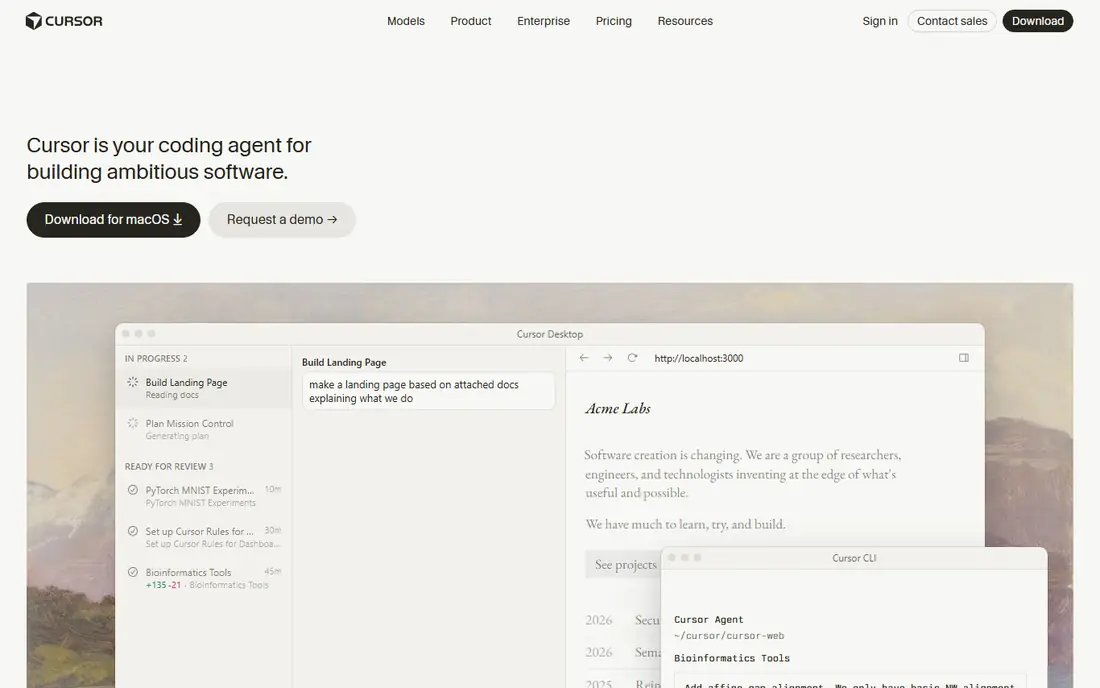
Cursor suits developers who want an editor built around AI from the start, rather than an extension added to an existing editor. Its agent can plan a change, edit several files, run terminal commands, and return a diff for review. Chat can search the codebase for context, and Tab completions help with smaller edits. Model choice is a key draw, since you can pick different models for different tasks.
The honest limit is the switch. Cursor is a fork of Visual Studio Code, so extensions and keybindings carry over, but teams standardised on JetBrains or another editor face a real change. Pricing also changed in October 2026, with new plan tiers for new signups, so check the current Cursor pricing page before you budget for heavy agent use. For developers open to a new editor, Cursor is the strongest Copilot alternative in this list.
- Agent mode for multi file edits
- Codebase aware chat
- Support for several frontier models in one editor
- Requires switching to the Cursor editor
- Pricing changed in October 2026, so check current plans before budgeting

Claude Code suits developers who want to hand off a whole task and review the result, rather than only accept line by line completions. It runs from the terminal, inside supported editors, and on the web, and it can read a codebase, plan a change, edit files, run tests, and iterate. It is bundled with Claude plans, which gives a predictable monthly cost structure compared with pure usage based billing.
The trade-off is that Claude Code is not a drop in completion tool. Developers who want fast inline completions all day may still want an editor tool alongside it. It also needs a Claude Pro plan or higher, so there is no free agent tier. For task level work and refactors, Claude Code is a powerful Copilot alternative.
- Strong agent for whole tasks from the terminal
- Works inside editors and on the web
- Predictable monthly plan structure
- No free plan for the agent itself
- No Tab style completions in the same way as an editor tool
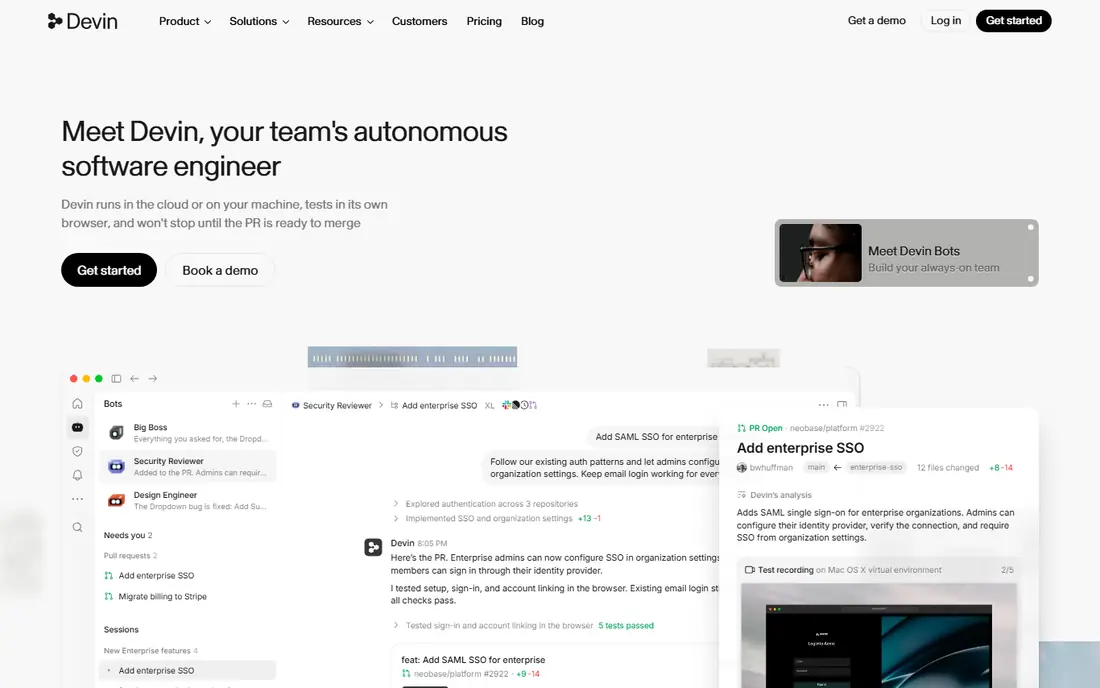
Devin Desktop, formerly Windsurf, suits developers who want an agent editor with a free tier for light use. Its editor offers chat, completions, and agent flows that can edit several files, and cloud sessions extend that work beyond the local machine. The Visual Studio Code base keeps the workflow familiar for developers who already use that editor family.
The honest limit is change. Windsurf became Devin Desktop after Cognition acquired Windsurf, and that rebrand makes the long term roadmap less certain than Cursor for some teams. Pricing and plan names have also shifted over time, so check the current Devin site before you commit. For developers who want an agent editor and a free starting point, Devin Desktop is still worth a trial.
- Agent editor with chat, completions, and cloud sessions
- Free tier for light use
- Familiar Visual Studio Code based workflow
- Rebrand after the Windsurf acquisition creates roadmap uncertainty
- Heavy agent use needs a paid plan
Tabnine suits developers and teams who want to stay in their current editor and who care about privacy and deployment control. It offers code completions, chat, and agent style help across many editors, and it offers private and enterprise deployment options for teams with strict data rules. That control matters for companies that cannot send code to a public cloud model without safeguards.
The trade-off is agent depth. Tabnine is strong on completions and chat, but its agent flows are less deep than Cursor, Claude Code, or Devin Desktop for large multi file tasks. For teams that mainly need fast, private completions with a clear privacy story, Tabnine is a strong Copilot alternative.
- Works in many editors and IDEs
- Private deployment options for teams
- Completions trained to avoid licensed code concerns in its model design
- Agent features are less deep than Cursor or Claude Code
- Team pricing needs a quote for larger setups
Amazon Q Developer suits developers who build on AWS, because its knowledge of AWS services, APIs, and best practices is a clear advantage. It offers completions, chat, and code transformation help, including help upgrading code and migrating between frameworks in supported cases. It works in common editors and in the AWS console, so AWS developers can get help where they already work.
The honest limit is focus. Outside AWS workflows, Amazon Q Developer is less compelling than a general agent editor such as Cursor. Its free tier suits individuals, while team plans need a check on current pricing. For AWS heavy teams, it is a practical Copilot alternative, especially when paired with a general editor tool if needed.
- Strong AWS service knowledge and code transformation help
- Works in editors and the AWS console
- Free tier for individuals
- Best value inside AWS workflows
- General coding help is less central than AWS tasks
JetBrains AI suits developers who already live in IntelliJ IDEA, PyCharm, WebStorm, or another JetBrains IDE. Its AI features are built into the IDE, with completions, chat, and agent style help that understand project structure and JetBrains tooling. That native fit avoids the friction of switching editors or adding a third party extension that does not understand JetBrains projects as well.
The catch is scope. JetBrains AI does not help if your team uses Visual Studio Code or another editor family. Its credit based plans also need tracking, since heavy agent use can burn credits faster than light completions. For JetBrains teams, JetBrains AI is the most natural Copilot alternative, and it keeps your workflow in one place.
- Native completions, chat, and agent features inside JetBrains IDEs
- Understands JetBrains project context
- Credit based plans
- Only useful inside JetBrains IDEs
- Credit limits need tracking on heavy use
Cody, from Sourcegraph, suits developers who work in large codebases and need AI help grounded in real code context. Its strength is code search, which lets Cody find relevant files, functions, and history before it answers or edits. Chat and completions are available in common editors, and Cody can help explain code, write tests, and draft changes with that context.
The honest limit is ecosystem. Teams already using Sourcegraph get the most from Cody, while teams with no Sourcegraph setup may find setup effort higher than a simple extension. Agent features also vary by editor and plan, so check the current Cody page for your editor. For large codebase work, Cody is a strong Copilot alternative.
- Strong codebase search and context
- Chat and completions in editors
- Works across large codebases
- Best value for teams already using Sourcegraph
- Agent depth varies by editor and plan
Continue suits developers who want an open source AI extension and full control over models, including local models for privacy. It adds chat, completions, and agent style edits to Visual Studio Code and JetBrains IDEs, and it lets you pick models from several providers. That flexibility helps teams that want to avoid lock in, or that need local models for sensitive code.
The trade-off is effort. Continue gives you the extension, but you often choose, configure, and pay for models separately, which takes more setup than a single paid plan. Support also follows an open source model, so teams that want a single vendor to call may prefer Tabnine or JetBrains AI. For developers who value openness and model choice, Continue is a compelling Copilot alternative.
- Open source extension for Visual Studio Code and JetBrains
- Model choice, including local models
- No vendor lock in for the extension itself
- You choose and pay for models separately in many setups
- Agent setup needs more configuration than a paid editor
Supermaven suits developers who mainly want fast, accurate completions without switching editors or learning a new agent workflow. Its model is built for code, with a large context window that lets it see more of your codebase when it suggests completions. Setup is simple as an editor extension, and a free tier lets you test speed and accuracy on your own code.
The honest limit is agent depth. Supermaven is a completion first tool, so developers who want multi file agent tasks will need Cursor, Claude Code, or Devin Desktop instead, or in addition. For day to day coding speed, though, Supermaven is a strong Copilot alternative, especially for developers who value low latency completions.
- Very fast completions
- Large context window for whole codebase awareness
- Simple editor extension setup
- Agent features are lighter than Cursor or Claude Code
- Team features should be checked on current plans
How we picked these
We compared official vendor pages, editor support, completions, chat, agent ability, model choice, privacy controls, and pricing, and we checked public reviews for patterns in accuracy, latency, and usage limits. We gave weight to real editor fit, clear usage terms, and model flexibility, and we left out tools that had shut down or that only offered chat without code integration. Where pricing had changed recently, notably for Cursor, we wrote See website rather than publishing a plan price that may already be out of date.
What to check before you switch from Copilot
Start with how you actually code. If you accept completions all day, a completion tool such as Tabnine or Supermaven may be enough. If you hand off whole features, an agent editor such as Cursor or Devin Desktop, or a terminal agent such as Claude Code, will matter more. Match the tool to your daily workflow, not only to a feature list.
Models, limits, and privacy
Check which models each tool uses, how usage limits work, and what happens when you hit a limit. Some plans include a usage pool, some use credits, and some bill extra use separately. Check privacy terms too, including whether your code is used for training, whether a private deployment is available, and how data is stored. For team use, confirm admin controls, seat billing, and audit options before rollout.
Trial on your own codebase
Trial two tools on real tasks from your own codebase, such as a bug fix, a refactor, and a test writing task. Measure acceptance rate, time saved, and review effort, not only whether the tool produced code. A tool that produces plausible code that needs heavy review can cost more time than it saves. Keep Copilot running during the trial, so you can compare fairly.
Frequently asked questions
What are the best GitHub Copilot alternatives?
Cursor and Devin Desktop lead for agent editors, Tabnine and Supermaven lead for completions in your current editor, and Claude Code leads for terminal agents. JetBrains AI suits JetBrains users, while Cody suits large codebase search and Continue suits open source model choice. The best choice depends on your editor and your task style.
What is the best alternative to GitHub Copilot for Visual Studio Code users?
Cursor is a Visual Studio Code fork with a full agent editor, while Tabnine, Cody, Continue, and Supermaven work as extensions inside Visual Studio Code itself. If you want to stay in Visual Studio Code proper, start with Tabnine or Supermaven for completions, or Continue for model choice. If you are open to a new editor, try Cursor.
Are there free GitHub Copilot alternatives?
Yes, Cursor, Devin Desktop, Tabnine, Amazon Q Developer, JetBrains AI, Cody, Continue, and Supermaven all offer free tiers or free plans, though limits vary. Free tiers usually limit agent use, completions, or credits, so heavy daily use usually needs a paid plan. Test free tiers on real tasks before you pay.
Is Cursor better than GitHub Copilot?
Cursor can be better for multi file agent tasks and model choice, while Copilot can be better for simple completions inside your current editor at a lower price. The answer depends on whether you want an agent editor or an extension. Trial both on the same tasks from your codebase to decide.
Can I use a Copilot alternative with local models?
Yes, Continue supports local models, and Tabnine offers private deployment options for teams. Local models can help with privacy, but they need hardware and setup, and their accuracy may differ from frontier cloud models. Test a local model on your own tasks before you rely on it for daily work.
Do Copilot alternatives work with JetBrains IDEs?
Yes, JetBrains AI is native to JetBrains IDEs, and Tabnine, Cody, and Continue also support JetBrains IDEs. Cursor and Devin Desktop are Visual Studio Code based editors, so they do not replace a JetBrains workflow. Choose a tool that fits the IDE your team already uses.
Sources
See where you really rank - block by block
ProMapRanker scans Google Maps across a grid of your service area. Simple monthly plans from $19, white-label on every plan.
Start freeKeep reading
 zoho inventory alternatives
6 Alternatives to Zoho Inventory, Compared on Price and Fit
Zoho Inventory alternatives: 6 tools compared on price, free plans and fit. Katana leads the list for manufacturers. Fit and flaws are laid out for each entry.
Read → zoho crm alternatives
Best Zoho CRM Alternatives (2026)
Need Zoho CRM alternatives? We compare 7 tools on cost, free access and who each suits. Every pick gets a straight assessment. Built for quick decisions.
Read → zelle alternatives
Best Zelle Alternatives in 2026
Compare the best Zelle alternatives for sending money to friends, paying sellers and moving funds abroad, with honest notes on fees, speed and safety in 2026.
Read →