 ProMapRanker
Best Gboard and Chrome Messages Alternatives in 2026

Key takeaways
- This article treats the topic as two Android jobs: typing with a keyboard app, and sending messages with a messaging app.
- Microsoft SwiftKey is our pick for most keyboard switchers, because it is free, learns your typing style and supports many languages.
- Signal is our pick for private messaging, because it encrypts messages by default and carries no ads.
- Check the default SMS setting after you install a messaging app: an internet messenger will not replace your carrier SMS app unless you set it as the default.
Quick comparison
| Pick | Great for | Pricing starts at | Free tier | |
|---|---|---|---|---|
 Microsoft SwiftKey | Everyday typing and predictions | Free | Yes | Visit |
 Fleksy | Fast, private typing | Free | Yes | Visit |
 Typewise | Larger keys and fewer typos | Free | Yes | Visit |
 Grammarly Keyboard | Grammar help while typing | Free | Yes | Visit |
 Samsung Keyboard | Samsung phone owners | Free | Yes | Visit |
 FUTO Keyboard | Offline, privacy-first typing | Free | Yes | Visit |
 Signal | Private messaging | Free | Yes | Visit |
 Telegram | Large groups and channels | Free | Yes | Visit |
 WhatsApp | Messaging most contacts | Free | Yes | Visit |
 Textra | Custom SMS and MMS | Free | Yes | Visit |
The best gboard and chrome messages alternatives
We compared official feature pages, app store listings and public reviews for keyboard and messaging apps that are live on Android in October 2026. Keyboards come first, then messaging apps, so you can replace one job without changing the other.
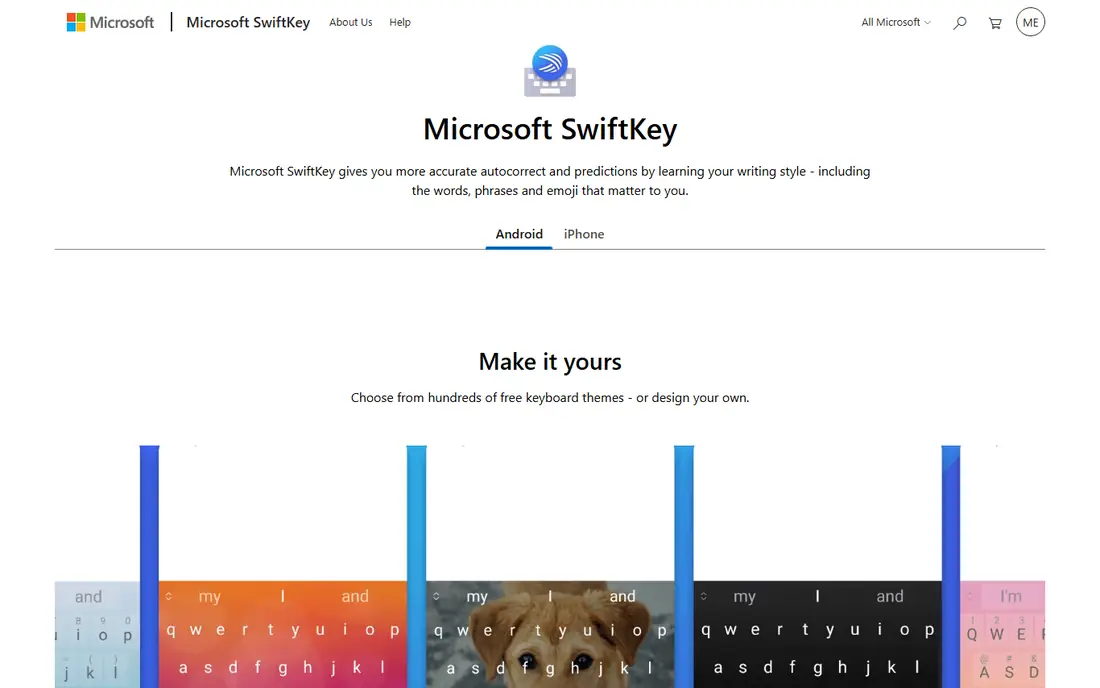
SwiftKey is the easiest keyboard switch for most Android users. It learns from your typing, suggests your next word, and lets you swipe across letters instead of tapping each one. Themes, emoji, GIFs and stickers are built in, so the keyboard feels personal without much setup.
The trade-off is data and ads. The app listing notes that it contains ads, and features such as cloud clipboard and Copilot help depend on sign-in and device. If you want a free keyboard that simply types well in several languages, SwiftKey is hard to beat. If you want zero network access, look at FUTO Keyboard below.
- Learns your writing style for predictions
- Swipe typing and many themes
- Supports more than 700 languages
- Contains ads in the app listing
- Some AI features vary by device and region
- Clipboard sync needs a Microsoft account
Fleksy has been around for years and keeps its pitch simple: type fast, correct mistakes quickly, and stay out of the way. Gestures let you delete words or add punctuation with a swipe, and the keyboard stays responsive on older phones. That speed-first design suits users who type a lot and dislike lag.
Fleksy does not try to be a writing assistant, so it lacks the deeper AI rewrite tools found in Grammarly Keyboard. Paid themes and extensions also add cost if you want heavy customization. For a clean, quick keyboard with a strong privacy stance, Fleksy remains a solid choice.
- Free core keyboard
- Fast autocorrect and gesture controls
- Many themes and extensions
- Fewer AI writing features than SwiftKey
- Some themes and extensions cost extra
- Smaller user community for help
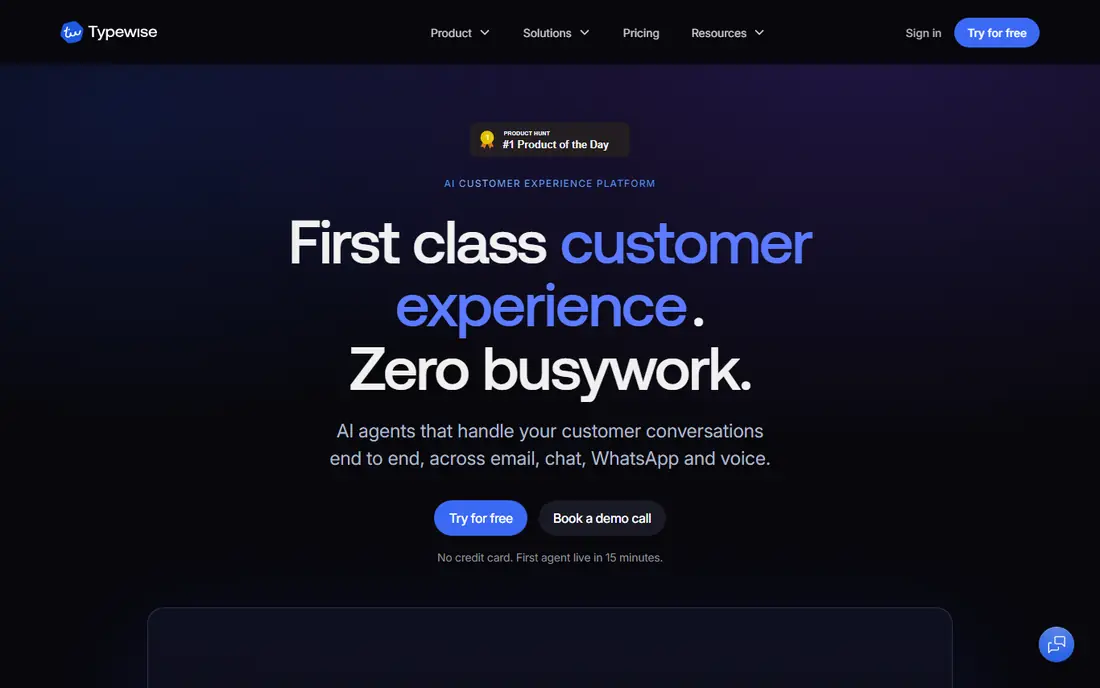
Typewise changes the shape of the keyboard itself. Its honeycomb layout spaces keys out so your thumbs land on the right letter more often, which helps on small screens and for users who often hit the wrong key. The app is free to install, with optional in-app purchases for extra features.
That new layout is also the risk. You will type slower for the first week or two while muscle memory adjusts, and some familiar features are paid rather than included. Typewise suits patient users who care more about accuracy than about keeping a familiar layout. If you need instant speed, SwiftKey or Fleksy will feel easier on day one.
- Honeycomb layout gives each key more space
- Works offline for core typing
- No ads in the app listing
- Layout takes time to learn
- Some features, including predictions, sit behind a paid tier
- Swipe typing is not the focus
Grammarly Keyboard is the pick for people who write work messages, emails and social posts on their phone and want fewer errors. It checks grammar and spelling as you type in most apps, and it can suggest clearer phrasing. The free tier already improves on basic autocorrect for many users.
Premium is the catch. The deeper style, tone and full-sentence rewrite features need a paid Grammarly plan, which costs far more than a typical keyboard app. Grammarly also needs an account and sends text through its service for checking, so privacy-minded users should read its policy first. For writers, the free tier alone is worth trying.
- Real-time grammar and spelling checks in any app
- Tone and rewrite suggestions
- Free tier covers basic corrections
- Deeper premium features cost about $140 per year
- Requires a Grammarly account
- Writing suggestions can feel intrusive in casual chats
Samsung Keyboard makes sense if you already own a Samsung phone. It is preinstalled, works well with Samsung features, and covers grammar checks, smart suggestions, voice input and clipboard management without a download. For many Galaxy owners, there is no reason to change.
The limits are device lock-in and pricing uncertainty. The full experience is tied to Samsung phones, and reports in 2026 noted that some advanced AI features could require a subscription. If you switch brands often, a cross-device keyboard such as SwiftKey is a safer long-term pick.
- Preinstalled on Samsung Galaxy phones
- Integrates with Samsung tools and stylus features
- Grammar and clipboard tools built in
- Only useful in full on Samsung devices
- Some advanced AI features may move to paid tiers
- Prediction quality trails SwiftKey for some users
FUTO Keyboard is built for users who do not want their keystrokes leaving the phone. Voice typing uses models downloaded to the device, glide typing runs locally, and the app is offered as honorware, meaning it is free to use with optional payment. Layouts, key height, themes and clipboard behaviour can all be adjusted.
Accuracy is the honest weakness. Independent coverage notes that autocorrect still trails Gboard and SwiftKey, and the app lacks stickers and some polish found in larger keyboards. If privacy is your top priority and you can live with a few more corrections, FUTO is the most principled pick here.
- Works offline with local voice models
- No ads and no data sales
- Glide typing and flexible layouts
- Autocorrect trails larger keyboards
- No stickers or large theme store
- Newer app with a smaller support community
Signal is our pick for private one-to-one and group messaging. Every message and call is end-to-end encrypted by default, the code is open source, and the nonprofit behind it does not sell ads or track users. Disappearing messages let you set a timer per conversation, and a desktop app covers computer use.
The catch is reach. Many of your contacts may not use Signal yet, so you may still need another app for family or work groups. Signal also lacks the huge public channels and bots that make Telegram popular. For sensitive chats, that restraint is a feature, not a flaw.
- End-to-end encryption by default
- No ads and no tracking
- Disappearing messages and desktop app
- Smaller contact base than WhatsApp
- No large public channels
- Group size is smaller than Telegram groups
Telegram suits communities, channels and large groups. You can join groups with tens of thousands of members, follow channels for news or creators, and sync chats across phone, tablet and desktop without a hitch. File sharing limits are generous, and bots add tools for polls, reminders and moderation.
Privacy needs care here. Regular Telegram chats use cloud storage and are not end-to-end encrypted by default; only Secret Chats use that protection. If you use Telegram for community chat and Signal for private chat, you get the best of both. Do not assume every Telegram chat is private by default.
- Very large groups and public channels
- Fast cloud sync across devices
- Large file sharing and bots
- End-to-end encryption only in Secret Chats, not in regular chats
- Huge groups can be noisy
- Contact discovery depends on phone numbers or usernames
WhatsApp is the practical pick for reaching the most people. Almost everyone you know likely has it, messages and calls are end-to-end encrypted, and it covers voice notes, video calls, groups and status updates in one app. WhatsApp Web and desktop apps cover computer messaging too.
The downside is ownership and control. WhatsApp is owned by Meta, and its data handling follows Meta policies, which matters if you want to limit how much a large company knows about your contacts. Customization is also limited to light and dark themes, wallpaper and font size. For reach, though, no other app here comes close.
- Largest contact base of the apps here
- End-to-end encrypted messages and calls
- Voice, video and status features built in
- Owned by Meta, with contact data handled under Meta policies
- Customization is limited
- Needs a phone number
Textra is the pick if you still use carrier SMS and MMS and want them to look and feel better. It offers hundreds of themes, bubble styles, per-conversation notification settings, scheduled messages and quick reply popups. It is light on resources, which helps older Android phones.
Remember what SMS is: carrier texts are not end-to-end encrypted, so Textra cannot make them private in the way Signal can. A small premium purchase removes ads and opens all features, which is still cheap compared with a subscription. Use Textra for SMS style, and Signal or WhatsApp for private internet chats.
- Deep theme and bubble customization
- Quick reply and scheduled messages
- Lightweight and fast on older phones
- SMS and MMS are not end-to-end encrypted
- Full features need a small one-time premium purchase
- No internet messaging for contacts without a phone plan
How we picked these
We compared official feature pages, app store listings and public reviews for keyboards and messaging apps live on Android in October 2026. We kept only apps that replace the typing job or the messaging job, and we left out Gboard and Google Messages themselves, as this is an alternatives list. We checked free plans, encryption defaults and device limits, because those three facts change daily use more than a feature list does.
How to switch without losing messages
Start with the keyboard, because it is the lower-risk change. Install one keyboard, set it as the default in Android settings, and use it for a few days in your usual apps before you judge it. Check predictions in your most-used language, test swipe typing if you use it, and confirm that clipboard and theme settings suit you. You can keep a second keyboard installed and switch back in settings if the new one disappoints.
For messaging, do not delete your old app on day one. Install the new app, invite your closest contacts, and test calls, group chats and media sharing with them first. If you pick a new SMS app such as Textra, set it as the default SMS app in settings so new carrier texts land there. For internet messengers, your old chats will not move over automatically, so export or screenshot anything important before you stop using the old app.
Frequently asked questions
Can one app replace both Gboard and Chrome Messages?
No single app covers both jobs well. A keyboard app handles typing in every app, while a messaging app handles sending and receiving chats. Pick a keyboard from the first half of this list and a messaging app from the second half, based on whether you need SMS, private chats or large groups.
Which keyboard is best for privacy?
FUTO Keyboard is the strongest privacy pick, because it works offline and does not sell data. Fleksy also emphasizes privacy, while SwiftKey and Grammarly Keyboard offer more features but process more data through accounts and cloud services. Read the privacy policy for any keyboard before you grant full access.
Is Signal better than WhatsApp?
Signal is better for privacy, because it encrypts by default, carries no ads and collects less metadata. WhatsApp is better for reach, because far more contacts use it. Many people use both: Signal for sensitive chats and WhatsApp for everyday family and work groups.
Does Textra replace WhatsApp?
No. Textra handles carrier SMS and MMS, while WhatsApp handles internet messages, calls and status updates. Textra is a replacement for a default SMS app, not for WhatsApp. You can run both, with Textra as your SMS default and WhatsApp for internet chats.
Do I need to pay for a good Android keyboard?
No. SwiftKey, Fleksy, Typewise, Samsung Keyboard and FUTO Keyboard are all free to install and use for core typing. Paid extras usually cover themes, advanced predictions or writing help, not basic typing. Try the free tier first and pay only for a feature you actually use.
Why do messaging apps ask for my phone number?
Most messaging apps use a phone number to find contacts and verify your account. Signal, WhatsApp and Telegram all use phone numbers for signup, though Telegram also supports usernames for contact. If you want an app without a phone number, check its signup rules before you install it.
Sources
- https://www.microsoft.com/swiftkey
- https://fleksy.com
- https://typewise.app
- https://www.grammarly.com
- https://www.samsung.com
- https://futo.org
- https://signal.org
- https://telegram.org
- https://www.whatsapp.com
- https://textra.com
- https://www.appbrain.com/app/microsoft-swiftkey-ai-keyboard/com.touchtype.swiftkey
- https://www.appbrain.com/app/typewise-custom-keyboard/ch.icoaching.typewise
See where you really rank - block by block
ProMapRanker scans Google Maps across a grid of your service area. Simple monthly plans from $19, white-label on every plan.
Start freeKeep reading
 zyte alternatives
Best Zyte Alternatives in 2026
These zyte alternatives cover managed scraping APIs, proxy networks and no code tools for lawful collection from your own or consented sources only in 2026.
Read → zerto alternatives
Best Zerto Alternatives in 2026
Compare the best zerto alternatives for disaster recovery and replication, with recovery targets, cloud options and honest trade-offs for teams in 2026.
Read → zerofox alternatives
Best ZeroFox Alternatives in 2026
We compared 9 zerofox alternatives for brand protection, phishing takedowns, dark web monitoring, and social impersonation, with clear coverage notes.
Read →