 ProMapRanker
Best Framer Alternatives in 2026

Key takeaways
- Webflow gives the deepest design control in this list, with a CMS that suits content-heavy marketing sites.
- Wix Studio and Squarespace trade some control for faster setup and simpler day-to-day editing.
- WordPress remains the most flexible long-term choice when you want to own your hosting and plugin stack.
- Dorik, Readymag, and Typedream suit small sites and portfolios where speed matters more than scale.
- Bubble is the outlier here, since it is built for web apps with user accounts and workflows, not just pages.
Quick comparison
| Pick | Great for | Pricing starts at | Free tier | |
|---|---|---|---|---|
 Webflow | Designer-led marketing sites | Free | Yes | Visit |
 Wix Studio | Agencies and multi-site teams | Free | Yes | Visit |
 Squarespace | Polished small business sites | $19 per month | Free trial (14 days) | Visit |
 WordPress | Flexible sites you fully own | Free | Yes | Visit |
 Duda | Agencies that resell sites | $19 per month | Free trial | Visit |
 Dorik | Simple sites on a budget | See website | Yes | Visit |
 Readymag | Visual portfolios and editorials | $15 per month | Free trial | Visit |
 Typedream | Notion-style pages and sites | $15 per month | Yes | Visit |
 Bubble | No-code web apps | $29 per month | Yes | Visit |
The best framer alternatives
Framer appeals to designers who want a freeform canvas and a live site from the same tool. These options cover the same ground from different angles, from strict visual control to simple templates and full app logic.
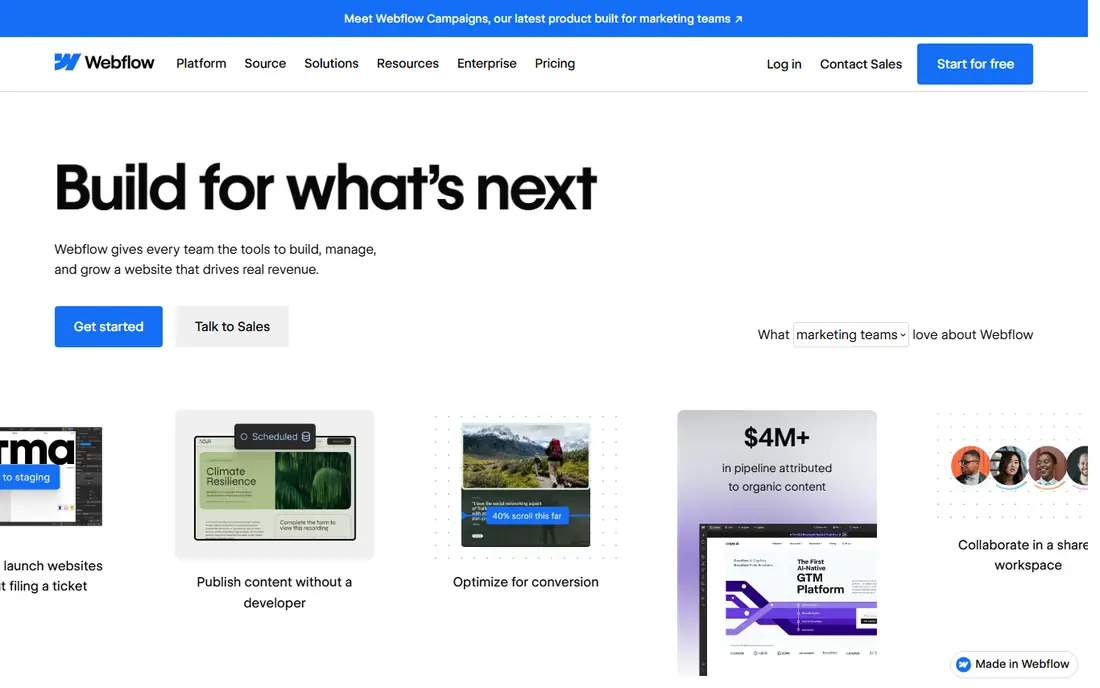
Webflow is the closest match for a designer who wants pixel-level control without writing a full front end by hand. Its designer lets you set layout, spacing, interactions, and responsive behavior visually, and its CMS handles collections such as blog posts, case studies, and team pages. That combination suits marketing teams that publish often and care about how each page looks on desktop and mobile.
The catch is pricing and complexity. A site plan covers hosting for one site, while a workspace plan covers seats and staging, so the total bill needs both parts checked before you commit. Small teams can start free and test the editor, but a live site on a custom domain needs a paid site plan. If your team wants simple drag-and-drop editing for non-designers, Webflow may feel like more tool than the job needs.
- Precise visual design control
- Strong CMS for blogs and landing pages
- Code export on paid workspace plans
- Two-part pricing for sites and workspaces can confuse new buyers
- Learning curve is steeper than template builders

Wix Studio is aimed at professionals who build sites for clients, rather than at a single business owner making one site. The workspace itself is free to design in, and you pay for a site plan when you publish with a custom domain and remove branding. That model helps agencies prototype without paying for every draft, and its responsive tools let you adjust layouts for desktop, tablet, and mobile in one place.
For a Framer user, the trade is familiarity against freedom. Wix Studio feels more structured than a freeform canvas, which speeds up routine builds but can limit unusual layouts. It is a strong pick when you manage several client sites, need built-in booking, stores, or forms, and want support and hosting handled for you. It is less appealing if you plan to export clean code and host elsewhere.
- Free workspace for designing
- Responsive design tools across breakpoints
- Large app and template ecosystem
- Less code portability than Webflow
- Advanced design control can still feel constrained on complex layouts
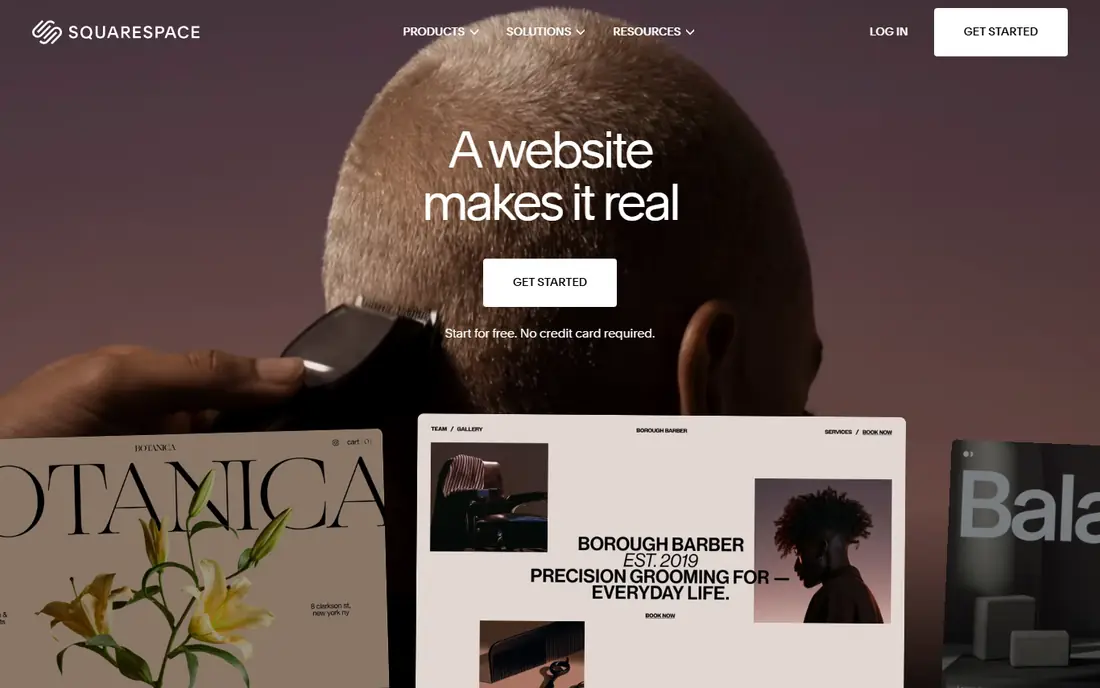
Squarespace suits owners who want a site that looks finished with less design work. Its templates are curated and consistent, so a portfolio, service site, or small store can go live quickly without choosing from hundreds of uneven options. Blogging, analytics, email marketing add-ons, and commerce tools sit inside one subscription, which keeps the tool count low.
The limit is control. You can adjust colors, fonts, sections, and some custom code on higher plans, but you cannot reshape the editor as freely as in Framer or Webflow. Squarespace also charges a transaction fee on store sales on its Basic plan, while higher plans remove that platform fee, so sellers should check the plan table before choosing. If speed and polish matter more than custom interaction design, it is an easy recommendation.
- Clean, well-finished templates
- Hosting, SSL, and blogging included
- Built-in store and scheduling tools
- No free plan, only a trial
- Design flexibility is narrower than Webflow or Framer
WordPress is not a single hosted builder, and that is both its strength and its workload. The software itself is free, and you pair it with hosting, a theme, and plugins for forms, stores, SEO, and page building. That stack can match almost any Framer site, and it can grow into membership areas, directories, and large content sites without changing platforms.
The honest cost is maintenance. Updates, backups, spam control, and plugin conflicts fall to you or your host, and a cheap theme can undo good design fast. For teams with a developer or a managed WordPress host, that trade is worth it for ownership and flexibility. For a solo founder who wants one landing page this week, a hosted builder will be faster.
- Open-source software with a huge theme and plugin range
- You choose your host
- Strong blogging and SEO tooling
- You handle updates, security, and hosting
- Quality varies widely across themes and plugins
Duda is built around agencies and web professionals who deliver many sites. It offers client permissions, site comments, white-label branding, and reusable sections, which cut the back-and-forth that slows agency work. Local business features such as location pages and review widgets also fit small business clients well.
Compared with Framer, Duda feels more like a production line than a design studio. That is a plus when you need to ship ten similar sites on time, and a minus when a client wants an unusual animated layout. Check the trial carefully for widget limits and store features, since the lowest plan is aimed at simple sites rather than full commerce builds.
- Client management and white-label options
- Fast template-based builds
- Built-in tools for local businesses
- Less suited to highly custom interactive design
- Pricing rises as client sites and features grow
Dorik keeps the focus narrow: build a clean site fast, publish it, and move on. Its block-based editor and templates cover portfolios, SaaS landing pages, blogs, and small business sites without a long learning curve. A free plan lets you test the editor on a Dorik subdomain before paying for a custom domain.
The limits show up on ambitious design work. Dorik does not try to match Framer for freeform animation or Webflow for CMS depth, and its template count is smaller than the big platforms. That matters less for a one-page site or a simple marketing site. If you need many sites at low cost, or a white-label setup for clients, Dorik is worth a close look.
- Low cost for multiple sites
- Clean templates and blocks
- White-label options for agencies
- Smaller template library than Wix or Squarespace
- Fewer advanced animation and interaction options
Readymag is the pick in this list for designers who think in magazine spreads. Its canvas allows precise placement of text and images, which suits portfolios, lookbooks, presentations, and editorial microsites. The result can feel closer to print design than a standard grid builder allows.
That strength comes with a narrower scope. Readymag is not the best base for a large online store, a membership site, or a data-heavy app. Its plans are tiered by project count and features, so a designer with many live projects should map the plan to the portfolio before committing. For a single striking portfolio or campaign site, it can beat more general builders on visual freedom.
- Freeform layout suited to editorial design
- Strong typography and image handling
- Good for portfolios
- Less suited to large stores or complex apps
- Pricing is per project tier, so costs grow with more sites
Typedream will feel familiar if you already write in Notion or a similar document tool. You build pages from blocks, publish them as a site, and keep the editing experience close to writing. That lowers the barrier for founders, writers, and small teams who need a presentable site without learning a design tool.
The trade is depth. Typedream handles landing pages, portfolios, docs, and simple blogs well, but it is not built for heavy commerce, custom interactions, or large multi-section sites. Its free plan is useful for testing the style and structure. If your site is mostly words and images with a clear call to action, Typedream can be the fastest route to a live page.
- Familiar document-style editing
- Fast setup for simple sites
- Clean default styling
- Limited depth for complex layouts and stores
- Smaller ecosystem than Wix or WordPress
Bubble belongs on this list only if your Framer project is really an app in disguise. It lets you build user accounts, databases, workflows, and internal tools without writing back-end code, which goes far beyond a marketing site builder. Startups use it for marketplaces, dashboards, and prototypes that need real user data and logic.
That power brings a different kind of work. Bubble has its own learning curve, and pricing is tied to workload and capacity, so a popular app can cost more than a static site. If you only need pages, a blog, and a contact form, Bubble is overkill. If you need sign-ups, saved data, and multi-step workflows, it is the most capable no-code option here.
- Database, user accounts, and workflows in one tool
- Large plugin range
- No code needed for app logic
- Not ideal for simple marketing sites
- Performance and pricing need care as usage grows
How we picked these
We compared official feature pages, pricing pages, and app and platform documentation for builders that publish live sites in October 2026. We kept tools that offer a visual editor, hosting or export, and a clear path to a custom domain, and we left out design-only tools that cannot publish a site on their own. Prices shown are starting prices from vendor or marketplace listings, and we used See website where plan structures had changed or varied by billing term.
We also weighed who each tool serves best, not just its feature count. A tool can be excellent for agencies and wrong for a solo founder, or perfect for a portfolio and weak for a store. That is why this list mixes general builders with niche picks such as Readymag and Bubble, rather than ranking nine near-identical products.
What to check before you switch
Start with the job, not the canvas. A marketing site needs a CMS, forms, SEO controls, and fast loading. A portfolio needs image quality and layout freedom. An app needs accounts, a database, and workflows. Write down the three pages or functions that must work on day one, then test those exact things in a trial, instead of judging a builder by its template gallery.
Check ownership and exit costs next. Some builders let you export code or content, while others keep your site tied to their platform. That matters if you plan to hire a developer later or move hosts. Also check total cost, including site plans, seat plans, store fees, and add-ons, since headline prices often cover only one part of the bill.
Finally, test editing on mobile and with a colleague. A builder that looks great in a demo can frustrate a team that edits copy weekly. If non-designers will update the site, pick the tool they can use without help, even if it offers slightly less design freedom.
Frequently asked questions
What are the best alternatives to Framer for designers?
Webflow and Readymag are the strongest designer-led picks, with Webflow offering deeper CMS and interaction control and Readymag offering freer editorial layouts. Wix Studio sits between them, with agency tools and responsive controls. The right choice depends on how much custom layout work you plan to do after launch.
Is there a free alternative to Framer?
Yes. Webflow, Wix Studio, WordPress software, Dorik, Typedream, and Bubble all offer a free starting point, though most limit you to a subdomain, a small page count, or a free tier. A custom domain and removed branding usually need a paid plan, so treat the free tier as a test drive rather than a finished site.
Which Framer alternative is best for small businesses?
Squarespace is a safe pick for a polished service or portfolio site with little setup, while Wix Studio suits owners who want more apps and booking tools. WordPress suits owners who want full ownership and are comfortable with hosting and updates. Pick based on how much time you want to spend on maintenance.
Can I move a Framer site to another builder?
There is no one-click Framer-to-builder transfer that preserves every interaction exactly. In practice, you rebuild the design in the new tool, reuse your copy and images, and redirect the domain. Export options help on some platforms, but you should budget time for rebuilding layouts and checking mobile views.
Which alternative is best for building a web app?
Bubble is the clearest app builder in this list, since it includes a database, user accounts, and workflows. Webflow and WordPress can support app-like features with add-ons and integrations, but they need more setup for user data and logic. If your product needs accounts from day one, start with Bubble or a code-based stack.
Sources
See where you really rank - block by block
ProMapRanker scans Google Maps across a grid of your service area. Simple monthly plans from $19, white-label on every plan.
Start freeKeep reading
 zscaler alternatives
Best Zscaler Alternatives in 2026
Looking for zscaler alternatives? We compare 9 SASE and zero trust platforms on architecture, data protection, pricing, and fit for your network and team.
Read → zapier alternatives free
Best Zapier Alternatives Free in 2026
Nine automation tools for zapier alternatives free in 2026, all with genuinely free tiers, plus free plan limits, starting prices and upgrade paths explained.
Read → which platform is best for online reputation
Which Platform Is Best for Online Reputation in 2026
Wondering which platform is best for online reputation? We compare 8 review, listing, and response tools for small and multi-location businesses and agencies.
Read →