 ProMapRanker
Best Frame.io Alternatives in 2026

Key takeaways
- Vimeo and Dropbox Replay suit teams that already store video in those ecosystems and want review without a second home for files.
- Wipster and Krock.io offer focused video review at lower per-user prices, with guest review links for clients who do not need an account.
- Filestage and Ziflow fit agencies reviewing mixed assets, with flat team pricing that can beat per-seat tools once reviewer numbers grow.
- ReviewStudio, Kollaborate and SyncSketch cover client proofing, post-production and animation review, each with a different strength and price shape.
Quick comparison
| Pick | Great for | Pricing starts at | Free tier | |
|---|---|---|---|---|
 Vimeo | Video hosting plus review | $12 per month | Yes | Visit |
 Dropbox Replay | Dropbox-based video review | $10 per month | Yes | Visit |
 Wipster | Small video teams | $9.95 per month | Free trial | Visit |
 Filestage | Mixed-asset agency proofing | $199 per month | Yes | Visit |
 Ziflow | Enterprise proofing workflows | $199 per month | Yes | Visit |
 ReviewStudio | Client proofing and tasks | Free | Yes | Visit |
 Kollaborate | Post-production review | $60 per year | No | Visit |
 Krock.io | Video production pipelines | $10 per month | Yes | Visit |
 SyncSketch | Animation and VFX review | See website | Yes | Visit |
The best frame.io alternatives
Frame.io set the pattern for video review: upload a cut, share a link, collect time-coded comments and track approvals. The tools below cover that same job in different ways, from hosting-led review to dedicated proofing platforms. We compared official pricing pages and feature lists current in October 2026, and kept only tools that still offer video review today.
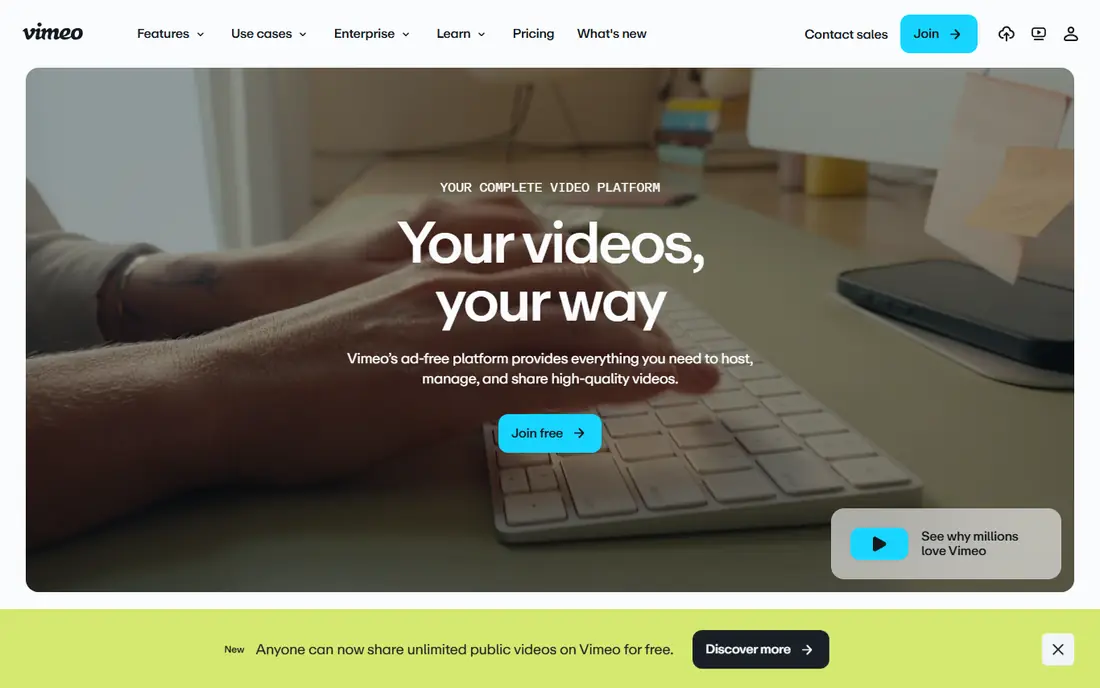
Vimeo suits teams that already host video there and want review without moving files to another service. Review links, time-coded comments and version handling sit alongside hosting, privacy controls and embedding, so a cut can move from review to delivery in the same place. That simplicity helps small teams and solo creators.
The trade is depth. Vimeo review is strong for straightforward video feedback, but agencies that proof images, documents and web pages alongside video may need a dedicated proofing tool. Check which review features sit on your plan, since entry tiers differ from higher team plans.
- Hosting, review and sharing in one place
- Clean player and privacy controls
- Team review tools on paid plans
- Review depth varies by plan
- Not a dedicated proofing platform for mixed assets

Dropbox Replay is the natural choice for teams that already live in Dropbox. Reviewers leave time-coded comments and annotations on video, audio and image files, and guests can comment without a full account. Version handling keeps feedback tied to the right cut, which cuts down on email confusion.
Pricing needs a full read. Replay itself starts around $10 per person per month on annual billing, on top of the paid Dropbox plan it requires, and the free tier covers only a small number of files. For a Dropbox-heavy team, that bundle still makes sense. For a team without Dropbox, a standalone review tool may be cheaper.
- Time-coded comments inside Dropbox
- Guest reviewers
- Version comparison
- Needs a paid Dropbox plan alongside Replay
- Free tier covers only a few files

Wipster keeps video review focused. Upload a work in progress, share a link, and let reviewers leave frame-accurate comments and drawn annotations. Approval status shows whether a cut is still in review or signed off, which helps producers track a project without chasing email replies.
Light starts at $9.95 per month on annual billing for individuals, while Team pricing rises per user for growing companies. There is no free tier beyond a trial, so budget for a subscription from the start. For a small video team that wants a dedicated review tool without enterprise overhead, Wipster is a clean fit.
- Frame-accurate comments
- Guest review links
- Approval tracking
- No lasting free plan
- Higher tiers rise with users and storage
Filestage suits agencies that review more than video. Marketing teams can proof videos, images, PDFs and web pages in one workflow, with approval stages, comments and version tracking. That breadth matters when a campaign includes a video cut, a poster and a landing page at the same time.
Pricing is flat rather than per seat, starting around $199 per month for a team plan, which can beat per-user tools once many reviewers are involved. For a solo creator, that price is hard to justify. For an agency with ten or more people in review, the flat model deserves a close look.
- Proofing for video, images and documents
- Approval workflows
- Flat team pricing
- Flat price is high for a solo user
- Free plan covers only one active project
Ziflow is built for creative teams that need structured proofing at scale. It supports a wide range of file types, automated workflow stages, version comparison and integrations with project tools. Marketing departments and agencies use it to move assets from concept to approval with a clear audit trail.
The Standard plan starts around $199 per month, with a free tier for very small use, so solo users should compare per-seat tools first. Larger teams gain from unlimited reviewers and workflow automation, but they should allow time for setup and training. If your review process spans many asset types and approvers, Ziflow is a serious option.
- Broad file-type support
- Automated workflows
- Version comparison
- Flat pricing suits larger teams more than solo users
- Setup takes time
ReviewStudio suits client-heavy agencies that need clear proofing without a steep learning curve. Reviewers can mark up video, images, web pages and PDFs, and any comment can become a task with an owner. Live review sessions and presentation mode help when a client wants to walk through a cut together.
A free tier lets a small team test the workflow, while paid plans are priced per user per year in published comparisons. The tool is less tied to editing software than Frame.io, so teams that live in Premiere or Resolve should check integration needs. For straightforward client proofing, ReviewStudio is easy to adopt.
- Free starting tier
- Markup and task assignment
- Live review sessions
- Paid plans rise per user
- Fewer editing integrations than Frame.io
Kollaborate is a specialist pick for post-production teams. It offers time-coded comments, approval workflows, guest reviewers and integrations with editing tools, at a yearly price that looks low in published comparisons. That value matters for small post houses and freelancers who review cuts often.
The trade is scale and polish. Kollaborate has a smaller public profile than Vimeo, Filestage or Ziflow, and its interface feels built for editors rather than general marketing reviewers. If your reviewers are editors and clients who already understand cuts, that focus is a strength. If they need a very simple proofing page, test it first.
- Low yearly price in published comparisons
- Time-coded review
- Editing integrations
- Smaller profile than larger proofing platforms
- Interface feels specialist
Krock.io combines video review with production management. Teams can upload video and images, collect time-coded comments, build custom pipelines, assign tasks and track deadlines on visual boards. Storyboard and animatic tools help animation and production teams move from early concepts to final approval in one workspace.
Pricing starts around $10 per user per month, with a free plan for testing, and unlimited reviewers on paid plans helps client-heavy work. Setting up pipelines takes more thought than a bare review link, so allow time to shape it around your workflow. For production teams, that extra structure pays off.
- Time-coded comments and pipelines
- Unlimited reviewers
- Storyboard and animatic tools
- Learning curve for pipeline setup
- Paid plans needed for larger storage
SyncSketch is built for animation, VFX and game teams that need precise visual notes. Reviewers can draw on frames, compare versions and join live sessions, which suits shot review and iterative animation work far better than a generic comment thread. The free tier lets a small team test that workflow.
It is a specialist tool, so marketing teams reviewing mixed documents may prefer Filestage or Ziflow. Animation and VFX teams, by contrast, will value the drawing and playback controls. Check current pricing on the site, since plans vary by team size and storage needs.
- Frame-accurate animation review
- Live sessions
- Drawing tools for notes
- Specialist focus
- Pricing needs a check on the site for your team size
How we picked these
We compared official pricing pages, video review features, guest access, version handling and current availability in October 2026. We kept tools that offer time-coded or frame-accurate comments and a shareable review link, and we left out general file storage without a review workflow. Prices that varied across sources are shown as See website rather than as a single invented figure.
What to check before you choose
Reviewers, guests and approvals
Count who actually reviews: editors, producers, clients and external stakeholders. Tools with unlimited reviewers or guest links save money when clients join often. Also check approval stages, since a simple comment thread is not enough once sign-off becomes formal.
File types and editing links
Video-only teams can pick a focused tool, while agencies need images, PDFs and web pages too. If your editors work in Premiere, Resolve or Final Cut, check whether review links, markers or comments flow back into the edit. That link saves retyping feedback.
Storage, versions and cost at scale
Video files are large, so storage caps matter. Compare storage per plan, version limits and what happens when you exceed them. A cheap per-seat plan can become costly if storage add-ons stack up, while a flat team plan can win once reviewer numbers grow.
Frequently asked questions
What is the best alternative to Frame.io?
Vimeo and Dropbox Replay suit teams already in those ecosystems, while Wipster and Krock.io suit dedicated video review at lower per-user prices. Filestage and Ziflow suit agencies reviewing mixed assets with structured approvals.
Are there free frame.io alternatives?
Yes, with limits. Vimeo, Dropbox Replay, Filestage, Ziflow, ReviewStudio, Krock.io and SyncSketch offer free tiers or trials, but free plans usually cap projects, files or storage. Test a real project on the free tier before you commit.
Can clients review without an account?
Yes, on most tools here. Wipster, Dropbox Replay, Krock.io and others offer guest review links so clients can comment without a full account. Check guest limits on the plan you choose.
Which tool is best for animation review?
SyncSketch is the strongest specialist pick for animation and VFX, with frame-accurate drawing and live sessions. Krock.io also covers storyboards and animatics for production teams.
Do these tools work with Premiere Pro?
Some do, with varying depth. Check the current integration page for each tool, since editing links change over time. Kollaborate and Krock.io name editing integrations, while broader proofing tools focus on web review.
What about frame io alternatives for small teams?
Wipster, Krock.io and ReviewStudio are good starting points for small teams, with low entry prices or free tiers. Compare storage and reviewer limits at your real project volume before you pick.
Sources
See where you really rank - block by block
ProMapRanker scans Google Maps across a grid of your service area. Simple monthly plans from $19, white-label on every plan.
Start freeKeep reading
 zscaler alternatives
Best Zscaler Alternatives in 2026
Looking for zscaler alternatives? We compare 9 SASE and zero trust platforms on architecture, data protection, pricing, and fit for your network and team.
Read → zapier alternatives free
Best Zapier Alternatives Free in 2026
Nine automation tools for zapier alternatives free in 2026, all with genuinely free tiers, plus free plan limits, starting prices and upgrade paths explained.
Read → which platform is best for online reputation
Which Platform Is Best for Online Reputation in 2026
Wondering which platform is best for online reputation? We compare 8 review, listing, and response tools for small and multi-location businesses and agencies.
Read →