 ProMapRanker
Best Flywheel Alternatives in 2026

Key takeaways
- Kinsta and WP Engine suit growing businesses and agencies that want polished dashboards and strong support.
- Pressable and Rocket.net suit performance-focused sites, with different strengths in WooCommerce and edge caching.
- SiteGround and DreamPress keep entry costs low, but renewal prices and plan limits need checking.
- Cloudways suits technical users who want server control, while Nexcess and Pantheon suit stores and developers.
- Compare visit counting, bandwidth, storage, and renewal price together, not just the headline monthly figure.
Quick comparison
| Pick | Great for | Pricing starts at | Free tier | |
|---|---|---|---|---|
 Kinsta | Premium managed hosting | $35 per month | Free trial | Visit |
 WP Engine | Agencies and growing sites | $30 per month | Free trial | Visit |
 SiteGround | Small business WordPress sites | $2.99 per month | No | Visit |
 Pressable | WooCommerce and Jetpack users | $25 per month | No | Visit |
 Rocket.net | Edge speed and traffic spikes | $30 per month | No | Visit |
 Nexcess | WooCommerce and growing stores | $19 per month | Free trial | Visit |
 Cloudways | Flexible cloud hosting | $11 per month | Free trial | Visit |
 Pantheon | Developer workflows | See website | Free trial | Visit |
 DreamPress | Simple managed WordPress hosting | $14.99 per month | No | Visit |
The best Flywheel alternatives
Flywheel is known for managed WordPress hosting with a friendly dashboard and agency-friendly client workflows, so a good alternative needs managed updates, staging, backups, and support that understands WordPress. We compared official feature pages, pricing pages, and public reviews, and we focused on visit limits, storage, bandwidth, renewal pricing, and migration help. Prices below are entry figures, and renewal terms vary by host.
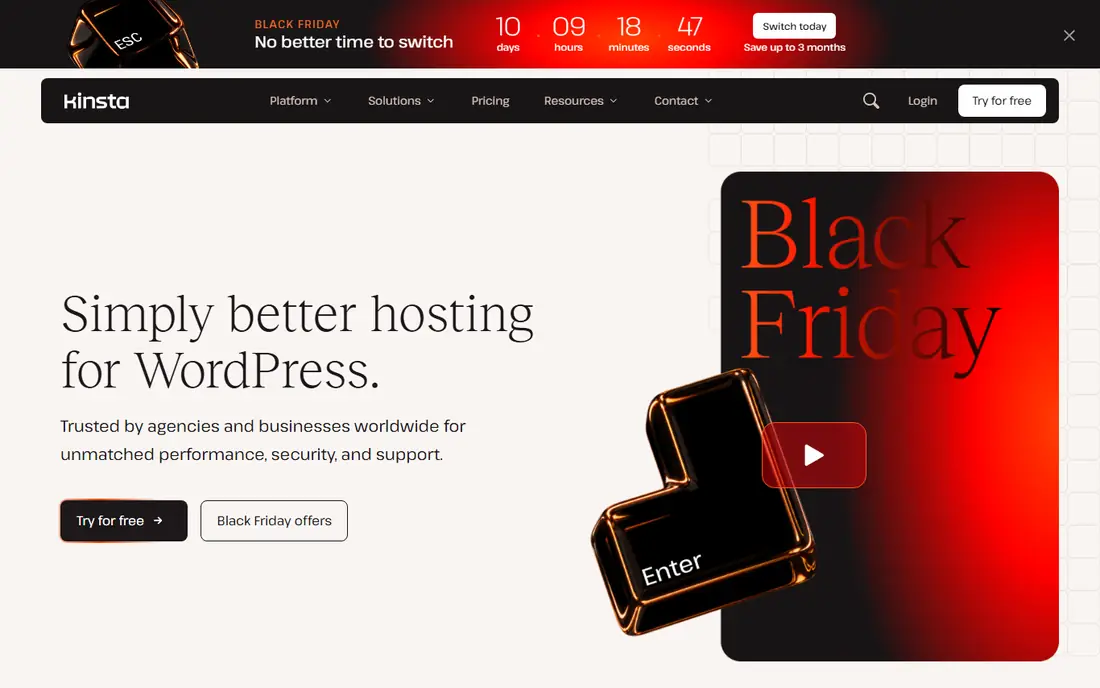
Kinsta is our pick for businesses that want managed hosting to feel effortless. The dashboard is clear, staging and backups are easy to find, and support staff understand WordPress problems rather than generic server issues. That polish matters when a site earns money every day and downtime costs more than the hosting bill.
The entry plan starts at $35 per month, with a lower annual equivalent, and covers a single site with a set visit and storage allowance. Backup retention on the entry plan is shorter than on higher tiers, so teams that need longer history should check that detail before purchase. For a revenue site or a growing agency portfolio, Kinsta's workflow and support often justify the higher price.
- Polished dashboard and developer tools
- Daily backups and staging
- Strong performance for business sites
- Higher entry price than budget hosts
- Entry plan has limited backup retention compared with higher tiers

WP Engine is a natural alternative for Flywheel users, since both brands sit in the same managed WordPress space and serve agencies well. It offers staging, daily backups, security tools, and a global content delivery network, plus tiers that scale from one site to dozens. Agencies that hand sites to clients will find transfer and collaboration workflows familiar.
The entry plan starts around $30 per month on annual pricing for one site, with a visit limit that growing sites should watch. Higher tiers add sites and resources, but the total climbs as the portfolio grows. If you manage many client sites, price the tier that fits your real site count, not the entry figure. For a single business site with growth plans, WP Engine is a dependable, well-supported choice.
- Long track record for agencies
- Staging, backups, and CDN tools
- Scalable tiers for many sites
- Entry plan covers one site and a set visit limit
- Higher tiers rise in cost as site counts grow

SiteGround is the budget-friendly entry point for a first WordPress site or a small business site with modest traffic. Setup is simple, the control panel is clear, and the platform includes caching and a content delivery network to help with speed. For a brochure site, a blog, or a local business site, that combination is hard to beat at the introductory price.
The honest catch is renewal pricing. The $2.99 per month figure is an introductory rate, and renewal is substantially higher, so buyers should budget for year two from the start. Staging and on-demand backups also require a higher plan, which matters if you test changes often. If you want the lowest first-year cost and can accept those limits, SiteGround is a sensible start.
- Low introductory price
- Easy WordPress setup
- Daily backups on higher plans and CDN included
- Introductory price renews much higher
- Staging and on-demand backups are not on the entry plan
Pressable suits WordPress users who already live inside the WordPress.com and Jetpack ecosystem. It runs on Automattic's WP Cloud, the same infrastructure behind WordPress.com, and includes Jetpack Security, staging, and daily backups. That close link to WordPress core and WooCommerce development gives it a practical edge for stores.
Entry pricing starts at $25 per month, or $20.83 per month on annual billing, for one site with a set visit and storage allowance. Overages apply when you pass those limits, so a store with traffic spikes should size the plan with headroom. Pressable also does not bundle a free domain or email hosting, which is a small extra cost for some buyers. For WooCommerce and Jetpack-heavy sites, it is a strong, stable pick.
- Runs on Automattic WP Cloud infrastructure
- Jetpack Security included
- Staging and daily backups
- No free domain or email hosting on entry plans
- Visit and storage overages add cost
Rocket.net is the pick for content sites that worry about traffic spikes. Every site sits behind enterprise edge caching, and plans count storage and bandwidth rather than visitors, so a viral post does not force an immediate upgrade for visitor count alone. Daily backups, security tools, and free migrations round out a performance-focused package.
The limits are still real. The Starter plan covers one site with 10 GB storage and 50 GB bandwidth, so a media-heavy site needs a higher tier. Origin server locations are also fewer than on some cloud platforms, although edge caching reduces that concern for most readers. If your traffic is spiky and your content is mostly cached, Rocket.net offers a clear, predictable pricing model.
- Enterprise edge caching built in
- Unmetered visitors
- No renewal price increase on published plans
- Storage and bandwidth caps still apply
- Fewer origin data center choices than some cloud hosts
Nexcess, part of Liquid Web, is built for stores and growing sites that need more than a basic shared plan. WooCommerce plans include performance tuning, staging, backups, and security tools aimed at checkout reliability. Higher tiers handle larger traffic volumes, which helps stores during sales and seasonal peaks.
The part to verify is the current plan structure, since tiers, branding, and promotional pricing have shifted over time. Entry pricing around $19 per month appears in comparisons, but the exact resources, visit allowance, and renewal terms depend on the tier you select. Check the checkout total and the renewal figure before you migrate a live store. For WooCommerce sellers who want managed support with store-specific tuning, Nexcess is worth a close look.
- WooCommerce-focused plans
- Generous traffic handling on higher tiers
- Staging and backups included
- Pricing tiers and branding have changed under Liquid Web, so verify the current plan at checkout
- Entry limits vary by tier
Cloudways suits developers and technical site owners who want cloud flexibility without managing a raw server alone. You choose a cloud provider, size a server, and host multiple sites on it, with staging, backups, caching, and security tools included. Per-server pricing means a second small site does not always mean a second full hosting bill.
The trade-off is responsibility. Cloudways is managed at the server level, but it is more hands-on than Kinsta or WP Engine, and you will need to handle more WordPress-level decisions yourself. Entry Flexible plans start from $11 per month for a small configuration, with costs rising by server size and add-ons. For technical users and agencies with many small sites, that flexibility is a real advantage.
- Choice of cloud providers
- Per-server pricing, not per site
- Staging, backups, and server controls
- More technical than fully managed hosts
- Support covers the platform, not every WordPress plugin issue
Pantheon is the pick for teams that treat a website like software, with proper development, testing, and live environments. Its workflow lets developers build in dev, test changes in a test environment, and deploy to live with version control and backups. That discipline helps agencies and larger teams avoid the broken-plugin-on-a-live-site problem.
Pricing is less straightforward than a single monthly figure, and small single-site owners may find the workflow heavier than they need. Pantheon also offers a free development tier in its model, which helps teams prototype before paying for live hosting. If your team values deployment discipline and collaboration, Pantheon is a strong Flywheel alternative. If you just need a simple blog host, a simpler plan will cost less.
- Strong development, test, and live workflow
- Version control and automated backups
- Scales for larger sites
- Pricing is less simple than a flat monthly plan
- Smaller sites may pay for workflow features they do not use
DreamPress, from DreamHost, is a calm middle ground between budget shared hosting and premium managed hosting. It includes managed WordPress updates, daily backups, and email hosting, which many premium hosts do not bundle. That makes it a good fit for a small business that wants managed help without a premium price tag.
The first-year price of $14.99 per month renews higher, so buyers should check the second-year figure before committing. Agency workflow tools are also simpler than those on Kinsta, WP Engine, or Pantheon, so large portfolios may outgrow it. For a single site or a small portfolio that values simplicity and included email, DreamPress is a fair, low-drama choice.
- Simple managed setup with email included
- Daily backups
- Straightforward pricing for a first managed plan
- Renews higher after the first year
- Fewer advanced agency workflow tools than Kinsta or WP Engine
How we picked these
We compared official feature pages, pricing pages, and public reviews for managed WordPress hosts that are live in October 2026. We required managed WordPress features such as updates, backups, and staging where possible, and we weighed visit and bandwidth limits, renewal pricing, WooCommerce support, and agency workflows. We did not claim hands-on testing, and we used See website where pricing depended on configuration or a sales quote.
What to check before you switch
Start with your traffic math. Write down monthly visits, storage use, and bandwidth for the last three months, then match those figures to a plan with headroom. A host that counts visits will bill differently from a host that counts bandwidth, so the cheapest headline price may not be cheapest for your site shape.
Next, test migration before you move a live site. Ask for a free migration, test it on a temporary address, and check speed, plugins, and checkout or forms before you change DNS. Confirm backup retention, staging access, support hours, and renewal price in writing, since those details cause most post-move surprises. Finally, plan the handoff if you manage client sites, including who owns the account and who pays the renewal.
Frequently asked questions
Is Flywheel still available?
Flywheel remains a managed WordPress brand, but many users compare alternatives when they want different pricing, performance, or agency tools. Kinsta, WP Engine, and Pressable are the closest premium replacements, while SiteGround and DreamPress suit lower budgets. Check the current Flywheel plan that fits your site before deciding whether a move is worth the migration effort.
Which Flywheel alternative is best for agencies?
Kinsta and WP Engine are the strongest agency picks here, thanks to client collaboration tools, staging, and multi-site tiers. Cloudways also suits agencies with many small sites, since per-server pricing can lower the cost per site. Price the tier that fits your real site count, and test client handoff tools before you move a portfolio.
Which host is best for WooCommerce?
Pressable and Nexcess are the most WooCommerce-focused picks, with store tuning, staging, and security tools aimed at checkout reliability. Kinsta also handles WooCommerce well on higher tiers. Test checkout speed, payment plugins, and backup restore on a staging copy before you switch a live store.
Should I choose a host that counts visits or bandwidth?
It depends on your site. Visit-counted plans suit steady traffic with mostly cached pages, while bandwidth-counted plans such as Rocket.net suit spiky traffic with many unique visitors. Compare your past visits and bandwidth together, and choose the model that leaves headroom for your busiest month, not just your average month.
How do I migrate from Flywheel without downtime?
Use a staging or temporary address first, migrate the full site, test pages, forms, and checkout, then update DNS during a quiet period. Keep the old host live until DNS has fully propagated and you have confirmed the new site works. Most hosts on this list offer free migrations, but you should still verify the migrated copy yourself.
What is the cheapest managed WordPress alternative?
SiteGround has the lowest introductory price here, while Cloudways starts from $11 per month for a small server. Introductory prices renew higher, so compare the second-year cost, not just the first invoice. For a single small site, DreamPress and SiteGround offer the lowest managed starting costs with clear limits.
Sources
- https://www.itechfaqs.com/12-best-managed-wordpress-hosting-providers-in-2026-compared/
- https://wpsblog.com/best-wordpress-hosting-for-high-traffic/
- https://webchoicedesk.com/en-us/managed-wordpress-hosting/
- https://kinsta.com
- https://wpengine.com
- https://www.siteground.com
- https://pressable.com
- https://rocket.net
- https://www.nexcess.net
- https://www.cloudways.com
- https://pantheon.io
- https://www.dreamhost.com/wordpress/dreampress/
See where you really rank - block by block
ProMapRanker scans Google Maps across a grid of your service area. Simple monthly plans from $19, white-label on every plan.
Start freeKeep reading
 zyte alternatives
Best Zyte Alternatives in 2026
These zyte alternatives cover managed scraping APIs, proxy networks and no code tools for lawful collection from your own or consented sources only in 2026.
Read → zerto alternatives
Best Zerto Alternatives in 2026
Compare the best zerto alternatives for disaster recovery and replication, with recovery targets, cloud options and honest trade-offs for teams in 2026.
Read → zerofox alternatives
Best ZeroFox Alternatives in 2026
We compared 9 zerofox alternatives for brand protection, phishing takedowns, dark web monitoring, and social impersonation, with clear coverage notes.
Read →