 ProMapRanker
Best Fireflies Alternatives in 2026


Live transcription and captions · Pricing starts at: $8.33 per user per month
Key takeaways
- Otter and Fathom offer the strongest free starting points, with different limits on minutes and summaries.
- Granola suits people who prefer no meeting bot, while tl;dv and Avoma suit sales and coaching teams.
- Notta and Tactiq are strong for translation, uploads and browser-based capture.
- Always get consent before recording, since rules and platform controls for meeting bots keep changing.
Quick comparison
| Pick | Great for | Pricing starts at | Free tier | |
|---|---|---|---|---|
| Otter.ai | Live transcription and captions | $8.33 per user per month | Yes | Visit |
 Fathom | Generous free plan | $15 per user per month | Yes | Visit |
 tl;dv | Video clips and coaching | See website | Yes | Visit |
 Granola | Bot-free personal notes | $14 per user per month | Yes | Visit |
 Notta | Translation and uploads | $8.17 per month | Yes | Visit |
 Tactiq | Browser-based transcripts | See website | Yes | Visit |
 Supernormal | Simple meeting summaries | See website | Free trial | Visit |
 Avoma | Sales meeting intelligence | $19 per recorder seat per month | Free trial | Visit |
 Fellow | Meetings plus action items | $7 per user per month | Yes | Visit |
 MeetGeek | Meeting analytics | See website | Yes | Visit |
The best fireflies alternatives
Fireflies records meetings, transcribes them and turns them into searchable notes. These alternatives cover the same job, with different approaches to bots, free limits, summaries and team workflows.

Otter is our pick for people who want live transcription they can read during a meeting. It captures Zoom, Meet and Teams calls, adds captions, and lets you search past conversations for a name, decision or action item. Mobile recording also helps for in-person conversations.
The free plan is useful but capped, with 300 minutes per month and 30 minutes per conversation in the plans we checked. Heavy meeting users will need Pro, and teams should check consent settings carefully, since Otter bots join calls and platform rules for bots are tightening.
- Live captions and in-app recording
- Strong search across transcripts
- Works for in-person meetings on mobile
- Free plan limits minutes per month and per conversation
- Paid features matter for heavy users
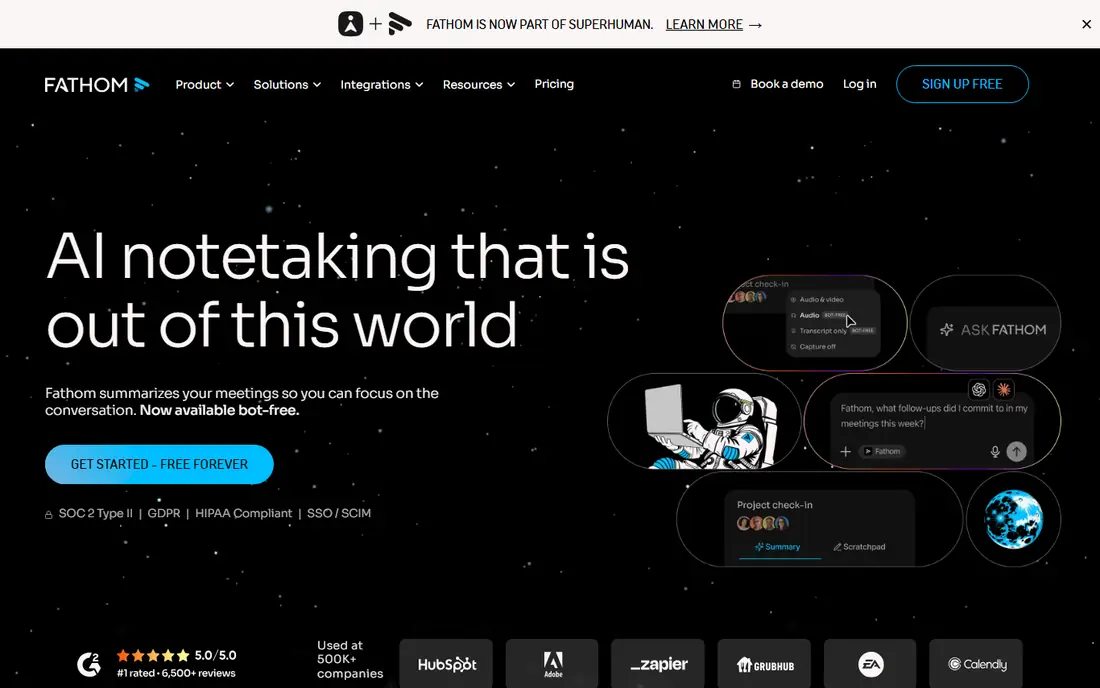
Fathom stands out because its free plan covers unlimited recordings and transcription, which is rare in this category. Summaries, highlights and action items help you share a meeting without replaying the whole call, and it works across Zoom, Meet and Teams.
The catch is that advanced AI features are capped on the free plan, and the paid Team plan requires at least two seats in the pricing we checked. For an individual who records many meetings, Fathom is hard to beat as a starting point.
- Unlimited recordings and transcription on the free plan
- Clean summaries and action items
- Supports major meeting platforms
- Advanced AI summaries are limited on the free plan
- Team plan has a minimum seat count
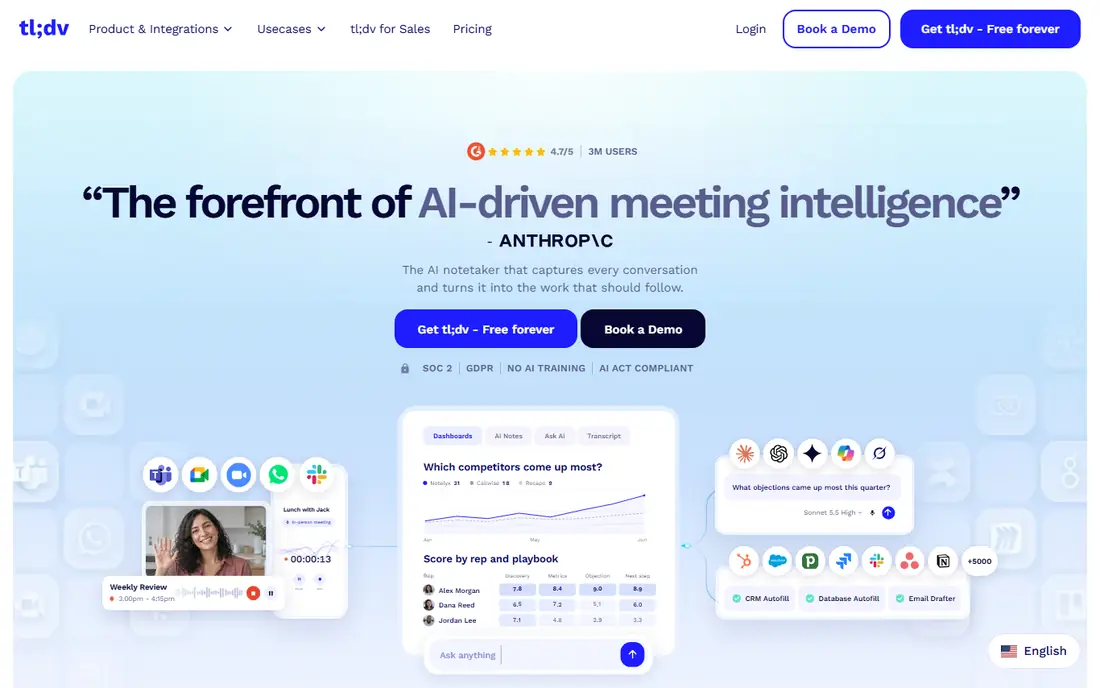
tl;dv is built around sharing moments, not just full transcripts. You can clip a key answer, timestamp a decision, and send that clip to a teammate or use it for coaching. That makes it popular with sales teams that review calls together.
The free plan covers unlimited recordings and transcription in the versions we checked, but AI notes have limits, and paid plans cost more than Otter or Notta. Choose tl;dv when clips and coaching matter more than the lowest price.
- Easy video clips and timestamps
- Good for sales coaching
- Supports major meeting platforms
- Paid pricing is higher than some rivals
- AI notes are capped on the free plan
Granola takes a different approach: it captures audio from your own device instead of sending a bot into the meeting. Your own notes then shape the final write-up, which feels more personal and avoids the awkward bot-join announcement. It works across Zoom, Meet, Teams and other apps.
The trade-off is history and team sharing. The free plan limits how far back you can look, and a team that wants one central recording library may prefer a bot-based tool. Granola fits founders, investors and individuals who take many external calls.
- No bot joins your calls
- Notes start from your own written notes
- Works across meeting apps
- Free plan history is limited
- Less suited to teams that need a shared bot recording library
Notta suits multilingual teams and people who transcribe files as well as live meetings. It supports Zoom, Meet, Teams and Webex, offers translation features, and lets you upload audio and video for transcription. A desktop app also gives a bot-free option on Mac and Windows.
Free limits are tight, with a low monthly minute allowance and short recordings in the plans we checked. If you work across languages or need uploads regularly, the paid plan is the realistic starting point.
- Wide language support and translation
- File uploads and Webex support
- Desktop app without a bot
- Free plan limits minutes and recording length
- Some features need paid plans
Tactiq is a good pick if you live in the browser. Its extension captures transcripts from Zoom, Meet and Teams calls in Chrome, then turns them into summaries and action items you can send to tools like Slack or HubSpot. There is no bot to admit to the call.
The limit is coverage. Browser capture works well for web meetings but is less flexible for mobile or in-person recordings. The free plan covers a limited number of transcripts per month, so regular users should check paid pricing.
- Works in the browser with a Chrome extension
- No bot needed for supported calls
- Useful AI summaries and integrations
- Browser-based capture does not fit every meeting setup
- Free transcript allowance is limited
Supernormal keeps the meeting note job simple: record the call, get a summary, and share action items with the team. It supports Zoom, Meet and Teams, and the interface stays focused on notes rather than analytics or coaching dashboards.
Teams that want a wide integration library or a generous free tier may prefer Otter or Fathom. Supernormal fits a team that wants tidy summaries without extra product analytics layered on top.
- Clean summaries and action items
- Supports major meeting platforms
- Simple team setup
- No free plan in the pricing we checked
- Smaller integration list than larger rivals
Avoma is aimed at revenue teams rather than general note-taking. It records calls, analyzes conversation patterns, and links notes and action items to CRM records. Managers can review deals, coach reps and spot risks without listening to every call.
That focus comes with a higher, seat-based price and no free plan in the pricing we checked. For a general user who only needs summaries, Avoma is more than needed. For a sales team, the coaching and CRM depth can justify the cost.
- Strong for sales teams with conversation intelligence
- Meeting templates and coaching tools
- CRM integrations
- No free plan
- Pricing is per recorder seat, which needs careful planning
Fellow is useful when meetings need structure, not just a transcript. Teams can build agendas, take collaborative notes, assign action items with due dates, and use AI notes for key calls. That combination helps action items survive past the meeting itself.
The free plan includes only a small number of AI notes in total, so it is a trial of the AI feature rather than a long-term free solution. Fellow fits teams that want agendas and follow-through in the same place as their notes.
- Combines agendas, notes and action items
- Low starting price
- Works across major meeting platforms
- Free AI notes are very limited
- Best value comes when the team adopts agendas too
MeetGeek combines transcription with analytics: it can show meeting patterns, let you ask questions across past meetings, and summarize calls in many languages. It offers both bot and bot-free capture, which helps teams with different meeting policies.
The free plan covers only a few hours of transcription per month in the plans we checked, so heavy users need a paid plan. Choose MeetGeek when you want insight across many meetings, not just a note for one call.
- Meeting analytics and AI chat across past meetings
- Wide language support
- Bot and bot-free capture options
- Free transcription allowance is limited each month
- Analytics matter most to regular meeting users
How we picked these
We compared official pricing pages, feature pages and public documentation for AI meeting tools that are live in October 2026. We kept tools that record or transcribe Zoom, Meet or Teams meetings and produce summaries or searchable notes, and we weighed free limits, capture method, language support, integrations and fit for individuals versus sales teams.
What to check before you switch
Start with consent and meeting policy. Tell participants you are recording, check your company rules, and confirm whether your meeting platform admits or blocks third-party bots. A bot-free tool like Granola or Tactiq may fit better where bots are restricted.
Next, test the free limits with your real meeting load. A plan that looks generous can run out fast if you record every call, while a capped plan may be fine if you only need notes for key meetings. Check summary quality, search, exports and integrations with the tools where action items must land.
Frequently asked questions
What are the best fireflies ai alternatives for free use?
Fathom offers unlimited recordings and transcription on its free plan, with limits on advanced summaries, while Otter offers a capped free plan with live captions. MeetGeek and Notta also offer free tiers, but with lower monthly allowances.
Which alternative does not use a meeting bot?
Granola captures audio from your own device without a bot, and Tactiq captures in the browser for supported calls. Notta and MeetGeek also offer bot-free options alongside bot recording.
Which tool is best for sales teams?
Avoma and tl;dv are strong sales picks, with coaching, clips and CRM links. Otter and Fathom are better general picks when sales coaching is not the main need.
Do these tools work with Zoom, Google Meet and Teams?
Most tools in this list support all three platforms, though capture method and bot behavior differ by platform. Check the vendor page for your exact platform before you pay, since platform rules change.
Is it legal to record meetings with these tools?
Rules vary by location and by company policy, and some places require all parties to consent. Always announce recording, follow your employer policy, and get advice for regulated or sensitive calls when you are unsure.
Sources
See where you really rank - block by block
ProMapRanker scans Google Maps across a grid of your service area. Simple monthly plans from $19, white-label on every plan.
Start freeKeep reading
 zscaler alternatives
Best Zscaler Alternatives in 2026
Looking for zscaler alternatives? We compare 9 SASE and zero trust platforms on architecture, data protection, pricing, and fit for your network and team.
Read → zapier alternatives free
Best Zapier Alternatives Free in 2026
Nine automation tools for zapier alternatives free in 2026, all with genuinely free tiers, plus free plan limits, starting prices and upgrade paths explained.
Read → which platform is best for online reputation
Which Platform Is Best for Online Reputation in 2026
Wondering which platform is best for online reputation? We compare 8 review, listing, and response tools for small and multi-location businesses and agencies.
Read →