 ProMapRanker
Best Firecrawl Alternatives in 2026

Key takeaways
- Apify is our pick for teams that want ready-made scrapers plus a general platform, while ScrapingBee suits developers who want one simple API call.
- Bright Data and Oxylabs fit larger volumes and harder targets, but their pricing needs a careful workload test before you commit.
- Browse AI and Zyte cover opposite ends of the range, with no-code extraction on one side and developer control on the other.
- Credit pricing is not directly comparable across vendors, so price a sample of your real pages before choosing.
Quick comparison
| Pick | Great for | Pricing starts at | Free tier | |
|---|---|---|---|---|
 Apify | Ready-made scrapers and automation | $19 per month | Yes | Visit |
 ScrapingBee | Simple API scraping for developers | $19 per month | Free trial | Visit |
 Bright Data | Large scale scraping and proxies | See website | Yes | Visit |
 ZenRows | JavaScript-heavy pages | See website | Free trial | Visit |
 Oxylabs | Enterprise scraping and proxies | $49 per month | Free trial | Visit |
 Diffbot | Structured data from articles and products | See website | Free trial | Visit |
 ScraperAPI | One endpoint with proxy handling | $49 per month | Free trial | Visit |
 Browse AI | No-code extraction and monitoring | $19 per month | Yes | Visit |
 Zyte | Developer scraping with anti-bot handling | See website | Free trial | Visit |
The best Firecrawl alternatives
Firecrawl turns web pages into clean text for AI tools, so the best replacements match that job in different ways. Some focus on a simple API, others on ready-made scrapers, and a few on large proxy networks. We compared official feature pages, pricing pages, and public documentation for each tool below.
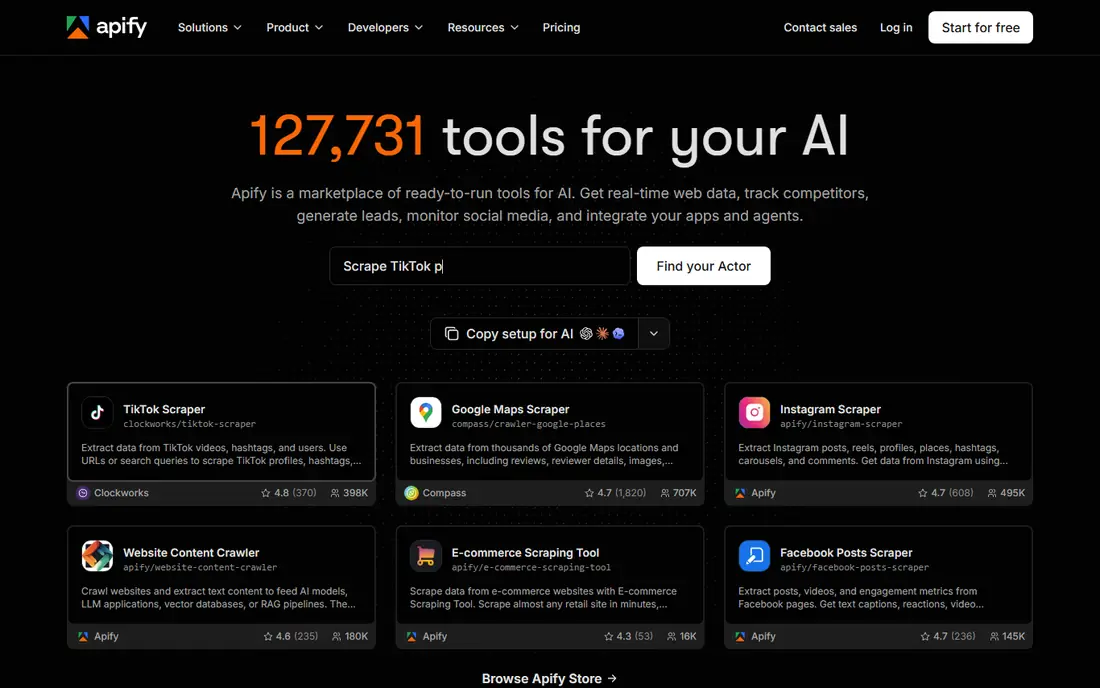
Apify is a good first stop when you do not want to build a scraper from scratch. Its marketplace, called Actors, covers common targets such as search results, social profiles, and online stores, and you can schedule runs and store results in one place. That breadth makes it handy for a small team that needs several different data feeds without managing separate tools.
The trade-off is pricing clarity. A plan price is only part of the bill, because compute usage and individual actor charges also count, so a cheap-looking job can cost more than expected. Start with the free plan, run one real target end to end, and check the usage report before you move a regular job here.
- Large library of ready-made scrapers
- Scheduling and storage built in
- Usable by developers and less technical teams
- Pricing mixes platform usage and actor charges
- Costs can rise on heavy jobs
ScrapingBee suits developers who already own the parsing logic and just want reliable fetching. You send a URL, and the service handles proxies, JavaScript rendering, and many common blocks, then returns HTML or extracted content. That narrow focus keeps setup short and keeps your own code in control of what happens next.
Costs climb when a page needs premium proxies or full browser rendering, because those options use more credits per request. It is also less helpful if your team wants point-and-click extraction with no code. Test your hardest pages first, since they decide the real monthly cost.
- One API handles proxies and rendering
- Clear credit model for simple requests
- Good documentation
- Advanced options consume more credits
- No ready-made scraper marketplace
Bright Data is built for scale. Its Web Scraper API charges per successfully delivered record, and its proxy products cover residential, mobile, and data center traffic for teams that run their own scrapers. The free tier for the scraper API gives a small team a way to test output quality before talking to sales.
The main drawback is that Bright Data is really several products under one brand, each with its own pricing. A small project can feel over-engineered here, and enterprise minimums may apply to some products. Use it when volume, target difficulty, or governance needs justify the setup work.
- Very large proxy network
- Many pre-built scrapers
- Strong compliance and enterprise controls
- Pricing varies by product and can be complex
- Smaller teams may find it heavy
ZenRows focuses on the pages that break simple scrapers, including sites that load content with JavaScript or use anti-bot checks. Its API lets developers request rendered pages and extracted data without building a browser fleet. That makes it a practical middle ground between a bare proxy service and a full scraping platform.
It is less suited to a non-technical team that wants a visual builder or a ready-made scraper for a specific site. As with other credit-based tools, premium rendering options raise the cost per page. Run a sample of your toughest targets and compare success rates, not just list prices.
- Strong handling of JavaScript pages
- Anti-bot features included
- API-first design
- Less of a no-code marketplace
- Pricing depends on request options
Oxylabs pairs a web scraper API with proxy products, which suits teams that need both managed scraping and raw proxy access. Its compliance posture, including published certifications, matters for larger companies that must show how data collection is governed. The scraper API is designed for structured results from common site types.
Smaller teams may find the entry price and the enterprise tone a poor fit for a one-off project. The platform also assumes someone on your side can manage targets, schedules, and usage. It earns its place here for steady, larger workloads rather than casual experiments.
- Large proxy pool and scraper API
- Compliance certifications
- Good support for large teams
- Entry price is higher than hobby tools
- Setup suits technical teams
Diffbot takes a different angle from most scraping APIs. Instead of returning raw HTML for you to parse, it tries to return structured fields for articles, products, and discussion pages, such as titles, prices, and body text. That can save a large amount of parsing work when your targets fall into those common page types.
The catch is control. When a page does not fit a standard pattern, you may get less than you hoped for, and custom extraction can take more effort. Pricing also requires checking the current plans, since some tiers are quote-based. Try it on your most common page types before judging it on unusual layouts.
- Automatic extraction for articles, products, and discussions
- Knowledge graph options
- API-first
- Pricing is not self-serve for every plan
- Less control over custom site layouts
ScraperAPI is a straightforward choice for developers who want proxy rotation, header handling, and rendering behind one endpoint. You keep your own parsing code, and the service deals with blocks and retries. Structured data endpoints for common sites can shorten the work further when your targets match.
The entry plan costs more than the cheapest hobby plans here, and credit use varies with the options you turn on. That makes a small test essential, because two teams with the same page count can see different bills. It fits best when reliability matters more than the lowest possible entry price.
- Single endpoint for proxies and rendering
- Structured data options
- Long track record
- Higher entry price than some rivals
- Credits vary by target and options
Browse AI is the most approachable tool on this list for a team without developers. You train a robot by pointing at the data you want, then schedule it to extract new rows or watch a page for changes. That makes it useful for price tracking, listing checks, and small research jobs that would otherwise need a spreadsheet and manual visits.
It is not the right engine for a large API pipeline or for millions of pages. Credits are consumed by pages and rows, so a wide crawl can use a plan quickly. Use the free plan to confirm that a robot can read your target reliably, then scale only the jobs that prove their value.
- Point-and-click robot setup
- Change monitoring built in
- Free plan for small tests
- Credit costs depend on rows and pages
- Not built for large developer pipelines
Zyte, formerly Scrapinghub, is a developer-focused option with a strong open-source heritage. Its API handles site difficulty, retries, and anti-bot measures, and you can choose lighter HTTP requests or full browser rendering depending on the target. That flexibility helps teams that already think in terms of crawls, spiders, and data pipelines.
Newer teams may find the pricing model harder to compare at a glance, because charges depend on successful responses, site difficulty, and request mode. A trial credit can help, but you should still price a realistic crawl. Zyte is strongest for engineering teams that want control without running their own proxy and browser infrastructure.
- Built by the team behind Scrapy
- Automatic ban handling
- Browser and HTTP modes
- Pricing is volume based and needs a quote at scale
- Learning curve for new teams
How we picked these
We compared official pricing pages, feature documentation, and public product descriptions for tools that turn web pages into usable data, and we kept only tools that are live and accepting users in October 2026. We favored a mix of API-first services, ready-made scraper platforms, and one no-code option, so different team sizes and skill levels are covered. We did not claim hands-on testing, and we marked prices as See website where a vendor does not publish a simple self-serve starting price.
How to choose without overpaying
Start with your output, not the tool
Decide first if you need raw HTML, clean Markdown, or structured fields. A tool that returns structured product data can save parsing work, while a raw HTML fetcher suits teams that already have parsers. Matching output to your pipeline avoids paying for features you never use.
Price a real sample
Run the same 100 pages, including your hardest targets, on two or three finalists. Count successful results, not just requests sent, and check how rendering and premium proxies change the bill. Credit and record pricing varies so much that list prices alone can mislead you.
Check the rules for your targets
Only scrape pages you have a right to collect, respect robots rules and terms of use, and avoid personal data unless you have a lawful basis for handling it. A tool that makes collection easy does not make every target fair game, so confirm the legal position for your use case before scaling up.
Frequently asked questions
What is the closest Firecrawl alternative for AI projects?
Apify and ScrapingBee are both close, for different reasons. Apify gives you ready-made scrapers and storage, while ScrapingBee gives you a simple API and leaves parsing to your code. If clean Markdown for language models is the priority, test Diffbot and ZenRows as well, since their extraction styles differ.
Are these tools free?
Several offer a free plan or trial credits, including Apify, Bright Data, and Browse AI. Free allowances are usually small and meant for testing, so a regular crawl will need a paid plan or a pay-as-you-go arrangement. Check the current free limits on each vendor site before planning a budget around them.
Do I need to know how to code?
Browse AI is the best fit here if you want point-and-click extraction with no code. Apify also offers ready-made scrapers that need little code for common targets. The other tools on this list assume at least basic API or scripting skills.
How do credit prices compare?
They do not compare directly, because vendors count different things, such as requests, records, rows, or successful responses. Options such as JavaScript rendering and premium proxies also change the cost per page. The only fair comparison is a test on your own pages with the options you actually need.
Is web scraping legal?
It depends on the target, the data, and your jurisdiction, so treat this as a case-by-case question rather than a general yes or no. Respect site terms, avoid bypassing login walls or paywalls without permission, and get legal advice for sensitive or personal data. This article is not legal advice.
Sources
See where you really rank - block by block
ProMapRanker scans Google Maps across a grid of your service area. Simple monthly plans from $19, white-label on every plan.
Start freeKeep reading
 zoro.to alternatives
Best Zoro.to Alternatives in 2026
We compare the best zoro.to alternatives in 2026, listing only legal licensed anime streaming services, from Crunchyroll to free options for fans today.
Read → zip alternatives
Best Zip Alternatives in 2026
We compare the best zip alternatives for buy now, pay later in 2026, covering pay-in-4 plans, fees, spending limits, and credit reporting options today.
Read → yesware alternatives
Best Yesware Alternatives in 2026
Compare the best yesware alternatives for sales email tracking, templates, and sequences, with current pricing and honest tradeoffs for small sales teams.
Read →