 ProMapRanker
Fathom AI Alternatives in 2026


Live transcription and search · Pricing starts at: $8.33 per user per month
Key takeaways
- Otter.ai suits live transcription and search, with a free plan that covers short meetings and a low-cost Pro plan.
- Fireflies.ai suits sales and customer teams, with CRM sync and a shared archive of every call.
- tl;dv suits research and async review, with video clips and strong search across many calls.
- MeetGeek suits small teams on a budget, with analytics and AI chat on past meetings even on its free plan.
- Granola and Fellow suit teams that dislike visible meeting bots, with bot-free capture options and strong privacy controls.
Quick comparison
| Pick | Great for | Pricing starts at | Free tier | |
|---|---|---|---|---|
| Otter.ai | Live transcription and search | $8.33 per user per month | Yes | Visit |
 Fireflies.ai | Sales teams and CRM sync | $10 per user per month | Yes | Visit |
 tl;dv | Async review and video clips | $18 per user per month | Yes | Visit |
 Notta | Multilingual transcription | $8.17 per month | Yes | Visit |
 MeetGeek | Small teams and analytics | $9.99 per user per month | Yes | Visit |
 Fellow | Teams and bot-free recording | $7 per user per month | Yes | Visit |
 Granola | Notes without a bot | $14 per user per month | Yes | Visit |
 Krisp | Audio cleanup and notes | $8 per user per month | Free trial | Visit |
 Avoma | Revenue teams and coaching | $19 per user per month | Free trial | Visit |
The best fathom ai alternatives
We compared these tools on recording method, transcription limits, AI summaries, integrations, security and price. Fathom itself is not listed here, since this guide covers alternatives only. Always tell participants when a meeting is being recorded, and check your company policy before recording client or sensitive calls.

Otter.ai suits people who want to read the transcript while the meeting is still running. The live view lets you highlight, comment and correct text in real time, and search across past meetings makes it easy to find a decision weeks later. A mobile app also records in-person conversations, which suits field teams and interviews.
The free plan allows 300 minutes per month, with a 30-minute cap per conversation, so heavy users will need Pro. The OtterPilot bot also joins meetings as a visible participant, which some clients dislike. Pick Otter when live reading and search matter most.
- Live transcript you can read and edit during the call
- Strong search across past meetings
- Mobile app for in-person conversations
- Free plan caps minutes and meeting length
- Bot joins meetings as a visible participant

Fireflies.ai suits sales and customer teams that want every call searchable in one place. The bot records Zoom, Meet and Teams calls, transcripts become searchable, and CRM sync pushes notes and action items into Salesforce or HubSpot. That flow helps managers coach reps and helps new team members learn from past calls.
Free use covers transcription, but AI summaries and team storage are limited, so teams will need Pro for full use. Pick Fireflies when your team lives in a CRM, and a shared call archive would save time.
- Shared archive of calls for the whole team
- CRM sync with Salesforce and HubSpot
- Transcription in many languages
- Free plan limits AI summaries and storage
- Bot joins meetings
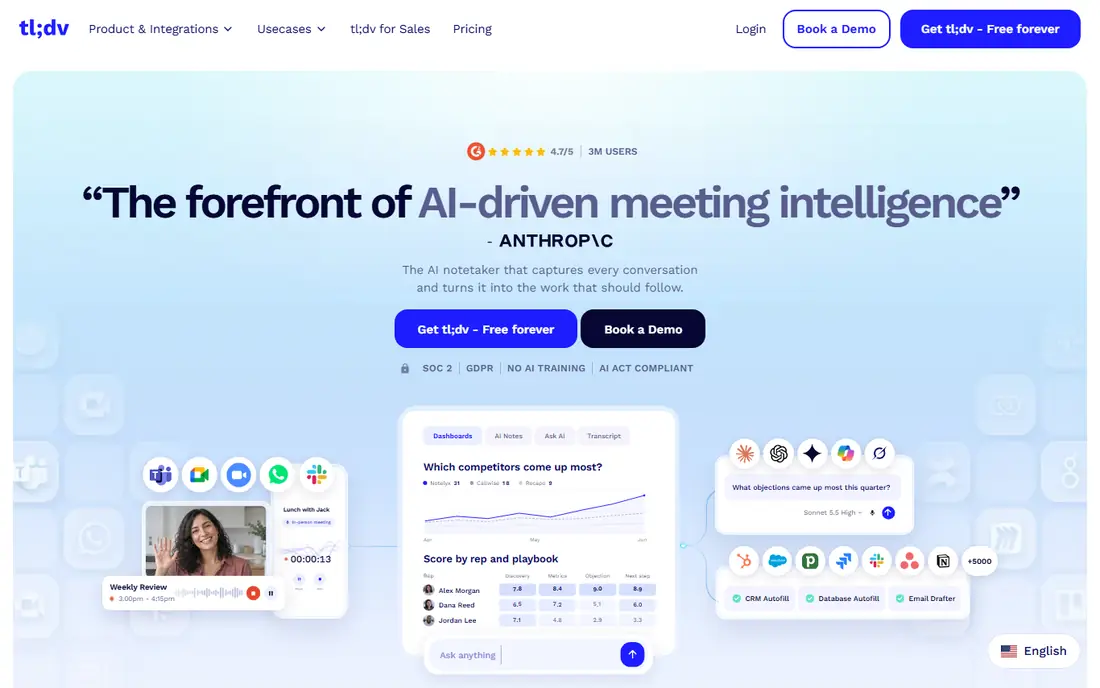
tl;dv suits research, product and customer teams that review calls after the fact. Unlimited free recording covers long interview programs, and short video clips let you share a key moment without sending a full recording. Integrations push action items into Asana, Jira, ClickUp and Notion.
The free plan caps AI notes, so teams that want full summaries for every call will need Pro. Choose tl;dv when async review and clips matter more than live transcription, and you run many user interviews or customer calls.
- Unlimited free recording
- Video clips for sharing key moments
- Strong search and integrations with task tools
- AI notes are capped on the free plan
- Paid plan costs more than Otter or MeetGeek
Notta suits multilingual teams and people who transcribe files as well as meetings. It covers Zoom, Meet, Teams and Webex, handles bilingual meetings, and offers bot or desktop capture. Uploaded audio and video files can also be transcribed, which suits interviews, lectures and recorded training.
Free use allows 120 minutes per month, with a short cap per recording, so regular users will need Pro. Pick Notta when language coverage and file transcription matter, and your meetings cross language lines.
- Transcription in many languages
- Bilingual meeting support
- Bot or no-bot capture options
- Free plan caps minutes and recording length
- AI features improve on paid plans
MeetGeek suits small teams that want more than a transcript. The free plan includes meeting analytics, AI chat across past meetings, and transcription in over 100 languages, which is generous for a free tier. Paid plans raise transcription hours and add team controls.
The 3-hour monthly transcription cap on the free plan is the main limit, so teams that record every call will need to pay. Choose MeetGeek when you want analytics and AI search on a budget, and your meeting volume fits the free or entry paid tier.
- Free plan includes analytics and AI chat on past meetings
- Transcription in many languages
- Bot and desktop capture
- Free plan covers only 3 hours of transcription per month
- Heavier use needs a paid plan
Fellow suits teams that want meetings to end with clear action items, not just a transcript. Agendas, notes and action items live together, with assignees and due dates, and integrations push tasks into Asana, Jira, ClickUp and Monday.com. Bot-free desktop capture avoids sending a visible bot into client calls.
The free plan allows only a few AI notes per user, so teams will need a paid plan for regular use. Pick Fellow when follow-through matters most, and you want notes, agendas and tasks in one workflow.
- Meeting agendas and action items with owners and due dates
- Bot or desktop capture
- Integrations with task tools
- Free plan limits AI notes per user
- Best value needs a team plan
Granola suits people who dislike visible meeting bots. It captures audio from your own computer, so no third-party participant appears in the call, and it turns that audio into clean notes you can edit and ask questions about. Mobile apps cover in-person meetings, which suits founders, researchers and consultants.
The free plan limits how far back your note history goes, so regular users will need a paid plan for a full archive. Choose Granola when bot-free capture and clean notes matter more than a large team admin suite.
- Captures audio from your own computer, so no bot joins the call
- Clean notes with AI chat
- In-person recording on mobile
- Free plan limits history
- Desktop focus suits Mac and Windows users best
Krisp started as a noise cancellation tool, and it still suits noisy home offices and shared spaces. It removes background noise from calls, and its meeting notes capture audio without a bot by default, with summaries and action items. That pairing helps when call quality is a daily problem.
There is no ongoing free plan, only a trial, so Krisp costs more to test than Otter or MeetGeek. Pick Krisp when audio quality is your main pain, and you want notes as a second benefit from the same tool.
- Noise cancellation for calls
- Bot-free capture by default
- Transcription and summaries in many languages
- No ongoing free plan, only a trial
- Meeting notes are newer than its noise tools
Avoma suits revenue teams that want coaching, not just notes. It records calls, analyzes conversation patterns, and surfaces deal risks and coaching moments, with CRM integrations to keep that insight next to pipeline data. That depth helps sales leaders coach reps with evidence, not guesswork.
The price is higher than general notetakers, and there is no ongoing free plan. Choose Avoma when you run a sales or customer team and need conversation intelligence, rather than simple meeting summaries.
- Conversation intelligence for sales and customer teams
- Coaching and deal insights
- CRM integrations
- Higher starting price
- No ongoing free plan, only a trial
How we picked these
We compared official feature pages, pricing pages and public reviews for AI meeting tools that work in October 2026. We kept only tools that record and transcribe real meetings, that exist and work today, and that suit a clear user type, from individuals to revenue teams. We did not list Fathom itself, and we noted bot capture, free limits and security options where they change the choice.
How to choose a Fathom alternative
Start with capture method. If clients dislike visible bots, Granola, Fellow and Krisp offer bot-free options, while Otter and Fireflies use a visible bot. Next, check free limits against your real meeting volume. A free plan that covers 300 minutes suits light use, but a team that records every call will need a paid plan quickly.
Then check where notes must go. Sales teams need CRM sync, product teams need task tool integrations, and managers need search across past calls. Finally, check security for sensitive calls, including retention controls, single sign-on and, where needed, a data processing agreement. A short trial with your own meetings will show whether summaries, action items and search actually help.
Frequently asked questions
What is the best Fathom AI alternative for free use?
Otter.ai suits light free use with 300 minutes per month, while MeetGeek offers analytics and AI chat on its free plan with 3 hours per month. tl;dv offers unlimited free recording, though AI notes are capped on the free plan.
Can an AI note taker record without a bot joining the meeting?
Yes. Granola and Krisp capture audio from your own computer, so no bot appears in the call. Fellow, MeetGeek and Notta also offer desktop capture options, which avoid a visible bot participant.
Which Fathom alternative is best for sales teams?
Fireflies.ai suits sales teams with CRM sync and a shared call archive, while Avoma suits revenue teams that want coaching and deal insights. Both push notes and action items into CRM and task tools.
Do AI meeting notetakers work with Zoom, Google Meet and Teams?
Yes, most tools in this list support all three platforms. Granola works with any meeting app through device audio, and Notta adds Webex support. Check the vendor page for the exact platform list before you buy.
Is it legal to record a meeting with an AI notetaker?
It depends on your location and company policy, since some places require consent from all participants. Always tell participants that the meeting is being recorded, and check your company and local rules before recording client or sensitive calls.
What happens to my meeting data after the call?
That depends on the vendor. Check retention controls, data processing terms and whether a vendor offers single sign-on, encryption and, for regulated use, a business associate agreement. Delete recordings you no longer need, especially for sensitive calls.
Sources
See where you really rank - block by block
ProMapRanker scans Google Maps across a grid of your service area. Simple monthly plans from $19, white-label on every plan.
Start freeKeep reading
 zscaler alternatives
Best Zscaler Alternatives in 2026
Looking for zscaler alternatives? We compare 9 SASE and zero trust platforms on architecture, data protection, pricing, and fit for your network and team.
Read → zapier alternatives free
Best Zapier Alternatives Free in 2026
Nine automation tools for zapier alternatives free in 2026, all with genuinely free tiers, plus free plan limits, starting prices and upgrade paths explained.
Read → which platform is best for online reputation
Which Platform Is Best for Online Reputation in 2026
Wondering which platform is best for online reputation? We compare 8 review, listing, and response tools for small and multi-location businesses and agencies.
Read →