 ProMapRanker
Best Egnyte Alternatives in 2026


Regulated teams needing content controls and workflows · Pricing starts at: $15 per user per month
Key takeaways
- Box and Dropbox Business are the closest enterprise matches, with deep permissions, workflow tools, and wide app integrations.
- Microsoft OneDrive with SharePoint and Google Workspace win when a team already lives in Microsoft or Google apps, since storage comes with the suite.
- ShareFile suits professional services firms that need client portals, while Sync.com and Tresorit suit teams that put privacy first.
- Nextcloud is the self-hosted route for teams that want full control of their data and are willing to run the system themselves.
Quick comparison
| Pick | Great for | Pricing starts at | Free tier | |
|---|---|---|---|---|
| Box | Regulated teams needing content controls and workflows | $15 per user per month | Free trial | Visit |
 Dropbox Business | Teams that value fast, reliable sync above all | $15 per user per month | Free trial | Visit |
 Microsoft OneDrive and SharePoint | Companies already standardized on Microsoft 365 | $7 per user per month | Free trial | Visit |
 Google Workspace Drive | Teams collaborating in Google Docs and Sheets | $7 per user per month | Free trial | Visit |
 ShareFile | Professional services firms sharing files with clients | $16.50 per user per month | Free trial | Visit |
 Sync.com | Small teams wanting privacy without a high price | $6 per user per month | Yes | Visit |
 Tresorit | Organizations handling highly sensitive files | See website | Free trial | Visit |
 Nextcloud | Teams that want to host their own file platform | See website | Yes | Visit |
 pCloud Business | Budget teams needing storage with media tools | $9.99 per user per month | Yes | Visit |
The best egnyte alternatives
Egnyte buyers usually want two things at once: easy file sharing and tight governance over who can see, edit, and download company files. The nine tools below cover that range, from full enterprise platforms to privacy-first storage and self-hosted control. We compared official feature pages, pricing pages, and public reviews, and we left Egnyte itself off the list.

Box is the most direct enterprise replacement for Egnyte. It manages the full content lifecycle, from upload and sharing to retention and legal hold, with permissions that can be set at folder, file, and user level. Workflow automation moves files through review and approval without a separate tool, and integrations cover the office suites, CRM systems, and e-signature tools most companies already use.
The cost is the main thing to weigh. Business plans start at a per-user price that climbs with higher tiers, and smaller teams may find the admin surface heavier than they need. For regulated industries, legal teams, and companies with strict retention rules, Box earns that price. For simple team sharing, a cheaper tool below will do.
- Granular permissions and admin controls
- Workflow automation and e-signature options
- Strong compliance coverage for regulated industries
- Entry business price is higher than consumer storage
- Full value needs admin setup
- Some collaboration features lag Google-native editing
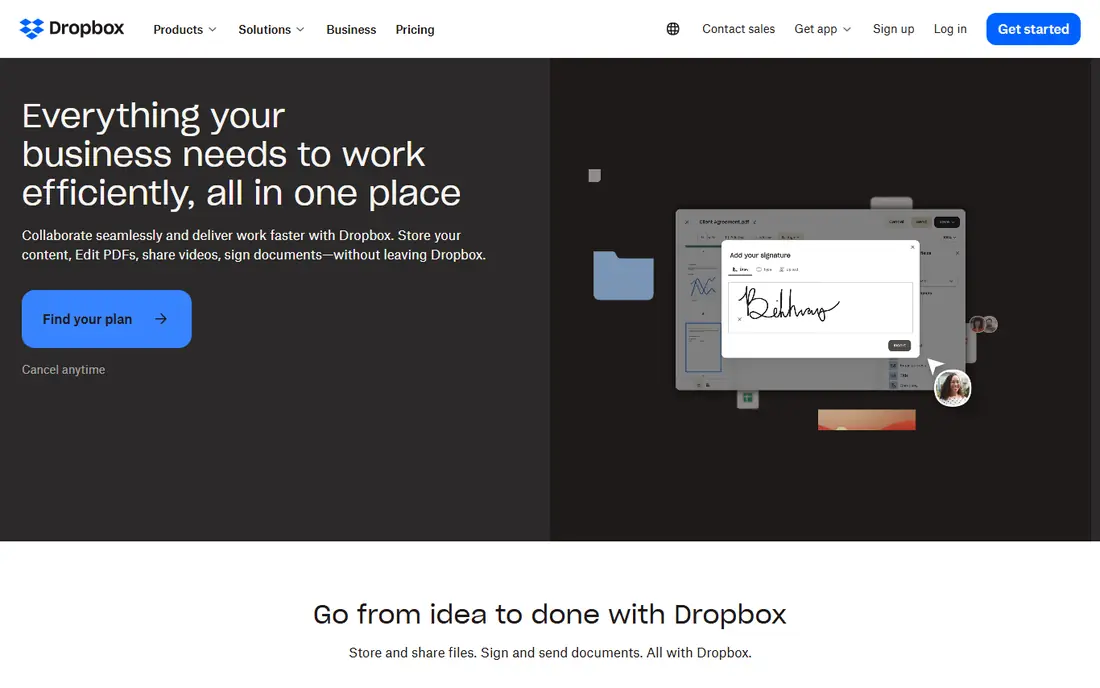
Dropbox Business wins on the everyday experience of sharing files. Sync is fast, even for large media files, and team members rarely need training to share a folder or restore an earlier version. Smart Sync keeps local drives from filling up, while version history and file recovery cover the common accidents that cost teams time.
Governance is where Dropbox trails the enterprise leaders. Admin controls and compliance tools exist, but companies with strict retention, legal hold, or classification needs should compare Box and ShareFile closely before choosing. For creative teams, agencies, and file-heavy businesses that prize speed and simplicity, Dropbox Business is a strong pick.
- Block-level sync handles large files well
- Simple sharing and team folders
- Wide third-party app integrations
- Governance features are lighter than Box or Egnyte at the same tier
- Pooled storage terms vary by plan
- Price rises on higher tiers
Microsoft OneDrive and SharePoint
Great for: Companies already standardized on Microsoft 365

For Microsoft shops, OneDrive and SharePoint are often the cheapest good answer, because storage arrives inside a Microsoft 365 subscription the company may already pay for. OneDrive handles personal and shared files, while SharePoint provides team sites, document libraries, versioning, and permissions for company-wide content. Co-authoring in Office apps is genuinely smooth.
The complexity sits in SharePoint. Small teams can get by with OneDrive and Teams files alone, but a full intranet or document library design takes planning. Companies that live in Google apps will find Google Workspace a better fit. For everyone else on Microsoft 365, there is little reason to pay for a separate file platform unless Egnyte-style governance is a hard requirement.
- Included with Microsoft 365 business plans
- Real-time co-authoring in Word, Excel, and PowerPoint
- SharePoint adds team sites and document libraries
- SharePoint setup can feel complex for small teams
- Storage per user is fixed on lower tiers
- Best experience requires Microsoft apps
Google Workspace Drive
Great for: Teams collaborating in Google Docs and Sheets
Google Workspace Drive is the natural Egnyte alternative for Google-native teams. Shared drives keep company files owned by the team, so nothing disappears when an employee leaves, and real-time editing in Docs, Sheets, and Slides is still the smoothest in the market. Search across Drive, Gmail, and Calendar from one place also saves time for teams that live in Google apps.
Storage is the thing to check. The entry business tier includes a modest pooled amount, so media-heavy teams should price a higher tier before committing. Privacy-focused buyers should also note that Google Drive is not zero-knowledge storage. For collaboration-first teams, though, Drive is hard to beat on speed and simplicity.
- Real-time editing in Docs, Sheets, and Slides
- Shared drives belong to the team, not one employee
- Pooled storage on higher tiers
- Offline and large-file handling can trail Dropbox
- Admin controls are lighter than enterprise content platforms
- Storage limits bite on the entry tier
ShareFile, from Progress, is built around client work. Law firms, accountants, and financial advisers use its portals to request documents from clients, share finished work securely, and collect signatures without email attachments. That client-facing focus sets it apart from general team storage, and it explains why professional services firms stay loyal to it.
The price reflects that focus. Business plans start above consumer storage, and the higher tiers rise quickly, so small internal teams may find it costly for plain file sharing. For firms where client document exchange is a daily, regulated part of the job, ShareFile is one of the best fits on this list.
- Client portals and document request lists
- E-signature built in on higher tiers
- Workflow tools for client onboarding
- Three-user minimum on business plans
- Price climbs steeply toward data-room tiers
- Less suited to pure internal team sharing
Sync.com gives small teams the privacy feature that usually costs far more elsewhere: end-to-end encryption, where files are encrypted before they leave the device. That design suits health, legal, and finance teams handling sensitive client files on a budget. The business starting price is also among the lowest here, which helps small firms that cannot justify enterprise pricing.
The trade-off is collaboration depth. Real-time document editing and the app ecosystem are not as rich as Google Workspace or Microsoft 365, so teams that co-author all day may feel the gap. For secure storage and sharing, with privacy as the top priority and budget as the second, Sync.com is an excellent value pick.
- End-to-end encryption by default
- Low starting price for business plans
- Canadian data residency options
- Collaboration editing is thinner than Google or Microsoft
- Third-party integrations are fewer
- Large-team admin tools are less deep
Tresorit is the privacy-first enterprise option. Its zero-knowledge design means even Tresorit cannot read stored files, and its secure rooms let teams share sensitive documents with outside parties under tight controls. That combination appeals to legal, finance, and healthcare organizations, and to European teams with strict data-protection duties.
Pricing needs a direct check, since published figures differ across comparison sites, which is why we list See website here rather than a single number. Collaboration is also narrower than Google or Microsoft suites, so teams should treat Tresorit as secure storage and sharing first, and pair it with their existing office tools. When privacy outranks everything else, Tresorit is the strongest choice here.
- Zero-knowledge, end-to-end encryption
- Secure rooms for external sharing
- Strong compliance coverage for European and regulated teams
- Published business prices vary across sources, so confirm the current rate
- Collaboration features are narrower than suite tools
- Setup rewards careful permission planning
Nextcloud is the only self-hosted option on this list, and that is its whole appeal. A team can run the software on its own servers or a private cloud, keep data in a chosen location, and avoid per-user SaaS fees for the core software. Files, groupware, chat, and collaborative editing can all live in one system, which suits schools, public bodies, and privacy-conscious companies.
The cost is operational, not license-based. Someone must handle updates, backups, scaling, and security, and enterprise support is sold separately. Teams without that skill should pick a hosted tool instead. For teams with the skill, or a hosting partner, Nextcloud offers control no SaaS product can match.
- Open-source software can be self-hosted at no license cost
- Files, chat, calendar, and office tools in one system
- Full control over data location
- You run updates, backups, and security yourself
- Enterprise support is a separate paid product
- Setup takes technical skill
pCloud Business is a practical middle ground for teams that need solid storage without enterprise pricing. Per-user storage is generous on the entry business tier, media playback and sharing links work well for creative files, and a free personal tier lets individuals test the service before a team buys in. That mix suits agencies, small studios, and distributed teams.
Governance is the limit. Admin controls, audit depth, and compliance tooling do not match Box or ShareFile, and the strongest encryption is a paid add-on rather than the default. Teams handling regulated client data should look at Sync.com or Tresorit instead. For everyday business storage on a budget, pCloud Business is good value.
- Low business starting price with generous per-user storage
- Built-in media playback and sharing controls
- Optional client-side encryption add-on
- Governance tools are lighter than Box or ShareFile
- Business support and admin depth vary by plan
- Crypto encryption costs extra
How we picked these
We compared official feature pages, pricing pages, and public reviews for platforms that combine business file sharing with admin controls, permissions, and version history, which are the core Egnyte jobs. We kept only tools that are live and sold in October 2026, and we left Egnyte itself off the list. Where published prices conflicted across sources, we wrote See website rather than picking a disputed number.
What to check before you buy
Start with governance, not storage size. Confirm who can share files outside the company, how long deleted files and versions remain recoverable, and whether audit logs export to your security tools. Then check migration: large files, folder permissions, and shared links rarely move cleanly without a plan, so run a pilot with one department and confirm permissions survive the move. Finally, price the whole team at the tier you actually need, since entry tiers often limit admin controls, retention, or e-signature features that matter later.
Also confirm where your data lives and who can access it. Privacy-first tools use end-to-end encryption, while suite tools trade some privacy for easier collaboration and search. Neither choice is wrong, but the choice should match the sensitivity of your files. A short trial with real files, real external sharing, and real permission tests will reveal more than any feature list.
Frequently asked questions
What is the best alternative to Egnyte?
Box is the closest enterprise match for governance, workflows, and compliance, while Dropbox Business wins on sync speed and simplicity. Microsoft and Google shops should start with OneDrive and SharePoint or Google Workspace Drive, since storage comes with suites they may already pay for. Privacy-first teams should shortlist Sync.com and Tresorit.
Is there a free Egnyte alternative?
Nextcloud is free as open-source software if you host it yourself, and Sync.com and pCloud offer free personal tiers. Business plans with admin controls, support, and larger storage are paid on every tool here. A free tier is useful for testing, but a company file system needs a paid business plan.
Which Egnyte alternative is best for small businesses?
Sync.com offers the lowest business starting price with end-to-end encryption, and pCloud Business is close behind with generous storage. Google Workspace and Microsoft 365 are also strong small-business picks when a team already uses those office suites. The best choice depends on whether privacy, collaboration, or suite fit matters most.
Does Box cost more than Egnyte?
Both are enterprise-priced and quote-based on higher tiers, so a direct comparison needs quotes on the same user count and features. Box business plans start at $15 per user per month in published pricing, while Egnyte business pricing has been reported higher on some tiers. Ask both vendors for a total price including add-ons before deciding.
Can I self-host an Egnyte alternative?
Yes. Nextcloud is the main self-hosted option on this list, with open-source software you can run on your own servers or private cloud. You gain full control over data location, but you also take on updates, backups, and security. Enterprise support for Nextcloud is sold separately.
Sources
- https://www.box.com/pricing
- https://www.dropbox.com/business/pricing
- https://www.microsoft.com/en-us/microsoft-365/business/pricing
- https://workspace.google.com/pricing
- https://www.sharefile.com/pricing
- https://www.sync.com/pricing
- https://tresorit.com/pricing
- https://nextcloud.com/pricing
- https://www.pcloud.com/business
See where you really rank - block by block
ProMapRanker scans Google Maps across a grid of your service area. Simple monthly plans from $19, white-label on every plan.
Start freeKeep reading
 zscaler alternatives
Best Zscaler Alternatives in 2026
Looking for zscaler alternatives? We compare 9 SASE and zero trust platforms on architecture, data protection, pricing, and fit for your network and team.
Read → zapier alternatives free
Best Zapier Alternatives Free in 2026
Nine automation tools for zapier alternatives free in 2026, all with genuinely free tiers, plus free plan limits, starting prices and upgrade paths explained.
Read → which platform is best for online reputation
Which Platform Is Best for Online Reputation in 2026
Wondering which platform is best for online reputation? We compare 8 review, listing, and response tools for small and multi-location businesses and agencies.
Read →