 ProMapRanker
Drag Alternatives in 2026


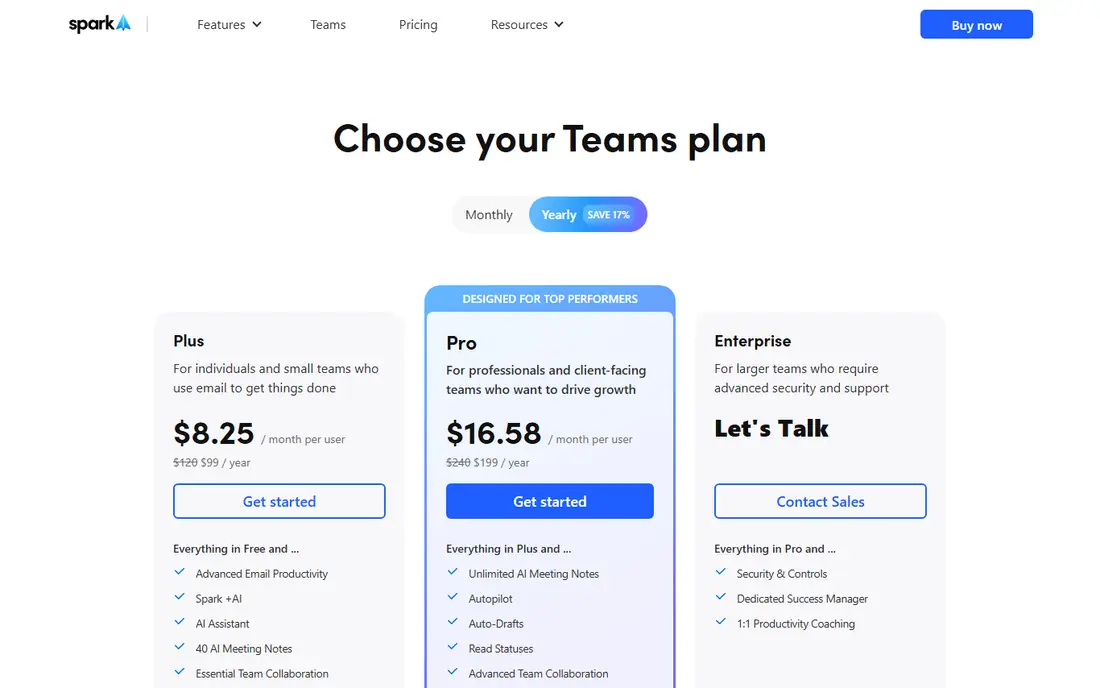
Teams that want a better mail app with light sharing · Pricing starts at: $8.25 per user a month, billed annually (Plus, $99 per year)
Direct answer
Spark comes first here, mainly for teams that want a better mail app with light sharing. For a different need, Front covers teams that share email, chat and social messages in one inbox and Hiver covers Gmail teams that want the most established shared inbox. Details, prices and limits for the rest of the 7 tools are below.
Key takeaways
- Spark is the opening pick, best for teams that want a better mail app with light sharing.
- The lowest published monthly entry price here is $5 per user per month, billed annually, from Zoho TeamInbox.
- Only 3 of the 7 tools have a free plan (Spark, Zoho TeamInbox, Help Scout), so check the caps.
- For support teams that want a shared inbox plus a help centre, Help Scout is worth a look.
- Gmelius comes with a trade-off: Gmail only, and the $19 Meli level has no shared inbox, so shared inboxes actually start at $25 per user a month on Growth, which also caps at 10,000 conversations per month.
Quick comparison
| Pick | Great for | Pricing starts at | Free tier | |
|---|---|---|---|---|
| Spark | Teams that want a better mail app with light sharing | $8.25 per user a month, billed annually (Plus, $99 per year) | Yes | Visit |
 Front | Teams that share email | $25 per seat per month, billed yearly (Starter) | Free trial (14 days) | Visit |
 Hiver | Gmail teams that want the most established shared inbox | $25 per user a month, billed annually (Growth) | Free trial (7 days) | Visit |
 Gmelius | Gmail teams that want shared inboxes plus automation | $19 per user a month, billed yearly (Meli) | Free trial (7 days) | Visit |
 Zoho TeamInbox | Zoho users and teams on the tightest budget | $5 per user a month, billed annually (Starter) | Yes | Visit |
 Keeping | Small Gmail teams that require straightforward shared support | $14 per user a month, billed yearly (Essentials) | Free trial (14 days) | Visit |
 Help Scout | Support teams that want a shared inbox plus a help | $25 per user per month, billed annually (Standard) | Yes | Visit |
7 options for Drag in detail
ProMapRanker compared 7 tools for Drag. The goal is a practical shortlist: published prices, free plan facts, best-fit use cases and honest limits for every entry.
Think of Spark for teams that want a better mail app with light sharing. Spark is a different kind of alternative. It is first a mail app, and second a sharing tool.
On top of that, Spark fits a team where most people just need a better mail client and a handful of need a shared inbox. It does not suit a team that needs a full helpdesk with routing, reporting and a knowledge base. More specifically, the main limit is the price step. Entry price for Spark: $8.25 per user per month, billed annually. Spark has a free plan.
What to check first: Shared inboxes are Pro-only, so a team that needs a shared sales@ or support@ inbox must pay $16.58 per user a month.
Best features of Spark: The free plan is ample for individuals.
- The smart inbox and snooze features are refined
- Yahoo and IMAP
- AI features are metered by a monthly quota

Choose Front for teams that share email, chat and social messages in one inbox. Support@, sales@, chat and social DMs run from one queue, with assignment, internal comments and rules that route messages to the right person.
Upsides: the rules engine routes work without manual triage.
More specifically, starter at $25 per seat a month looks close to Hiver, but the caps are tight and Professional at $65 is a big jump. Front cost at the entry level: $25 per seat per month, billed annually. Trial and free access: Free trial (14 days).
Points against: Starter is capped at 10 seats and a single channel type, so adding an 11th seat or a second channel forces a jump to $65 per seat a month on Professional.
- Chat and social messages in one place
- Collision detection stops two people replying to the same message
- AI Copilot costs $20 per seat additional below Enterprise
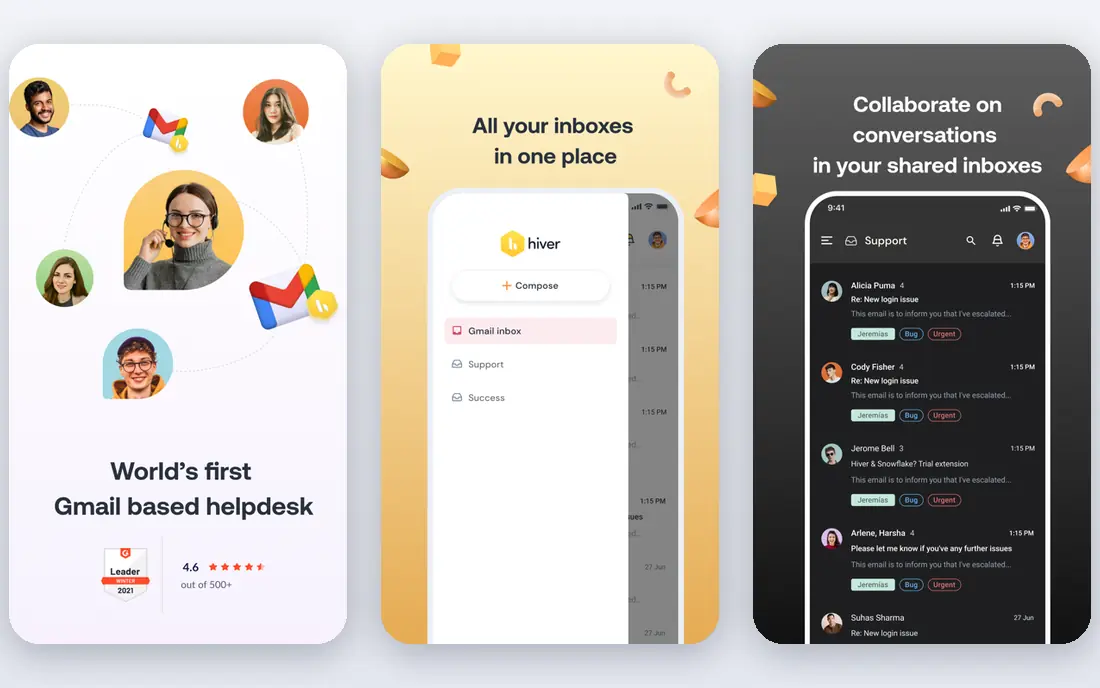
For Gmail teams that want the most established shared inbox, Hiver is a natural candidate. Hiver is the tool Drag is most frequently compared to, since it does the same job inside Gmail with a longer track record. Buying seats in blocks of five and the ten-user cap on Growth means an expanding team can face a sudden jump to Pro at $55.
For everyday use, for a team on a tight budget, Drag or Keeping costs less. Worth adding: the price is the difference. Beyond that, a team gets shared inboxes, assignments, internal notes, collision detection and analytics, all without leaving the Gmail interface. Growth at $25 per user a month is double the Drag Starter price, and the seat model is the part to plan around. Entry price for Hiver: $25 per user per month, billed annually. On free options: Free trial (7 days).
Limits to weigh: Growth caps at 10 users, so an 11th user forces the entire team onto the Pro level at $55 per user a month.
- Collision detection and shared templates
- The analytics display who is handling what
- Seats are sold in blocks of 5 above 5 users
Gmelius is designed for Gmail teams that want shared inboxes plus automation. It brings shared inboxes, shared labels, email sequences and Kanban boards into Gmail. So a team can run a pipeline or a support queue without a separate app.
For a Gmail team that wants automation plus sharing, Gmelius is a solid pick once the true level is priced. Meli at $19 per user a month sounds like the entry point, but it has no shared inbox, which is the feature most Drag buyers need. Beyond that, the pricing needs a careful read. Gmelius starts at: $19 per user per month, billed annually. Free plan details: Free trial (7 days).
Points against: the $19 Meli level has no shared inbox, so shared inboxes actually start at $25 per user a month on Growth, which also caps at 10,000 conversations per month.
- Sequences and templates are capable for sales and support follow-up
- It works inside Gmail, so the team keeps the interface it knows
- Gmail only
Think of Zoho TeamInbox for Zoho users and teams on the tightest budget. Zoho TeamInbox is the budget pick. For a tiny team or a Zoho shop, TeamInbox is the cheapest workable Drag replacement.
Starter permits only 3 incoming channels and 25 automation rules, and analytics wait for Professional. From a buyer's view, at $5 per user a month on annual billing, it undercuts every other premium tool here by a wide margin. It spans the core job of sharing an inbox, assigning mail and tracking replies. Zoho TeamInbox cost at the entry level: $5 per user per month, billed annually. Zoho TeamInbox offers a free plan.
Drawbacks to consider: Starter is capped at 3 shared incoming channels and 25 automation rules.
- It is the cheapest premium shared inbox in this list
- It suits the wider Zoho suite
- Analytics plus personal inboxes need the Professional level at $7.50 per user a month
Keeping is aimed squarely at small Gmail teams that require straightforward shared support. Keeping is the simplest Drag replacement here. Worth adding: there is no new interface to learn, which is why small teams adopt it quick.
More specifically, essentials at $14 per user a month handles only 2 shared mailboxes and 10 agents. So a team with multiple inboxes moves to Advanced at $24. There is no Outlook support and no help centre. Keeping pricing: $14 per user per month, billed annually. Free access: Free trial (14 days).
Where it is weaker: through a Chrome or Safari extension that needs Gmail or Google Workspace.
- The price is low for what it spans
- It works inside Gmail
- Gmail only
Where Help Scout fits: support teams that want a shared inbox plus a help centre. Help Scout is a proper helpdesk that still feels like email.
For a team that only needs to share a Gmail inbox, it is more tool than necessary. Help Scout cost at the entry level: $25 per user per month, billed annually. A free plan is available with Help Scout.
Where it falls short: The free plan stops replies after 100 contacts per month.
- The Docs knowledge base is included
- The free plan is a real starting point for a tiny team
- The AI agent costs an additional $0.75 per resolution on top of seat prices on every premium plan
A practical way to choose Drag
A team gets shared inboxes, Kanban boards, assignments and internal notes without leaving the Gmail interface. It is cheap and straightforward, which is why small Google Workspace teams adopt it. Beyond that, drag is Gmail only, so a team that also manages Outlook mail, chat or social messages hits a wall.
The second is depth. The third is the AI add-on. The AI assistant is not included on Starter, so teams that want AI help pay additional or move up a level.
How we built this list
Pricing pages, product documentation and feature lists were the main sources, and every entry carries at least one honest drawback. Where a price is missing, the vendor does not list one publicly or ties it to a quote. Always confirm before budgeting. The sequence is a judgement call: typical use case first, then pricing transparency, then free access. Use the profiles to check fit.
Things to verify first
- Confirm the entry price on the vendor page: Zoho TeamInbox starts at $5 per user per month, billed annually, but seat counts and billing terms change the total.
- Check what the free option really includes: Spark, Zoho TeamInbox and Help Scout offer a free plan, and usage caps differ.
- Use real work to test the free trial from Front, Hiver, Gmelius and Keeping, rather than a demo project.
- Before choosing Spark, weigh its main limit: shared inboxes are Pro-only, so a team that needs a shared sales@ or support@ inbox must pay $16.58 per user a month, and AI features are metered by a monthly quota.
- Check the integration list for Hiver against the tools you run today, and note which ones need a higher plan.
- Look at which plan of Front unlocks the features you need; entry tiers are often cut down.
Frequently asked questions
Can I try these tools before paying?
Often, yes. Spark, Zoho TeamInbox and Help Scout have a free plan and Front, Hiver, Gmelius and Keeping offer a free trial. Use your own data and a real task during the test, and check what the free tier or trial limits before you rely on it.
Do these tools publish their prices?
Yes. Every tool from Spark to Help Scout shows a starting price, though seats, add-ons and billing terms still change the final cost.
Is Spark the right pick for everyone comparing Drag?
No single tool suits every team. Spark comes first because it fits teams that want a better mail app with light sharing, while Front suits teams that share email, chat and social messages in one inbox and Hiver suits Gmail teams that want the most established shared inbox. Match the tool to your own size, budget and workflow before deciding.
What is the cheapest option for Drag in this list?
On published monthly entry prices, Zoho TeamInbox is the lowest here at $5 per user per month, billed annually. Entry price is only part of the cost, because seats, add-ons and billing terms can change the total.
Is Drag free?
No. Drag has no free plan. Starter opens at $12 per user a month billed yearly, with a 7-day trial. Teams that want a free shared inbox can look at the Help Scout free plan for up to 5 users, or the Spark free plan for individual use.
Sources
See where you really rank - block by block
ProMapRanker scans Google Maps across a grid of your service area. Simple monthly plans from $19, white-label on every plan.
Start freeKeep reading
 zscaler alternatives
Best Zscaler Alternatives in 2026
Looking for zscaler alternatives? We compare 9 SASE and zero trust platforms on architecture, data protection, pricing, and fit for your network and team.
Read → zapier alternatives free
Best Zapier Alternatives Free in 2026
Nine automation tools for zapier alternatives free in 2026, all with genuinely free tiers, plus free plan limits, starting prices and upgrade paths explained.
Read → which platform is best for online reputation
Which Platform Is Best for Online Reputation in 2026
Wondering which platform is best for online reputation? We compare 8 review, listing, and response tools for small and multi-location businesses and agencies.
Read →