 ProMapRanker
Domo Alternatives in 2026


Microsoft-stack teams on a budget · Pricing starts at: $14 per month
Key takeaways
- Power BI starts at $14 per user per month and is the cheapest credible entry point for Microsoft teams.
- Tableau offers deeper visual control, but its Creator license requirement raises the real cost.
- Looker and Sigma suit warehouse and governance needs, while Sisense leads for embedded analytics.
- Metabase and Zoho Analytics give small teams affordable dashboards without an enterprise contract.
- ThoughtSpot and Qlik Sense suit self-serve exploration, with different strengths in search and association.
Quick comparison
| Pick | Great for | Pricing starts at | Free tier | |
|---|---|---|---|---|
| Microsoft Power BI | Microsoft-stack teams on a budget | $14 per month | Yes | Visit |
 Tableau | analysts who need deep visual control | $15 per month | Free trial | Visit |
 Looker | governed enterprise analytics | See website | No | Visit |
 ThoughtSpot | search-driven analytics for business users | See website | Free trial | Visit |
 Sisense | embedded analytics for products | See website | Free trial | Visit |
 Qlik Sense | associative exploration at scale | See website | Free trial | Visit |
 Metabase | small teams that want open-source reporting | See website | Yes | Visit |
 Zoho Analytics | small businesses in the Zoho world | $30 per month | Yes | Visit |
 Sigma Computing | warehouse-native analytics for data teams | See website | Free trial | Visit |
The best domo alternatives
Domo bundles dashboards, data prep, and mobile apps into one platform, but its contract size and credit model push many teams to look elsewhere. The alternatives below split into three groups: low-cost tools for small teams, deep visual tools for analysts, and governed or embedded platforms for larger companies.

For many readers, this is the first option worth a close look. Power BI is the natural first alternative for teams already living in Microsoft tools. It connects directly to Excel, Azure, and other Microsoft products, so data that already sits in those systems is easier to bring into a dashboard. The Pro entry price is low for business intelligence, which makes it easier to pilot with one team before rolling it out wider.
The catch is skill. Simple dashboards are quick, but complex reports often need DAX formulas and careful data modeling, so non-technical users may still lean on an analyst. Power BI also fits best inside the Microsoft world, and teams on other stacks may prefer a more neutral tool. For Microsoft shops, though, the value is hard to beat.
- Deep Excel and Azure integration
- Large connector set
- Low entry price
- Complex reports often need DAX knowledge
- Learning curve for non-technical users
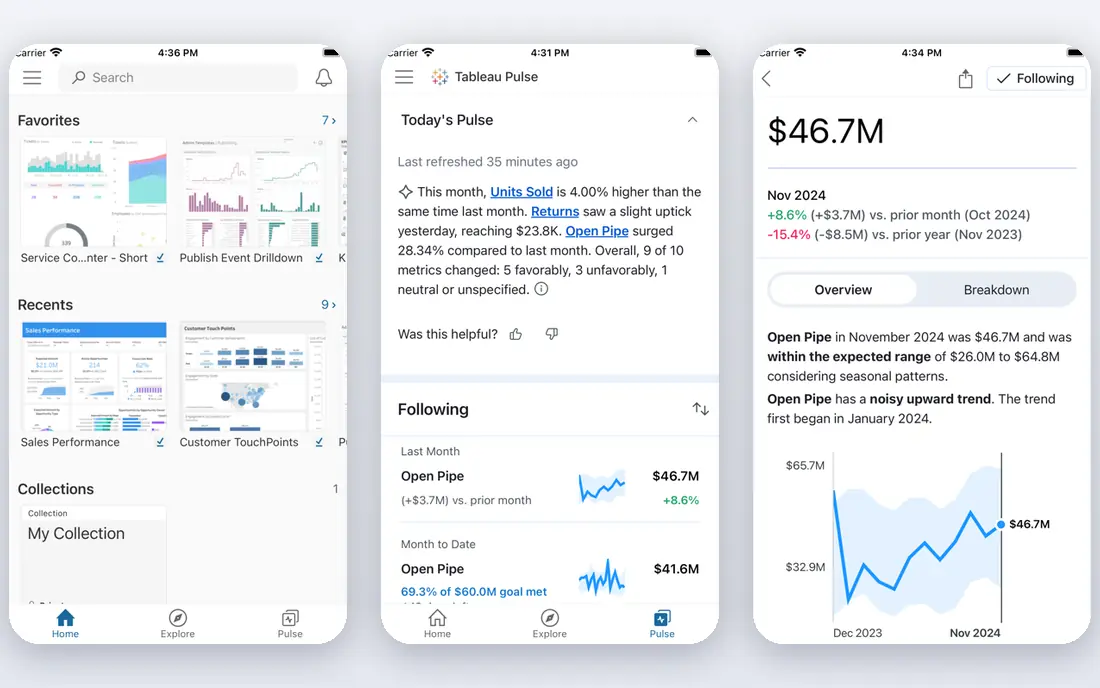
A different kind of fit shows up here. Tableau gives analysts more control over how data looks and behaves than most rivals. You can explore a dataset visually, test a question on the fly, and build dashboards that feel crafted rather than templated. That depth is why many data teams keep Tableau even when cheaper tools exist, and its community offers many examples and help.
Pricing needs care. Viewer and Explorer tiers start lower, but every deployment also needs at least one Creator license, which costs more, so the headline price is not the full bill. Smaller teams should price the mix of roles they actually need, not just the cheapest tier. If visual depth matters more than low cost, Tableau earns its place.
- Strong visual exploration
- Flexible dashboard design
- Large community
- Pricing is layered, and a Creator license is required
- Costs rise with larger teams

This one earns its place for a clear reason. Looker, now part of Google Cloud, is built for teams that need one trusted definition of a metric. Its modeling layer lets a data team define measures once, so different dashboards show the same number for revenue or churn instead of drifting apart. That governance matters most in larger companies where many teams report on the same data.
The trade-off is effort and price. Looker uses custom pricing, and getting the model right takes data team time up front. Small teams that only need a few charts will find it heavy. For enterprises that already use Google Cloud and need governed, shared metrics, Looker is a serious Domo replacement.
- Strong data modeling and governance
- Consistent metrics across teams
- Google Cloud integration
- Custom pricing only
- Setup needs data team time
If the options above feel too narrow, consider this one. ThoughtSpot lets business users type a question in plain language and get a chart back, which lowers the barrier for people who do not write SQL. That search-first style suits managers who want an answer now, not a ticket to the data team. It also offers embedded analytics, so a company can put search-driven charts inside its own product.
Public pricing is limited, so budgeting needs a sales conversation, and the underlying data still needs modeling to answer questions well. Teams should trial it with their own data and their own questions, not only with demo data. If self-serve search is the main gap in your current setup, ThoughtSpot is worth that trial.
- Search-bar queries in plain language
- Fast answers without SQL
- Embedded options
- Pricing is not fully public
- Advanced setup still needs data work
Here is a pick that suits a smaller, specific audience. Sisense is a strong pick when analytics must live inside another product. It can be embedded into a customer-facing app with a consistent look, and it handles large datasets that would slow a lighter tool. That makes it popular with software companies that sell analytics as part of their product, not just as internal dashboards.
Custom pricing and a heavier implementation are the costs. Small internal teams may find Sisense more than they need, and they may pay for embedding power they never use. For product teams that need analytics inside their app, though, Sisense is one of the most flexible options on this list.
- Flexible embedding into apps
- Handles large datasets
- API options
- Pricing is custom for many buyers
- Implementation can be complex
This entry stands out for how it handles the basics. Qlik Sense uses an associative engine, which means it shows how selections relate to the rest of the data, including values that are excluded by a filter. That view helps analysts spot relationships they might miss in a fixed chart. It scales well for larger deployments and supports in-memory analysis for fast interaction.
The interface feels different from classic dashboard tools, so teams need time to learn its way of working. Pricing is often quoted rather than listed, which makes quick budgeting harder. If exploration and scale matter more than a familiar dashboard look, Qlik Sense deserves a place on the shortlist.
- Associative engine surfaces related data
- Strong for large deployments
- In-memory analysis
- Interface feels different from classic BI tools
- Pricing needs a quote for many teams
Another strong choice, with a trade-off worth naming. Metabase is the friendly open-source option for teams that want dashboards without an enterprise contract. Non-technical users can build questions with a simple builder, while analysts can still write SQL when needed. The open-source version can be self-hosted, and hosted plans add support and admin features.
The open-source core does not include every governance and permission feature, so larger teams may need a paid tier. Very large deployments also need planning around performance. For small and mid-sized teams that want a clear, affordable reporting tool, Metabase is one of the best low-cost Domo alternatives.
- Open-source core
- Simple question builder for non-technical users
- Affordable hosted plans
- Advanced features and governance need paid tiers
- Large deployments need care
For readers who want a simpler route, this one helps. Zoho Analytics suits small businesses that want dashboards without hiring a data team. Setup is quick, templates cover common business reports, and it connects to many Zoho apps plus popular third-party tools. The entry price is low, which makes it easy to try for one department before expanding.
Enterprise scale is the limit. Very large datasets and advanced modeling are not its strength, and teams outside Zoho may get less value from its tightest integrations. For a small business that already uses Zoho, or that wants a simple, affordable BI tool, Zoho Analytics is a sensible pick.
- Easy setup
- Wide integration set for small business tools
- Low entry cost
- Enterprise scale and advanced modeling are limited
- Best inside Zoho
The last pick in this list fills a gap the others leave open. Sigma Computing is built for teams that already keep data in a cloud warehouse. It queries the warehouse directly, so analysts do not need to extract data into a separate BI store. The interface feels like a spreadsheet, which helps business users who are comfortable with rows and formulas but do not write SQL.
That warehouse-first design is also the requirement: without a warehouse, Sigma is not the right starting point. Per-user pricing can also add up for large viewer groups, so teams should count viewers carefully. For warehouse-native teams, Sigma offers a modern, direct alternative to Domo.
- Works directly on cloud warehouses
- Spreadsheet-like interface
- No data extracts needed
- Per-user pricing can rise with large teams
- Needs a warehouse in place
How we picked these
We compared official pricing pages, product documentation, and connector lists for each platform, and we noted where pricing is custom rather than listed. We favored tools that exist and work in October 2026, that cover core Domo jobs such as dashboards, data connections, and sharing, and that serve at least one clear audience well. We did not claim hands-on testing we did not do, and we treated custom pricing as a flag to get a quote, not as a free pass.
How to pick a Domo alternative that fits your budget
Start with your data home. If most data lives in Microsoft tools, Power BI is the obvious trial. If it lives in a cloud warehouse, Sigma or Looker will use it more directly. Next, count who will build and who will only view. A tool that charges every viewer the same as every builder can cost far more than a tool with a cheaper viewer tier. Then test with your own data, not demo data, and build the three dashboards your team actually checks each week. Check refresh speed, permission controls, and how hard it is to share a dashboard outside the team. Finally, ask for the full contract terms, including any credit or consumption charges, so the second-year cost does not surprise you.
Frequently asked questions
What are the best alternatives to Domo?
Power BI, Tableau, Looker, ThoughtSpot, and Metabase are the most common picks, with Power BI best for budget Microsoft teams, Tableau best for visual depth, Looker best for governed metrics, and Metabase best for low-cost open-source reporting.
Is there a free alternative to Domo?
Metabase offers an open-source version you can self-host, and Zoho Analytics and Power BI offer free tiers or trials, though full features need paid plans. Free tiers usually limit users, data volume, or admin controls, so check those limits before rollout.
Which Domo alternative is cheapest?
Power BI Pro, at $14 per user per month, is the cheapest paid entry point among the major tools here, and Metabase self-hosted can cost less in license fees, though hosting and maintenance still take time. The cheapest total cost depends on how many viewers and builders you need.
What is the best Domo alternative for embedded analytics?
Sisense is the strongest embedded pick on this list, with flexible embedding and API options for customer-facing products. ThoughtSpot also offers embedded analytics, and Tableau offers embedded options, so compare embedding controls and licensing for external users.
Sources
- https://powerbi.microsoft.com/pricing
- https://www.tableau.com/pricing
- https://cloud.google.com/looker/pricing
- https://www.thoughtspot.com/pricing
- https://www.sisense.com/pricing
- https://www.qlik.com/pricing
- https://www.metabase.com/pricing
- https://www.zoho.com/analytics/pricing
- https://www.sigmacomputing.com/pricing
See where you really rank - block by block
ProMapRanker scans Google Maps across a grid of your service area. Simple monthly plans from $19, white-label on every plan.
Start freeKeep reading
 zscaler alternatives
Best Zscaler Alternatives in 2026
Looking for zscaler alternatives? We compare 9 SASE and zero trust platforms on architecture, data protection, pricing, and fit for your network and team.
Read → zapier alternatives free
Best Zapier Alternatives Free in 2026
Nine automation tools for zapier alternatives free in 2026, all with genuinely free tiers, plus free plan limits, starting prices and upgrade paths explained.
Read → which platform is best for online reputation
Which Platform Is Best for Online Reputation in 2026
Wondering which platform is best for online reputation? We compare 8 review, listing, and response tools for small and multi-location businesses and agencies.
Read →