 ProMapRanker
DeviantArt Alternatives in 2026

Key takeaways
- ArtStation and Behance are the strongest portfolio first options for professional work and client discovery.
- Cara and Newgrounds appeal to artists who want clear rules on AI work and a community built around human made art.
- Pixiv suits illustration and anime style work, while 500px suits photographers who want licensing and critique.
- Most alternatives are free to join, so post on two or three sites and see where your audience actually responds.
Quick comparison
| Pick | Great for | Pricing starts at | Free tier | |
|---|---|---|---|---|
 ArtStation | Game and film portfolios | Free | Yes | Visit |
 Behance | Creative projects and case studies | Free | Yes | Visit |
 Cara | Artists wanting AI free community | Free | Yes | Visit |
 Pixiv | Illustration and anime style art | Free | Yes | Visit |
 Newgrounds | Independent art and animation | Free | Yes | Visit |
 Dribbble | Design shots and jobs | Free | Yes | Visit |
 500px | Photography portfolios | Free | Yes | Visit |
 Tumblr | Casual sharing and fandom art | Free | Yes | Visit |
 CGSociety | CG and digital art community | Free | Yes | Visit |
The best DeviantArt alternatives
Artists leave a community for many reasons: rules on AI work, discovery, sales, or simply a change of audience. The nine sites below are alternatives only, and they cover different goals, from a polished portfolio to a casual place to share sketches and get feedback.
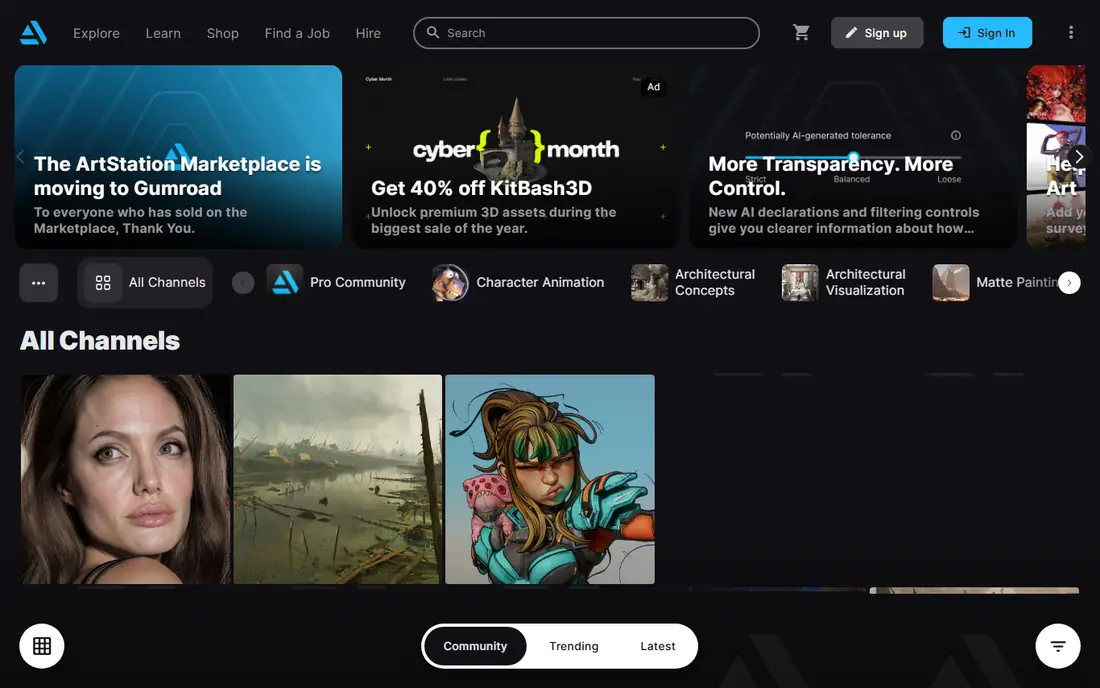
ArtStation is the portfolio first choice for artists working in games, film, and visual effects. Work is presented cleanly, without the social feed clutter of a general network, and hiring managers do browse it for talent. A strong portfolio here can lead directly to freelance work.
Beginners should expect a steep standard. The front page favors finished, polished pieces, so sketches and studies get less attention. If your goal is professional visibility, that standard is a feature. If your goal is casual feedback on early work, pair ArtStation with a friendlier community.
- Portfolio first presentation
- Strong game and film audience
- Marketplace for assets and prints
- Professional standard is high, which can intimidate beginners
- Discovery favors polished finished work
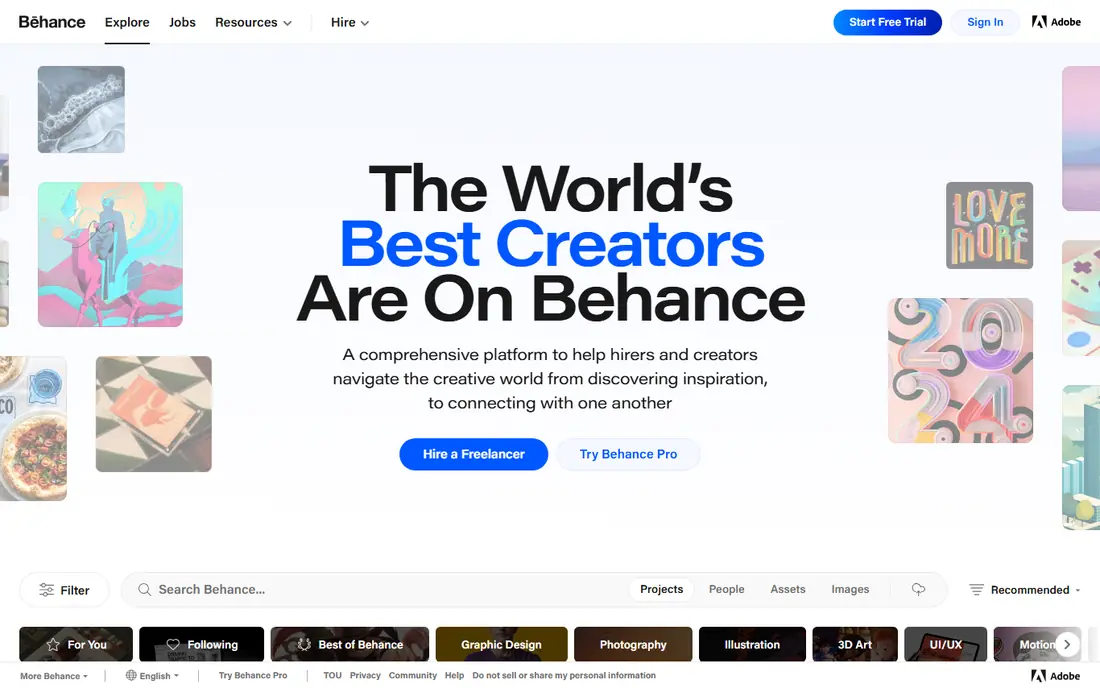
Behance, part of Adobe, suits artists and designers who want to show a project, not just a single image. You can present process, sketches, and final work together, which helps clients understand how you think. The Adobe link also makes it easy to publish from Creative Cloud apps.
The catch is effort. A good Behance project takes curation and writing, so it suits finished work more than daily sketches. If you need client work and a professional portfolio, Behance is a top pick. If you want quick daily sharing, use it alongside a faster feed.
- Project based portfolios with case studies
- Large Adobe linked audience
- Good for client discovery
- Projects take time to present well
- Feed can favor popular styles
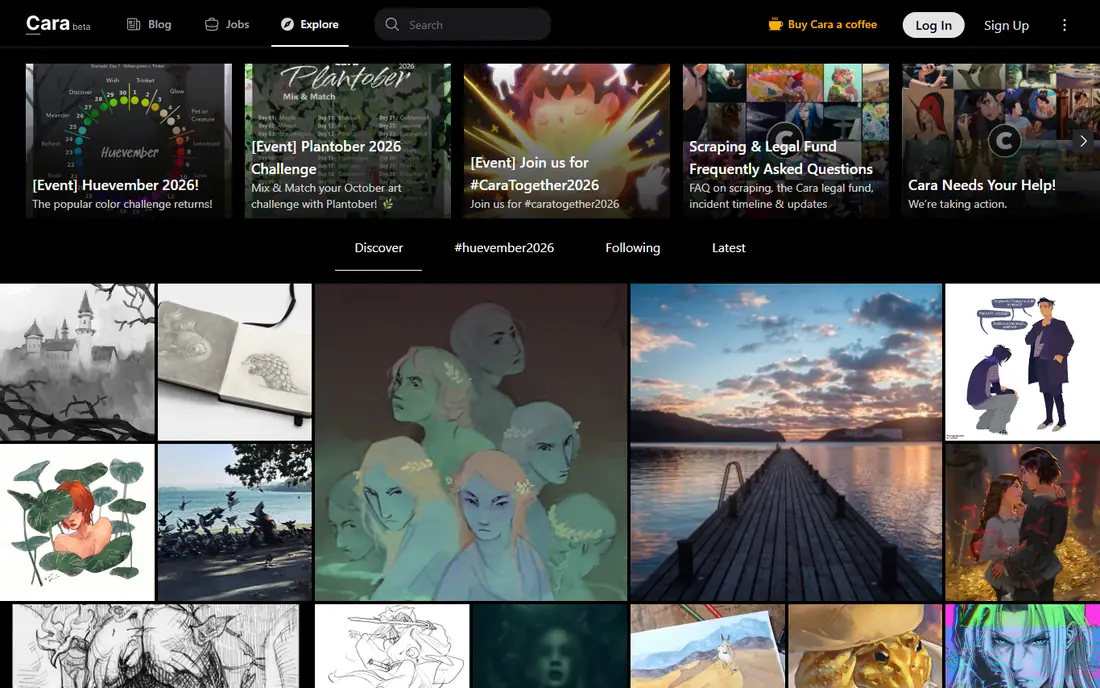
Cara grew as artists looked for a space with a clear stance on AI generated work. Its rules state that AI art is not allowed, which appeals to illustrators and painters who want human made work to stay visible. The community is artist focused, with portfolios, feeds, and job listings in one place.
The audience is smaller than Instagram or Behance, so reach takes time to build. Features are also still growing compared with older platforms. If a clear AI policy matters more to you than raw reach, Cara is worth joining early and posting consistently.
- AI art is not allowed, per its stated rules
- Artist focused community
- Portfolio and feed in one place
- Smaller audience than large networks
- Features are still growing
Pixiv is an illustration community where a huge range of creative work is posted, with user organized contests and detailed tagging for discovery. It is especially strong for anime, manga, and Japanese style illustration, though many other styles appear too. Artists who work in those styles will find a large, engaged audience.
Newcomers outside that scene may need time to learn tagging and community norms, and the language mix can feel unfamiliar at first. If illustration is your core work, Pixiv is essential. If you work mainly in photography or graphic design, another site on this list will fit better.
- Huge illustration community
- Contests and tags for discovery
- Strong for anime and manga styles
- Interface and community norms can feel unfamiliar to newcomers
- Much content is anime focused
Newgrounds has hosted independent art, animation, games, and music for decades, and its Art Portal remains a lively place for creators. Its stated rules restrict AI art in the portal, which appeals to artists who want human made work judged on its own terms. The community culture is direct, with blunt feedback and strong support for indie projects.
It is not a polished corporate portfolio site, and the audience leans toward internet and indie culture. That is a strength if you make animation, comics, or game art, and a mismatch if you need a formal client portfolio. For community and creative freedom, Newgrounds still earns its place.
- Long running independent community
- Art portal with clear AI rules
- Animation, games, and music alongside art
- Audience leans toward indie and internet culture
- Portfolio presentation is less polished than ArtStation
Dribbble is the design focused option, built around shots of visual design work. It suits graphic designers, UI designers, and illustrators who want inspiration, feedback, and job leads in one place. The shot format forces you to present work crisply, which helps when a client is scanning fast.
The format also limits depth. Process, long case studies, and large series fit Behance better. Free accounts cover starting out, but some features sit behind paid plans. If design work and hiring visibility are your goals, Dribbble is a strong second home.
- Strong design community
- Job and freelance discovery
- Clean shot based presentation
- Short shots favor visual punch over process
- Free accounts have limits on some features
500px is the photography specialist on this list. It presents photos at high quality, supports community feedback, and includes a marketplace for licensing images. Photographers who want critique from other photographers, rather than casual likes, will find a more focused audience here.
Free accounts limit uploads, so prolific shooters will need a paid plan or a second site for volume. The audience also favors technically strong work, which can feel demanding for beginners. If photography is your main medium, 500px is a better fit than a general art site.
- High quality photography presentation
- Community critique
- Licensing marketplace for photographers
- Free accounts have upload limits
- Discovery favors strong technical photography
Tumblr is the friendly, low pressure option for beginners and fandom artists. It is free, easy to set up, and reblogging can spread a piece far beyond your own followers. Illustration, comics, and fan art communities remain active, and the tone is more casual than a professional portfolio site.
The downside is structure. Tumblr is not a portfolio tool, so client presentation and organized galleries need extra work. Discovery can also be uneven, depending on tags and reblogs. Use Tumblr for community and reach, and pair it with ArtStation or Behance for professional presentation.
- Free and easy to start
- Strong fandom and illustration communities
- Reblogging spreads work fast
- Discovery is uneven
- Portfolio presentation is weaker than dedicated portfolio sites
CGSociety, the Society of Digital Artists, suits CG artists, digital painters, and 3D creators who want a specialized community. Galleries showcase high quality work, and forums give a place to discuss technique, tools, and careers. The quality bar is high, which makes feedback more useful for serious artists.
Casual sharers may find it quieter and more formal than a general social site. If you work in CG, VFX, or digital painting and want peers who understand the craft, CGSociety is a valuable niche. If you want broad reach, pair it with a larger platform.
- Strong CG and digital art galleries
- Forums and networking for digital artists
- High quality work on display
- Community is smaller and more specialized
- Less suited to casual sketch sharing
How we picked these
We compared official site features, community rules, and pricing pages, and we kept only sites live in October 2026 that offer art portfolios, community feedback, or discovery for visual artists. We mixed professional portfolio sites with community sites so readers can match site to goal, and we listed DeviantArt itself nowhere in the product list, as this is an alternatives guide.
We did not claim hands-on testing as an artist on each site, and we did not invent user counts or ratings. Audience fit, portfolio quality, community rules on AI work, and free access mattered more than a long feature list. A site where your work is seen by the right people beats a larger site where it is buried.
What to check before you move
Decide portfolio or community first
A portfolio site sells your work to clients, while a community site gives feedback and audience. Most artists need both, but they should not expect one site to do both jobs well. Pick one portfolio home and one or two community sites, and post with different goals on each.
Read the AI rules before you post
Rules on AI generated work vary widely and change often. Some sites ban it, some label it, and some allow it with filters. Read the current rules on each site, check how your work will be labeled, and keep proof of your process for original pieces. That protects you if a piece is flagged.
Protect your work and your privacy
Watermark preview images if you are worried about reuse, keep high resolution files off public posts, and avoid posting client work under NDA. Use strong account security, review what profile details are public, and be careful with messages asking for off platform payments. Scams target artists on every platform.
Post where your audience responds
Try two or three sites for a month, post consistently, and track comments, saves, and inquiries rather than raw follower counts. Keep the sites that bring real feedback or work, and drop the rest. A small, engaged audience is more valuable than a large, silent one.
Frequently asked questions
What are the best alternatives to DeviantArt?
ArtStation, Behance, Cara, Pixiv, and Newgrounds are strong starting points, with ArtStation and Behance for portfolios, Cara and Newgrounds for artist focused communities, and Pixiv for illustration. Add Instagram or Tumblr for reach if you need it. The best mix depends on whether you want clients, feedback, or both.
What are good DeviantArt alternatives with no AI art?
Cara states that AI art is not allowed, and Newgrounds restricts AI art in its Art Portal. ArtStation and Pixiv label AI work so viewers can filter it, but rules change, so read the current policy before you post. Keep process files for original work in case a piece is questioned.
Are DeviantArt alternatives free?
Yes, all nine sites on this list are free to join, and most allow posting without a paid plan. Some limit uploads, features, or marketplace tools on free accounts, and paid plans add extras. Start free on two or three sites, and only pay when a limit actually blocks your work.
Which alternative is best for beginners?
Cara, Tumblr, and Newgrounds are friendly places to start, because they are free and easy to join, and their communities welcome new artists. Post your strongest work first, join a few groups or tags that match your medium, and ask for specific feedback rather than general praise.
Should I leave DeviantArt completely?
You do not have to. Many artists post on several sites at once, using each for a different audience. Keep your old portfolio live while you build a new one, and move your best work first. A gradual move protects your audience while you test where new readers actually find you.
Sources
See where you really rank - block by block
ProMapRanker scans Google Maps across a grid of your service area. Simple monthly plans from $19, white-label on every plan.
Start freeKeep reading
 zscaler alternatives
Best Zscaler Alternatives in 2026
Looking for zscaler alternatives? We compare 9 SASE and zero trust platforms on architecture, data protection, pricing, and fit for your network and team.
Read → zapier alternatives free
Best Zapier Alternatives Free in 2026
Nine automation tools for zapier alternatives free in 2026, all with genuinely free tiers, plus free plan limits, starting prices and upgrade paths explained.
Read → which platform is best for online reputation
Which Platform Is Best for Online Reputation in 2026
Wondering which platform is best for online reputation? We compare 8 review, listing, and response tools for small and multi-location businesses and agencies.
Read →