 ProMapRanker
Customer Service Call Center Best Practices in 2026


Large omnichannel centers · Pricing starts at: $75 per user per month
Key takeaways
- Good call center practice starts with routing: the right agent, the right queue, and a clear path to a human when automation cannot help.
- Coaching tools that show transcripts, summaries, and quality scores help managers improve calls without listening to every recording.
- Small teams should start with a simple phone and queue system, while large teams need workforce management, analytics, and omnichannel routing.
- Measure first-contact resolution, wait time, and customer effort, not just call volume, because volume alone hides poor experiences.
- No tool replaces clear scripts, callback options, and follow-up: buy software that makes those practices easier to repeat every day.
Quick comparison
| Pick | Great for | Pricing starts at | Free tier | |
|---|---|---|---|---|
| Genesys Cloud CX | Large omnichannel centers | $75 per user per month | Free trial | Visit |
 Five9 | High-volume outbound and blended centers | $119 per user per month | No | Visit |
 Talkdesk | Mid-market teams wanting AI assistance | $85 per user per month | No | Visit |
 NICE CXone | Large regulated enterprises | $110 per agent per month | No | Visit |
 RingCentral RingCX | Teams unifying phone and contact center | $65 per user per month | Free trial | Visit |
 Aircall | Small teams needing fast setup | $30 per user per month | Free trial | Visit |
 Dialpad Support | Teams wanting AI transcripts built in | $80 per user per month | Free trial | Visit |
 Nextiva | Phone plus contact center in one bill | $75 per user per month | No | Visit |
 CloudTalk | International calling teams | $25 per user per month | Free trial | Visit |
The best customer service call center tools
This article angles a best-practices topic toward software: the tools below help teams apply proven call center practices, such as smart routing, coaching, callbacks, and quality checks. We rank tools, not practices themselves, and we explain which practice each tool supports best.
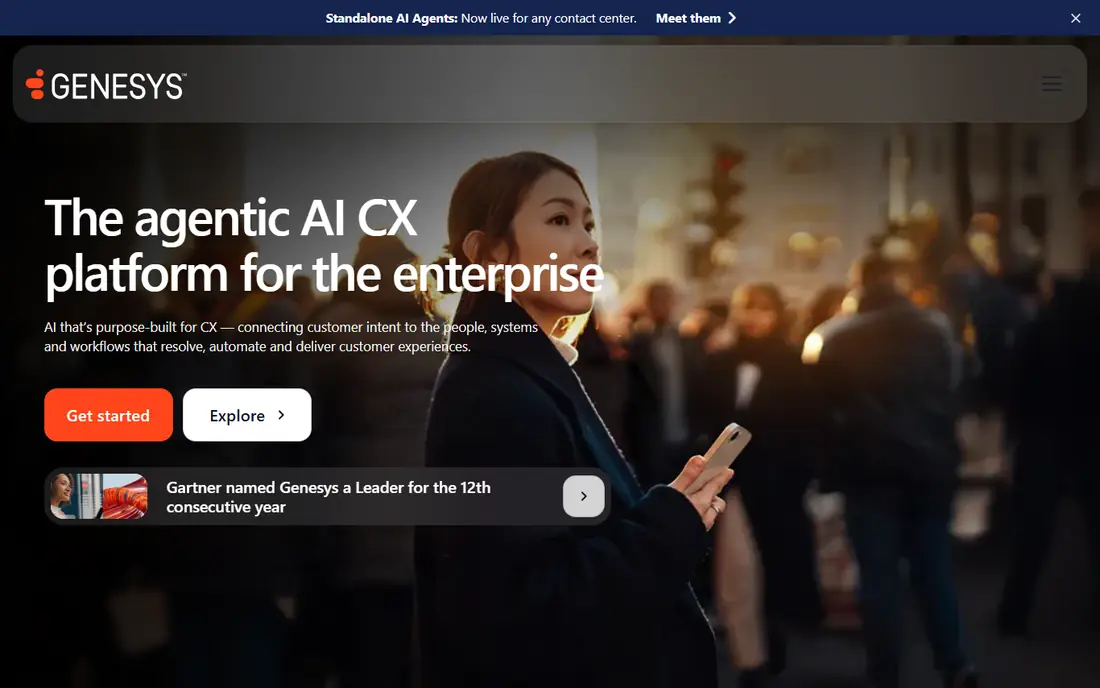
Genesys Cloud CX supports the practice of routing every contact, voice, chat, email, or message, to the agent best able to handle it. Its workforce management tools help managers forecast volume, schedule staff, and track adherence, which keeps wait times steadier during peaks. Analytics and AI assistance give supervisors a clearer view of repeat contacts and common problems.
The entry tier starts at $75 per user per month on annual billing in recent comparisons, while higher tiers reach $115, $155, and $240. That range means a small team may pay for depth it does not use. Genesys fits large centers that need omnichannel consistency and formal workforce planning.
- Broad omnichannel routing
- Workforce management options
- AI assistance and analytics
- Higher tiers cost much more
- Setup needs planning for large teams

Five9 supports the practice of blending inbound service with outbound follow-up in one system, so agents are not stuck in a single queue all day. Its dialing modes, including predictive and preview dialing, help outbound teams reach more customers without manual dialing. Quality management and workforce tools on higher bundles support coaching and schedule planning.
Published pricing starts at $119 per concurrent user per month for digital-only work and $159 for voice, with a 50-seat minimum that rules out small teams. That floor makes Five9 a poor fit for a five-agent team, even if its features look attractive. Five9 fits large centers with high volume and a need for serious outbound capability.
- Strong outbound dialing
- Blended inbound and outbound queues
- AI and workforce tools on higher bundles
- 50-seat minimum on published plans
- Higher bundles are quote based
Talkdesk supports the practice of giving agents help during the call, not just after it. Agent assist, transcription, and sentiment signals help agents find answers faster and let supervisors spot calls that need coaching. Industry editions for health care, finance, and retail add workflows for regulated and specialized service.
Entry pricing is listed at $85 per user per month for digital essentials in recent comparisons, with voice essentials at $105 and higher tiers at $165 and $225. Teams should check which AI features sit on which tier before budgeting. Talkdesk fits mid-market teams that want AI help without building it themselves.
- AI agent assist and transcription
- Industry-specific editions
- Broad integrations
- Higher tiers rise to $165 and $225
- Some AI features sit on higher plans
NICE CXone supports the practice of handling the whole customer journey in one platform, from self-service to agent help to follow-up surveys. Its AI tools can automate routine contacts, assist agents on complex calls, and analyze interactions for quality and coaching. Workforce engagement features help managers schedule, coach, and track performance across large teams.
Recent comparisons list omnichannel pricing from $110 per agent per month, with higher tiers at $135, $169, $209, and $249. That pricing, plus implementation effort, puts CXone firmly in the enterprise category. It fits large, regulated centers that need depth across channels, quality, and workforce planning.
- Broad AI and automation bundle
- Workforce engagement tools
- Omnichannel routing
- Entry price is high for small teams
- Full bundle needs careful scoping
RingCentral RingCX supports the practice of keeping phone, messaging, and contact center work on one bill and one admin console. That simplicity helps small and mid-size companies that do not want separate vendors for business phones and service queues. Routing, IVR, and analytics cover the core call center practices without a separate platform purchase.
Recent comparisons list RingCX from $65 per user per month on annual billing, with Professional at $95 and Elite at $145. Teams should confirm which routing and analytics features sit on the entry tier. RingCX fits companies already using RingCentral, or teams that want one vendor for all communications.
- Low published omnichannel entry price
- Combines phone, meetings, and contact center
- Broad integrations
- Higher tiers rise to $95 and $145
- Contact center depth varies by tier
Aircall supports the practice of getting a professional phone system running quickly, with queues, IVR, and CRM integrations that help small teams look organized from day one. Agents can see caller context from the CRM, managers can monitor calls, and teams can add numbers and users without hardware. That speed matters for a startup or small service team.
The Essentials tier starts at $30 per user per month on annual billing, but comparisons note that queue callback, whisper, and barge features sit on Professional at $50. Small teams should price the tier that actually includes their needed practices. Aircall fits small teams that want fast setup and simple, reliable call handling.
- Fast setup
- Large integration marketplace
- Clear call routing and monitoring basics
- 3-license minimum
- Advanced routing and coaching sit on the $50 Professional tier in comparisons
Dialpad Support supports the practice of coaching from real call data, with AI transcripts, recaps, and summaries on every call. Managers can review conversations, spot repeat issues, and coach agents without replaying full recordings. Voice and digital routing help teams handle calls and messages in one queue.
Recent comparisons list Dialpad Support from $80 per user per month, with coaching around $115 to $119 and workforce management higher. That separation means buyers must price the support product, not just the phone system. Dialpad fits teams that want AI notes and coaching built into daily call work.
- AI transcripts and recaps on calls
- Voice and digital routing
- Coaching tools on higher tiers
- Support pricing is separate from the basic phone system
- Coaching and workforce tiers cost more
Nextiva supports the practice of running service queues on the same system as everyday business phones, which suits small and mid-size companies with one communications vendor. Queues, supervisor monitoring, and skills routing on the contact center tier help managers match callers to agents and watch live performance. Built-in CRM features can also give agents caller context.
Comparisons list the contact center tier from $75 per user per month, while cheaper phone plans do not include queue routing. Buyers should confirm the tier that includes their needed practices before comparing prices. Nextiva fits US teams that want phone and contact center together without a separate platform.
- Combines business phone with contact center queues
- Supervisor monitoring
- Skills routing on higher plans
- Entry phone plans lack contact center routing
- Annual term needed for best prices in comparisons
CloudTalk supports the practice of serving customers across countries from one system, with local numbers, international calling, and routing features on its entry tier. Comparisons list Essential pricing from $25 per user per month, with queues, callback, IVR, and skill routing included. That value stands out for teams with global callers.
Monitoring and wallboards need a higher tier, so managers who want live oversight should price that tier. CloudTalk fits sales and support teams that call across countries and want a low starting price. It is less suited for teams that need deep enterprise workforce management out of the box.
- Low entry price
- International numbers and calling
- Queues, IVR, and skill routing on entry tier in comparisons
- Advanced monitoring needs a higher tier
- Smaller US presence than some rivals
How we picked these
We compared official product pages, pricing pages, and recent contact center comparisons, and we checked that each product is still offered in October 2026. We favored tools that support core call center practices: routing, IVR, queues, callbacks, monitoring, coaching, and quality review. Where pricing varied across sources, we used the most recent comparison figure and noted that buyers should confirm the current vendor price.
We did not claim hands-on testing, and we did not rank practices themselves. A tool that supports a practice well is not proof that a team will use it well. Readers should pilot with their own call flows, test routing and callback behavior, and check contract terms, seat minimums, and usage charges before signing.
What to check before you choose
Map your call flows before you buy
Write down the top five reasons customers call, the skills each reason needs, and what should happen when no agent is free. That map shows whether you need simple queues or skill-based routing, IVR, and callbacks. Buying software before mapping flows often leads to paying for features that do not match real calls.
Build coaching and quality checks into the rollout
Pick a tool that records calls, creates transcripts or summaries, and lets managers score quality consistently. Set a small set of quality criteria, such as greeting, issue understanding, resolution, and follow-up, and review a sample of calls each week. Coaching from real calls improves service faster than a new script alone.
Offer callbacks and clear wait information
Long waits without information frustrate callers and increase repeat calls. Choose a system that offers queue callbacks, honest wait estimates, and a clear path to a human when automation fails. Test the callback flow yourself, since a broken callback is worse than no callback at all.
Measure resolution, not just speed
Track first-contact resolution, repeat contacts, customer effort, and satisfaction alongside average handle time and wait time. A fast call that does not solve the problem creates a second call. Review those numbers weekly and fix the top repeat reason first, rather than pushing agents to rush.
Frequently asked questions
What are the best customer service practices for a call center?
The strongest practices are clear routing to the right agent, short and honest wait handling with callbacks, trained agents with CRM context, consistent quality checks, and follow-up on unresolved issues. Software helps by making those steps repeatable, but scripts, training, and staffing still decide the outcome. Start with the top repeat call reasons and fix those first.
What is the best practice for call center customer service training?
Train agents on real call examples, product knowledge, and de-escalation, then coach weekly from transcripts and quality scores. New agents need supervised practice with a clear path to help from a senior agent. Ongoing coaching matters more than a single onboarding course, since products and customer issues change.
How can a call center reduce wait times?
Use skill-based routing, IVR that actually resolves simple issues, callbacks during peaks, and staffing based on forecast volume rather than guesswork. Tools like Genesys Cloud CX and NICE CXone add forecasting and workforce management for larger teams. Small teams can start with queues, callbacks, and a published schedule for peak hours.
Which call center software is best for a small team?
Aircall and CloudTalk suit small teams, with entry prices around $30 and $25 per user per month in recent comparisons and fast setup. RingCentral RingCX and Nextiva suit small teams that also want business phones on the same bill. Enterprise tools like Five9 and NICE CXone are poor fits for small teams because of seat minimums and price.
How do you measure call center service quality?
Measure first-contact resolution, customer satisfaction, customer effort, repeat contacts, wait time, and quality scores from reviewed calls. No single number tells the full story, so review them together each week. If satisfaction is high but repeat contacts are rising, the first call may feel pleasant without solving the problem.
Sources
See where you really rank - block by block
ProMapRanker scans Google Maps across a grid of your service area. Simple monthly plans from $19, white-label on every plan.
Start freeKeep reading
 zscaler alternatives
Best Zscaler Alternatives in 2026
Looking for zscaler alternatives? We compare 9 SASE and zero trust platforms on architecture, data protection, pricing, and fit for your network and team.
Read → zapier alternatives free
Best Zapier Alternatives Free in 2026
Nine automation tools for zapier alternatives free in 2026, all with genuinely free tiers, plus free plan limits, starting prices and upgrade paths explained.
Read → which platform is best for online reputation
Which Platform Is Best for Online Reputation in 2026
Wondering which platform is best for online reputation? We compare 8 review, listing, and response tools for small and multi-location businesses and agencies.
Read →