 ProMapRanker
Best Coveo Alternatives in 2026

Key takeaways
- Algolia is the strongest API-first pick for fast site and app search with a free tier for small projects.
- Elasticsearch suits technical teams that want full control and are willing to build ranking, connectors, and permissions themselves.
- Searchspring, Constructor, and Bloomreach suit retailers that need merchandising, recommendations, and product discovery in one place.
- Lucidworks, Yext, and AddSearch suit larger sites and internal search where connectors and answers matter more than a simple search box.
Quick comparison
| Pick | Great for | Pricing starts at | Free tier | |
|---|---|---|---|---|
 Algolia | API-first site and app search | Free | Yes | Visit |
 Elasticsearch | Self-hosted and cloud search control | See website | Free trial | Visit |
 Lucidworks | Enterprise search and discovery | See website | No | Visit |
 Searchspring | Retail product discovery | See website | No | Visit |
 Constructor | AI product discovery for retail | See website | No | Visit |
 Bloomreach | Retail discovery and personalization | See website | No | Visit |
 Yext | Search and answers across listings | See website | No | Visit |
The best Coveo alternatives
Start with the search job, then check whether pricing is public, usage based, or custom before you shortlist.
Coveo is an enterprise search and relevance platform, so a good substitute depends on the kind of search you need. Some teams need fast site search for a website or app, some need product discovery for a store, and some need search across internal documents, tickets, and knowledge bases. The tools below cover those three jobs, and they differ sharply on how much engineering work they need and how they charge. We did not list Coveo itself. We compared API-first search, open-source search, and merchandising-led discovery, and we noted where a tool needs developers, where it suits a merchandising team, and where pricing is custom. If you need a quick replacement for a marketing site, start with the simpler hosted options. If you need control over ranking and data, start with the open and developer-led options.

Algolia is the default shortlist pick for teams that want search as a service without running servers. The Build tier is free up to 10,000 search requests a month, and paid Grow plans are usage based, so a small site can start without a sales call. Search is fast, the dashboard shows what users type and what they click, and A/B testing helps a team tune ranking without guessing.
The cost model is the main thing to model early. A site with steady traffic can see bills rise as searches and records grow, and recommendations sit apart from core search, so a store that wants both may need two parts of the product. Algolia still needs developer time for indexing, ranking rules, and front-end design, so it is not a no-code replacement for a full merchandising suite. For developer-led teams, that trade is usually worth it.
- Free Build tier with 10,000 search requests per month
- Fast global search
- Strong docs and SDKs
- Usage costs rise with traffic
- Recommendations are a separate add-on
- Merchandising needs extra setup

Elasticsearch gives technical teams the building blocks for search, including text search, vector search, and analytics, with the choice to self-host or use Elastic Cloud. That control suits teams with unusual data, strict hosting rules, or a need to tune relevance at a low level. The ecosystem includes tools for observability and security, and the community provides many examples for common patterns.
The price of control is work. Elasticsearch is not a turnkey federated search product. Connecting a CMS, CRM, knowledge base, and support content, enforcing permissions per source, and building an answer layer are engineering projects, not settings. Teams without search engineering time should expect a slower start and higher maintenance than a hosted alternative. If you have that team, Elasticsearch can be the most flexible and cost-transparent option.
- Open-source core
- Vector and semantic search building blocks
- Large community and ecosystem
- Needs engineering to build connectors, permissions, and answers
- Paid features sit behind higher tiers
- Hosting costs vary
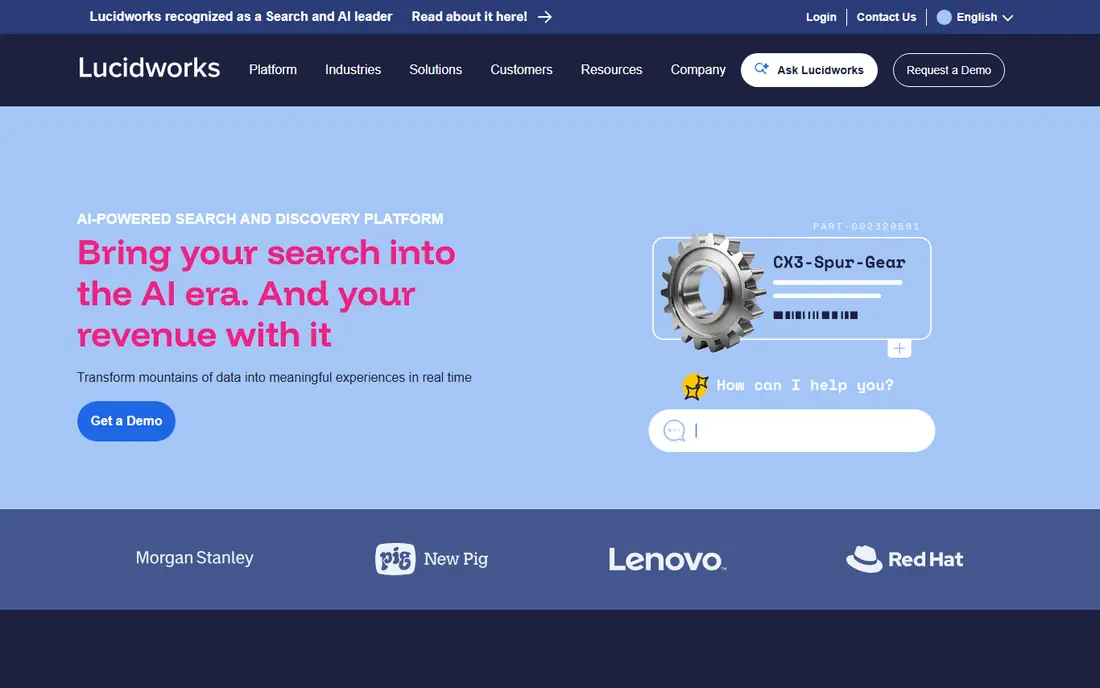
Lucidworks Fusion is built for large sites and enterprises that need search across many sources, with recommendations and personalization layered on top. It suits retailers with large catalogs, media sites with deep archives, and companies that need to search internal documents with access controls. The platform can handle complex ranking rules and large volumes, which is why it appears on enterprise shortlists.
The trade-off is scale and setup. Pricing is custom, and implementation usually needs planning, data work, and tuning, so a small marketing site will find it heavy. Teams should budget for integration time and for ongoing relevance work, not just a license fee. If your catalog or document set is large and your current search feels generic, Lucidworks is worth a sales conversation. If you need a quick site search box, start with a simpler hosted tool.
- Fusion platform for search, recommendations, and personalization
- Strong for large catalogs and internal content
- Custom pricing
- Implementation can be complex
- Smaller teams may find it heavy
Searchspring focuses on retail. It combines site search, category merchandising, recommendations, and analytics so a merchandising team can promote items, fix poor results, and see which searches lead to sales. That retail focus makes it easier for non-developers to run day-to-day search work than a general search engine, and the reporting is tied to shopping behaviour rather than generic clicks.
Searchspring is not a general enterprise search tool for internal documents, tickets, or knowledge bases. Pricing is usually custom, so a small store may find it hard to compare without a quote. Catalog quality matters a lot: messy product data will still produce messy results until titles, attributes, and images are cleaned. For a retailer that lives or dies by product discovery, that focus is the point. For other search jobs, look elsewhere.
- Search, merchandising, and recommendations for stores
- Visual merchandising tools
- Analytics on search behaviour
- Custom pricing for most stores
- Less suited to internal document search
- Implementation needs catalog work
Constructor is an AI-led product discovery platform for retailers, covering search, browse, collections, and recommendations. It uses shopper behaviour to personalize results and to surface items that are more likely to convert, while giving merchandisers controls to pin, boost, or hide products. That mix suits mid-size and large stores that want search to behave like a good salesperson rather than a simple keyword match.
Like other retail platforms, Constructor is priced on a custom basis, so budget planning needs a quote and a clear estimate of traffic and catalog size. It is not built for internal enterprise search, and it will not fix poor product data on its own. Teams should plan a data clean-up and a relevance test before launch, and compare it with Searchspring and Bloomreach on merchandising ease, not just on AI claims.
- AI search, browse, and recommendations tuned for retail
- Strong personalization
- Merchandising controls
- Custom pricing
- Retail focus only
- Needs clean catalog data to perform well
Bloomreach combines product discovery with content management and customer data tools, which suits large retailers that want search, recommendations, and personalization tied to a wider commerce stack. A retailer can use search behaviour, purchase history, and content to shape what different shoppers see, and the platform supports large catalogs and high traffic. That breadth is useful when search is one part of a larger digital commerce plan.
The breadth is also the drawback. Bloomreach is enterprise priced and the full platform can be more than a team needs if the only job is site search. Implementation and data work take time, and smaller stores may get faster value from a narrower retail tool. If you already use Bloomreach for content or commerce, adding discovery is a natural step. If you only need search, compare the discovery-only scope and price before you commit.
- Discovery, content, and customer data tools for large retailers
- Strong personalization
- Broad commerce integrations
- Enterprise pricing
- Broad platform can be more than a small team needs
- Setup needs planning
Yext suits brands that need consistent answers across websites, listings, and search results, especially multi-location businesses. Its knowledge graph stores structured facts about locations, products, and services, and its search tools can answer questions from that data rather than returning only a list of pages. That makes it a strong pick for healthcare, finance, hospitality, and retail chains with many locations.
Yext is not a retail merchandising platform in the same way as Searchspring or Constructor, so a store that needs visual merchandising and product recommendations should not expect the same tools. Pricing is custom and the value depends on clean structured data, so teams need to invest in data quality. If your problem is inconsistent business facts and scattered answers, Yext fits well. If your problem is product ranking in a store, a retail discovery tool fits better.
- Answers and listings tools
- Structured data and knowledge graph
- Strong for multi-location brands
- Pricing is custom
- Search focus differs from product merchandising
- Setup needs structured data work
How we picked these
We compared official feature pages, pricing pages, app store listings, and public help pages for each product, and we checked that each one is still offered in October 2026. We gave weight to fit for the stated use, clear pricing, and limits that a new user would meet in the first month. We left out products that had closed, changed into a different kind of tool, or did not match the topic closely enough, even when they were well known in another category. We did not claim hands-on testing. Our notes come from what vendors publish and what their public documentation says about plans, features, and restrictions. Prices change often, so we used the vendor page or app store listing as the source and wrote See website where a current price was not published clearly.
How to choose a Coveo alternative
First, name the search job in one sentence. Site search for visitors, product discovery for shoppers, and internal search for staff are different products, even when vendors use similar words. A retail tool will disappoint on internal documents, and a general search engine will disappoint on merchandising unless you build that layer. Write the job down and use it to reject tools that do not match, no matter how strong their marketing is. Second, check who will run search day to day. Developer-led teams can use Algolia or Elasticsearch and tune ranking with code. Merchandising teams need visual controls, pinning, and analytics in Searchspring, Constructor, or Bloomreach. Internal search teams need connectors and permissions, which is where Lucidworks and Yext add value. A tool that needs a skill your team does not have will stall after launch. Third, model cost on your real traffic and catalog size. Free tiers help for small sites, usage pricing helps when traffic is uneven, and custom pricing needs a quote tied to searches, records, and seats. Ask what happens when traffic doubles, what counts as a search, and whether recommendations or AI answers are included or charged separately. A low starting price that excludes the feature you need is not a low price. Finally, run a relevance test with your own data. Index a sample catalog or document set, run the top 50 real queries from your current search logs, and score how many return a useful first result. Check spelling, synonyms, filters, and mobile results. That test will tell you more than a demo on vendor data, and it will expose data clean-up work before you sign a contract.
Frequently asked questions
What is the best alternative to Coveo?
Algolia is the most accessible pick for site and app search, while Searchspring and Constructor suit retail discovery and Lucidworks suits large enterprise search. The best pick depends on the search job, so start with site search, retail discovery, or internal search before you compare features.
Is there a free Coveo alternative?
Algolia has a free Build tier for small projects, and Elasticsearch has an open-source core you can self-host. Most enterprise and retail platforms are custom priced, so free in those cases usually means a demo or trial rather than a free plan for production use.
Do Coveo alternatives need developers?
Algolia and Elasticsearch need developer time for indexing and ranking, while retail tools give merchandisers more controls. Internal search tools still need data and connector work. Budget for the team that will run search, not just the license, when you compare options.
Can I migrate search data from Coveo?
In most cases you can export indexed content, query logs, and ranking rules, but the format and effort depend on your Coveo setup. Plan a data clean-up, a synonym and spelling pass, and a relevance test on the new platform before you switch traffic. Keep the old search running until the new results pass that test.
How do I compare search pricing?
Compare searches per month, records or documents indexed, seats, and whether AI answers or recommendations are included. Ask vendors to price a doubling of traffic and a larger catalog, and check for overage fees. Usage pricing can be clear for small sites and costly for high-traffic sites, while custom pricing needs a written quote.
Sources
See where you really rank - block by block
ProMapRanker scans Google Maps across a grid of your service area. Simple monthly plans from $19, white-label on every plan.
Start freeKeep reading
 zscaler alternatives
Best Zscaler Alternatives in 2026
Looking for zscaler alternatives? We compare 9 SASE and zero trust platforms on architecture, data protection, pricing, and fit for your network and team.
Read → zapier alternatives free
Best Zapier Alternatives Free in 2026
Nine automation tools for zapier alternatives free in 2026, all with genuinely free tiers, plus free plan limits, starting prices and upgrade paths explained.
Read → which platform is best for online reputation
Which Platform Is Best for Online Reputation in 2026
Wondering which platform is best for online reputation? We compare 8 review, listing, and response tools for small and multi-location businesses and agencies.
Read →