 ProMapRanker
Best CoSchedule Alternatives in 2026


Simple scheduling for small teams · Pricing starts at: $5 per channel per month
Key takeaways
- Buffer is the simplest low cost starting point for small teams that mainly need scheduling.
- Planable is the best choice when clients or managers must approve posts before they go live.
- Sprout Social and Hootsuite suit larger teams that need listening, reporting, and inbox work in one place.
- Later is the strongest visual planner for Instagram and TikTok first brands.
- SocialPilot, Sendible, and Metricool offer good agency value without per seat pricing in every case.
Quick comparison
| Pick | Great for | Pricing starts at | Free tier | |
|---|---|---|---|---|
| Buffer | Simple scheduling for small teams | $5 per channel per month | Yes | Visit |
 Hootsuite | Large social teams | $99 per user per month | Free trial | Visit |
 Later | Visual Instagram and TikTok planning | $18.75 per month | Free trial | Visit |
 Sprout Social | Reporting and listening at scale | $79 per seat per month | Free trial | Visit |
 Planable | Client approvals and collaboration | $33 per workspace per month | Yes | Visit |
 Loomly | Small team calendars and approvals | $49 per month | Free trial | Visit |
 SocialPilot | Agency scheduling at low cost | See website | Free trial | Visit |
 Sendible | Agencies with many clients | $35 per month | Free trial | Visit |
 Metricool | Analytics plus scheduling on a budget | $20 per month | Yes | Visit |
The best coschedule alternatives
CoSchedule is known for tying social posts to a wider marketing calendar, including blog posts and campaigns. Teams look for alternatives when they want stronger social scheduling, simpler approvals, better analytics, or a lower price for the channels they actually use. The tools below cover those needs, from simple schedulers to full social suites.
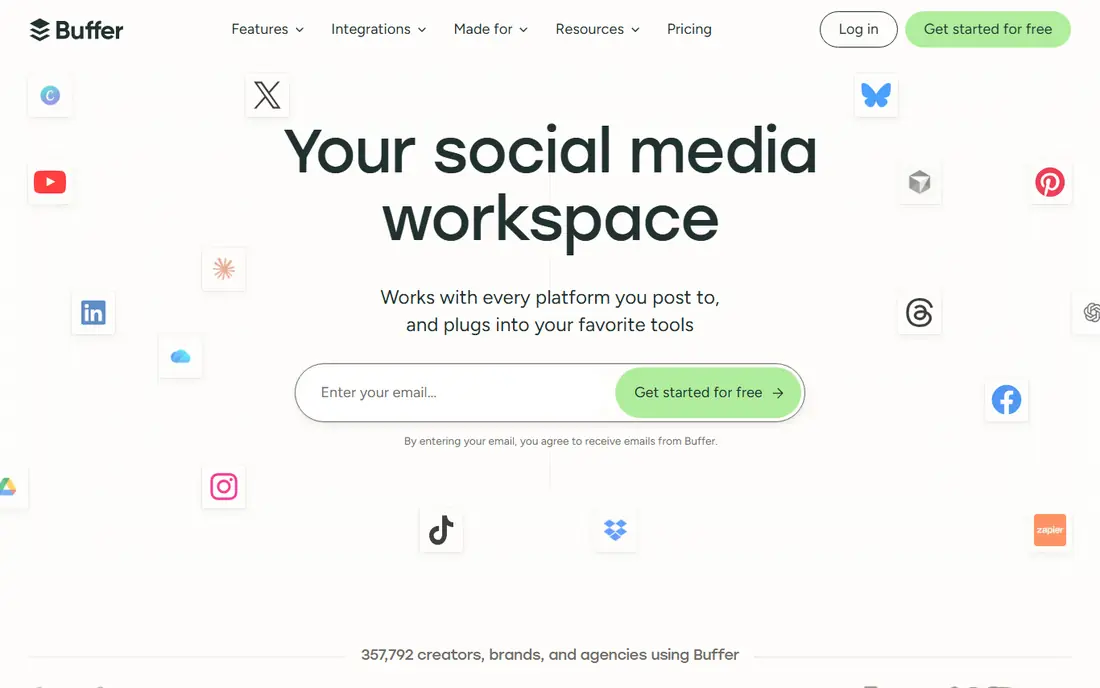
Buffer is our pick for most small teams that want a CoSchedule replacement without a steep learning curve. You connect channels, build a queue, and schedule posts in a clean calendar view. Per channel pricing keeps costs low when you have few channels but several team members.
Buffer is less suited to teams that need deep reporting, social listening, or a shared inbox for customer messages. If scheduling is the main job, and you want to start quickly, Buffer is hard to beat.
- Very easy to learn
- Per channel pricing
- Free plan for small use
- Analytics are basic
- Inbox and listening features are limited

Hootsuite is a full social management suite, not just a scheduler. It combines publishing, streams for monitoring, an inbox for messages, and reporting, with controls for larger teams. That breadth suits companies with many accounts, several staff, and formal approval needs.
The price is the main barrier. Per user billing adds up fast, and small teams may pay for features they never use. For a large team that needs one system for publishing and engagement, Hootsuite still earns its place.
- Wide channel support
- Streams and inbox in one place
- Strong team controls
- High per user price
- Interface can feel busy for small teams

Later is built around visual planning. You can drag media onto a calendar, preview a feed grid, and plan Reels and TikTok posts with a visual workflow. Its link in bio tool helps creators and retail brands turn social traffic into site visits.
Later is less strong for LinkedIn or X focused teams, where text and link sharing matter more than grid layout. If your brand is visual first, Later is a natural CoSchedule alternative.
- Visual drag and drop calendar
- Link in bio tool
- Strong Instagram and TikTok features
- Weaker for text led networks
- Post limits vary by plan
Sprout Social suits teams that must prove social results to leaders. Its reports are clear, its inbox pulls messages together, and its listening tools on higher plans track brand mentions and trends. Approval workflows help larger teams keep publishing safe.
The entry price is high for a small business, and the best listening features need a higher plan. If reporting and team workflow are your main gaps in CoSchedule, Sprout is worth the cost.
- Excellent reports
- Social listening on higher plans
- Unified inbox
- Per seat pricing is high
- Listening is not on the entry plan
Planable is the best pick when other people must approve posts. Clients and managers can comment, request changes, and approve in a visual preview that looks like the live post. Paid workspaces include unlimited users, which helps agencies that invite many clients.
Planable is not the deepest analytics tool, so teams that need advanced reporting may pair it with another tool. For collaboration and approvals, though, it is the most direct answer to a common CoSchedule frustration.
- Clear approval workflow
- Unlimited users on paid workspaces
- Visual post preview
- Analytics are lighter than Sprout
- Post limits apply on lower plans
Loomly gives small in house teams a tidy calendar, a place to draft post ideas, and a simple approval step before publishing. It also includes basic interaction tools, so a small team can reply to comments without switching apps. The workflow feels closer to CoSchedule than a bare scheduler does.
Its starting price is higher than Buffer or Later, so very small teams should compare total cost at their account count. For a team that wants calendar, approvals, and light engagement in one tool, Loomly is a solid middle option.
- Clean calendar view
- Post ideas and approval flow
- Interaction tools
- Higher starting price than Buffer
- Analytics are mid range
Sendible is built for agencies that manage many clients from one dashboard. Plans include unlimited users, which avoids the per seat trap, and client dashboards let each brand see its own reports. Scheduling, queues, and reporting cover the core agency workflow in one place.
New users may need a short learning period, since the dashboard packs in many options. Once set up, Sendible is a practical CoSchedule alternative for agencies that bill by client, not by seat.
- Unlimited users on plans
- Client dashboards
- Good scheduling and reporting mix
- Learning curve for new users
- Some features need higher plans
Metricool combines scheduling with analytics and ad tracking, which suits creators and small marketing teams that want to see results without a second tool. Its free plan covers a small brand, and paid plans stay affordable as you add brands.
The free plan has limits on posts and channels, and its scheduling workflow is simpler than a full suite. If you want a budget tool that shows what worked, not just what was posted, Metricool is a good fit.
- Free plan for small use
- Clear analytics
- Ad campaign tracking
- Free plan limits channels
- Scheduling depth is lighter than Buffer for some users
How we picked these
We compared official pricing pages, product documentation, and public feature descriptions for each tool. We kept only tools that are still operating in October 2026, support scheduling across major social networks, and publish clear plan details. We left out tools that only handled one network, tools with no clear pricing, and tools that had stopped operating. We weighed scheduling ease, calendar views, approvals, analytics, inbox features, and total cost at small team sizes.
How to choose the right CoSchedule replacement
Start with your main gap. If CoSchedule felt heavy for social only work, Buffer or Later will feel lighter. If approvals were the pain, test Planable or Loomly first. If reporting to leaders was the gap, Sprout or Metricool will help more than a bare scheduler.
Next, model the real cost. Per user pricing, per channel pricing, and per workspace pricing give very different totals. Count your channels, seats, and clients, then price each finalist at those numbers, not at the headline starting price.
Finally, run a two week trial with real posts. Check how scheduling, approvals, and reporting feel on your busiest day, not just on a quiet demo. Confirm that each network you use is supported for direct publishing, since some networks limit certain post types through third party tools.
A simple trial checklist
List your must have networks, your approval steps, and your report needs before you start. Schedule a full week of posts in each finalist, invite the people who approve work, and export one report. The tool that survives a real week with the least friction is usually the right pick.
Frequently asked questions
What is the best CoSchedule alternative for small teams?
Buffer is the best small team pick for simple scheduling, while Later is best for visual brands. Both are easy to learn and low cost to start, and both offer a clear calendar view.
What is the best alternative to CoSchedule for client approvals?
Planable is the best approval focused option, because clients can comment and approve posts in a visual preview. Loomly also offers a simple approval flow for in house teams.
Is there a free CoSchedule alternative?
Buffer, Planable, and Metricool all offer free plans with limits, which suit very small teams or a single brand. Free plans usually limit channels, posts, or users, so check those limits before you rely on them.
Which CoSchedule alternative has the best analytics?
Sprout Social has the deepest reports in this list, with Metricool offering a strong budget option that combines scheduling and analytics. Hootsuite also offers solid reporting for larger teams.
Do these tools support Instagram, TikTok, and LinkedIn?
Most tools in this list support the main networks, but post types and direct publishing rules vary by network. Check each vendor page for your specific networks and post types before you buy.
Can I use a CoSchedule alternative for a marketing calendar?
Yes, though most social tools focus on social posts rather than blog and campaign planning. Loomly and Planable come closest to a shared calendar feel, while teams that need full campaign planning may keep a separate calendar tool alongside a scheduler.
Sources
See where you really rank - block by block
ProMapRanker scans Google Maps across a grid of your service area. Simple monthly plans from $19, white-label on every plan.
Start freeKeep reading
 zscaler alternatives
Best Zscaler Alternatives in 2026
Looking for zscaler alternatives? We compare 9 SASE and zero trust platforms on architecture, data protection, pricing, and fit for your network and team.
Read → zapier alternatives free
Best Zapier Alternatives Free in 2026
Nine automation tools for zapier alternatives free in 2026, all with genuinely free tiers, plus free plan limits, starting prices and upgrade paths explained.
Read → which platform is best for online reputation
Which Platform Is Best for Online Reputation in 2026
Wondering which platform is best for online reputation? We compare 8 review, listing, and response tools for small and multi-location businesses and agencies.
Read →
SocialPilot
Great for: Agency scheduling at low cost
SocialPilot is popular with agencies because it keeps scheduling costs down while handling many accounts. Bulk scheduling, content curation, and client views help a small agency manage several brands without per seat pricing that spirals. It covers the main networks well for everyday publishing.
The interface is more functional than beautiful, and some advanced reports sit on higher plans. If your priority is affordable agency scheduling, SocialPilot offers strong value.