 ProMapRanker
10 Best Commusoft Alternatives for 2026


Small teams that want clear pricing · Pricing starts at: $29 per month (billed annually)
Key takeaways
- Commusoft does not publish prices, so every quote comes through sales, and most teams that leave want a published price, a shorter contract, or a simpler setup.
- Jobber and Housecall Pro are the clearest low cost starts, with published monthly plans from $29 and $59 when billed annually.
- ServiceM8 is the only option in this list with a free plan, and its Starter plan costs $29 a month for 50 jobs with unlimited users.
- ServiceTitan, FieldEdge, simPRO, FieldPulse, Vonigo and Workiz hide base prices behind a quote, so ask for a written quote before you compare totals.
Quick comparison
| Pick | Great for | Pricing starts at | Free tier | |
|---|---|---|---|---|
| Jobber | Small teams that want clear pricing | $29 per month (billed annually) | Free trial (14 days) | Visit |
 Housecall Pro | Home service teams that want sales tools | $59 per month (billed annually) | Free trial (14 days) | Visit |
 ServiceTitan | Large contractors that need deep reporting | quote only | No | Visit |
 FieldEdge | HVAC, plumbing and electrical teams on QuickBooks | quote only | No | Visit |
 Workiz | Teams that want a built in phone system | quote only | Free trial (7 days) | Visit |
 Kickserv | Small crews that want a low flat rate | $60 per month (billed annually) | Free trial (30 days) | Visit |
 ServiceM8 | Small trade firms that want a free start | $29 per month | Yes | Visit |
 simPRO | Commercial contractors that need project depth | quote only | No | Visit |
 FieldPulse | Growing trade firms that want custom workflows | quote only | Free trial (14 days) | Visit |
 Vonigo | Franchises and multi location service firms | quote only | No | Visit |
The best Commusoft alternatives
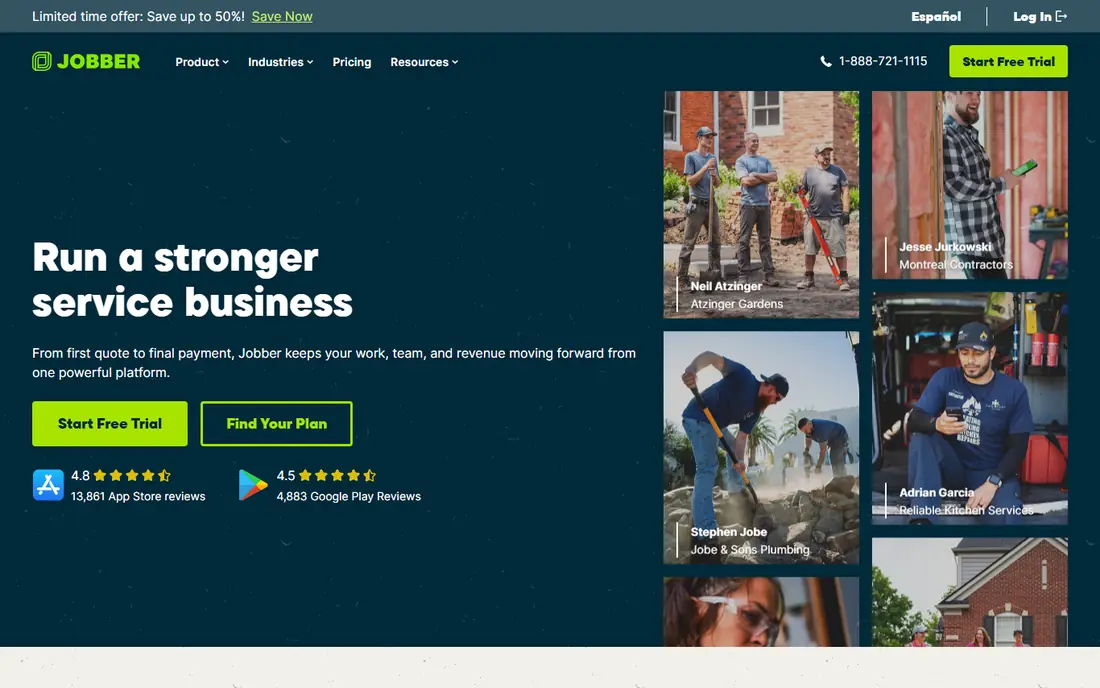
Jobber covers quoting, scheduling, dispatch, invoicing, client records and client messaging in one system, which makes it a direct fit for the small trade firms that find Commusoft too large and too costly to run. Its four plans are Core, Connect, Grow and Plus, and the vendor lists Core at $29 a month billed annually for 1 user, Connect at $99, Grow at $149, and Plus at $399 for 5 users.
Jobber suits a team that wants to see the full price before talking to sales. QuickBooks sync starts on Connect, two way texting and job costing sit on Grow, and card processing runs at 2.9 percent plus 30 cents per card transaction. The main limit is seat math, since add-ons such as Marketing Suite and AI Receptionist are billed separately, so price the plan at your real headcount, not at the headline rate.
- Published prices with no quote needed
- Strong quoting, scheduling and invoicing in one place
- Core covers only 1 user, and extra users cost $29 per month each

Housecall Pro sells three plans, and the vendor lists Basic at $59 a month billed annually for 1 user, Essentials at $149 for up to 5 users, and MAX at $299 for up to 8 users. Month to month billing runs $79, $189 and $329 for the same three plans.
Essentials adds QuickBooks Online sync, GPS tracking, employee performance tracking and custom checklists, while MAX adds sales proposals, recurring service plans, advanced reporting and API access, with extra users at $35 a month each. The catch is the step between tiers, since a second login means leaving Basic for Essentials, a $90 a month rise on annual billing, and add-ons such as Sales Proposals at $40 a month sit outside the base price.
- Price book and job costing included on Basic
- Strong online booking and review tools
- Basic covers only 1 user, and moving to Essentials is a $90 a month jump on annual billing

ServiceTitan is the enterprise end of this list, built for larger home service companies with dispatchers, call centre staff, technicians and managers working in one system. Its pricing page lists three tiers, Starter, Essentials and The Works, and every tier shows a Request Pricing button instead of a dollar figure. Pricing is per technician.
ServiceTitan fits a company with 20 or more technicians that can use payroll, commissions and membership revenue in one place, and the vendor itself notes that the platform is not built for a company with 3 or fewer technicians. The trade off is cost and commitment. Third party reports put the range near $245 to $500 per technician a month, with an implementation fee reported from $5,000 upward and a 12 month minimum contract, but none of those figures come from ServiceTitan.
- Deep dispatch, call booking, payroll and membership tools
- Three tiers for larger operations
- No published price, and third party reports point to a 12 month minimum contract with an implementation fee
FieldEdge is a long standing field service platform for HVAC, plumbing and electrical contractors, and it is the closest match in this list for a QuickBooks centred business. Its three tiers are Select, Premier and Elite, and every tier ends at a demo request, because the vendor publishes no price on its site. The platform covers an intelligent dispatch board, a pricebook, parent jobs, linked work orders and progressive billing.
The limits are transparency and setup time. Reviewer reports put seat rates near $100 a month per office user and $125 a month per field technician, with a one time setup fee reported from $500 to $2,000, but those are reviewer estimates, not a FieldEdge quote. There is no free trial, GPS tracking comes from a third party add-on, and onboarding is reported to take about five weeks.
- Deep QuickBooks integration and a pricebook built for install work
- Work order centred planning
- No published price and no free trial, and onboarding is reported to take about five weeks
Workiz is field service software with a communication suite at its centre, covering scheduling, dispatch, estimates, invoices, payments and reporting, plus call tracking, call recording and two way texting. Its pricing page lists three tiers, Standard, Pro and Ultimate, and each one covers the first 5 users, but none of them shows a base price, so the entry figure only comes out during a demo.
Workiz suits a team that takes a high volume of calls and wants call tracking tied to jobs without a separate phone tool. A 7 day free trial needs no card, and Pro adds performance pay, custom reports and Genius lead tools, while Ultimate adds service plans, inventory management and Zapier. The catch is that the phone system is now sold as a separate add-on, so ask for the full quote including phone before you compare.
- Built in phone, call tracking and two way texting
- Three tiers cover the first 5 users
- Base prices sit behind a quote, and the phone system is now sold as a separate add-on
Kickserv publishes its full rate card, which is rare in this group, and that alone makes it easy to compare. Start costs $60 a month for 5 users, Run costs $119 a month for 10 users, and Scale costs $199 a month for 20 users, with 20 percent off on annual billing, which brings Start to about $48 a month. Every plan includes an embeddable contact form, automated email and text reminders, time and expense tracking and QuickBooks Online sync.
Kickserv fits a small crew that wants one flat monthly fee and no per user surprises. The main limit is the ceiling. Scale stops at 20 users and the vendor publishes no tier or add-on for crews above that size, so a growing firm will need a direct conversation with Kickserv rather than a rate card. QuickBooks Desktop sync is also a $50 a month add-on available only from the Run plan upward.
- Lowest published flat rate in this list for a small crew
- QuickBooks Online sync included from Start
- Highest plan caps at 20 users, with no published path beyond that
ServiceM8 prices by jobs, not by people, which makes it the odd one out in this list and the best fit for a small firm with many staff but a modest job count. The free plan costs $0 for 1 user and 30 jobs a month, Starter costs $29 a month for 50 jobs, Growing costs $79 for 150 jobs, Premium costs $149 for 500 jobs, and Premium Plus costs $349 for 1,500 or more jobs. Every subscription plan includes unlimited users, so adding crew does not raise the bill.
The tier gates matter. Forms, asset management and proposals start on Growing, while job costing and markup billing start on Premium, and each plan includes a set SMS allowance, with extra messages billed beyond it. A firm that runs 60 jobs in a busy month cannot stay on Starter, so count your real monthly job volume across a full year, including the busiest month, before you pick a tier.
- Free plan with 1 user and 30 jobs a month
- Subscription plans include unlimited users
- Plans cap monthly jobs, so a busy month can push you to a higher tier
simPRO is an Australian founded platform for plumbing, electrical, HVAC, fire protection and security contractors, and it targets firms from around 5 technicians up to mid market operations of 100 or more. It covers the full job lifecycle, from quoting and scheduling through dispatch, invoicing and reporting, with depth in multi stage quote approvals, variations, progress claims, stock control, maintenance planning and GPS fleet tracking.
The price is quote based throughout, with third party reports putting the range near $30 to $70 per user a month, and implementation fees reported in the thousands on top. There is no free plan and no free trial advertised, and contracts are reported to run for 3 or 5 years with annual price rises and steep exit penalties, so get the term, the price rise clause and the exit terms in writing.
- Strong quoting, project costing, stock control and maintenance planning for larger trade firms
- No published price, no free plan, and contracts are reported to run for several years
FieldPulse is an all in one platform for growing trade businesses that need scheduling, job costing, inventory and custom workflows in one place, with an office manager or dispatcher running the back end. Its pricing page lists three tiers, Essentials, Professional and Enterprise, and every one sits behind a Request Pricing button, so no dollar figure appears on the vendor site. Professional adds project management, QuickBooks sync and custom fields.
Third party reports put the tiers near $65 per user a month for Essentials, $90 for Professional and $115 for Enterprise, with a one time onboarding fee reported from $500 to $5,000, but those are contractor reports, not FieldPulse figures, so treat them as a starting point for a sales conversation. Fleet tracking is an add-on at about $30 per vehicle a month, and phone and AI tools cost extra.
- Custom fields, project management and QuickBooks sync on higher tiers
- Seat types for office and field staff
- No published price, and fleet tracking and phone tools cost extra
Vonigo is a cloud based suite for larger service businesses and franchises, covering scheduling, online booking, dispatch, routing, CRM, invoicing, payments and reporting in one system. It is built for firms that run many locations from one setup, with franchise management, contract based invoicing for recurring work, custom reporting and API access on the top tier.
Vonigo publishes no prices, and the vendor site says pricing varies by features and user count, so a quote is the only way to get a firm number. Marketplace listings put the tiers near $98 per user a month for Starter, $119 for Professional and $139 for Premium, but those listings are not vendor confirmed, so use them only as a rough guide. At that level a 10 user team would run near $980 a month before add-ons.
- Multi location control, franchise tools and online booking
- Modular setup for larger firms
- No published price, and marketplace listings put entry near $98 per user a month
How we chose
We compared vendor pricing pages, product documentation and feature lists for each tool in November 2026, and we checked the list against what Commusoft users most often ask for: scheduling, dispatch, quoting, invoicing, job costing, maintenance contracts and accounting sync. Every price in this guide comes from the vendor pricing page linked in Sources, read in November 2026. Where a vendor hides the price we wrote quote only and labelled any third party figure as reported, not as a vendor fact. We did not claim hands-on testing.
What to check before you buy
Use the table below to match your team size to a first shortlist, then check the five points under it before you sign anything.
| Team size | Best first look | Monthly starting point | | Solo or 2 people | ServiceM8 Free, Jobber Core | $0 to $29 | | 3 to 5 people | Kickserv Start, Housecall Pro Essentials | $60 to $149 | | 6 to 15 people | Jobber Grow, Housecall Pro MAX | $149 to $299 | | 16 or more people | ServiceTitan, simPRO, Vonigo | Quote only |
Check the contract length first. ServiceTitan and simPRO are reported to use 12 month or multi year terms, while Jobber, Housecall Pro and ServiceM8 sell month to month. Ask for the implementation fee in writing, because FieldEdge, ServiceTitan, simPRO and FieldPulse all carry setup or onboarding charges that sit outside the monthly rate. Confirm whether the price is per user, flat per plan, or per job, because the same 5 person crew costs $60 on Kickserv Start, $149 on Housecall Pro Essentials and $29 on ServiceM8 Starter for 50 jobs. Check which tier holds the features you need, and confirm the trial length, the SMS allowance, the card processing rate and the exit terms before you migrate customer records.
Frequently asked questions
What is the cheapest Commusoft alternative?
ServiceM8 is the cheapest way to start, because its free plan covers 1 user and 30 jobs a month at $0, and Starter costs $29 a month for 50 jobs with unlimited users. Jobber Core is the cheapest subscription start for a solo operator at $29 a month billed annually.
Which Commusoft alternative has a free plan?
ServiceM8 is the only tool in this list with a free plan, covering 1 user, 30 jobs a month, scheduling, quotes, invoicing and online payments. Jobber, Housecall Pro, Workiz, Kickserv and FieldPulse offer free trials of 7 to 30 days instead, while ServiceTitan, FieldEdge, simPRO and Vonigo offer no free plan and no trial, only a demo.
Why do so many Commusoft alternatives hide their prices?
ServiceTitan, FieldEdge, simPRO, FieldPulse, Vonigo and Workiz sell through demos and quotes because their price depends on user count, modules, contract length and setup scope. That lets the vendor shape the deal, but it leaves the buyer without a firm number to compare. Always ask for a written quote that lists the tier, the user count, the add-ons and the contract term.
Which alternative suits a team of 10 technicians?
Jobber Grow at $299 a month billed annually for 10 users is a clear pick, and Housecall Pro MAX at $299 plus 2 extra users at $35 each comes to $369 a month on annual billing. Kickserv Scale covers up to 20 users for $199 a month, which is cheaper but lighter on features.
Can I switch from Commusoft without losing job history?
Most vendors offer migration help, but the scope varies, so ask what moves across before you sign. Customer records, open jobs, recurring maintenance contracts, asset lists and invoice history are the items to check, and some vendors charge for migration as part of implementation. Run the new tool beside Commusoft for two to four weeks, and export a full backup of your records first.
Sources
- https://www.getjobber.com/pricing/
- https://www.housecallpro.com/pricing/
- https://www.servicetitan.com/pricing
- https://fieldedge.com/pricing/
- https://www.workiz.com/pricing-plans
- https://kickserv.com/pricing
- https://www.servicem8.com/pricing
- https://www.simprogroup.com/pricing
- https://www.fieldpulse.com/pricing
- https://www.vonigo.com/pricing
See where you really rank - block by block
ProMapRanker scans Google Maps across a grid of your service area. Simple monthly plans from $19, white-label on every plan.
Start freeKeep reading
 GatherUp alternatives
8 Best GatherUp Alternatives for Local Reviews
Compare 8 GatherUp alternatives for review generation, monitoring and replies, with starting prices, free plans and honest limits, so you can pick the best fit.
Read → FieldEdge alternatives
Best FieldEdge Alternatives for Field Service
FieldEdge alternatives compared for HVAC, plumbing and electrical teams: real starting prices, free trials and dispatch features, plus a team-size guide.
Read → Feefo alternatives
8 Best Feefo Alternatives for Reviews
Compare the 8 best Feefo alternatives for collecting and showing customer reviews, with real starting prices, free plans, and the right pick for your store.
Read →