 ProMapRanker
Best Codex Alternatives in 2026

Key takeaways
- This guide treats Codex as OpenAI Codex, the AI coding agent inside ChatGPT plans, and compares other coding agents and assistants that do similar work.
- Cursor and GitHub Copilot suit developers who want AI inside an editor every day, while Claude Code and Aider suit terminal-first developers.
- Model choice matters: some tools lock you to one vendor, while others let you switch models or bring your own API key.
- Pricing has moved toward usage credits on many tools, so check included usage and overage rules, not just the monthly seat price.
- For heavy agent use, a tool with clear limits and a predictable top-up path will usually cost less in surprises than a tool with vague fair-use wording.
Quick comparison
| Pick | Great for | Pricing starts at | Free tier | |
|---|---|---|---|---|
 Cursor | AI-first editing with an agent | See website | Yes | Visit |
 Claude Code | Terminal-first agentic coding | See website | No | Visit |
 GitHub Copilot | Everyday AI help across editors | See website | Yes | Visit |
 Devin | Delegating scoped coding tasks | See website | Yes | Visit |
 Aider | Git-native terminal pair programming | Free | Yes | Visit |
 JetBrains AI | AI inside JetBrains IDEs | See website | Yes | Visit |
 Tabnine | Private and enterprise code completion | See website | Yes | Visit |
 Gemini Code Assist | Google Cloud and Gemini workflows | See website | Yes | Visit |
 Amazon Q Developer | AWS-focused development work | See website | Yes | Visit |
The best codex alternatives
OpenAI Codex is the coding agent bundled with ChatGPT plans, available through a command-line tool, an IDE extension, and cloud tasks. Developers look for alternatives when they want a different editor, a different model, tighter privacy controls, or pricing that fits their usage pattern. The tools below cover that range, from full AI editors to terminal agents and enterprise assistants. All of them help write, review, and change code, but they differ in where they run and how much autonomy they take.
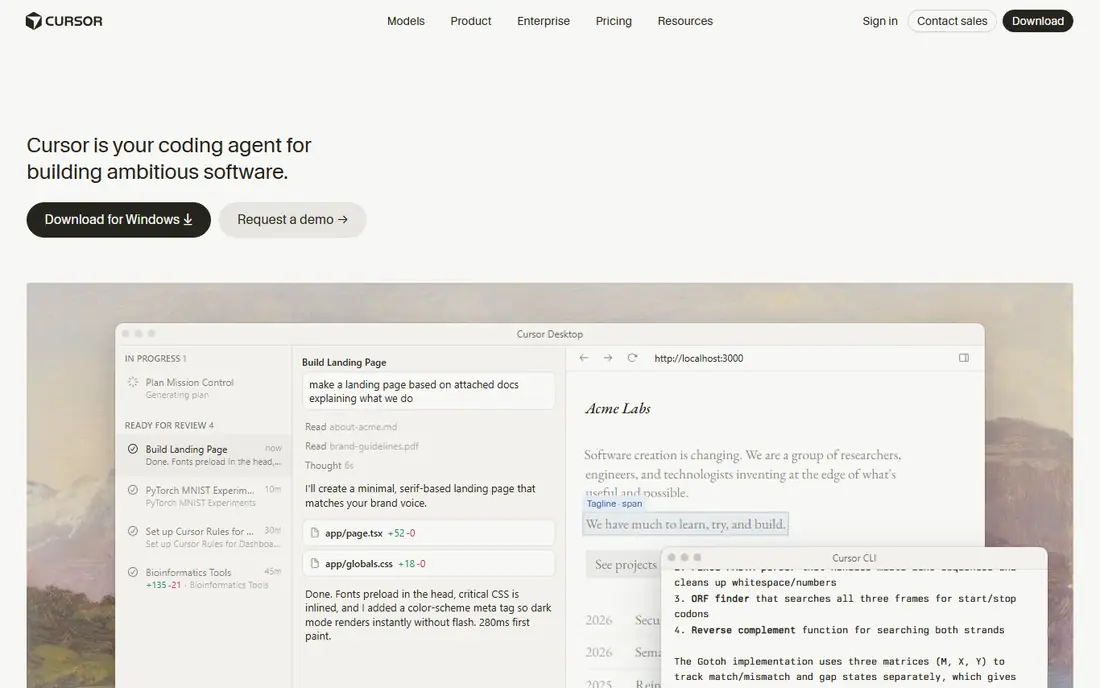
Cursor is an AI-first code editor built on the VS Code codebase, with inline completion, chat, and an agent mode that can edit files across a project. Developers can choose among several models for different tasks, which helps when one model is stronger for a particular language or refactor. A free hobby tier covers limited agent and chat use, and paid tiers raise those limits. Cloud agents extend the same workflow beyond the local editor for background tasks.
The main caution is pricing complexity. Cursor's tiers, included usage, and overage rules have changed more than once, so confirm current terms on its pricing page before budgeting for a team. Heavy agent use can also cost more than a simple monthly seat price suggests. For developers who want an editor where AI assistance is central rather than an add-on, Cursor remains one of the most complete options.
- Editor and agent in one place
- Multi-model choice
- Cloud agents available
- Pricing tiers and usage limits change often
- Heavy agent use can add cost

Claude Code is Anthropic's agentic coding tool, available through the terminal and in supported editors, and included with Claude Pro, Max, and Team plans rather than sold as a standalone free product. It reads a codebase, plans multi-step changes, runs commands and tests, and revises its work until checks pass. That terminal-first workflow suits developers who already live in a shell and want an agent that can handle refactors, migrations, and test fixes with less hand-holding.
The limits are access and model choice. There is no free tier for Claude Code itself, and it uses Anthropic models only, so teams committed to another model family will not get that flexibility here. Usage is shared with Claude chat plans, which can matter for heavy users. For developers who value a careful, plan-driven agent and already use Claude, it is a strong Codex replacement.
- Strong multi-step agent workflow
- Works in terminal and supported IDEs
- Detailed control options
- No free tier on its own
- Limited to Anthropic models
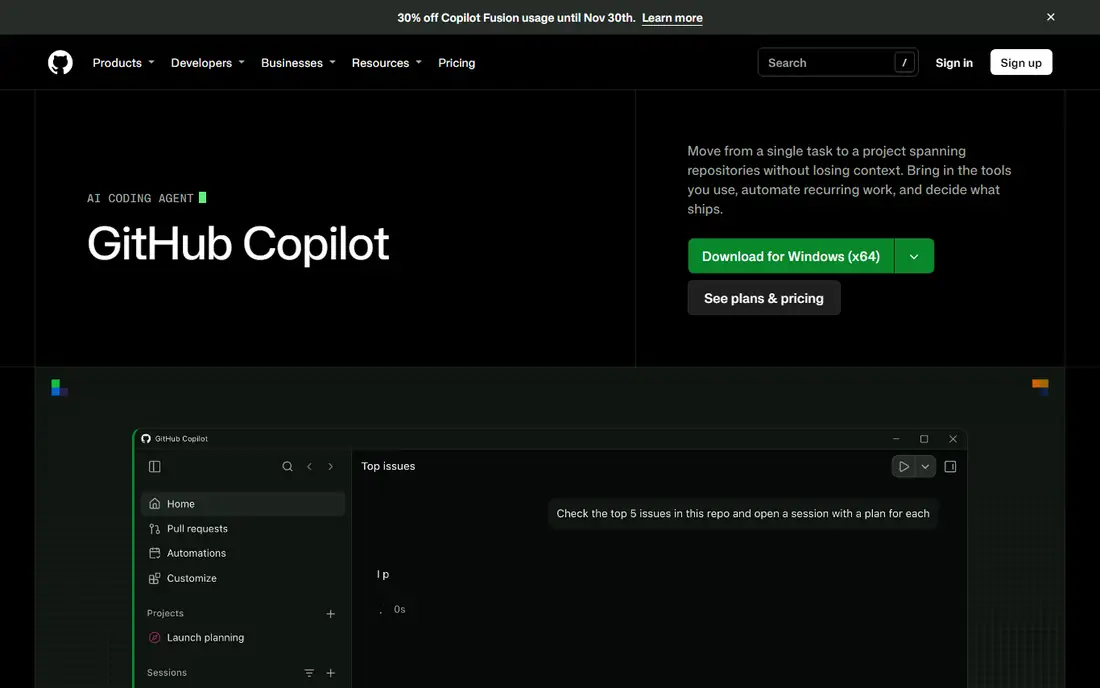
GitHub Copilot is the most widely available AI coding assistant, working across VS Code, JetBrains IDEs, Visual Studio, Xcode, Neovim, and other editors, plus a command-line tool and a cloud agent for assigned issues. It covers completions, chat, agent mode, and code review in one subscription, which makes it easy to standardize across a team with mixed editors. A free tier offers limited completions and chat, and paid Pro, Pro Plus, and business tiers raise those limits.
The current billing model uses AI credits on paid plans, so the monthly price is only part of the cost picture for heavy agent users. Model choice is broad but managed, which suits teams that want sensible defaults more than fine-grained tuning. For most developers, especially those already working in GitHub repositories, Copilot is the lowest-friction Codex alternative to try first.
- Broad editor support
- Completions, chat, agent mode, and code review
- Free tier available
- Usage-based credits on paid plans
- Model selection is managed rather than fully manual
Devin, which now includes the former Windsurf editor as Devin Desktop, is an AI-first development product that combines an editor, a command-line tool, and cloud sessions. Developers can delegate scoped tasks, such as fixing a bug or implementing a small feature, and review the resulting changes rather than writing every line. That delegation model suits teams that want to hand off well-defined tickets while keeping human review at the end.
The product's history needs a note: Windsurf was folded into Cognition's Devin product, and older reviews under the Windsurf or Codeium names may describe different pricing or features. Current terms, quotas, and team pricing should be checked on the Devin site before committing. For teams that like the idea of assigning work to an agent rather than chatting with one line by line, Devin is a distinct and credible option.
- Editor, CLI, and cloud sessions in one product
- Handles scoped tickets end to end
- Unlimited tab completions on paid plans
- Product history includes several renames
- Pricing and quotas need careful reading
Aider is a free, open-source terminal tool that pairs with a developer to edit code in a git repository. It is git-aware, so changes are tracked as commits, and it works with many models through your own API key, which gives you model flexibility without vendor lock-in. Developers who like a minimal, commit-centric workflow often prefer Aider to a full AI editor, because it stays close to the tools they already use: a terminal, an editor, and git.
The trade-offs are interface and cost structure. Aider has no graphical editor of its own, and model API charges are separate from the free tool itself, so heavy use still costs money through your model provider. It also expects you to guide it more directly than a fully autonomous agent. For experienced developers who want an open, model-flexible coding partner, Aider is one of the best free starting points.
- Free and open source
- Works with many models via API key
- Git-aware workflow
- Terminal only
- You pay separately for model API use
JetBrains AI brings code completion, chat, and coding agents natively into IntelliJ IDEA, PyCharm, WebStorm, and other JetBrains IDEs. Developers who already work in those IDEs get AI help without switching editors or installing a separate agent, and the integration respects JetBrains project structures and refactoring tools. A free tier covers unlimited completion plus a small credit allowance for agent features, with paid Pro and Ultimate tiers raising those limits.
The obvious limit is ecosystem. JetBrains AI makes most sense for teams already committed to JetBrains IDEs; VS Code users will get more from Copilot or Cursor. Credit-based limits also mean heavy agent use needs a paid tier. For JetBrains shops, though, native integration is a real advantage, and it keeps AI assistance inside the workflow developers already know.
- Native inside JetBrains IDEs
- Completions, chat, and agents
- Free tier for light use
- Best value only inside JetBrains tools
- Credit limits apply
Tabnine is an AI code assistant with a long focus on privacy, including options for private deployment and controls that appeal to enterprises and regulated teams. It supports many IDEs, offers code completion and chat, and has added agent features for multi-file tasks. Teams that cannot send code to a public cloud service, or that need strict data handling policies, often shortlist Tabnine before more consumer-focused tools.
The trade is agent depth. Tabnine's agent capabilities are less mature than those of Claude Code, Cursor, or Devin, so developers who want fully autonomous multi-step work may find it less capable for that job. Its strength is safe, reliable assistance with strong enterprise controls. For organizations where privacy policy decides the shortlist, Tabnine is a practical and defensible choice.
- Strong privacy and self-hosting options
- Broad IDE support
- Enterprise controls
- Less agentic than Cursor or Claude Code
- Agent features are newer
Gemini Code Assist is Google's AI coding assistant, available in VS Code, JetBrains IDEs, and Google Cloud environments, with a free tier for individual developers and paid enterprise options. It offers code completion, chat, and agent-style assistance powered by Gemini models, and it fits naturally for teams building on Google Cloud, Firebase, or Android tooling. The free individual tier makes it easy to test without a purchase, which is useful for students and solo developers.
The limit is ecosystem fit. Teams outside Google Cloud will find less reason to choose it over Copilot or Cursor, and enterprise pricing and administration run through Google Cloud channels. For Google-centered teams, though, that integration is a benefit, not a drawback. Gemini Code Assist is a solid Codex alternative when Gemini models and Google tooling are already part of your stack.
- Free tier for individuals
- Gemini model family
- Google Cloud integration
- Best fit inside Google tooling
- Enterprise pricing runs through Google Cloud
Amazon Q Developer is AWS's AI assistant for developers, available in VS Code, JetBrains IDEs, and the AWS Management Console, with a free tier for individuals and paid Pro tiers for teams. It helps with code completion, chat, and agent tasks, and it has particular strength in AWS services: generating infrastructure code, explaining AWS resources, and helping with migrations and upgrades inside AWS projects. That AWS knowledge is its main differentiator.
Outside AWS, Amazon Q Developer is less compelling than general-purpose agents, because its advantage is tied to AWS services and documentation. Teams that build mostly on AWS, especially those modernizing older Java or .NET workloads on AWS, will get the most value. For AWS-centered development teams looking for a Codex alternative, it belongs on the shortlist.
- AWS service knowledge built in
- Works in editors and the AWS console
- Free tier available
- Most valuable inside AWS
- Less general-purpose than broader agents
How we picked these
We compared official pricing pages, product documentation, and feature descriptions for AI coding agents and assistants that are actively sold or maintained in 2026. We included editor-based tools, terminal agents, and cloud-focused assistants, because Codex itself spans a CLI, an IDE extension, and cloud tasks. We did not claim hands-on testing of every agent on a benchmark task; our comparisons rest on published features, pricing terms, and documented workflows. Prices marked as See website reflect plans and credit systems that change often and are best confirmed on the vendor's pricing page.
What to check before you choose
Start with where you write code. If you live in VS Code, Cursor and Copilot will feel natural. If you live in a terminal, Claude Code and Aider will fit better. If you live in JetBrains IDEs or AWS tooling, the native options in those ecosystems will save setup time. Switching editors just for an AI tool is rarely worth it unless the agent workflow itself is the reason.
Next, check model and privacy rules for your team. Some tools lock you to one model family, some let you bring your own key, and some offer private deployment for enterprise use. Confirm where code is sent, how long it is retained, and whether your employer's policy allows that. Finally, test with a real task from your own codebase, such as a refactor or a bug fix, and watch both quality and credit use. A tool that looks cheap on a pricing page can become expensive if it burns credits on retries.
Frequently asked questions
What are the best alternatives to codex?
The best alternatives to codex for most developers are GitHub Copilot for broad editor support, Cursor for an AI-first editor, and Claude Code for terminal-first agentic work. Aider suits open-source and model-flexible workflows, while JetBrains AI, Gemini Code Assist, and Amazon Q Developer suit teams already inside those ecosystems. Choose by editor, model preference, and privacy needs rather than by headline price alone.
Is OpenAI Codex free?
OpenAI Codex is included with ChatGPT plans, including a limited experience on the free plan, with higher quotas on paid plans such as Go and Plus. Heavy autonomous use is governed by token-based credits on many plans, so free access does not mean unlimited agent work. Check the current ChatGPT plan terms for Codex quotas before relying on it for daily development.
Which Codex alternative is best for terminal users?
Claude Code and Aider are the strongest terminal-first picks here. Claude Code offers a more autonomous, plan-driven agent, while Aider offers a lighter, git-aware pair-programming workflow with broad model choice. Developers who want a terminal tool with no vendor lock-in should start with Aider; developers who want the most capable autonomous terminal agent should start with Claude Code.
Do these tools send my code to the cloud?
Most hosted AI coding tools send code to their provider for processing, though retention and privacy terms vary by vendor and plan. Tabnine and some enterprise plans offer private deployment or stricter data handling, and open tools such as Aider let you choose your model provider. Read the privacy terms for your plan and confirm your employer's policy before using any tool on proprietary code.
Can I use more than one AI coding tool?
Yes, many developers use a completion tool for everyday edits and an agent tool for larger refactors or delegated tasks. That mix can work well, but watch total cost across subscriptions and credit systems. Start with one primary tool, learn its limits, and add a second only when a specific job, such as terminal agent work or AWS migration, is clearly better served elsewhere.
Is Cursor better than GitHub Copilot?
Cursor and GitHub Copilot serve slightly different needs. Cursor is an AI-first editor with multi-model choice and a strong agent mode, while Copilot is a broadly supported assistant that works across many editors and GitHub workflows. Developers who want to stay in their current editor often prefer Copilot, while developers who want an editor built around AI often prefer Cursor. Try both on your own codebase before deciding.
Sources
See where you really rank - block by block
ProMapRanker scans Google Maps across a grid of your service area. Simple monthly plans from $19, white-label on every plan.
Start freeKeep reading
 zscaler alternatives
Best Zscaler Alternatives in 2026
Looking for zscaler alternatives? We compare 9 SASE and zero trust platforms on architecture, data protection, pricing, and fit for your network and team.
Read → zapier alternatives free
Best Zapier Alternatives Free in 2026
Nine automation tools for zapier alternatives free in 2026, all with genuinely free tiers, plus free plan limits, starting prices and upgrade paths explained.
Read → which platform is best for online reputation
Which Platform Is Best for Online Reputation in 2026
Wondering which platform is best for online reputation? We compare 8 review, listing, and response tools for small and multi-location businesses and agencies.
Read →