 ProMapRanker
Best Cloaked Alternatives in 2026


All-in-one masked email, phone, and cards · Pricing starts at: See website
Key takeaways
- This guide treats Cloaked as the privacy service that creates masked identities, including masked emails, phone numbers, and virtual cards.
- IronVest is the closest all-in-one replacement, while SimpleLogin and AnonAddy focus on masked email, and Privacy.com focuses on virtual cards.
- MySudo, Burner, and Hushed cover the phone-number side, which email-only tools do not solve.
- Masked tools protect your real contact and payment details from merchants and data breaches, but they are not a way to hide identity from lawful verification or to evade fraud controls.
- Check which features need a paid plan, because free tiers often limit aliases, phone numbers, or card counts.
Quick comparison
| Pick | Great for | Pricing starts at | Free tier | |
|---|---|---|---|---|
| IronVest | All-in-one masked email, phone, and cards | See website | Yes | Visit |
 SimpleLogin | Masked email aliases with custom domains | See website | Yes | Visit |
 AnonAddy | Open-source masked email aliases | See website | Yes | Visit |
 Firefox Relay | Simple email masks for Firefox users | See website | Yes | Visit |
 MySudo | Multiple private phone and email identities | See website | Yes | Visit |
 Burner | Temporary phone numbers on demand | See website | Free trial | Visit |
 Privacy.com | Virtual cards for online shopping | Free | Yes | Visit |
 Hushed | Second phone numbers for calls and texts | See website | No | Visit |
 DuckDuckGo Email Protection | Free email masks with tracker removal | Free | Yes | Visit |
The best cloaked alternatives
Cloaked is a privacy service that lets users create masked identities for online sign-ups and shopping, including masked email addresses, phone numbers, virtual cards, and password management, so real contact and payment details stay private. People look for alternatives when they want a lower price, a single feature done well, an open-source option, or a tool that works better on their devices. The tools below cover the same areas in different combinations, from all-in-one identity tools to focused email or card services. Use these tools for legitimate privacy, such as reducing spam and limiting breach exposure, not to misrepresent identity to banks, employers, or government services.
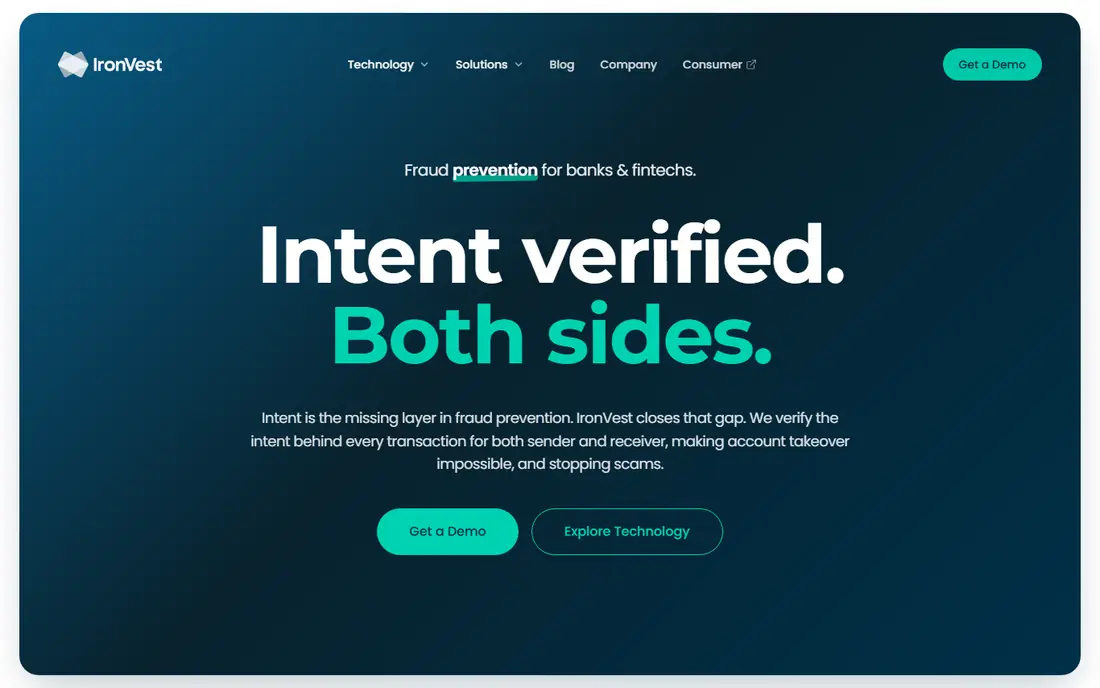
IronVest, formerly known as Blur, is the closest all-in-one replacement for Cloaked. It creates masked email addresses and phone numbers, generates single-use virtual cards for online shopping, and includes password management with autofill. That combination means one app can cover sign-ups, calls, texts, and payments, rather than splitting those jobs across three separate tools. Biometric sign-in and two-factor authentication add account protection on top of masking.
The trade is price and complexity. A free tier covers basic use, but full masked phone, card, and password features sit on paid plans, and the total can exceed the cost of a single-purpose tool. Users who only need email masks will find SimpleLogin or AnonAddy cheaper. Users who want one privacy app for email, phone, and payments, though, will find IronVest the most complete Cloaked replacement here.
- Masked emails, phone numbers, and virtual cards in one app
- Password manager included
- Biometric sign-in option
- Full features require a paid plan
- Higher price than email-only tools

SimpleLogin creates email aliases that forward to your real inbox, so you can give every website a different address and turn off any alias that starts receiving spam. Paid plans offer unlimited aliases, custom domains, and reverse aliases for replying from an alias, which makes it practical for long-term use rather than just throwaway sign-ups. As part of Proton, SimpleLogin also fits users already using Proton Mail and related privacy tools.
The limit is scope. SimpleLogin handles email only, so it does not replace Cloaked's phone masking or virtual cards, and initial setup, including mailbox configuration, takes more steps than a one-click browser extension. For users whose main problem is inbox spam and breach exposure from email addresses, SimpleLogin is one of the best-focused tools available.
- Unlimited aliases on paid plans
- Custom domain support
- Now part of Proton
- Email only, no phone numbers or virtual cards
- Setup takes a few steps
AnonAddy is an open-source email aliasing service that creates aliases forwarding to your real mailbox, with support for custom domains and shared domains on paid plans. Its open-source code and self-hosting option appeal to technically comfortable users who want to inspect the code or run their own instance, and its paid plans are among the lower-cost options for unlimited aliases. That combination makes AnonAddy popular with privacy enthusiasts who prefer open tools.
The trade-offs are scope and polish. Like SimpleLogin, AnonAddy covers email only, so phone and card masking need separate tools, and its interface is functional rather than as polished as commercial competitors. For users who value open source and low cost for email masking, AnonAddy is a strong alternative to both Cloaked and SimpleLogin.
- Open-source code
- Self-hosting option
- Low-cost paid plans
- Email only
- Interface is functional rather than polished
Firefox Relay, from Mozilla, creates email masks that forward to your real inbox, with a free tier for a small number of masks and a premium plan for unlimited masks and phone number masking. Its Firefox integration makes creating a mask during sign-up almost effortless, and Mozilla's privacy reputation gives many users confidence in how forwarding data is handled. For Firefox users who want simple email protection without learning a new service, Relay is the lowest-friction option here.
The limits are depth and ecosystem. Relay offers fewer advanced features than SimpleLogin or AnonAddy, such as extensive custom domain controls, and its best experience is inside Firefox rather than other browsers. Users who need many aliases, custom domains, or non-Firefox workflows should choose a dedicated alias service. Users who want a few masks with minimal setup will find Relay ideal.
- Very easy to use in Firefox
- Free tier for basic masks
- Phone masks on premium plans
- Fewer advanced alias features
- Best experience inside Firefox
MySudo lets users create multiple separate identities, called Sudos, each with its own phone number, email address, and, where available, virtual card. That compartmentalization suits people who want a work identity, a shopping identity, and a personal identity kept apart, so a breach or spam problem in one area does not spill into others. Calls, texts, and emails for each Sudo stay inside the app, which keeps real contact details out of many sign-ups and listings.
The trade-offs are availability and card coverage. MySudo's phone and card features vary by country and plan, so users outside its main markets should confirm what is available in their region before subscribing. It is also a mobile-first app, which suits phone-heavy use more than desktop-only workflows. For identity separation across phone and email, MySudo is one of the most thoughtfully designed tools here.
- Separate Sudos for work, shopping, and dating
- Phone, email, and cards per identity
- Good compartmentalization
- Availability varies by country
- Virtual card features depend on plan and region
Burner creates temporary, disposable phone numbers for calls and texts, which users can delete when they no longer need them. That makes it useful for selling items online, dating, short-term projects, and any situation where giving out a real number would invite spam or unwanted contact. Setup is quick, and numbers can be kept for as long as a subscription lasts or discarded after a single use case.
The limits are scope and cost over time. Burner covers phone numbers only, so email and payment masking need other tools, and keeping a number long-term requires an ongoing subscription rather than a one-time purchase. For short-term phone privacy, Burner is simple and effective. For permanent identity masking across email, phone, and payments, an all-in-one tool such as IronVest or MySudo fits better.
- Quick temporary numbers for calls and texts
- Easy to delete a number
- Useful for listings and dating
- Phone only, no email or card masking
- Ongoing numbers require a subscription
Privacy.com creates virtual card numbers linked to a US bank account or debit card, letting users shop online without sharing their real card number. Cards can be locked to one merchant, set for single use, or given spending limits, which limits damage if a merchant is breached or a subscription is hard to cancel. A free tier covers basic virtual cards for personal use, with paid plans adding more cards and features.
The trade-offs are geography and scope. Privacy.com is focused on US users and payment masking only, so it does not cover email or phone privacy, and international users will need a different card tool. For US shoppers whose main concern is card fraud and subscription control, Privacy.com is free, focused, and easy to adopt alongside an email masking tool.
- Free virtual cards for US users
- Merchant-locked and single-use options
- Spending limits and controls
- US-focused
- Payment masking only, no email or phone features
Hushed provides second phone numbers for calls and texts in many countries, with pay-as-you-go and plan options for short-term or long-term use. It suits users who need a business line, a travel number, or a separate number for listings, without carrying a second phone. Call forwarding, voicemail, and texting are included, and numbers can be chosen by area code in supported regions.
The limits are cost model and scope. Hushed has no free tier, so even a trial number costs money, and it covers phone only, leaving email and payment masking to other tools. For users who need a reliable second number, especially while traveling or running a small business, Hushed is a practical choice. For all-in-one identity masking, pair it with an email alias service.
- Second numbers in many countries
- Pay-as-you-go options
- Call forwarding and voicemail
- No free tier
- Phone only, no email or card masking
DuckDuckGo Email Protection gives users a private duck address that forwards to their real inbox while stripping email trackers from messages. It is free, simple to set up, and suits users who want basic email privacy without paying for a dedicated alias service or learning advanced settings. The tracker removal is a genuine benefit, because many marketing emails include trackers that report opens and location.
The trade is control. DuckDuckGo Email Protection offers fewer alias management features than SimpleLogin or AnonAddy, such as extensive custom domain support or unlimited alias organization, and it covers email only. For users who want free, simple email masking with tracker protection, it is an excellent starting point. Users who need many aliases or custom domains should upgrade to a dedicated service.
- Free to use
- Removes email trackers
- Simple private duck address
- Email only
- Fewer alias management features than dedicated services
How we picked these
We compared official product pages, pricing pages, and feature documentation for privacy tools that offer masked emails, phone numbers, virtual cards, or a combination of those features in 2026. We included all-in-one tools and focused tools, because Cloaked buyers range from users who want one app for everything to users who only need email or card protection. We did not claim hands-on testing of every masking feature; our comparisons rest on published features, pricing, and availability. Prices marked as See website reflect plans that vary by tier, region, or feature set.
What to check before you choose
Start with what you actually need to mask. If email spam is the main problem, an alias service alone may be enough. If phone spam and card fraud also matter, an all-in-one tool or a combination of tools will serve better. List the services you sign up for most, such as shopping, listings, and newsletters, and match the tool to those use cases rather than buying the broadest tool by default.
Next, check region and device support. Phone numbers and virtual cards vary by country, and some tools work best on mobile while others work best in a browser. Confirm that your bank, carrier, and essential services accept masked emails or virtual cards for your use case, because some verification systems reject alias addresses or virtual cards. Finally, keep a record of which alias or card belongs to which account, so you can recover access if a mask is turned off.
Frequently asked questions
What are the best alternatives to cloaked?
The best alternatives to cloaked depend on what you need to mask. IronVest is the closest all-in-one replacement, SimpleLogin and AnonAddy lead for email aliases, Privacy.com leads for virtual cards, and MySudo, Burner, and Hushed cover phone numbers. Many users combine an email alias service with a virtual card service for full coverage at lower cost than one all-in-one plan.
Is IronVest the same as Cloaked?
IronVest and Cloaked offer similar all-in-one privacy features, including masked emails, phone numbers, virtual cards, and password management, but they are separate companies with different pricing and interfaces. IronVest was formerly known as Blur. Compare current plans, device support, and card availability in your country before choosing between them.
Can masked emails really reduce spam?
Yes, masked emails reduce spam exposure because you can give each site a unique alias and disable any alias that starts receiving unwanted mail, without changing your real inbox address. Aliases also limit breach damage, because a leaked alias can be turned off. They do not stop all spam, and some sites may reject alias addresses for verification, so keep your real address for essential accounts.
Are virtual cards safe for online shopping?
Virtual cards are generally safer than sharing a real card number, because a merchant-locked or single-use number limits what a breached merchant can charge. They do not remove the need for strong account security, and they may not work for purchases that require a physical card, hotel holds, or certain verification checks. Use virtual cards for online shopping and subscriptions, and keep a real card for in-person needs.
Do these tools hide my identity from everyone?
No, masked emails, phone numbers, and virtual cards protect your contact and payment details from merchants and from breaches, but they do not make you anonymous to your bank, phone carrier, or government services, and they should not be used to evade lawful verification or fraud controls. For network-level anonymity, a separate tool such as Tor Browser or a VPN is needed, with its own trade-offs.
Which Cloaked alternative is free?
DuckDuckGo Email Protection and Privacy.com offer free tiers for email masks and virtual cards respectively, and SimpleLogin, AnonAddy, Firefox Relay, IronVest, and MySudo offer free tiers with limits. Free tiers usually cap aliases, cards, or phone numbers, so check limits against your actual use. For full all-in-one masking, expect a paid plan.
Sources
See where you really rank - block by block
ProMapRanker scans Google Maps across a grid of your service area. Simple monthly plans from $19, white-label on every plan.
Start freeKeep reading
 zscaler alternatives
Best Zscaler Alternatives in 2026
Looking for zscaler alternatives? We compare 9 SASE and zero trust platforms on architecture, data protection, pricing, and fit for your network and team.
Read → zapier alternatives free
Best Zapier Alternatives Free in 2026
Nine automation tools for zapier alternatives free in 2026, all with genuinely free tiers, plus free plan limits, starting prices and upgrade paths explained.
Read → which platform is best for online reputation
Which Platform Is Best for Online Reputation in 2026
Wondering which platform is best for online reputation? We compare 8 review, listing, and response tools for small and multi-location businesses and agencies.
Read →