 ProMapRanker
Citrix VDI Alternatives: 9 Options Compared

Key takeaways
- Omnissa Horizon is the closest like-for-like enterprise replacement for Citrix, with hybrid and multi-cloud delivery.
- Azure Virtual Desktop suits Microsoft-centred teams, especially where multi-session Windows cuts VM counts.
- Windows 365 suits teams that want a fixed per-user price and no host VMs to maintain.
- Amazon WorkSpaces suits AWS-first teams that want a managed desktop service with monthly or hourly billing.
- Parallels RAS, Cameyo, and V2 Cloud suit smaller teams that want simpler delivery without enterprise complexity.
Quick comparison
| Pick | Great for | Pricing starts at | Free tier | |
|---|---|---|---|---|
 Omnissa Horizon | Enterprise hybrid VDI | See website | No | Visit |
 Azure Virtual Desktop | Microsoft-centred teams | See website | No | Visit |
 Windows 365 | Fixed-price Cloud PCs | $28 per user per month | No | Visit |
 Amazon WorkSpaces | AWS-first managed desktops | See website | No | Visit |
 Parallels RAS | Simpler enterprise delivery | See website | Free trial | Visit |
 Nutanix Frame | Browser-based desktops | See website | Free trial | Visit |
 Cameyo | Browser app delivery | $12 per user per month | Free trial | Visit |
 Workspot | Managed enterprise VDI platform | See website | No | Visit |
 V2 Cloud | Small business cloud desktops | $40 per month | Free trial | Visit |
The best citrix vdi alternatives
Citrix VDI, now sold largely as Citrix DaaS, remains powerful, but cost, licensing changes, and complexity push many teams to look elsewhere. The alternatives below deliver virtual desktops, virtual apps, or both, and they differ sharply in deployment, pricing, and management effort. We compared delivery model, persistence, identity and app support, and pricing transparency, and we did not list Citrix itself, since this guide is about replacements. Use the comparison to shortlist two or three options, then pilot with your heaviest applications before migrating a whole workforce.
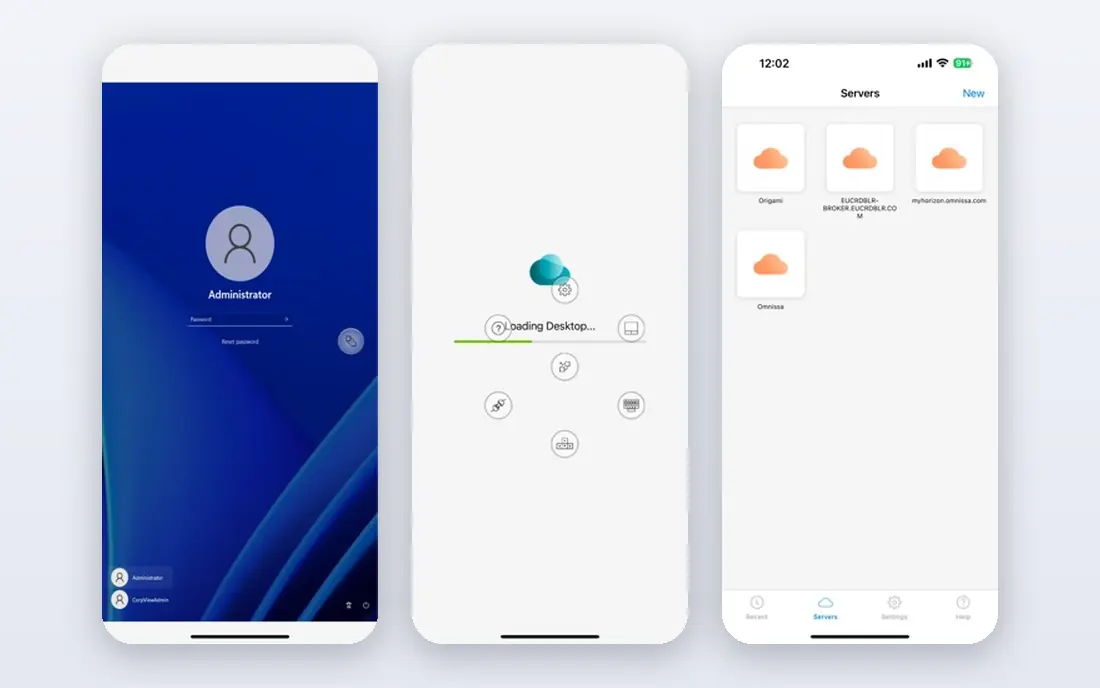
Omnissa Horizon, formerly VMware Horizon, is the most direct enterprise alternative for teams leaving Citrix. It delivers desktops and apps on premises, in Azure, or across multiple clouds, with a single control plane for management. The thin-edge design scales to large user counts per edge, which helps enterprises that run several regions or business units from one platform.
Pricing is subscription-based and quoted by term and user count, so expect a sales conversation and a careful total-cost model that includes compute and storage. Horizon is not a cheap shortcut, and it still needs solid identity, networking, and image management. For large employers that want Citrix-like control without Citrix licensing, it is the first platform to evaluate.
- Hybrid and multi-cloud delivery
- Single console
- Strong enterprise controls
- Subscription pricing via quote
- Still needs cloud compute and storage planning

Azure Virtual Desktop, or AVD, suits organisations already invested in Microsoft, because it runs in your Azure tenant with Entra ID and Microsoft 365 optimisations built in. Multi-session Windows lets several users share one VM, which cuts VM counts for task workers, and autoscaling can power VMs off when idle to control cost. Clients cover Windows, Mac, mobile, and HTML5 browsers.
The trade is responsibility: AVD is customer-managed, so your team patches host VMs, manages images, and watches consumption costs. Pricing is pay-as-you-go for compute and storage, plus per-user licensing, so there is no single fixed list price to budget from. For Microsoft-first teams with Azure skills in house, AVD offers strong control at a fair total cost.
- Multi-session Windows 10 and 11
- Autoscaling
- Deep Microsoft 365 and Entra ID links
- Pay-as-you-go cost needs management
- You maintain host VMs and patching

Windows 365 gives each user a dedicated Cloud PC, managed by Microsoft and administered through Intune, with no host VMs for your team to maintain. That simplicity is the point: pick a size, assign a licence, and the user gets a persistent Windows desktop from almost any device. Pricing is fixed per user per month, starting at the entry size listed above, which makes budgeting straightforward.
The fixed model has limits, since each Cloud PC is one VM for one user, with no multi-session sharing, and OS customisation is narrower than with AVD. Heavy or specialist workloads may need a larger, pricier size. For knowledge workers, contractors, and hybrid teams that want predictable cost and minimal infrastructure work, Windows 365 is an excellent Citrix alternative.
- Fixed per-user monthly price
- Fully managed by Microsoft
- Intune management
- One VM per user, no multi-session
- Less OS customisation than AVD
Amazon WorkSpaces is a managed desktop service for teams already running on AWS, delivering persistent personal desktops or non-persistent pools from AWS regions. Monthly flat-rate billing suits full-time users, while hourly metering with a small base fee suits part-time or seasonal staff. Windows and several Linux options cover most office and development workloads, and management stays with AWS.
Each personal desktop is one VM per user, so there is no multi-session saving for task workers, and VPC, storage, and egress charges sit on top of the desktop price. Teams outside AWS may find the AWS learning curve an extra burden. For AWS-first organisations that want managed desktops without building VDI infrastructure, WorkSpaces is a strong, scalable choice.
- Fully managed service
- Monthly or hourly billing
- Windows and Linux options
- One VM per user
- Network and egress costs add to the total
Parallels RAS, or Remote Application Server, delivers virtual applications and desktops with a simpler management story than Citrix, centred on one console with granular policies. Load balancing, session management, and multi-site configuration come in a single full-featured licence that includes support and training access. It integrates with Azure and AWS, and supports on-premises, hybrid, and cloud deployments.
RAS still requires Windows Server infrastructure, so it is not a fully managed cloud desktop in the Windows 365 sense. Pricing is often quoted, though published figures point to a yearly per-concurrent-user model, so ask for a quote tied to concurrent users rather than named users. For mid-sized teams that want control without Citrix complexity, Parallels RAS is a practical middle path.
- Single licensing model
- Central management console
- Load balancing and multi-site support
- Still needs Windows Server infrastructure
- Quote-based for many buyers
Nutanix Frame delivers desktops and apps through a browser, which suits contractors, students, and frontline staff who should not need a thick client installed. It runs on major public clouds and on Nutanix infrastructure, and administrators can publish apps and desktops without building a traditional VDI stack. That browser-first design also simplifies device support, since almost any modern device can connect.
Pricing is quote-based, so small teams should request a written quote for their user count and workload type. Graphics-heavy work needs careful sizing and a nearby cloud region, or performance will suffer. For teams that prioritise browser access and fast onboarding, Frame is a modern alternative worth a trial.
- Browser-first access
- Runs on major clouds
- Simple app and desktop publishing
- Pricing via quote
- Performance depends on cloud region and workload
Cameyo takes a different approach: instead of a full virtual desktop, it delivers the Windows and internal web apps each user needs, directly in a browser, without a VPN. That app-first model suits schools, small businesses, and enterprises with legacy Windows apps that must reach Chromebooks, Macs, and mobile devices. Setup is simpler than a full VDI build, and security controls keep apps behind a gateway rather than exposing a whole desktop.
Cameyo is not a one-for-one desktop replacement for power users who need a full Windows environment, custom drivers, or heavy local tools. Listed pricing starts at the figure above with a ten-user minimum, so very small teams should confirm current terms. For app delivery at a fair price, Cameyo is one of the simplest Citrix alternatives available.
- Delivers Windows and web apps to any browser
- No VPN needed
- Simple setup
- App-focused, not a full desktop replacement for every user
- Ten-user minimum on listed pricing
Workspot offers a managed enterprise VDI platform with a cloud control plane and desktops running in your cloud or on-premises infrastructure. That managed model reduces the operational burden of running brokers, gateways, and monitoring yourself, while keeping data and workloads where your policies require. Enterprise support and monitoring help larger teams run VDI as a service for internal users.
Pricing is enterprise and quote-based, and the partner and integration ecosystem is smaller than those of Microsoft and AWS. Teams that already standardise on Azure or AWS may prefer a native option for that reason. For enterprises that want a managed VDI platform without building the control plane themselves, Workspot deserves a place on the shortlist.
- Managed control plane
- Hybrid delivery
- Enterprise monitoring and support
- Enterprise pricing via quote
- Smaller ecosystem than Microsoft or AWS options
V2 Cloud suits small businesses, software vendors, and managed service providers that want fully managed virtual desktops without an enterprise project. Desktops are accessible from anywhere, with managed IT services, security, and support included, and GPU-enhanced VMs are available for heavier applications. The entry price listed above is per desktop per month, which is easy to model for a small team.
That per-desktop model means a team with many part-time users should compare it carefully with per-user or hourly options. GPU performance and extra services add cost, so confirm the full monthly figure for your workload. For a small team that wants cloud desktops with minimal administration, V2 Cloud is a refreshingly simple alternative to Citrix.
- Fully managed cloud desktops
- Simple pricing
- Support for software vendors and small teams
- Per-desktop pricing, not per-user at the entry level
- GPU options cost extra
How we picked these
We compared vendor product pages, deployment documentation, and recent comparison data, and we kept only platforms that deliver virtual desktops, virtual apps, or both, and are live today. Each option had to support remote access from common devices, offer central management, and fit a clear buyer: enterprise, Microsoft-first, AWS-first, or small business. We excluded remote-support tools that do not deliver managed desktops, since they solve a different problem.
We also treated pricing honestly, because VDI pricing is rarely a single number. Where a vendor quotes by term, size, or consumption, we wrote See website rather than inventing a comparable figure. Model your total cost, including compute, storage, licensing, networking, and management time, before choosing, and pilot with your real applications.
How to migrate from Citrix without disruption
Start with an inventory: which apps, which users, and which devices depend on Citrix today, and which of those are business-critical. Pilot the shortlisted platform with one department and its heaviest applications, including printing, USB devices, and single sign-on, before promising a company-wide date. A pilot that only tests email will miss the problems that appear with specialist software.
Match persistence to the user
Persistent desktops suit knowledge workers who customise their environment, while non-persistent pools suit task workers, call centres, and shared devices. Mixing both models in one platform, where offered, often beats forcing every user into one type. Check licence terms for multi-session pools, since some licences restrict persistence in ways that affect cost.
Plan identity, networking, and licensing early
Identity integration, MFA, network capacity, and Windows licensing decide whether a migration feels smooth or painful. Confirm how each platform handles Entra ID or Active Directory, conditional access, and existing Microsoft or AWS agreements. Licensing surprises, especially around multi-session use and per-user versus per-device models, are the most common cause of budget overruns.
Run both systems in parallel
Run the new platform alongside Citrix for at least one full business cycle, with a rollback plan if a critical app fails. Migrate in waves by department, not in one big cutover, and keep helpdesk scripts ready for the first week of each wave. A calm migration with a fallback beats a fast migration that leaves users locked out.
Frequently asked questions
What are the best vdi alternatives to citrix?
Omnissa Horizon is the closest enterprise replacement, Azure Virtual Desktop suits Microsoft teams, and Windows 365 suits teams that want fixed pricing. Amazon WorkSpaces suits AWS teams, while Parallels RAS, Cameyo, and V2 Cloud suit smaller teams. The best choice depends on deployment, workload, and existing cloud agreements.
What are the alternatives to citrix for vdi in a small business?
V2 Cloud and Cameyo are strong small-business picks, with simpler setup and clearer pricing than enterprise platforms. Windows 365 also suits small teams that want a fixed per-user price and no infrastructure to maintain. Start with a trial on your most important application, and check per-user versus per-desktop pricing for your team size.
Is Azure Virtual Desktop cheaper than Citrix?
It can be, especially where multi-session Windows and autoscaling cut VM counts, but total cost depends on Azure consumption, storage, and licensing. AVD has no single fixed price, so model compute, storage, and per-user costs for your actual usage pattern. A pilot with real workloads gives a far better cost estimate than a headline price comparison.
Can I run Windows apps in a browser without a full desktop?
Yes. Cameyo and Nutanix Frame both deliver apps through a browser, which suits contractors and Chromebook users who only need specific applications. Browser app delivery is lighter than a full desktop, but it does not replace a full Windows environment for power users. Test your heaviest app in a browser pilot before committing.
Do I need to replace Citrix all at once?
No. Most teams migrate in waves, starting with one department or one application group, while Citrix runs in parallel. A phased migration lets you fix printing, USB, and identity issues on a small scale first. Keep a rollback plan for each wave, and only retire Citrix once the new platform has handled a full business cycle.
What should I check before signing a VDI contract?
Check pricing units, contract term, renewal terms, and what happens to data and images at exit. Confirm support hours, service levels, and whether implementation help is included or billed separately. Ask for a written total-cost model that includes compute, storage, licensing, networking, and management time for your user count.
Sources
See where you really rank - block by block
ProMapRanker scans Google Maps across a grid of your service area. Simple monthly plans from $19, white-label on every plan.
Start freeKeep reading
 zscaler alternatives
Best Zscaler Alternatives in 2026
Looking for zscaler alternatives? We compare 9 SASE and zero trust platforms on architecture, data protection, pricing, and fit for your network and team.
Read → zapier alternatives free
Best Zapier Alternatives Free in 2026
Nine automation tools for zapier alternatives free in 2026, all with genuinely free tiers, plus free plan limits, starting prices and upgrade paths explained.
Read → which platform is best for online reputation
Which Platform Is Best for Online Reputation in 2026
Wondering which platform is best for online reputation? We compare 8 review, listing, and response tools for small and multi-location businesses and agencies.
Read →