 ProMapRanker
Citrix Alternatives in 2026

Key takeaways
- Omnissa Horizon is the closest enterprise replacement for Citrix virtual desktops and apps.
- Azure Virtual Desktop and Windows 365 suit teams already committed to Microsoft cloud and licensing.
- Parallels RAS and TSplus suit teams that want simpler deployment and lower licensing complexity.
- V2 Cloud, Kasm Workspaces, and Inuvika suit smaller teams, browser-first work, or mixed Windows and Linux needs.
- Pricing for most enterprise options is quote-based, so compare license, hosting, and support costs together.
Quick comparison
| Pick | Great for | Pricing starts at | Free tier | |
|---|---|---|---|---|
 Omnissa Horizon | Enterprise VDI replacement | See website | No | Visit |
 Azure Virtual Desktop | Microsoft cloud teams | See website | No | Visit |
 Parallels RAS | Simpler VDI and app delivery | See website | Free trial | Visit |
 Windows 365 | Cloud PCs for Microsoft 365 users | See website | Free trial | Visit |
 TSplus Remote Access | Low-cost app publishing | See website | Free trial | Visit |
 V2 Cloud | Small team desktop as a service | See website | Free trial | Visit |
 Kasm Workspaces | Browser-based workspaces | See website | Free trial | Visit |
 Inuvika OVD Enterprise | Mixed Windows and Linux delivery | See website | Free trial | Visit |
The best Citrix alternatives
Citrix delivers virtual desktops and apps to users on any device, with centralized management and security controls. Teams look for alternatives when licensing costs rise, deployment feels complex, or a simpler cloud model fits better. The platforms below cover that job in different ways, from enterprise VDI to browser-based desktops and cloud PCs.
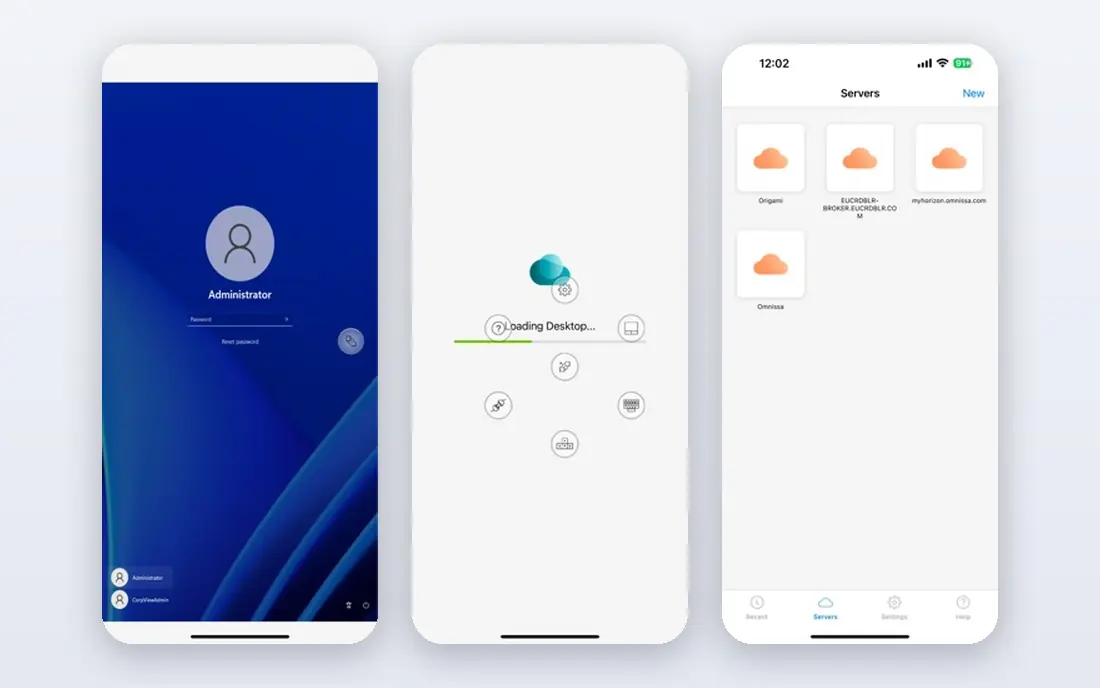
Omnissa Horizon is our pick for enterprises that want the closest Citrix replacement. Formerly VMware Horizon, it delivers virtual desktops and apps from on-premises infrastructure, private cloud, or hybrid setups, with centralized management, monitoring, and scaling. IT teams that already run VMware infrastructure often find the transition smoother than moving to a wholly different model.
The trade-off is enterprise effort. Horizon needs capacity planning, image management, and licensing discussions, so it suits teams with IT staff and a clear VDI strategy. Smaller teams may find it more platform than they need. For a large organization replacing Citrix desktops at scale, Horizon is the first alternative to evaluate.
- Closest enterprise match for Citrix VDI
- On-premises, hybrid, and cloud delivery
- Broad client support
- Enterprise pricing and planning effort
- Needs infrastructure planning for large rollouts
Azure Virtual Desktop suits organizations already using Microsoft 365, Entra ID, and Azure. It delivers Windows desktops and apps from Azure, with multi-session support that can lower cost for shared workloads, and it scales up or down with demand. Teams that already manage Azure resources can fold virtual desktops into the same governance and monitoring.
Azure costs need active management. Compute, storage, and networking charges sit alongside licenses, so a poorly sized deployment can cost more than expected. Licensing also depends on your existing Microsoft agreements, so check entitlements before estimating. For Microsoft-centered IT teams, Azure Virtual Desktop is a natural Citrix alternative.
- Native Azure integration
- Multi-session Windows support
- Flexible scaling in Azure
- Requires Azure planning and cost management
- Licensing depends on existing Microsoft agreements
Parallels RAS suits IT teams that want VDI and app publishing without Citrix complexity. It delivers Windows desktops and apps to users on many devices, works across hypervisors, and can run on-premises, in private cloud, or on Azure and AWS. Its single console for apps and desktops keeps day-to-day management simpler than a multi-product stack.
The ecosystem is smaller than Microsoft or Omnissa, so teams with deep VMware or Azure investments should check integrations first. For small and mid-size organizations, schools, and healthcare teams that need reliable app delivery at a manageable cost, Parallels RAS is a strong Citrix alternative to trial.
- Simpler deployment than Citrix
- Hypervisor-independent
- App and desktop delivery in one console
- Smaller ecosystem than Horizon or Azure
- Enterprise features need plan review
Windows 365 suits teams that want a cloud PC without building VDI infrastructure. Each user gets a personal Windows PC in the cloud, accessible from any device, with a predictable per-user price and Microsoft 365 integration. Onboarding is simpler than a full VDI project, because there is no host pool sizing or image farm to manage in the same way.
The limit is flexibility and scale cost. A per-user fee for every worker can exceed a shared VDI model for large, shift-based teams, and customization options are narrower than Azure Virtual Desktop. For knowledge workers, contractors, and hybrid teams that need a standard Windows PC quickly, Windows 365 is an easy Citrix alternative.
- Simple per-user cloud PC model
- Familiar Windows experience
- Microsoft 365 integration
- Per-user monthly cost adds up at scale
- Less VDI customization than Horizon or Azure Virtual Desktop
TSplus Remote Access suits small and mid-size teams that want to publish Windows apps and desktops at a lower cost. It offers HTML5 browser access, so users can open apps without installing a client, and its licensing model avoids some of the extra client access license costs linked to Citrix and Microsoft remote desktop setups. Deployment is also faster for simple use cases.
Enterprise depth is the trade-off. Large organizations with complex security, compliance, and multi-site needs should compare its management, monitoring, and support against Horizon and Azure Virtual Desktop. For a small business replacing Citrix for a modest user count, TSplus is a practical, budget-friendly alternative.
- Lower licensing cost than Citrix
- Perpetual licensing options
- HTML5 browser access
- Less enterprise depth than Horizon
- Support and scale need review for large deployments
V2 Cloud suits small businesses that want desktop as a service without running servers. It provides managed Windows desktops with business applications, accessible from any device, with a focus on speed and simplicity. That managed model removes much of the infrastructure work that makes VDI daunting for a small IT team.
Control is the limit. Teams that need deep customization, on-premises hosting, or complex app virtualization may find a managed service restrictive. Counting installations and users carefully matters for cost, because plans follow that model. For a small team that wants a working desktop service quickly, V2 Cloud is a strong Citrix alternative.
- Fully managed desktop service
- Simple setup for small teams
- Office and business apps included in plans
- Less control than self-hosted VDI
- Per-installation pricing needs careful counting
Kasm Workspaces suits teams that want workspaces streamed to a browser, with strong isolation for secure work. It supports desktop as a service, app streaming, and secure browser isolation, and it can run in public cloud, private cloud, on-premises, or hybrid setups. Developers, support teams, and secure-work use cases often value that flexibility.
Self-hosting needs technical skill, including capacity planning and, for Windows workloads, licensing review. Teams that want a fully managed service may prefer V2 Cloud or Windows 365. For technical teams that want browser-first access and control over deployment, Kasm is a distinctive Citrix alternative.
- Browser-native streaming
- Linux and Windows workspace options
- Strong isolation for secure browsing
- Needs technical setup for self-hosting
- Windows licensing and capacity need planning
Inuvika OVD Enterprise suits organizations with mixed Windows and Linux needs. Its Linux-based platform delivers Windows and Linux applications and desktops from a central system, with management tools for admins and browser-based access for users. In some setups it can reduce Microsoft licensing needs compared with a traditional Citrix plus remote desktop stack.
The vendor is smaller than Omnissa, Microsoft, or Parallels, so large enterprises should review support, roadmap, and reference customers carefully. For public sector, education, and mid-size teams with mixed operating systems, Inuvika offers a cost-conscious Citrix alternative that is worth a trial.
- Delivers Windows and Linux apps and desktops
- Linux-based platform
- Fewer Microsoft licenses in some setups
- Smaller vendor presence than major rivals
- Enterprise support needs review
How we picked these
We compared desktop and app delivery, deployment models, client support, security controls, and pricing transparency, using vendor pages and published comparisons of Citrix DaaS alternatives. We kept only platforms that are live in October 2026 and that deliver desktops, apps, or both to remote users. We did not claim hands-on testing. Where enterprise pricing was quote-based, we wrote See website rather than repeating third-party estimates as vendor prices.
How to choose a Citrix alternative
Start with your delivery model. If you need full enterprise VDI on your own infrastructure, shortlist Omnissa Horizon and Parallels RAS. If you want cloud delivery, shortlist Azure Virtual Desktop, Windows 365, and V2 Cloud. If you mainly publish a few apps, TSplus and Inuvika may be enough. Next, count your real users, including contractors and shift workers, and check whether a per-user, per-installation, or shared-session model costs less for that pattern. Then trial the top two with your actual apps, including any legacy or graphics-heavy software, and test printing, file access, and authentication. A trial with real apps and real network conditions shows performance and support quality better than any feature list.
Frequently asked questions
What are the best alternatives to Citrix?
Omnissa Horizon is the closest enterprise replacement, while Azure Virtual Desktop and Windows 365 suit Microsoft-centered teams. Parallels RAS suits simpler VDI, TSplus suits low-cost app publishing, and V2 Cloud, Kasm Workspaces, and Inuvika suit smaller or browser-first needs.
What is the cheapest alternative to Citrix?
TSplus, V2 Cloud, and Inuvika are often cited for lower cost than Citrix, but the cheapest option depends on user count, hosting, and licensing. Compare total cost, including licenses, hosting, and support, for your exact user count, rather than judging on license price alone.
Can I replace Citrix with Azure Virtual Desktop?
Yes, if your team already uses Azure and Microsoft 365. Azure Virtual Desktop delivers Windows desktops and apps from Azure with multi-session support. Plan compute and storage costs carefully, and check your Microsoft licensing entitlements before estimating the total.
Is Windows 365 a good Citrix alternative?
Windows 365 suits teams that want a simple cloud PC per user without building VDI infrastructure. It is less flexible than Azure Virtual Desktop or Horizon for shared or highly customized workloads, and per-user costs add up at large scale, so trial it for your worker types first.
Do Citrix alternatives work on any device?
Most platforms on this list support Windows, Mac, web browsers, and mobile clients, though exact client support varies. Check the client list for your devices, including Chromebooks and tablets, and test your key apps on the devices your users actually use.
How hard is it to migrate from Citrix?
Migration effort depends on app complexity, user count, and whether you keep existing images and policies. Simple app publishing moves quickly, while full VDI migrations need image rebuilds, profile migration, and user testing. Run a pilot group first, compare performance and support tickets, and only then migrate the wider workforce.
Sources
See where you really rank - block by block
ProMapRanker scans Google Maps across a grid of your service area. Simple monthly plans from $19, white-label on every plan.
Start freeKeep reading
 who has the best home internet service
Who Has the Best Home Internet Service in 2026
Who has the best home internet service in 2026? Compare fiber, cable, and 5G providers on speed, price, data caps, and availability at your address today.
Read → visio alternatives
Best Visio Alternatives in 2026
Compare 9 Visio alternatives for flowcharts, org charts, and network diagrams, with free plans, pricing, and the best pick for teams and solo users in 2026.
Read → top 10 logistics software
Top 10 Logistics Software in 2026
We compared the top 10 logistics software tools for transport, warehousing, visibility and shipping, for shippers, carriers and 3PL teams in 2026 today.
Read →