 ProMapRanker
Best Chatwoot Alternatives in 2026

Key takeaways
- Chatwoot is an open-source customer messaging platform with a shared inbox across live chat, email, WhatsApp, and social channels, and it can be self-hosted.
- Zammad and FreeScout are the closest open-source replacements, while Intercom, Zendesk, and Freshdesk suit teams that want a fully hosted helpdesk.
- Tawk.to and FreeScout suit very small budgets, while Intercom and Zendesk suit larger teams that need automation and reporting depth.
- Check channel coverage carefully: WhatsApp, Instagram, and SMS support varies by plan, and some tools charge extra for those channels.
Quick comparison
| Pick | Great for | Pricing starts at | Free tier | |
|---|---|---|---|---|
 Intercom | Conversational support | See website | No | Visit |
 Zendesk | Full helpdesk depth | See website | Free trial | Visit |
 Freshdesk | Email-first support | See website | Free trial | Visit |
 Crisp | Small-team live chat | See website | Free trial | Visit |
 Tidio | Chat and automation | See website | Free trial | Visit |
 LiveChat | Website live chat | See website | Free trial | Visit |
 Help Scout | Email and docs support | See website | Free trial | Visit |
 Zammad | Open-source helpdesk | See website | Yes | Visit |
 FreeScout | Light self-hosted inbox | See website | Yes | Visit |
 Tawk.to | Free live chat | Free | Yes | Visit |
The best chatwoot alternatives
Chatwoot is known for its open-source shared inbox, which brings live chat, email, WhatsApp, and social messages into one place for support agents. We compared official feature pages, pricing pages, and public reviews, and we kept only tools that offer a shared inbox, live chat, or helpdesk workflow that can replace that core job.

Intercom suits teams that treat support as a conversation, not a ticket queue. Its inbox, chat, automation, and AI tools help a team answer common questions fast, route complex cases to humans, and follow up with customers in product. For a growing SaaS team, that conversational model often feels more natural than a traditional helpdesk.
The catch is cost and complexity. Intercom pricing depends on seats, contacts, and AI usage, so a small team should model a realistic month before committing. It is also more platform than a team needs if the main job is simple email replies and a basic chat widget.
- Strong conversational support and automation
- Rich customer messaging and AI tools
- Wide integrations
- Pricing can rise quickly with seats and AI usage
- Less suited to a simple email-only workflow
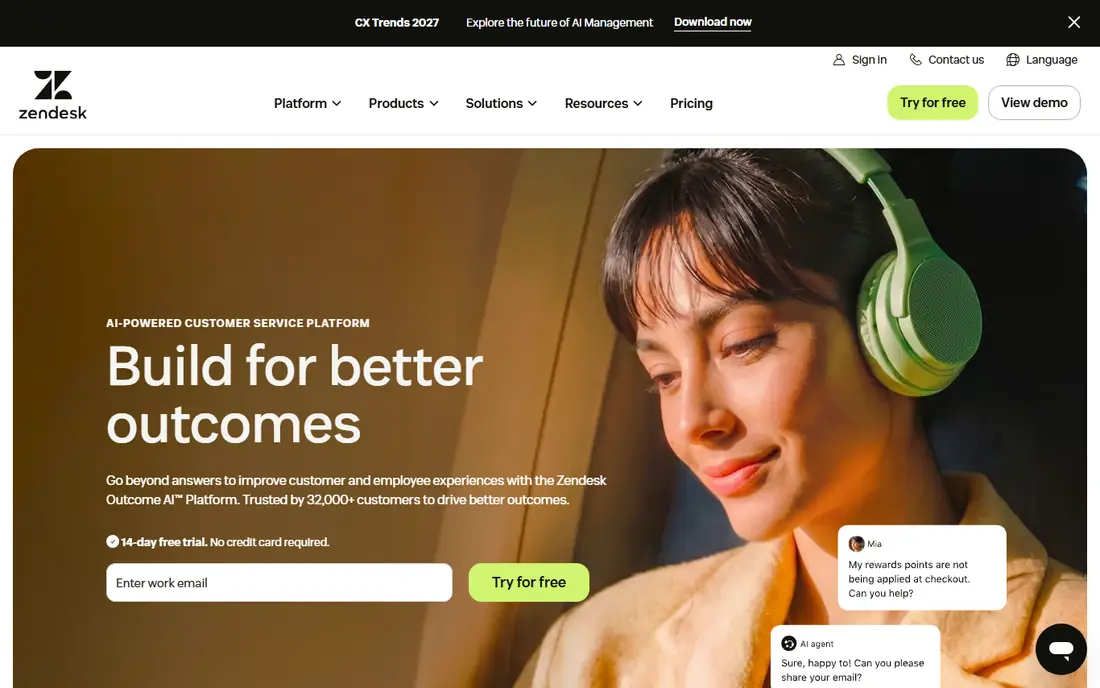
Zendesk is the safe enterprise pick for teams that need a full helpdesk, not only a chat widget. It handles email, chat, phone, and social tickets in one system, with automation, macros, reporting, and a large app marketplace. For a support team with SLAs, multiple departments, and complex routing, that depth is hard to match.
The trade-off is weight. Zendesk takes admin time to set up well, and advanced features sit on higher plans, so a small team may pay for depth it does not use. If the main need is a shared inbox with live chat, a lighter tool may ship faster and cost less.
- Deep ticketing, automation, and reporting
- Wide channel and app ecosystem
- Strong enterprise options
- Setup and admin time can be high
- Pricing rises with advanced channels and AI features
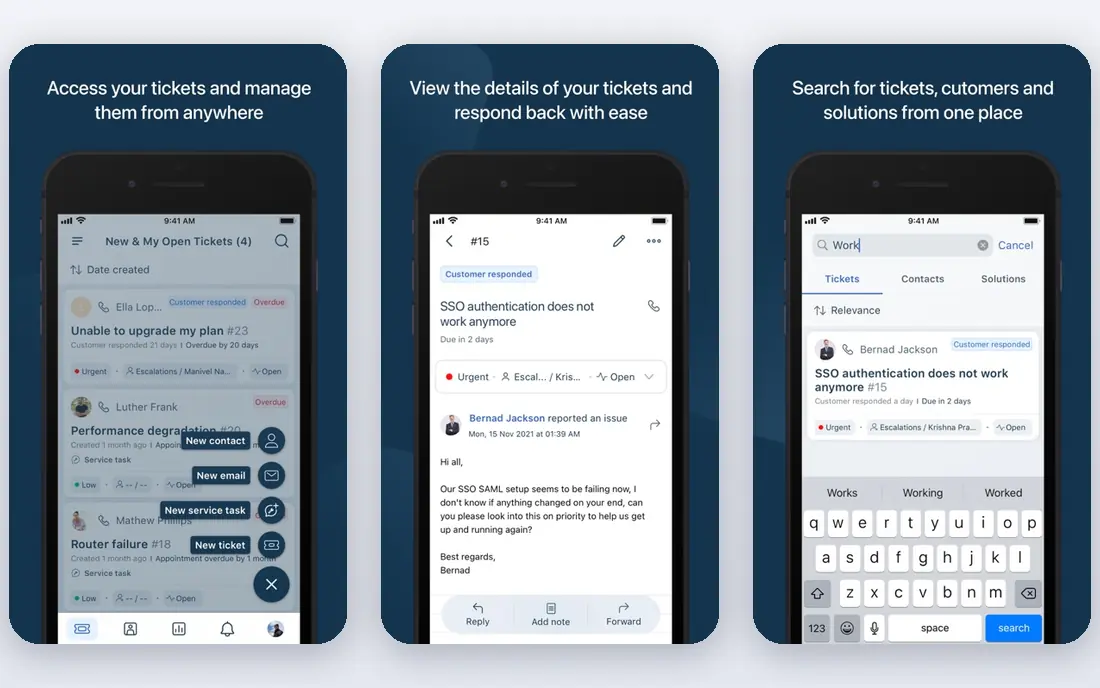
Freshdesk suits teams that still run support mainly by email but want chat and social channels in the same inbox. Its ticketing, automation, canned responses, and knowledge base cover the daily work of a support team without the enterprise weight of Zendesk. Pricing is also easier to understand for a mid-size team.
The honest limit is channel depth. Some messaging channels and advanced automation sit on higher plans, so a team that needs WhatsApp and Instagram on the entry plan should check the plan table carefully. For email-first teams, though, Freshdesk is a balanced and proven choice.
- Clear ticketing and email workflow
- Automation and knowledge base included
- Good mid-market balance
- Omnichannel messaging can require higher plans
- AI features vary by tier
Crisp is a favourite for small teams that want a clean chat widget and a shared inbox without enterprise setup. It covers live chat, email, and messaging channels, adds a knowledge base and basic automation, and keeps the agent interface simple. For a startup or small business, that simplicity means faster onboarding and fewer admin hours.
Crisp is less suited to a large support operation with complex SLAs and reporting needs. It also gates some channels and features by plan, so check the exact channel list for the team size in mind. For small-team chat, however, it is one of the easiest tools on this list to run.
- Clean live chat and shared inbox
- Good for small teams and startups
- Useful knowledge base and automation
- Larger helpdesk depth is thinner than Zendesk
- Some channels need higher plans
Tidio suits small businesses that want chat and simple automation in one widget. Its live chat, chatbot flows, and visitor tools help a team answer common questions, capture leads, and support shoppers without hiring a large support team. Ecommerce teams in particular like its store integrations and prebuilt flows.
The limit is helpdesk depth. Tidio is not a full ticketing system for a large support team, and its chatbot limits should be checked against real conversation volume. For a small team that needs chat first and tickets second, it is a practical and affordable pick.
- Live chat plus chatbot automation
- Easy widget setup
- Good for ecommerce and small businesses
- Helpdesk depth is limited
- Chatbot usage limits vary by plan
LiveChat is the specialist pick for website chat done well. Its agent tools, canned responses, chat routing, and reporting are mature, and its widget is reliable across devices. Teams that get most support requests through their website will appreciate that focus, and its integrations cover common helpdesk and CRM tools.
The catch is scope. LiveChat is primarily a website chat tool, not a full omnichannel inbox with the same depth for WhatsApp, Instagram, and email on every plan. Teams that need all channels in one place should compare it with Intercom or Crisp before choosing on chat quality alone.
- Mature live chat with strong agent tools
- Good reporting and integrations
- Reliable widget performance
- Focus is website chat rather than full omnichannel inbox
- Pricing is per agent
Help Scout suits teams that want support to feel personal and email-led, with docs as a first line of defence. Its shared inbox, saved replies, and knowledge base help a small team handle email well, and its interface is calmer than a large enterprise helpdesk. For a business where most customers write in by email, that focus is a strength.
The trade-off is messaging depth. Help Scout does not match Chatwoot or Intercom on WhatsApp, Instagram, and other messaging channels, so a social-led team should check channel coverage first. For email and docs, though, it remains a clean and well-liked option.
- Clean shared inbox for email
- Strong docs and knowledge base
- Good for small and mid-size teams
- Live chat and messaging depth is thinner than chat-first tools
- Pricing is per user
Zammad is the closest open-source helpdesk replacement for Chatwoot when ticketing matters more than chat alone. Its community edition is free to self-host, its agent interface is modern and clean, and it includes a knowledge base, SLA management, and AI-assisted summaries on current versions. Teams that want data control without per-agent fees often shortlist it first.
Self-hosting is also its main cost. A team must handle servers, upgrades, backups, and security, which can outweigh licence savings if no one owns that work. Zammad suits technical teams that already run self-hosted tools and want a polished helpdesk without a monthly per-agent bill.
- Free community edition with self-hosting
- Modern agent interface
- Knowledge base and SLA management
- Self-hosting needs admin time
- Some enterprise features sit on paid plans
FreeScout is the lightest self-hosted option here, and that lightness is its appeal. It runs on basic PHP and MySQL hosting, offers unlimited agents and mailboxes in its community form, and covers the core shared inbox job: assign, reply, and track email conversations. For a tiny team or a side project, that low footprint is hard to beat.
The limit is scope. FreeScout is an email shared mailbox first, not a full omnichannel platform with WhatsApp, Instagram, and live chat at the same depth as Chatwoot. Teams that need those channels should treat FreeScout as an email solution, or pair it with a separate chat tool.
- Very light self-hosted shared mailbox
- Unlimited agents and mailboxes in community use
- Runs on basic hosting
- Narrower feature set than Zammad or Chatwoot
- Modules and integrations vary by edition
Tawk.to is the budget pick for a team that needs live chat and cannot yet justify a paid inbox. Its core live chat is free, with a widget, agent apps, and basic visitor tools, which makes it an easy first step for a small website. Many small businesses start here and only move to a paid helpdesk when ticket volume grows.
The honest catch is depth and branding. Some features are paid add-ons, and the free widget carries Tawk.to branding unless a paid option is used. It is also a chat tool first, not a full omnichannel helpdesk, so teams that need email, WhatsApp, and social in one inbox should compare it with Zammad or Crisp.
- Free live chat with no per-agent fee in its core offer
- Simple widget and agent apps
- Useful for very small teams
- Paid add-ons for some features and for removing branding
- Helpdesk depth is limited
How we picked these
We compared official feature pages, pricing pages, and public reviews for customer messaging and helpdesk tools, and we kept only tools with a shared inbox, live chat, or ticketing workflow that can replace Chatwoot core work. We did not include Chatwoot itself, and we included both open-source and hosted options so readers can choose between data control and managed convenience. Prices are shown as See website where the vendor does not publish a single standard price for the relevant plan.
What to check before you switch
List the channels customers actually use, then check each tool plan for those channels. WhatsApp in particular often needs a separate business number, template approval, and per-message costs that do not appear in the headline seat price. Also check migration: export contacts, conversation history, canned responses, and automation rules before moving, and run both systems in parallel during a quiet week.
Self-hosted or hosted
Self-hosted tools such as Zammad and FreeScout remove per-agent fees but add server, upgrade, and security work. Hosted tools remove that work but charge per agent and may limit channels by plan. Choose based on who will own the system in six months, not only on the first month price.
Frequently asked questions
What is the best open-source Chatwoot alternative?
Zammad is the strongest open-source helpdesk replacement, with a modern interface, knowledge base, and SLA tools. FreeScout suits teams that want a lighter email-only shared inbox on basic hosting.
Is there a free Chatwoot alternative?
Tawk.to offers free live chat, and FreeScout and Zammad offer free community editions for self-hosting. Free options cover the basics well, but paid plans add channels, automation, and support.
Which Chatwoot alternative is best for WhatsApp support?
Intercom, Zendesk, Freshdesk, and Crisp all support WhatsApp on some plans, but setup and costs vary. Check the exact plan, template rules, and per-message charges before choosing, since WhatsApp support is rarely free at scale.
Do I need to self-host to replace Chatwoot?
No. Most teams replace Chatwoot with a hosted helpdesk such as Intercom, Zendesk, or Freshdesk, and only technical teams with data control needs choose self-hosting. Hosted tools trade per-agent cost for less admin work.
Can I migrate conversations from Chatwoot?
Migration depends on the target tool. Most helpdesks support contact and ticket imports, but full conversation history, attachments, and automation rules may need manual rebuilding. Export data before cancelling, and test a small import first.
Sources
See where you really rank - block by block
ProMapRanker scans Google Maps across a grid of your service area. Simple monthly plans from $19, white-label on every plan.
Start freeKeep reading
 zyte alternatives
Best Zyte Alternatives in 2026
These zyte alternatives cover managed scraping APIs, proxy networks and no code tools for lawful collection from your own or consented sources only in 2026.
Read → zerto alternatives
Best Zerto Alternatives in 2026
Compare the best zerto alternatives for disaster recovery and replication, with recovery targets, cloud options and honest trade-offs for teams in 2026.
Read → zerofox alternatives
Best ZeroFox Alternatives in 2026
We compared 9 zerofox alternatives for brand protection, phishing takedowns, dark web monitoring, and social impersonation, with clear coverage notes.
Read →