 ProMapRanker
Best CCH iFirm Alternatives in 2026


Collaboration-heavy accounting firms · Pricing starts at: $59 per user per month
Key takeaways
- CCH iFirm is Wolters Kluwer practice management for accountants, so the closest replacements combine workflow, client portal, documents, and billing.
- Karbon suits collaboration-heavy firms, TaxDome suits tax-volume firms wanting one portal, and Canopy suits tax resolution work.
- Budget firms should start with Financial Cents, Uku, or Jetpack Workflow, which cover core workflow at lower entry prices.
- TaxDome bills annually with no monthly option in the comparisons we reviewed, so check billing terms, not just the headline monthly figure.
Quick comparison
| Pick | Great for | Pricing starts at | Free tier | |
|---|---|---|---|---|
| Karbon | Collaboration-heavy accounting firms | $59 per user per month | No | Visit |
 TaxDome | Tax and accounting firms wanting one portal | $800 per seat per year | No | Visit |
 Canopy | Tax practices and tax resolution specialists | $74 per user per month | No | Visit |
 Financial Cents | Small firms wanting simple workflow fast | $19 per month | No | Visit |
 Jetpack Workflow | Firms needing recurring task tracking only | $40 per user per month | No | Visit |
 Uku | Small firms watching profitability and workflow | $19 per member per month | No | Visit |
 Xero Practice Manager | Firms already running on Xero | See website | No | Visit |
 QuickBooks Online Accountant | Firms already using QuickBooks | See website | No | Visit |
 Aero Workflow | Firms wanting a simple, stable workflow core | See website | No | Visit |
The best cch ifirm alternatives
CCH iFirm, from Wolters Kluwer, helps accounting firms manage clients, work, documents, and deadlines in one system. The alternatives below cover the same practice management ground, but they differ in how much they include, how they handle tax work, and how they price. We compared them on workflow, client portal, document handling, billing, and fit for firm size.

Karbon is built around the way accounting work actually arrives, which is often by email. Tasks, client work, and team comments connect to email threads, so work does not get lost between inboxes and spreadsheets. Team visibility is a clear strength, since managers can see who owns each job, what is overdue, and where bottlenecks form.
Karbon is not the cheapest option, with Team pricing near 59 dollars per user per month billed annually in recent comparisons, and billing is included but the total still grows with headcount. Firms that need a client mobile app or a simpler setup may prefer a lighter tool. For a growing firm where collaboration is the main pain, Karbon is still the benchmark many rivals are measured against.
- Email-driven collaboration
- Strong team visibility
- Client portal and billing
- Price rises with team size
- No client mobile app in some comparisons
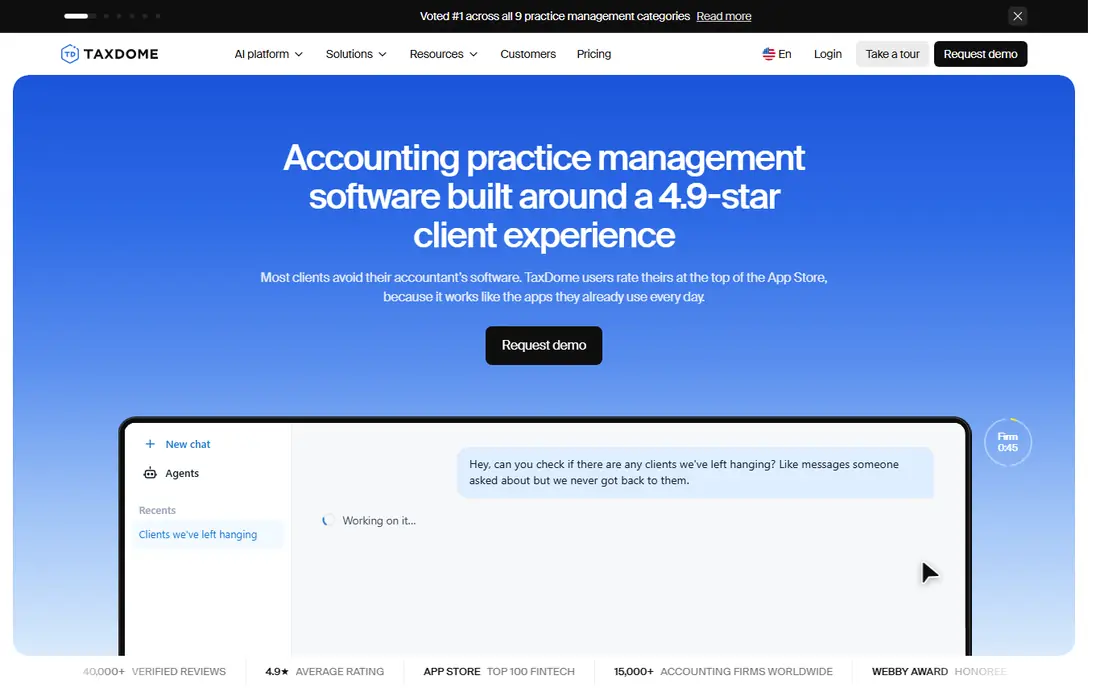
TaxDome appeals to firms that want one login for clients, documents, workflow, and payments. Clients upload documents through a branded portal, sign, and pay, while staff track jobs with automations and recurring workflows. The firm and client mobile apps help during tax season, when clients need to send documents quickly from a phone.
The main caution is billing and learning time. TaxDome pricing near 800 dollars per seat per year is billed annually in recent comparisons, with no monthly option, so cash flow planning matters. The breadth that makes it powerful also means setup takes longer than a simple workflow tracker. For tax-volume firms, that investment usually pays back in fewer chasing emails and missed deadlines.
- All-in-one portal, documents, and billing
- Firm and client mobile apps
- Advanced automations
- Annual-only billing in recent comparisons
- Broad feature set takes time to learn

Canopy combines CRM, workflow, documents, billing, and a client portal, with a particular strength in tax resolution work. Firms that handle IRS issues, payment plans, and client communications around tax debt will find tools built for that workflow, rather than a generic task list. The client mobile app also helps clients stay in touch during long cases.
Canopy pricing is modular, so the headline Standard price near 74 dollars per user per month billed annually may not be the final total once add-on billing modules are included. Firms should price the exact modules they need before comparing Canopy against an all-in-one rival. For tax-heavy practices, the fit can still justify the extra pricing work.
- Strong tax resolution tools
- CRM, workflow, documents, and portal
- Client mobile app
- Modular pricing can raise the real total
- Complex pricing structure
Financial Cents is the fastest way for a small firm to get organised without a long implementation. Solo pricing near 19 dollars per month gives workflow tracking, a client portal, and document collection in a simple layout. A one to three person firm can set up recurring jobs, see deadlines at a glance, and stop relying on spreadsheets within days rather than weeks.
The limits show as a firm grows. Invoicing is basic, and larger firms may need deeper billing, reporting, or automation than Financial Cents offers. That is a fair trade for the price and simplicity, and many small firms stay happy on it for years. If you expect rapid growth past 20 staff, shortlist a larger platform as well.
- Low Solo entry price
- Simple workflow tracking
- Client portal and document collection
- Basic invoicing
- Limited scale for larger firms
Jetpack Workflow does one job well, which is tracking recurring accounting jobs and deadlines. Firms that already have a separate portal, document system, or billing tool will appreciate its focus, since staff can see what is due, who owns it, and what is overdue without wading through features they do not use. It is easy to learn, which helps during busy season onboarding.
Jetpack is not an all-in-one replacement for CCH iFirm on its own. It has no dedicated client portal and limited billing, so firms that want clients to upload documents and pay in one place will need another tool alongside it. Choose Jetpack when workflow clarity is the gap, not when you need a full client suite.
- Clear recurring job tracking
- Simple to learn
- Good deadline visibility
- No dedicated client portal
- Limited billing and document depth
Uku gives small and growing firms a single source of truth for team work, with workflow, billing, and a client portal included even on lower tiers. Solo pricing near 19 dollars per member per month billed annually makes it one of the cheapest ways to get that combination. Profitability views help owners see which services and clients actually make money, not just which jobs are done.
Uku is less proven as a US tax-prep-first document platform than TaxDome or Canopy, so tax-volume firms should test document collection and deadline handling carefully. Its brand is also smaller in the US, which can matter for accountant referrals. For advisory, bookkeeping, and general practice work, it offers strong value for the price.
- Low Solo entry price
- Workflow, billing, and portal in one place
- Profitability views
- Less suited to US tax-prep-first document platforms
- Smaller brand presence
Xero Practice Manager makes sense for firms already running client books on Xero. It is included with Xero partner plans in many cases, and it covers job tracking, time, invoicing, and client jobs without a separate subscription. Staff who already live in Xero will find the workflow familiar, and client data flows between practice and bookkeeping work.
The limit is depth. Practice Manager does not match Karbon or TaxDome on workflow automation, client portal breadth, or document handling, so firms that need those features will outgrow it. It is a good starting point for Xero firms, and a sensible holding choice while you decide whether a dedicated practice platform is worth the extra cost.
- Included with Xero partner plans
- Job and time tracking
- Xero ecosystem fit
- Practice depth is thinner than dedicated rivals
- Best only inside Xero
QuickBooks Online Accountant suits firms whose clients already run on QuickBooks Online. It gives accountants a dashboard for client books, collaboration tools, and billing integration, with per-client pricing rather than a flat practice subscription. For a firm that mainly does bookkeeping and advisory on QuickBooks, that fit is hard to beat.
As a full practice management replacement, it falls short. Workflow features are basic, and firms that need recurring job automation, document chasing, and a branded client portal will need another tool. Use it as the bookkeeping hub for QuickBooks clients, and add a dedicated workflow tool if practice operations become the bottleneck.
- Strong QuickBooks billing integration
- Client collaboration tools
- Per-client pricing model
- Weak practice management depth
- Limited workflow automation
Aero Workflow appeals to firms that want a dependable workflow core without the complexity of a full suite. Recurring tasks, job tracking, and team visibility cover the daily needs of a small to mid-size firm, and staff adoption is usually quick because the interface stays focused. That simplicity is valuable during tax season, when new staff need to be productive fast.
Aero is not the pick for firms that want a branded client portal, advanced billing, and document management in one login. Pricing is also not always published, so request a quote and compare it against Financial Cents and Jetpack Workflow. For firms that already have portal and billing covered elsewhere, Aero is a steady workflow choice.
- Simple and stable workflow
- Recurring tasks
- Easy team adoption
- Pricing not published on all pages
- Narrower feature set than all-in-one rivals
How we picked these
We compared official feature and pricing pages for practice management tools, plus independent firm software comparisons published in 2026. We kept only tools that manage client work, deadlines, and team tasks for accounting firms, and that are actively sold today. We left out generic project tools and tax preparation software alone, since neither replaces the practice management role of CCH iFirm.
What to check before you switch practice software
Start by mapping your current workflow, not by copying a vendor demo. List your recurring services, deadlines, document types, approval steps, and billing rules, then test those exact workflows in a trial. A tool that looks clean in a demo can still fail on your tax season document chasing, your review chain, or your invoicing rules. Involve the staff who will use it daily, since adoption matters more than a feature list.
Next, check migration and billing. Ask how client data, documents, and open jobs move from CCH iFirm, how long migration takes, and what happens to historical records. Compare annual versus monthly billing, per-user versus per-seat pricing, and add-on costs for portal, billing, and storage. A lower headline price can become a higher total once the modules you actually use are added.
Frequently asked questions
What is CCH iFirm?
CCH iFirm is Wolters Kluwer practice management software for accounting firms, covering client management, workflow, documents, and deadlines. Firms look for alternatives when they want a different price, a stronger client portal, or a workflow style that fits their team better.
Which CCH iFirm alternative is best for a small firm?
Financial Cents and Uku both start near 19 dollars per month or per member, and both include workflow and a client portal. Jetpack Workflow is also strong if you only need recurring task tracking and already have a portal elsewhere.
Which alternative is best for tax firms?
TaxDome and Canopy are the strongest tax-focused picks here, with TaxDome winning on all-in-one portal and billing, and Canopy winning on tax resolution tools. Test document collection and deadline handling on your real tax workflows before choosing.
Can I keep using Xero or QuickBooks with a practice tool?
Yes, most practice tools integrate with Xero or QuickBooks, and Xero Practice Manager and QuickBooks Online Accountant are built for those ecosystems. Check the exact sync, including clients, invoices, and time, since depth varies by integration.
How long does switching practice software take?
Small firms can switch in days to weeks, while larger firms may need several weeks for migration, templates, and training. Run the new tool alongside the old one for one deadline cycle if you can, so staff learn the system before busy season.
Sources
See where you really rank - block by block
ProMapRanker scans Google Maps across a grid of your service area. Simple monthly plans from $19, white-label on every plan.
Start freeKeep reading
 zyte alternatives
Best Zyte Alternatives in 2026
These zyte alternatives cover managed scraping APIs, proxy networks and no code tools for lawful collection from your own or consented sources only in 2026.
Read → zerto alternatives
Best Zerto Alternatives in 2026
Compare the best zerto alternatives for disaster recovery and replication, with recovery targets, cloud options and honest trade-offs for teams in 2026.
Read → zerofox alternatives
Best ZeroFox Alternatives in 2026
We compared 9 zerofox alternatives for brand protection, phishing takedowns, dark web monitoring, and social impersonation, with clear coverage notes.
Read →