 ProMapRanker
Best Calendly Alternatives in 2026

Key takeaways
- Cal.com offers the most generous free tier, while TidyCal suits solo users who want a one-time payment instead of a subscription.
- Doodle is best for group polls, Acuity suits service businesses that need payments, and SavvyCal suits busy clients who need an overlay view.
- HubSpot Meetings and Zoho Bookings are best inside their own ecosystems, while YouCanBookMe and Setmore suit custom and small-team booking.
- Check event type limits, calendar connections, team routing, and payment support before you switch, because free plans differ widely.
Quick comparison
| Pick | Great for | Pricing starts at | Free tier | |
|---|---|---|---|---|
 Cal.com Cal.com | Open source scheduling | Free | Yes | Visit |
 TidyCal TidyCal | One-time payment scheduling | See website | Yes | Visit |
 Doodle Doodle | Group scheduling polls | See website | Yes | Visit |
 Acuity Scheduling Acuity Scheduling | Service businesses and payments | $16 per month | Free trial | Visit |
 YouCanBookMe YouCanBookMe | Custom booking pages | See website | Yes | Visit |
 SavvyCal SavvyCal | Overlay calendar booking | $12 per month | Free trial | Visit |
 HubSpot Meetings HubSpot Meetings | CRM-connected scheduling | Free | Yes | Visit |
 Setmore Setmore | Small service teams on a budget | See website | Yes | Visit |
 Zoho Bookings Zoho Bookings | Zoho users and service booking | See website | Yes | Visit |
The best Calendly alternatives
We compared booking pages, team scheduling, group polls, and payment options, so you can replace a scheduling link without losing the features your invitees rely on.
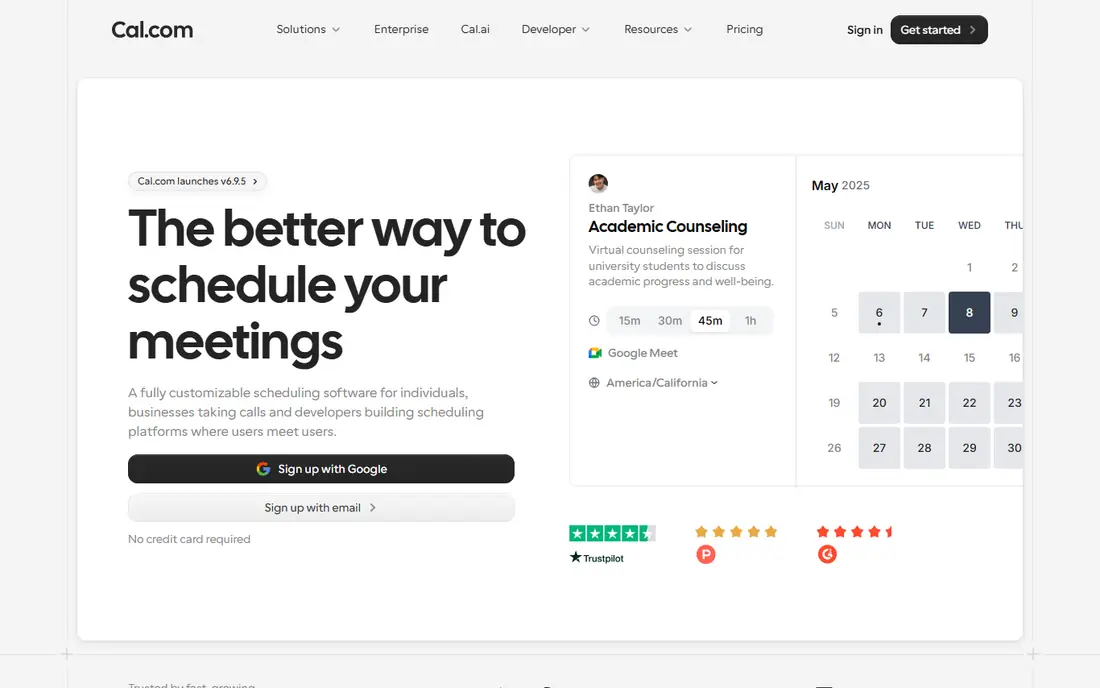
Cal.com is an open source scheduling platform with booking pages, event types, team scheduling, and calendar connections. Its free tier is generous, offering unlimited event types, which is a clear advantage over tools that limit free users to one event type. Teams can also use routing, round-robin assignment, and integrations for video and payments.
Paid plans add team and organisation features, and self-hosting, while possible, needs technical maintenance. Cal.com is not as simple as a one-link tool for users who only need a single booking page. For individuals and teams that want depth without a high seat cost, Cal.com is the strongest free-first alternative.
- Unlimited event types on free tier
- Team scheduling and routing
- Self-hosting option
- Paid team features need a plan
- Self-hosting needs technical setup
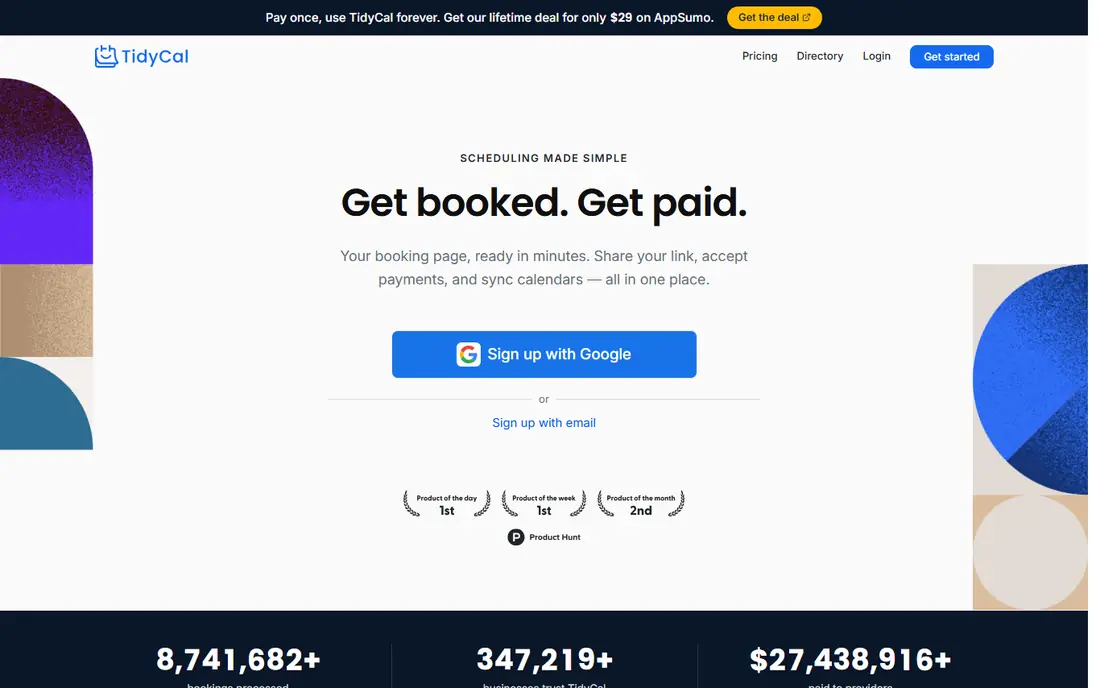
TidyCal appeals to users who dislike monthly subscriptions, because it has offered booking pages for a one-time payment. Solo consultants, coaches, and freelancers can create booking pages, sync calendars, and accept bookings without a recurring fee. Setup is simple, which suits users who want a link and little admin.
TidyCal has fewer team routing and automation features than larger scheduling platforms, and its pricing model has varied across listings between one-time and yearly options. Check the current offer on the vendor site before you buy. For solo users who want no monthly bill, TidyCal is a distinctive choice.
- Booking pages with a one-time payment option
- Calendar sync
- Simple setup for solo users
- Fewer team and routing features than larger platforms
- Pricing has varied between one-time and yearly options

Doodle is best for group scheduling, where you need to find a time that works for many people. You create a poll with options, invitees vote, and the group picks a time without long email threads. Doodle also offers booking pages for 1-to-1 meetings, which makes it useful for teams that do both kinds of scheduling.
Doodle is not primarily a 1-to-1 booking tool, so users who only need personal booking links may prefer Cal.com or SavvyCal. The free plan includes ads, and paid plan details vary across listings. For committees, classes, and group meetings, Doodle remains the simplest poll-based option.
- Group polls to find a time for many people
- Booking pages
- Calendar connections
- Polls suit groups better than 1-to-1 booking
- Free plan includes ads
- Paid plans vary
Acuity Scheduling, now part of Squarespace, is built for service businesses that book appointments, sell packages, and collect payments. Clients can book, fill intake forms, and pay online, while owners get calendar sync, reminders, and email automation. That full booking flow suits salons, clinics, coaches, and consultants.
Acuity has no free plan, only a trial, and its place inside Squarespace changes how standalone users experience branding and billing. Setup also takes more time than a simple booking link, because intake forms and payment rules need configuration. For service businesses that need payments with booking, Acuity is a strong fit.
- Client booking with intake forms
- Payments and packages
- Calendar and email automation
- No free plan
- Part of Squarespace, so standalone branding differs
- Learning setup takes time
YouCanBookMe offers custom booking pages with calendar sync, booking forms, and team options for small businesses. Users can brand pages, set availability, and let clients book without back-and-forth emails. That customisation helps consultants and service teams that want pages to match their site.
The free plan limits calendars, and paid pricing has varied across listings by calendar count and billing period, so check the vendor site for current terms. YouCanBookMe is less focused on group polls than Doodle, and less open source than Cal.com. For custom booking pages at a modest price, it is a solid option.
- Custom booking pages
- Calendar sync
- Team booking options
- Free plan limits calendars
- Paid pricing varies by calendar and billing period
SavvyCal is known for its overlay calendar view, which lets invitees see their own calendar next to your availability when they book. That view reduces friction for busy executives and clients, because they do not need to switch between calendars. SavvyCal also offers personalised links, team scheduling, and calendar sync.
SavvyCal has no free plan, only a trial, so solo users who only need a basic link may prefer a free tool. Its price is also higher than some simple alternatives for a single user. For sales teams and consultants who book with busy clients, the overlay experience can justify the cost.
- Overlay view showing invitee availability
- Personalised booking links
- Team scheduling
- No free plan, only a trial
- Higher cost for solo users who only need one link
HubSpot Meetings gives HubSpot users free meeting links that sync with calendars and write bookings into the CRM. When a prospect books, the contact record, meeting, and follow-up stay in one place, which helps sales teams track pipeline. That CRM link is the main reason HubSpot users choose it over a standalone scheduler.
HubSpot Meetings is most useful inside HubSpot, and advanced routing and team features need paid Sales Hub tiers. Teams not using HubSpot may find a standalone tool simpler. For HubSpot sales teams, the free meeting link plus CRM context is a clear win.
- Free meeting links tied to HubSpot CRM
- Calendar sync
- Team round-robin on paid tiers
- Full value needs HubSpot CRM
- Advanced routing needs paid Sales Hub tiers
Setmore is a scheduling tool for small service teams, with booking pages, staff calendars, and customer reminders. Teams can manage multiple staff members, services, and locations from one dashboard, and clients can book online without calling. That structure suits salons, clinics, and local service businesses.
The free plan limits appointments and team size, so growing teams need a paid plan. Setmore is also less focused on sales routing than tools built for inbound sales teams. For small service teams that want a low-cost booking system, Setmore is a practical choice.
- Booking pages for service teams
- Staff calendars
- Payments and reminders
- Free plan limits appointments and users
- Advanced features need paid plans
Zoho Bookings is a scheduling tool that fits well inside the Zoho family, with booking pages, staff management, service catalogues, and payment options. Teams already using Zoho CRM, Mail, or other Zoho apps can keep bookings, customer records, and follow-ups connected. That integration reduces manual data entry for service teams.
Zoho Bookings is most valuable for Zoho users; standalone teams may prefer a simpler scheduler with fewer setup steps. Pricing and limits should be checked on the vendor site, because they vary by plan. For Zoho shops that book services, it is a natural, low-friction choice.
- Booking pages with Zoho integration
- Staff and service management
- Payments and reminders
- Best value inside Zoho
- Standalone users may prefer a simpler scheduler
How we picked these
We compared official feature pages, pricing pages, and public reviews for scheduling tools available in October 2026. We looked at booking pages, event types, calendar sync, team routing, group polls, reminders, and payment support. We excluded the platform being replaced from the list itself, and we favoured tools with a free plan or trial and a clear pricing page. Where pricing varied across roundups, we wrote See website rather than presenting a single disputed figure as fact.
How to choose a Calendly alternative
Start with who books with you. A solo consultant needs one or two booking links and calendar sync. A sales team needs round-robin routing and CRM records. A service business needs staff calendars, intake forms, and payments. A group organiser needs polls, not just links. The booking type decides the tool more than the brand name.
Next, check the guest experience. The best scheduler is the one invitees can use without help: a clear page, accurate availability, time zone handling, and reminders that reduce no-shows. Test the page on a phone, book a test meeting, and check that calendar invites, video links, and reminders arrive as expected. A small friction in booking can cost you meetings.
Free versus paid scheduling
Free plans work when you need one or a few event types and basic calendar sync. Cal.com free tier is unusually generous, while other free plans limit event types, calendars, or appointments. Pay when you need team routing, payments, custom branding, or higher limits. Do not pay for team features before you have a team that needs them.
Team routing and CRM
Sales and support teams should check round-robin assignment, routing rules, and CRM integration before they choose. A booking that does not create or update a CRM record creates manual work and lost follow-ups. HubSpot Meetings and Cal.com both offer CRM links, but the depth differs, so test with a real pipeline before you roll out.
Payments, reminders, and no-shows
Service businesses should check payment collection, deposits, cancellation rules, and reminder timing. Automated reminders by email and text reduce no-shows, and clear cancellation policies protect staff time. If you charge for appointments, confirm which payment providers the scheduler supports and what fees apply.
Frequently asked questions
What are the best Calendly alternatives free to use?
Cal.com offers a generous free tier with unlimited event types, and TidyCal, Doodle, YouCanBookMe, Setmore, Zoho Bookings, and HubSpot Meetings offer free plans with limits. Free Calendly alternatives differ on event types, calendars, and appointments, so check limits against your booking volume.
What is the best alternative to Calendly for teams?
Cal.com is a strong team choice with routing and team scheduling, while HubSpot Meetings suits HubSpot sales teams with CRM records. SavvyCal suits teams booking with busy clients, and Acuity suits service teams that need staff calendars and payments.
Are there free alternatives to Calendly for group scheduling?
Doodle is the clearest group option, because polls let many people vote on times. Cal.com and other booking tools can also handle group meetings, but Doodle is designed for finding a shared time without long email threads.
What is the best Calendly alternative for small business?
Cal.com suits most small businesses because its free tier covers many event types, while Setmore and Zoho Bookings suit service businesses with staff and services. TidyCal suits solo owners who want a one-time payment, and YouCanBookMe suits teams that want custom pages.
How do I choose between Cal.com and TidyCal?
Choose Cal.com when you need unlimited event types, team routing, or open source flexibility. Choose TidyCal when you are a solo user who wants a simple booking page without a monthly subscription. Both cover basic booking, but Cal.com is deeper for teams.
Sources
See where you really rank - block by block
ProMapRanker scans Google Maps across a grid of your service area. Simple monthly plans from $19, white-label on every plan.
Start freeKeep reading
 zendesk alternatives
Best Zendesk Alternatives in 2026
Compare the best Zendesk alternatives in 2026, from budget help desks to AI-first support tools, with current pricing, free plans, and honest trade-offs.
Read → wordpress alternatives
Best WordPress Alternatives in 2026
Looking for the best WordPress alternatives? We compare 8 free and paid options for blogs, business sites, stores, and developer-led projects in 2026.
Read → which real estate company has the best training
Best Real Estate Company Training in 2026
Compare which real estate company has the best training, from Keller Williams and eXp to Compass and Coldwell Banker, by program, mentor, and fit in 2026.
Read →