 ProMapRanker
Best Buildertrend Alternatives in 2026

Key takeaways
- JobTread is our pick for residential builders that want strong estimating and job costing at a lower price than Buildertrend.
- Procore suits large commercial work, while Houzz Pro suits design-led remodelers that also need leads and visual proposals.
- Contractor Foreman offers the broadest feature set at the lowest entry price, which helps small contractors start quickly.
- Fieldwire is the best free start for field coordination, but it is not a full estimating and accounting replacement.
- Price at your real user count and project volume, and trial client portals with a real homeowner before you commit.
Quick comparison
| Pick | Great for | Pricing starts at | Free tier | |
|---|---|---|---|---|
 Procore | Large commercial projects | See website | No | Visit |
 Houzz Pro | Design-led remodelers | $99 per month | Yes | Visit |
 JobTread | Residential builders on a budget | $159 per month | Free trial | Visit |
 Contractor Foreman | Small contractors, low cost | $49 per month | Free trial | Visit |
 Buildxact | Estimating from plans | $169 per month | Free trial | Visit |
 ConstructionOnline | Growing mid-sized builders | See website | Free trial | Visit |
 Fieldwire | Field plans and tasks | $39 per month | Yes | Visit |
 Knowify | Trade and specialty contractors | $99 per month | Free trial | Visit |
 Buildern | Custom home builders | $225 per month | Free trial | Visit |
The best buildertrend alternatives
We compared these tools on scheduling, estimating, job costing, change orders, client portals, mobile use, and published pricing. Our pick for most residential builders is JobTread, and our pick for small contractors on a budget is Contractor Foreman.

Procore is the standard for large commercial general contractors, and its depth shows in RFIs, submittals, drawings, budgets, and commitments. Formal workflows help multi-stakeholder projects stay auditable, which matters when owners, architects, and subcontractors all need a clear record. The integration library connects Procore to accounting, ERP, and design tools, which helps larger firms keep data consistent across systems. For complex commercial work, Procore is hard to replace.
The catch is cost and weight. Pricing is quote-based and typically scales with annual construction volume, so a small residential builder can pay far more than needed for features it rarely uses. Implementation also takes time and process discipline. If you run large commercial projects, Procore is a strong pick. If you run a handful of residential remodels per year, JobTread or Contractor Foreman will be simpler and cheaper.
- Deep project controls
- Strong RFI and submittal workflows
- Broad integration library
- Quote-based pricing
- Annual fee scales with volume
- Heavy for small residential jobs

Houzz Pro suits design-build firms and remodelers that sell on visual presentation. Proposals, mood boards, selections, and a client dashboard help homeowners see choices and approve changes without a pile of emails. Lead generation on Houzz is a distinct benefit, because homeowners already search there for pros and ideas. For a remodeler whose sales process is visual and client-facing, Houzz Pro covers both marketing and project basics in one place.
The tradeoff is operational depth. Scheduling, job costing, and document control are lighter than Procore or JobTread, and pricing varies by tier, so check which project features sit on the plan you intend to buy. Houzz Pro fits design-led remodelers that prioritize client experience and leads. Builders that need deep financial control should pair it with a stronger job costing tool or choose JobTread instead.
- Visual proposals and mood boards
- Client dashboard
- Lead generation on Houzz
- Project depth is lighter than Procore
- Pricing varies by tier
- Some features need higher plans
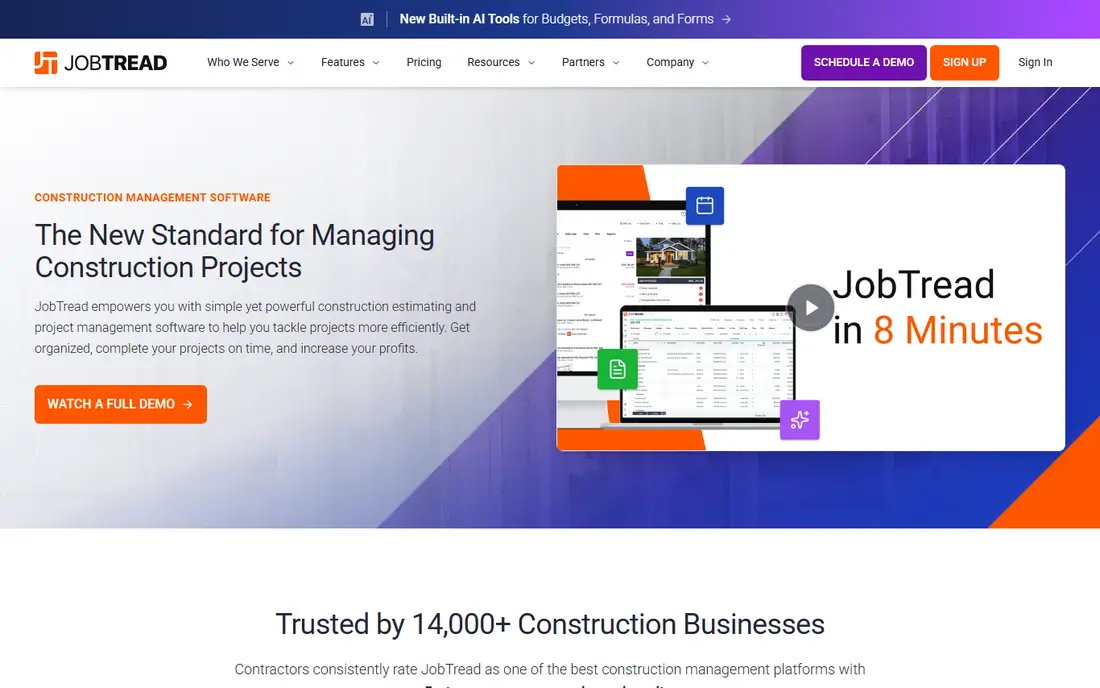
JobTread is our pick for residential builders that want Buildertrend-style coverage without Buildertrend-level pricing. Estimating, budgeting, job costing, change orders, scheduling, and client and vendor portals sit on one plan, which avoids the tier confusion found in some rivals. Support reputation is strong, which matters when a builder needs help during an active job. For custom builders and remodelers, JobTread balances depth and price well.
The catch is user pricing and scale. The entry price covers one user on annual billing, with additional users priced per month, so a larger team should model total cost carefully. Very large commercial work with formal submittal chains may still favor Procore. If you build homes or remodels and want clear job costing in one plan, JobTread is a strong default. If you run a one-person crew, Contractor Foreman may be cheaper.
- Strong estimating and job costing
- All features on one plan
- Good support reputation
- No free plan
- User pricing adds up
- Less suited to very large commercial work
Contractor Foreman offers the most features per dollar on this list, with more than 35 modules covering projects, documents, safety, scheduling, estimating, and invoicing. That breadth helps a small contractor replace several separate tools with one system at $49 per month. QuickBooks integration reduces double entry for invoicing and job costs, and the client portal lets homeowners view estimates, schedules, photos, and payments. For a small general contractor on a budget, that combination is compelling.
The tradeoff is breadth versus polish. With so many modules, the interface can feel broad at first, and the mobile app does not include every desktop feature. Users also report that QuickBooks sync can need care during setup. If low cost and broad coverage matter most, Contractor Foreman is a strong pick. If you want the most polished residential workflow, JobTread may feel more focused.
- Many modules for the price
- QuickBooks integration
- Simple client portal
- Interface can feel broad
- Mobile app lacks some desktop features
- Setup help varies
Buildxact suits builders who start from plans and need accurate takeoffs before quoting. You can upload plans, measure walls and floors on screen, build material counts, and turn a won estimate into a live project with scheduling, purchase orders, and work orders. That plan-to-project flow saves time for custom builders and remodelers who quote from drawings regularly. The onsite app also helps crews log time against jobs.
The catch is price and accounting depth. At $169 per month on annual billing, Buildxact costs more than Contractor Foreman, and accounting features are less deep than a dedicated accounting system or a full job costing platform. Takeoff also takes practice to use well. If estimating from plans is your bottleneck, Buildxact is a strong pick. If you mainly need scheduling and client communication, a cheaper tool may do the same job.
- Takeoff from digital plans
- Fast quoting
- Job management and ordering included
- Higher entry price than some rivals
- Accounting depth is basic
- Learning curve for takeoff
ConstructionOnline, by UDA Technologies, suits growing mid-sized builders that need deeper scheduling, takeoff, and document workflows than a simple task tool offers. RedLine Takeoff helps measure quantities and assign labor and material costs, while scheduling, RFI, submittal, and client portal tools support larger residential and commercial projects. For a firm moving from spreadsheets and basic tools to a structured platform, ConstructionOnline provides a clear step up.
The tradeoff is learning curve and pricing clarity. New users need time to learn takeoff, submittal, and document workflows, and pricing is often quoted rather than fully transparent on the site. Mobile features are also lighter than desktop features. If you run larger projects and can invest in training, ConstructionOnline is a strong pick. If you want fast onboarding for a small crew, Contractor Foreman or JobTread may be quicker.
- Deep scheduling and document control
- RedLine Takeoff
- Client collaboration tools
- Quote-based pricing in practice
- Steeper learning curve
- Mobile app is lighter than desktop
Fieldwire is the best free start for field coordination. The free plan covers small teams, and paid plans add more users, forms, and business features. Plan viewing, markup, task assignment, and punch lists work well on mobile, which helps crews use the tool on site rather than only in the office. For a team whose main gap is field communication and drawing control, Fieldwire solves that problem cleanly.
The honest catch is scope. Fieldwire is not a full estimating, job costing, and accounting replacement, and change order and budget features require higher tiers. A builder that needs estimating, client selections, and invoicing will still need another tool or a fuller platform. Use Fieldwire as a field layer, or as a low-cost start, and pair it with JobTread or Contractor Foreman if you need full project financials.
- Free plan for small teams
- Strong plan viewing and task tracking
- Simple field use
- No full estimating suite
- No full accounting
- Change orders need higher tiers
Knowify suits trade and specialty contractors that need clear contracts, change orders, and job costing without a heavy general contractor platform. It helps subs and specialty firms track bids, contracts, purchase orders, and job costs in a way that fits how trades actually work. QuickBooks integration helps keep accounting in sync, and the focus on contract documents helps avoid disputes over scope changes. For a trade contractor, that focus is more useful than a generic project tool.
The tradeoff is scale and polish. Knowify is less suited to large general contractor workflows with complex RFI and submittal chains, and the interface is functional rather than visually polished. Pricing also varies by tier, so check which costing and contract features sit on your plan. If you run a trade or specialty firm, Knowify is a strong fit. If you run a large GC, Procore or ConstructionOnline may offer more depth.
- Contract and change order focus
- Job costing for trades
- QuickBooks integration
- Less suited to large GC workflows
- Interface is functional rather than polished
- Pricing varies by tier
Buildern suits small custom home builders that need selections, allowances, budgets, and purchase orders in one system. Selections management is a standout, because custom homes involve many homeowner choices that affect cost and schedule. Budgets, bills, invoices, and a client portal help keep those choices tied to money and timing, rather than lost in email. For a custom builder, that selections focus can prevent costly misunderstandings.
The catch is price and ecosystem. At $225 per month for two seats on annual billing, Buildern costs more than JobTread or Contractor Foreman, and its integration library is smaller than Procore. New teams also need time to set up cost codes and templates well. If selections and allowances are your main pain point, Buildern is worth the premium. If price is the main constraint, JobTread offers similar residential coverage for less.
- Strong selections and allowances
- Budgets and purchase orders
- Client portal
- Higher entry price
- Smaller integration library
- Learning curve for new teams
How we picked these
We compared official feature pages, pricing pages, and public reviews for each tool, and we checked scheduling, estimating, job costing, change orders, client portals, mobile use, and accounting integrations. We favored tools that still work in October 2026, that serve home builders, remodelers, or commercial contractors, and that fit construction project management rather than generic task tools alone. We left out generic tools that lacked construction-specific estimating, change orders, or client portals.
How to choose a construction management tool
Start with your job type. Residential builders should shortlist JobTread, Buildern, and Contractor Foreman, while commercial GCs should shortlist Procore and ConstructionOnline, and design-led remodelers should shortlist Houzz Pro. Next, map your money flow: estimating to budget to change order to invoice to job cost. A tool that handles that chain cleanly will save more time than a tool with a nicer task list but weak costing.
Then trial the client portal with a real homeowner or a test client. Homeowners judge your firm by that portal, so check how selections, change approvals, photos, and messages appear from their side. Check mobile use on site, because a tool crews will not use in the field will not improve daily logs or task completion. Finally, price the tool at your real user count for a full year, including onboarding, and ask about contract length and data export before you sign.
Implementation checklist
Start with one live project, not your whole portfolio, so trades learn the system on a job where stakes are contained. Set up cost codes, templates, and change order workflows before you invite clients, and train office and field staff separately, because their workflows differ. Keep your old system running until the first project closes cleanly in the new tool, and review job costing accuracy after that first close before you migrate remaining projects.
Frequently asked questions
What is the best Buildertrend alternative for residential builders?
JobTread is our pick for most residential builders, because it combines estimating, job costing, scheduling, and client portals on one plan at a lower price than Buildertrend. Buildern is a strong pick for custom builders that prioritize selections and allowances. Contractor Foreman is the best budget pick for small crews.
What is the best Buildertrend alternative for commercial builders?
Procore is the best pick for large commercial work, because its RFI, submittal, drawing, and budget controls suit complex multi-stakeholder projects. ConstructionOnline is a strong second pick for growing mid-sized firms that need deep scheduling and document control without full enterprise cost. Small commercial teams may find JobTread or Contractor Foreman sufficient.
Is Houzz Pro a full replacement for Buildertrend?
Houzz Pro can replace Buildertrend for design-led remodelers that prioritize visual proposals, selections, and client communication, plus lead generation. It is lighter on deep job costing and commercial document control, so builders that need strong financials should pair it with another tool or choose JobTread. Judge Houzz Pro on your sales and client workflow, not just on project features.
Can I start with a free construction tool?
Yes, Fieldwire offers a free plan for small teams that covers plan viewing and task tracking, which is a good start for field coordination. Houzz Pro also offers free tools, though paid plans open up full project features. A free tool rarely covers estimating, job costing, and invoicing fully, so plan to upgrade or pair it with another tool as your needs grow.
How do I switch from Buildertrend without disrupting jobs?
Switch at a project boundary rather than mid-job, and start with one new project so your team learns the system on a contained job. Export client, project, and financial data from Buildertrend first, and map cost codes and templates in the new tool before you invite clients. Keep Buildertrend active until active jobs close or migrate cleanly, and train field crews separately from office staff.
Sources
See where you really rank - block by block
ProMapRanker scans Google Maps across a grid of your service area. Simple monthly plans from $19, white-label on every plan.
Start freeKeep reading
 zoro.to alternatives
Best Zoro.to Alternatives in 2026
We compare the best zoro.to alternatives in 2026, listing only legal licensed anime streaming services, from Crunchyroll to free options for fans today.
Read → zip alternatives
Best Zip Alternatives in 2026
We compare the best zip alternatives for buy now, pay later in 2026, covering pay-in-4 plans, fees, spending limits, and credit reporting options today.
Read → yesware alternatives
Best Yesware Alternatives in 2026
Compare the best yesware alternatives for sales email tracking, templates, and sequences, with current pricing and honest tradeoffs for small sales teams.
Read →