 ProMapRanker
Browser.lol Alternatives in 2026


Quick cloud browser sessions · Pricing starts at: $19 per user per month
Key takeaways
- Browser.lol is a disposable remote browser: it runs a fresh browser session on a remote server and discards it when you close it, so nothing runs on your own device.
- For the same quick link check, Browserling and Kasm are the closest low-cost options, while enterprise isolation tools suit company-wide security policies.
- Send.win and BrowserStack serve different jobs: persistent profiles for teams, and cross-browser testing for developers, rather than throwaway sessions.
- No remote browser makes you anonymous by itself, so avoid logging into sensitive accounts in a disposable session you do not control.
Quick comparison
| Pick | Great for | Pricing starts at | Free tier | |
|---|---|---|---|---|
| Browserling | Quick cloud browser sessions | $19 per user per month | Free trial | Visit |
 Kasm Workspaces | Self-hosted disposable desktops | Free | Yes | Visit |
 Cloudflare Browser Isolation | Company-wide web isolation | $7 per user per month | Free trial | Visit |
 Authentic8 Silo | High security isolated workspace | See website | Free trial | Visit |
 Send.win | Persistent cloud browser profiles | $19 per month | No | Visit |
 BrowserStack | Cross-browser testing | $29 per user per month | Free trial | Visit |
 Menlo Security | Enterprise browser isolation | See website | No | Visit |
 Zscaler Cloud Browser Isolation | Zero trust browser isolation | See website | No | Visit |
The best browser.lol alternatives
Browser.lol gives you a fresh, disposable browser in your existing browser, with Chrome, Edge, Firefox, Brave, Opera, and Tor sessions that run on a remote server and are discarded when the session ends. That makes it useful for opening a link you do not trust, without letting the page touch your own device. The alternatives below split into three jobs: quick disposable sessions, enterprise isolation, and testing or persistent profiles. Pick by job, not just by price.

Browserling is the closest paid equivalent to a quick disposable browser session. You open a real browser in the cloud, use it interactively, and close it when done, which suits developers and security-minded users who want a clean session for a link or a page check. It also supports tunnels for testing local sites, which browser.lol does not focus on.
The catch is scope. Browserling is built for ad-hoc browser sessions and testing, not for company-wide security policy or persistent multi-account work. If you need managed isolation for a whole workforce, look at Cloudflare, Silo, Menlo, or Zscaler below.
- Fast cloud browser launch
- Real browsers for testing
- Tunnel support for local sites
- Free sessions are limited
- Team and mobile coverage is lighter than enterprise tools
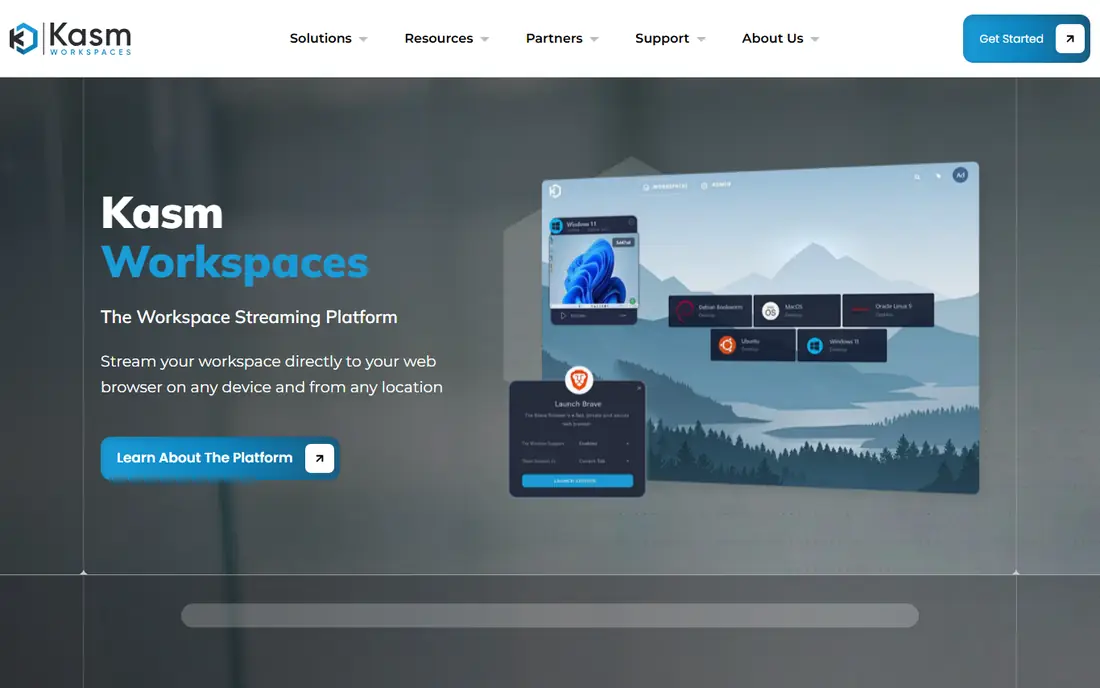
Kasm Workspaces streams disposable desktops and browsers from servers you run, or from a managed service. The Community edition is free for a limited number of concurrent sessions, which makes it a strong option for technical users and small teams that want disposable sessions without a per-user subscription. Because you host it, you control where sessions run and what data stays behind.
The trade-off is operations. Self-hosting needs server setup, updates, and monitoring, so it suits teams with IT skills. If you want a fully managed service with no server work, a hosted isolation tool will be simpler, even at a higher price.
- Free Community edition
- Disposable browser and desktop sessions
- You control the hosting
- Self-hosting needs server and maintenance work
- Commercial plans are quoted
Cloudflare Browser Isolation runs risky web pages in a remote browser, so malicious code and downloads stay off employee devices. It fits organizations already using Cloudflare Zero Trust, since isolation sits alongside access and gateway controls in one policy set. Admins can target isolation at risky categories or specific sites, rather than isolating every page.
The pricing note matters. The published $7 per user per month rate covers Zero Trust pay-as-you-go basics, while browser isolation itself is priced as an add-on. Ask Cloudflare for the isolation price for your user count before budgeting, since the headline rate alone understates the total.
- Part of Cloudflare Zero Trust
- Isolates risky sites for a whole workforce
- Central policy controls
- The $7 rate covers Zero Trust basics, with isolation as a separate add-on
- Pricing needs a quote for larger setups
Authentic8 Silo is a dedicated isolated browser workspace built for high-risk browsing, research, and investigations. It keeps the browsing session separate from the local device and gives admins control over data handling, which suits security teams, researchers, and regulated organizations. If browser.lol feels too light for work that matters, Silo is the enterprise-grade version of the same idea.
The catch is cost and weight. Silo is priced for organizations, not for casual single-session use. Solo users who only need an occasional disposable session will find Browserling or Kasm cheaper and faster to start.
- Purpose-built isolated workspace
- Strong separation from the local device
- Enterprise controls
- Enterprise pricing
- Heavier than needed for a single quick link check
Send.win is not a throwaway session tool, and that difference is the point. It gives teams persistent, fingerprint-isolated browser profiles that keep logins and cookies between sessions, with proxy control per profile. Agencies and e-commerce teams use it to manage many separate browser identities without cross-contamination.
The trade-off is fit. If you only want a five-minute disposable session to check a suspicious link, Send.win is more tool than you need, and its Pro plan starts at $19 per month. Pick it when persistence and profile separation are the job, not when disposal is the job.
- Persistent isolated profiles
- Proxy control per profile
- Cloud sessions without installing software
- No free trial on paid plans
- Not built for automation
- Different job from throwaway sessions
BrowserStack runs real browsers and devices in the cloud for testing websites and apps. Developers use it to check how a page behaves in different browsers, versions, and devices, with live sessions and automated tests. If your browser.lol use is really about checking a page in a browser you do not have installed, BrowserStack is the professional version of that job.
The limit is purpose. BrowserStack is a testing platform, not a security isolation product for untrusted links. It is excellent for QA work, but it does not replace an enterprise isolation policy for risky browsing across a workforce.
- Large real browser and device range
- Live and automated testing
- Team collaboration features
- Built for testing, not for security isolation
- Higher price than a simple disposable browser
Menlo Security isolates web browsing in the cloud so that active content never reaches the endpoint in its original form. It suits large organizations that want isolation as a core security control, with policy, reporting, and integration into wider security tools. Security teams that manage risky web access at scale often compare Menlo with Zscaler and Silo.
The barrier is enterprise process. Pricing is quoted, and deployment needs security team involvement. Small teams and solo users should not shortlist Menlo for occasional link checks, since lighter tools cover that job at far lower cost.
- Isolation-first security model
- Enterprise policy and reporting
- Cloud delivery
- Quoted enterprise pricing
- Setup suits IT and security teams
Zscaler Cloud Browser Isolation gives organizations a way to isolate risky web sessions inside a Zero Trust architecture. Admins can apply isolation to specific sites or risk categories, while normal browsing stays local. It fits companies already using Zscaler for secure web access, since isolation becomes one policy among others.
The catch is the same as with Menlo: quoted enterprise pricing and a deployment that suits IT teams, not casual users. If your organization does not already use Zscaler, compare the full platform cost, not just the isolation feature, before choosing it over a simpler tool.
- Part of the Zscaler Zero Trust platform
- Targeted isolation for risky sites
- Enterprise scale
- Quoted pricing
- Best value inside a wider Zscaler deployment
How we picked these
We compared official product pages, pricing pages, and public remote browser isolation guides, and kept only tools with a live cloud browser or isolation product that serves the same core job: running a browser session away from your own device. We wrote See website where pricing is quoted or where a headline rate does not include the isolation add-on. We did not list the subject product itself, and we separated testing and persistent-profile tools from pure isolation tools so the fit is clear.
What to check before you buy
Decide whether disposal, persistence, or policy is the job
Disposal means the session is discarded, persistence means logins survive, and policy means an admin controls isolation for a workforce. Browser.lol does disposal. Send.win does persistence. Cloudflare, Silo, Menlo, and Zscaler do policy. Buying the wrong category wastes money even if the tool is good.
Check what happens to downloads and logins
Ask how each tool handles downloads, uploads, cookies, and saved passwords. A disposable session should discard them, while a persistent profile should protect them per profile. Never enter sensitive account credentials into a disposable session you do not control, and never assume a remote browser hides your identity from the sites you visit.
Test with a real risky link workflow
Open a test link, try a download, and check what reaches your device and what the admin console records. For enterprise tools, test the policy on a small group before rolling it out. A vendor demo rarely shows the download and data handling details that matter in real use.
Frequently asked questions
What is browser.lol?
Browser.lol is a cloud-hosted remote browser service that runs disposable, isolated browser sessions inside your existing browser. Pages run on a remote server and are streamed back to you, and the session is discarded when you close it. It is useful for checking a link you do not trust without letting the page run on your own device.
Is browser.lol safe?
For your local device, a remote browser session keeps malicious page code off your machine, which is the main safety benefit. It does not by itself make you anonymous, and it does not protect accounts you log into inside the session. Treat it as isolation for a quick check, not as a privacy guarantee.
What is the best free browser.lol alternative?
Kasm Workspaces Community edition is free for a limited number of concurrent sessions, though it needs self-hosting. Browserling and BrowserStack offer free trials, but their full use is paid. For a single quick check with no setup, a free disposable session remains the simplest option.
Which alternative suits a whole company?
Cloudflare Browser Isolation, Authentic8 Silo, Menlo Security, and Zscaler Cloud Browser Isolation suit company-wide use, with central policies and admin controls. The right pick depends on your existing security platform, since isolation works best inside a wider Zero Trust setup. Get a quote for your user count before comparing.
Can I use these tools for multi-account management?
Send.win is built for persistent, isolated profiles for multi-account work, while browser.lol and pure isolation tools are not. Browserling and BrowserStack are built for sessions and testing, not for managing many account profiles. Pick Send.win or a similar profile tool if persistence and separation are the job.
Sources
See where you really rank - block by block
ProMapRanker scans Google Maps across a grid of your service area. Simple monthly plans from $19, white-label on every plan.
Start freeKeep reading
 zscaler alternatives
Best Zscaler Alternatives in 2026
Looking for zscaler alternatives? We compare 9 SASE and zero trust platforms on architecture, data protection, pricing, and fit for your network and team.
Read → zapier alternatives free
Best Zapier Alternatives Free in 2026
Nine automation tools for zapier alternatives free in 2026, all with genuinely free tiers, plus free plan limits, starting prices and upgrade paths explained.
Read → which platform is best for online reputation
Which Platform Is Best for Online Reputation in 2026
Wondering which platform is best for online reputation? We compare 8 review, listing, and response tools for small and multi-location businesses and agencies.
Read →