 ProMapRanker
Best Brave Alternatives in 2026

Key takeaways
- The best brave alternatives balance tracker blocking with everyday usability, because a browser that breaks sites will not stay installed for long.
- Firefox is the strongest mainstream alternative, with an independent engine, deep privacy controls, and broad extension support.
- LibreWolf, Mullvad Browser, and Tor Browser offer stronger privacy defaults, but they trade convenience, speed, or site compatibility for that protection.
- Vivaldi suits power users who want customization and built-in tools, while DuckDuckGo suits users who want simple privacy with minimal setup.
- All browsers here are free to download, so the real choice is about engine, extension support, sync, and how much setup you are willing to do.
Quick comparison
| Pick | Great for | Pricing starts at | Free tier | |
|---|---|---|---|---|
 Firefox | Mainstream privacy with customization | Free | Yes | Visit |
 Vivaldi | Power users and tab customization | Free | Yes | Visit |
 LibreWolf | Hardened Firefox without telemetry | Free | Yes | Visit |
 Mullvad Browser | Anti-fingerprinting without a VPN account | Free | Yes | Visit |
 Tor Browser | Anonymous browsing sessions | Free | Yes | Visit |
 DuckDuckGo Browser | Simple privacy with one-tap clearing | Free | Yes | Visit |
 Microsoft Edge | Windows and Microsoft 365 users | Free | Yes | Visit |
 Opera | Built-in convenience tools | Free | Yes | Visit |
 Ungoogled Chromium | Chromium without Google services | Free | Yes | Visit |
The best brave alternatives
Brave is a Chromium-based browser with ad and tracker blocking built in by default, plus optional rewards and crypto features that some users turn off on day one. People look for alternatives when they want an independent browser engine, stronger anonymity, simpler privacy, or deeper customization. The browsers below cover those reasons, from mainstream options that work for everyone to specialized tools for sensitive sessions. No browser alone makes you anonymous, and keeping any browser updated matters as much as which one you choose.

Firefox, from Mozilla, is the main independent-engine alternative to Chromium browsers, and it remains the easiest privacy upgrade for most Brave users. It includes Enhanced Tracking Protection, Total Cookie Protection to limit cross-site tracking, and a large extension library, including full support for classic content blockers. Containers let users isolate work, shopping, and social accounts in separate tabs, which is a practical privacy tool that few other mainstream browsers match.
The trade is setup. Firefox's defaults are good, but maximum protection still benefits from tuning settings and adding a blocker, and some Google-optimized sites may perform slightly differently than in Chromium. Mozilla's nonprofit structure and open-source code also appeal to users who want independence from Google's engine decisions. For most people leaving Brave, Firefox is the safest and most versatile first switch.
- Independent Gecko engine
- Total Cookie Protection
- Broad extension support
- Privacy settings need some tuning for maximum protection
- Performance varies by site
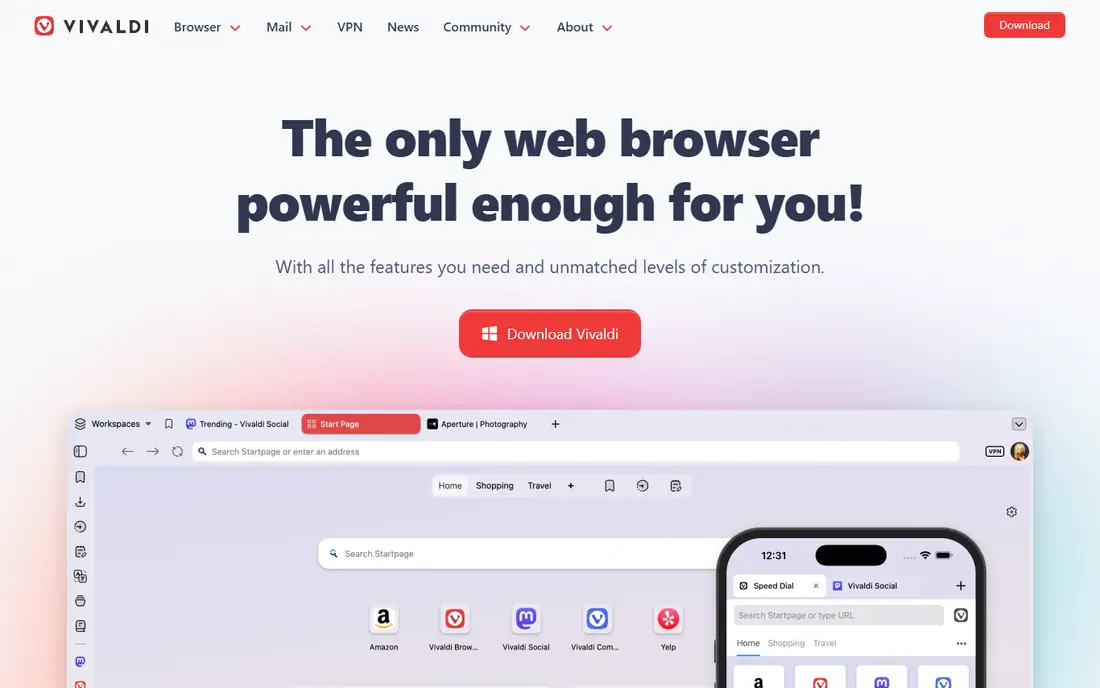
Vivaldi is a Chromium-based browser built for users who want control over tabs, panels, and interface layout. It includes tab tiling, tab stacks, workspaces, a built-in tracker and ad blocker, and optional mail and calendar tools, all without profiling users for advertising. Power users who keep dozens of tabs open, or who want a browser that adapts to a research or writing workflow, often prefer Vivaldi to simpler browsers.
The downside is complexity. Vivaldi's settings and features can overwhelm users who just want a fast, private default, and its Chromium base means it still follows Google's engine direction, including extension platform changes. For users who left Brave mainly for customization rather than engine independence, Vivaldi is the most capable alternative here.
- Deep tab and interface customization
- Built-in blocker, mail, and calendar
- No user profiling
- Many features can feel overwhelming
- Chromium-based, so tied to Google's engine decisions
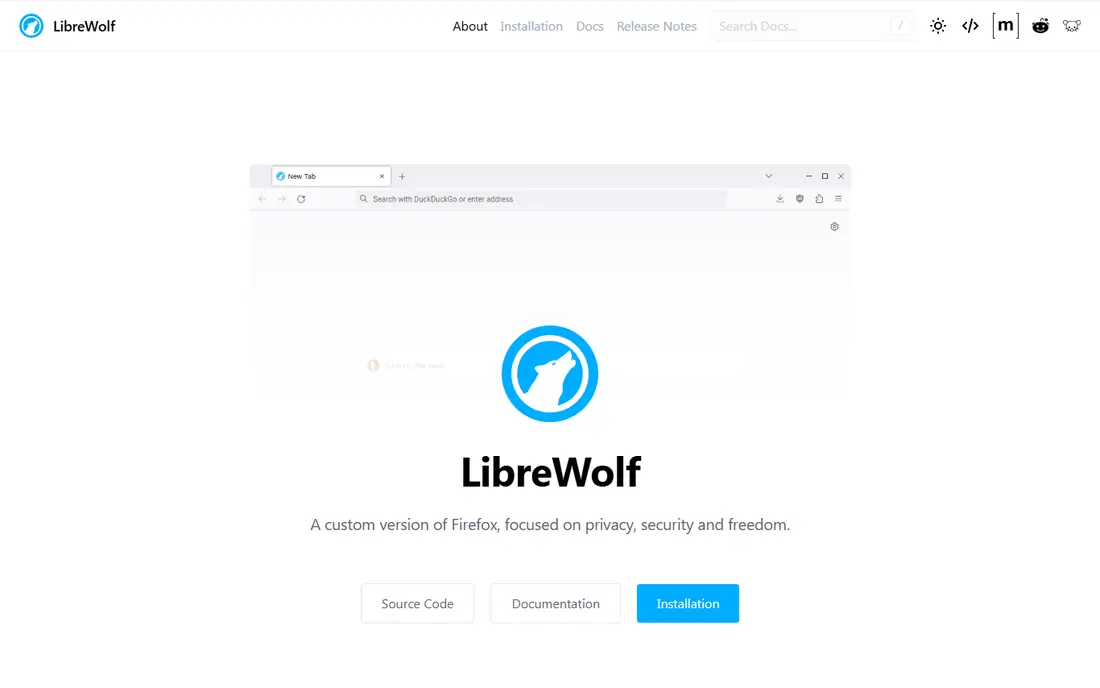
LibreWolf is a community fork of Firefox with privacy-hardened defaults, telemetry removed, and the uBlock Origin blocker included. It turns on fingerprinting resistance and stricter cookie handling out of the box, so users get a much more private Firefox experience without spending an afternoon in settings. For privacy-focused users who like Firefox's engine but want stronger defaults, LibreWolf is the most direct upgrade.
The trade-offs are maintenance and compatibility. LibreWolf updates typically follow Firefox releases with a delay, and its strict defaults can break some sites until settings are adjusted. It also lacks Firefox's built-in sync and some account features, which matters for users who sync across devices. For a desktop privacy browser where protection beats convenience, LibreWolf is a strong pick.
- Privacy-hardened Firefox defaults
- Telemetry removed
- UBlock Origin included
- Updates lag behind Firefox
- Some sites need setting changes to work
Mullvad Browser, developed by Mullvad VPN in collaboration with the Tor Project, is designed to make all users look alike to trackers, reducing fingerprinting by standardizing browser characteristics. It is free to download and does not require a Mullvad VPN account, though it pairs naturally with a VPN for IP protection. Its private browsing model means history and cookies do not persist in the usual way, which helps privacy but changes daily habits.
The catch is daily usability. Mullvad Browser is not designed as a logged-in, all-day browser for accounts, shopping, and work, because its anti-fingerprinting design resists the persistence those uses need. It works best as a second browser for sensitive sessions, alongside a mainstream browser for everyday use. For fingerprint resistance without Tor's full anonymity network, it is the most focused tool here.
- Designed to resist fingerprinting
- Developed with Tor Project
- No account needed
- No persistent browsing state by design
- Slower for daily logged-in use
Tor Browser routes browsing through the Tor network, hiding your IP address and location from sites you visit, and includes anti-fingerprinting defenses based on Firefox's extended support release. It is the right tool for users who need anonymity, journalists and activists working under surveillance, and anyone bypassing censorship in restrictive regions. No mainstream browser offers comparable network-level anonymity on its own.
The limits are speed and compatibility. Tor browsing is noticeably slower, streaming and large downloads are impractical, and many sites block Tor exit nodes or demand repeated verification. Tor Browser is also not meant for logging into personal accounts, which would undermine its anonymity. Use it for sensitive sessions where anonymity matters, and use a mainstream browser for everything else.
- Routes traffic through Tor
- Strong anti-fingerprinting
- Helps bypass censorship
- Much slower than mainstream browsers
- Many sites block or challenge Tor traffic
DuckDuckGo Browser brings the company's privacy search approach to a full browser on desktop and mobile, with tracker blocking, encrypted connections, and a Fire Button that clears tabs and data in one tap. Setup is minimal: install it, and protections are on by default, without settings menus or extension hunting. That simplicity suits users who want Brave-style blocking without Brave's crypto and rewards extras, and without learning a power-user browser.
The trade is flexibility. DuckDuckGo Browser offers fewer extensions and customization options than Firefox or Vivaldi, and its desktop feature set is still growing. Users who rely on many extensions or deep tab management may find it limiting. For a simple, private daily browser, especially on mobile, DuckDuckGo is one of the easiest Brave replacements to adopt.
- Very simple setup
- Tracker blocking built in
- Fire Button clears data instantly
- Fewer extensions and customization options
- Desktop features still growing
Microsoft Edge is a Chromium-based browser that integrates tightly with Windows and Microsoft 365, with features such as vertical tabs, collections, and sleeping tabs for memory savings. It performs well, updates through Windows channels, and suits workplaces standardized on Microsoft tools. For Brave users who mainly want a fast Chromium browser without Brave's extras, and who already live in Microsoft services, Edge is a practical switch.
The privacy trade is real. Edge's defaults include Microsoft telemetry and service prompts that need tuning, and its tracker blocking is less aggressive than Brave's by default. Users can strengthen it with settings and extensions, but it will not match Brave or Firefox out of the box. For Windows-centered users who value integration over maximum blocking, Edge is a reasonable mainstream alternative.
- Strong Windows and Microsoft 365 integration
- Vertical tabs and collections
- Fast Chromium performance
- Microsoft telemetry and prompts need tuning
- Privacy defaults are weaker than Brave
Opera is a Chromium-based browser with convenience features built in: a sidebar for messengers, workspaces for grouping tabs, a free built-in VPN, and an ad blocker. Those extras suit users who want messaging, tab organization, and basic IP masking without installing many extensions. Setup is quick, and Opera's interface feels polished for everyday browsing, shopping, and social use.
The cautions are privacy scope and ownership. Opera's built-in VPN is a browser proxy rather than a full device VPN, so it protects browser traffic only, and Opera's ownership and data practices have drawn scrutiny from privacy commentators. Users who prioritize strict privacy should prefer Firefox, LibreWolf, or Mullvad Browser. Users who prioritize built-in convenience and accept those trade-offs may still enjoy Opera.
- Built-in messenger sidebar, VPN, and ad blocker
- Workspaces for tab groups
- Fast setup
- Owned by a company with a mixed privacy record
- Built-in VPN is a proxy, not a full VPN
Ungoogled Chromium is a version of the Chromium open-source project with Google web service dependencies, background calls, and integration removed. It gives users the Chromium rendering engine and extension compatibility they may need for work or development, without signing into Google services or sending data to Google by default. For developers and privacy-focused users who need Chromium for specific sites but do not want Chrome itself, it fills a narrow but real gap.
The trade is maintenance. Updates often require manual installation, depending on platform, and adding extensions takes extra steps compared with Chrome or Brave, because the Chrome Web Store integration is not built in. Ungoogled Chromium is best for technically comfortable users who value a de-Googled Chromium base and accept hands-on upkeep. For most users, Firefox or Brave itself will be simpler.
- Chromium engine with Google services removed
- Open source
- Familiar Chromium behavior
- Manual updates on many platforms
- Extension setup takes extra steps
How we picked these
We compared official browser pages, privacy documentation, engine information, and extension support for browsers that are actively maintained in 2026. We included mainstream, hardened, anonymity-focused, and Chromium-based options, because Brave users leave for different reasons. We did not claim hands-on benchmarking of every browser on identical hardware; our comparisons rest on published features, documented defaults, and public privacy policies. All browsers here are free to download, with optional paid extras such as VPN services noted where relevant.
What to check before you choose
Start with your threat model, meaning what you actually want protection from. If you mainly want fewer ads and trackers, Firefox, Vivaldi, or DuckDuckGo will serve you well. If you want to resist fingerprinting, add LibreWolf or Mullvad Browser. If you need anonymity from your network or location, only Tor Browser in this list provides that, and it should be used for those sessions specifically.
Next, check extension and sync needs. Confirm that your password manager, blocker, and work extensions run on your chosen browser, and test sync across your phone and computer if you rely on it. Finally, keep the browser updated and review privacy settings after install, because defaults change with major releases. A browser is only as private as its current settings and update state.
Frequently asked questions
What are the best alternatives to brave?
The best alternatives to brave for most users are Firefox for a mainstream independent engine, Vivaldi for customization, and DuckDuckGo Browser for simple privacy. LibreWolf and Mullvad Browser suit stronger privacy needs, while Tor Browser suits anonymity sessions. Edge and Opera suit users who prioritize platform integration or built-in convenience tools.
Is Firefox more private than Brave?
Firefox and Brave take different approaches. Brave blocks ads and trackers aggressively by default on a Chromium base, while Firefox offers an independent engine, Total Cookie Protection, and containers, with privacy that improves with settings and extensions. Neither is private in an absolute sense, and both need updates and sensible settings. Users who want engine independence usually prefer Firefox, while users who want aggressive defaults with less setup often prefer Brave.
Which Brave alternative is best for anonymity?
Tor Browser is the only browser here designed for anonymity, because it routes traffic through the Tor network and resists fingerprinting. Mullvad Browser resists fingerprinting but does not hide your IP address on its own, so pair it with a VPN for network privacy. Do not log into personal accounts in Tor Browser if anonymity is the goal, because that can link sessions to your identity.
Do I need a VPN with a private browser?
A private browser blocks trackers and limits fingerprinting, but it does not hide your IP address from sites or your internet provider on its own. A VPN can add that network-level protection, though it shifts trust to the VPN provider. For everyday tracker blocking, a good browser is enough. For hiding location or network activity, add a reputable VPN or use Tor Browser for those sessions.
Is DuckDuckGo Browser available on desktop?
Yes, DuckDuckGo Browser is available on Windows and Mac in addition to iOS and Android. It includes tracker blocking, encrypted connections, and the Fire Button for clearing data. Desktop extension support and customization are more limited than Firefox or Vivaldi, so test it with your essential extensions before switching fully.
Can I use more than one browser?
Yes, and many privacy-conscious users do. A common setup is a mainstream browser such as Firefox for everyday accounts and work, plus Mullvad Browser or Tor Browser for sensitive sessions. That split keeps convenience for daily use while giving stronger protection where it matters, without forcing one browser to do every job.
Sources
See where you really rank - block by block
ProMapRanker scans Google Maps across a grid of your service area. Simple monthly plans from $19, white-label on every plan.
Start freeKeep reading
 zscaler alternatives
Best Zscaler Alternatives in 2026
Looking for zscaler alternatives? We compare 9 SASE and zero trust platforms on architecture, data protection, pricing, and fit for your network and team.
Read → zapier alternatives free
Best Zapier Alternatives Free in 2026
Nine automation tools for zapier alternatives free in 2026, all with genuinely free tiers, plus free plan limits, starting prices and upgrade paths explained.
Read → which platform is best for online reputation
Which Platform Is Best for Online Reputation in 2026
Wondering which platform is best for online reputation? We compare 8 review, listing, and response tools for small and multi-location businesses and agencies.
Read →