 ProMapRanker
Best Blackboard Alternatives in 2026


Higher education and K-12 districts · Pricing starts at: See website
Key takeaways
- Canvas and Moodle are the most common replacements for Blackboard in higher education, for different reasons.
- Most enterprise learning management systems use quote-based pricing, so published prices are rare.
- Google Classroom and TalentLMS suit smaller teams that need a faster start and lower cost.
- Migration time, gradebook history, and integrations matter as much as the course tools themselves.
Quick comparison
| Pick | Great for | Pricing starts at | Free tier | |
|---|---|---|---|---|
| Canvas LMS | Higher education and K-12 districts | See website | Yes | Visit |
 Moodle | Institutions that want open-source control | Free | Yes | Visit |
 D2L Brightspace | Universities that need deep learning design | See website | No | Visit |
 Schoology | K-12 districts and student engagement | See website | Free trial | Visit |
 Google Classroom | Schools already using Google Workspace | Free | Yes | Visit |
 TalentLMS | Small businesses and corporate training | See website | Yes | Visit |
 Docebo | Corporate training at scale | See website | No | Visit |
 LearnDash | Course creators on WordPress | See website | No | Visit |
The best blackboard alternatives
Blackboard Learn is a large, institution-focused learning management system, so its replacements range from other enterprise platforms to simple classroom tools. This list covers learning management systems for schools, colleges, and training teams, and it notes where pricing is quote-based rather than published.
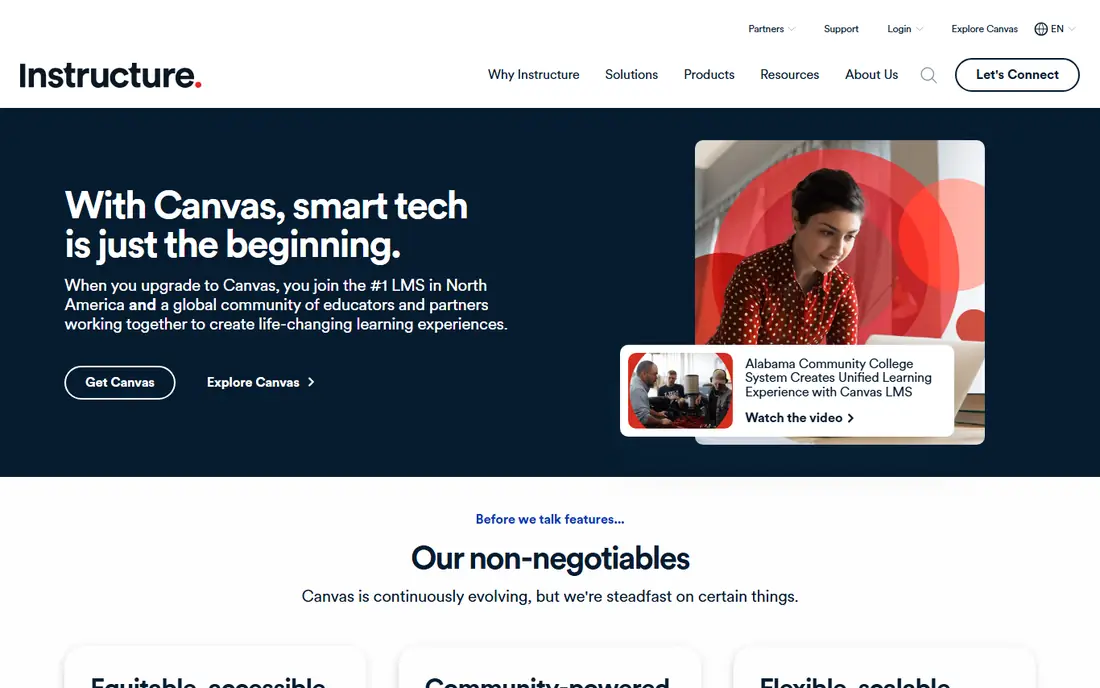
Canvas is the most common enterprise replacement for Blackboard, and its interface is a large part of the reason. Courses, assignments, grading, and discussion sit in a layout that students learn quickly, which cuts support requests during the first weeks of term. Its integration support also covers student information systems and common learning tools, which matters for a district or university with many existing systems.
The drawback is pricing transparency. Canvas does not publish a single institutional price, so a school must request a quote based on enrollment and support needs. Individual teachers can use a free Canvas account, but that account does not replace a full institutional deployment with admin controls, reporting, and support.
- Clean course interface
- Broad integration support
- Free teacher accounts for individual educators
- Institutional pricing is quote-based
- Some advanced features need add-ons or paid tiers
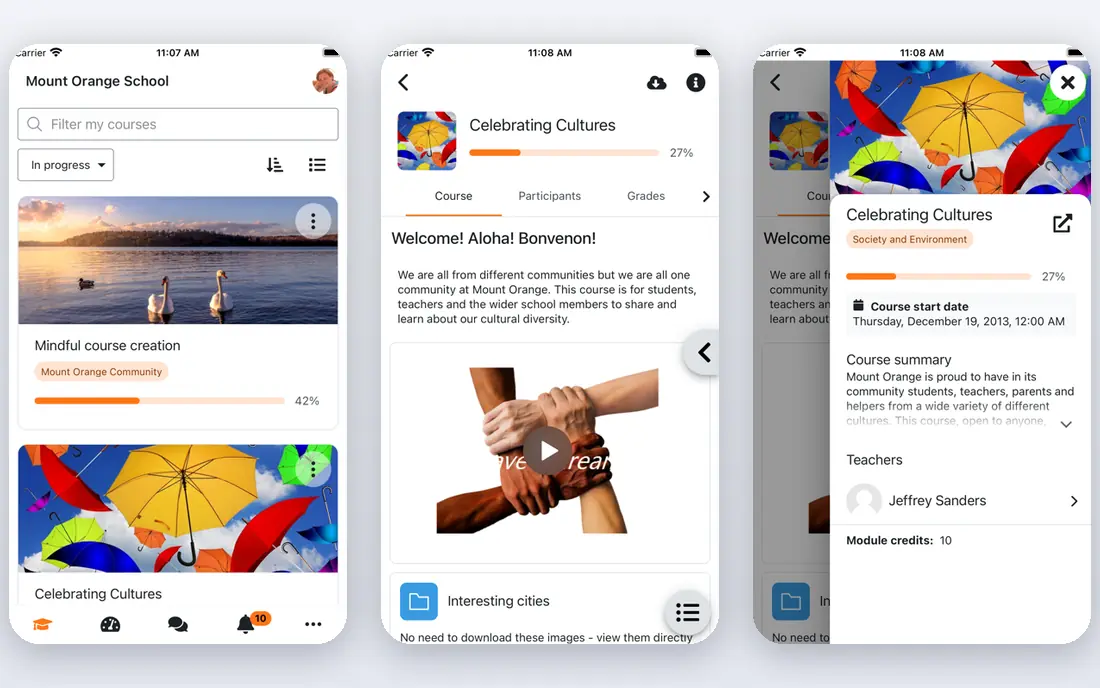
Moodle is the open-source option, and its core software is free to download and run. That gives an institution full control over data, hosting, and custom features, and its plugin library covers assessment, grading, certificates, and many specialist needs. For a university with technical staff, that control is a real advantage over a closed platform.
The cost is effort. Self-hosting needs servers, updates, backups, and security work, while paid hosting through MoodleCloud or a partner adds a yearly fee that varies by user count. Schools without technical staff should price that support before choosing Moodle, since the software being free does not make the full service free.
- Free core software
- Large plugin library
- Full control over hosting and data
- Needs technical staff or a paid hosting partner
- Interface feels less polished than Canvas
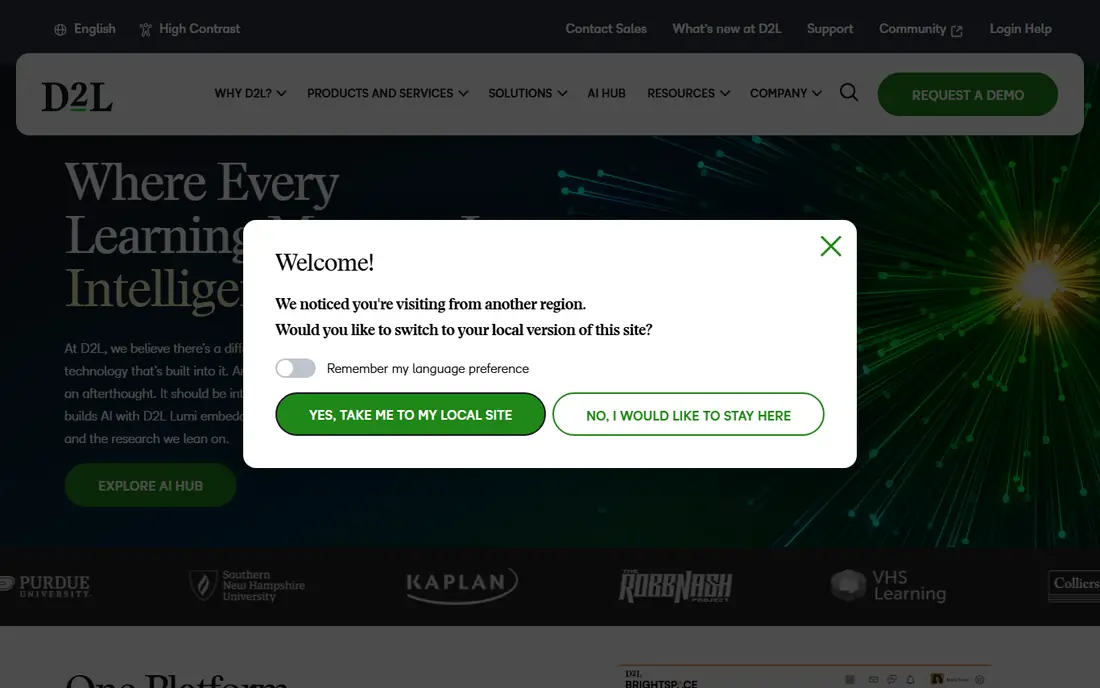
Brightspace, from D2L, suits universities that want more than a place to post files and collect assignments. Its course builder, analytics, and adaptive release tools help instructors design paths that change based on student progress, which is useful for large courses with varied starting levels. Accessibility features are also a stated focus, which helps institutions meet student needs.
Pricing is quote-based, so a university must go through a sales process to learn the cost for its enrollment and feature set. Course builders also face a learning curve, since the deeper tools take longer to master than a simple classroom app. Brightspace rewards a team that will invest in training, and it may be more than a small school needs.
- Strong course design and analytics tools
- Adaptive learning features
- Accessible design focus
- Quote-based pricing
- Learning curve for course builders new to the platform
Schoology, now part of PowerSchool, is built for K-12 districts rather than universities. Its interface feels closer to a social feed than a traditional course page, which helps younger students find work and join discussions. Assessment tools, grading, and parent communication sit alongside courses, so a district can manage learning and family contact in related tools.
The main limit is pricing and packaging. District pricing is quote-based, and the exact features depend on the PowerSchool package a district buys. A school that wants Schoology alone should confirm what is included, and a district already using PowerSchool products will get more value from the shared data and login.
- Familiar social-style interface for students
- Strong assessment tools
- Parent communication features
- Quote-based pricing for districts
- Enterprise features vary by PowerSchool package
Google Classroom is the simplest option on this list, and that simplicity is its strength. Teachers can create a class, post assignments, collect work in Google Docs, and return grades with very little training. For a school already using Google Workspace for Education, the free Fundamentals edition removes a whole layer of cost and account setup.
The trade-off is depth. Classroom lacks the full gradebook, analytics, and course design tools of an enterprise learning management system, and reporting is more limited. It works well for K-12 classes and small training groups, but a university that needs complex assessment, program reporting, or deep integrations will likely need Canvas, Moodle, or Brightspace instead.
- Free with Google Workspace for Education Fundamentals
- Simple assignment workflow
- Tight Google Docs integration
- Fewer enterprise LMS features than Canvas or Brightspace
- Reporting is more limited
TalentLMS fits a small business that needs to train staff, partners, or customers without running a university system. Setup is fast, courses can be built from files, videos, and quizzes, and the free plan covers up to five users for a small team trial. That low starting point makes it easy to test before paying.
Academic institutions will find gaps. TalentLMS is built for corporate training, not for degree programs, so it lacks the student information integrations and academic reporting that Canvas or Moodle provide. It is a strong pick for onboarding and compliance training, and a weak pick as a direct replacement for a university learning management system.
- Fast setup for corporate training
- Free plan for up to five users
- Simple course builder
- Less suited to large academic programs
- Advanced features sit on higher plans
Docebo is aimed at companies that run training for employees, partners, and customers at scale. Its tools cover course delivery, certification, reporting, and integrations with human resources and customer systems, which suits a company with a large, changing workforce. AI-assisted features help teams draft and organise course content faster.
Smaller teams may find Docebo heavy. Pricing is quote-based, implementation takes planning, and many features assume a dedicated learning team. A company with a few dozen learners will usually get better value from TalentLMS, while a company with thousands of learners across regions is the audience Docebo is built for.
- Strong corporate learning features
- AI-assisted course tools
- Broad integration options
- Quote-based pricing
- More complex than a small team needs
LearnDash is different from the rest of this list, because it is a WordPress plugin rather than a hosted learning management system. Course creators who already run a WordPress site can add courses, quizzes, drip-fed lessons, and certificates without moving to a new platform. That control appeals to independent trainers and small course businesses.
The cost is maintenance. The site owner handles hosting, updates, security, and payment setup, and large institutional features such as student information integrations are not the focus. LearnDash is a strong pick for a creator selling courses from their own site, and a poor pick for a university that needs a managed, district-wide system.
- Turns a WordPress site into a course platform
- Drip content and quizzes included
- One-time style licensing options
- Needs WordPress hosting and upkeep
- Less suited to large institutional deployments
How we picked these
We compared official product pages, pricing pages, and public documentation for learning management systems that serve schools, colleges, and training teams in October 2026. We kept only platforms that exist and work today, and we wrote See website where institutional pricing is quote-based rather than published. That approach avoids inventing a per-user figure that would not match a real quote.
We also weighed the buyer, not just the feature list. A K-12 district, a university, a small business, and a solo course creator have different needs, and a platform that is excellent for one group can be a poor fit for another. That is why this list mixes enterprise systems with simpler classroom and corporate tools.
How to choose a Blackboard replacement
Start with the people who will use the system every day. Ask teachers how they build courses, ask students how they find work and grades, and ask administrators what reports and integrations they cannot lose. A platform that pleases the purchasing team but frustrates teachers will fail in the first term, no matter how strong its feature list looks.
Next, plan the migration in detail. Export a sample course, check what survives the move, and decide how gradebook history will be handled, since full history often does not transfer cleanly. Test integrations with the student information system, single sign-on, and any proctoring or plagiarism tools before signing a multi-year deal. A pilot with real courses, over several weeks, reveals more than a sales demo.
Finally, compare total cost, not just license fees. Add hosting, support, training, migration help, and staff time, and ask vendors to quote the same enrollment and feature set so the figures compare fairly. A free core product with paid hosting and support can cost more than a quoted platform, while a quoted platform with strong support can save staff time that never appears on an invoice.
Frequently asked questions
Is Canvas better than Blackboard?
For many institutions, Canvas offers a cleaner interface and a smoother student experience, which is why it has gained ground in higher education. Blackboard Learn still offers deep administrative controls for large institutions. The better choice depends on course design needs, integrations, and the support a vendor provides during migration.
Is Moodle really free?
The core Moodle software is free and open source, but running it is not always free. Self-hosting needs servers and staff time, while hosted plans through MoodleCloud or a partner charge a yearly fee. A school should compare the total cost of hosting and support, not just the license price.
How long does it take to migrate from Blackboard?
A full institutional migration often takes six to eighteen months, including content transfer, gradebook handling, faculty training, integration rebuilding, and a period of parallel running. Smaller deployments can move faster, but rushing a large migration risks lost content and confused students at the start of term.
Can Google Classroom replace Blackboard for a university?
Google Classroom can replace Blackboard for simple classes, but it lacks many enterprise features a university needs, such as deep gradebook reporting, program analytics, and complex assessment tools. It is a strong fit for K-12 schools and small training groups, and a limited fit for a full university deployment.
Do these platforms support accessibility standards?
Canvas, Brightspace, Moodle, Schoology, and Google Classroom all publish accessibility information and support common standards, though the details vary by feature and version. An institution with strict accessibility duties should test its own course types, including quizzes, media, and third-party tools, before committing.
What should a small business use instead of Blackboard?
A small business training staff or customers should look at TalentLMS for fast setup, Google Classroom if it already uses Google Workspace, or LearnDash if it sells courses from a WordPress site. Those options start faster and cost less than an enterprise platform built for a university.
Sources
See where you really rank - block by block
ProMapRanker scans Google Maps across a grid of your service area. Simple monthly plans from $19, white-label on every plan.
Start freeKeep reading
 zoro.to alternatives
Best Zoro.to Alternatives in 2026
We compare the best zoro.to alternatives in 2026, listing only legal licensed anime streaming services, from Crunchyroll to free options for fans today.
Read → zip alternatives
Best Zip Alternatives in 2026
We compare the best zip alternatives for buy now, pay later in 2026, covering pay-in-4 plans, fees, spending limits, and credit reporting options today.
Read → yesware alternatives
Best Yesware Alternatives in 2026
Compare the best yesware alternatives for sales email tracking, templates, and sequences, with current pricing and honest tradeoffs for small sales teams.
Read →