 ProMapRanker
Bitdefender Alternatives in 2026


All-in-one protection with identity tools · Pricing starts at: $49.99 per year
Key takeaways
- Norton 360 is the strongest all-in-one alternative, pairing antivirus with identity protection, VPN, and cloud backup.
- McAfee suits households with many devices, since its main plans cover unlimited devices in one subscription.
- Avast One and Malwarebytes offer genuinely useful free tiers, but paid plans add the full protection and extras.
- ESET is the lightest pick for gamers and older PCs, while Kaspersky suits users who want strong detection without a large suite.
- Check the renewal price before you buy, because first-year discounts often rise sharply in year two.
Quick comparison
| Pick | Great for | Pricing starts at | Free tier | |
|---|---|---|---|---|
| Norton 360 | All-in-one protection with identity tools | $49.99 per year | Free trial | Visit |
 McAfee | Households with many devices | $49.99 per year | Free trial | Visit |
 Kaspersky | Strong detection with a focused suite | $39.99 per year | Free trial | Visit |
 ESET | Lightweight protection for gamers and older PCs | $29.99 per year | Free trial | Visit |
 Avast One | Users who want a capable free tier | Free | Yes | Visit |
 Malwarebytes | Simple malware cleanup and protection | $44.99 per year | Yes | Visit |
 Trend Micro | Beginners who want simple protection | $29.95 per year | Free trial | Visit |
 Sophos Home | Families that want remote device management | $44.99 per year | Free trial | Visit |
The best bitdefender alternatives
Bitdefender is a strong antivirus, but it is not the only good choice, and it may not fit every household, budget, or device mix. Some readers want identity protection, some want unlimited devices, and some want a free tier that actually works. The eight alternatives below all provide real malware protection for Windows, Mac, and mobile devices, and none of them is Bitdefender itself. Prices below are first-year prices where vendors publish them, so check the renewal price before checkout.
Norton 360 is the closest like-for-like replacement for a full Bitdefender suite. It combines antivirus, firewall, VPN, password manager, cloud backup, and parental controls with identity protection features that monitor for exposed personal information. For a family that wants one subscription to cover security and identity worries together, that breadth is hard to beat.
The catch is price over time. The first-year price of 49.99 dollars for the Deluxe plan rises at renewal, so the long-term cost is higher than the headline suggests. The suite can also feel busy, with many features competing for attention. If you only need antivirus, a lighter option such as ESET will cost less and stay out of the way.
- Antivirus plus VPN, cloud backup, and parental controls
- Identity and dark web monitoring
- Strong lab results
- Renewal price rises sharply after year one
- Suite can feel heavy with many features
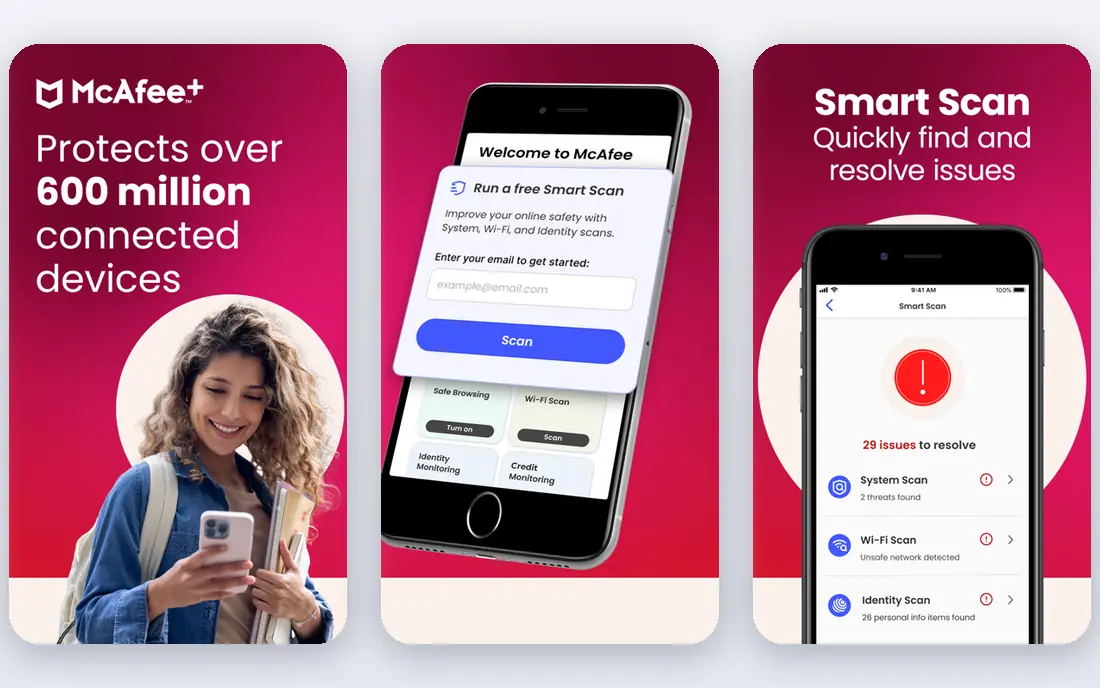
McAfee wins on device count. Its main plans cover unlimited devices, which makes it the simplest choice for a household with phones, laptops, tablets, and a shared family computer. Identity monitoring, unlimited VPN, scam protection, and data cleanup come with the suite, so there is less need to buy separate tools for each worry.
The downside is renewal clarity. First-year pricing is clear, but renewal figures vary and should be confirmed before auto-renewal takes effect. McAfee also packs in many features, which can make the app feel crowded for users who only want quiet background protection. For large households, though, the unlimited device model usually outweighs those drawbacks.
- Unlimited devices on main plans
- Unlimited VPN and identity monitoring
- Scam protection included
- Renewal pricing is less clear upfront
- Interface can feel crowded

Kaspersky earns its place on detection quality. Independent lab tests have long placed it near the top for blocking malware, and its paid plans add VPN, password management, and privacy tools without turning the app into a sprawling suite. For users who care most about the engine itself, Kaspersky offers a focused, capable alternative.
The honest reservation is trust. Some buyers and organisations avoid Kaspersky because of its Russian origins and past government scrutiny, even though the company has moved data processing and opened transparency centres. That concern is a personal and organisational judgement, not a technical one. If it matters to you, Norton, ESET, or Trend Micro provide strong protection without that question.
- Consistently strong malware detection
- VPN and password tools in higher plans
- Good value for the protection level
- Company background raises questions for some buyers
- Higher plans needed for full extras
ESET is the pick for users who notice when security software slows a machine. Its engine is known for low system impact, and gamer mode suppresses interruptions during full-screen play or work. Anti-phishing, ransomware protection, and banking protection cover the main threats without adding a large bundle of unrelated tools.
The trade-off is polish. ESET feels more technical than Norton or McAfee, and it offers fewer extras such as identity monitoring and cloud backup. That is a fair trade for gamers, older PCs, and users who prefer quiet, efficient protection. If you want a full identity and backup bundle, look at Norton instead.
- Very light system impact
- Gamer mode to reduce interruptions
- Strong anti-phishing and banking protection
- Interface feels technical
- Fewer lifestyle extras than Norton or McAfee
Avast One is the best free alternative in this list for users who want real protection without paying upfront. The free Essentials tier covers core antivirus, web protection, and Wi-Fi checks, and the paid plans add VPN, privacy tools, and wider device coverage. Installation is simple, which suits less technical users and older family members.
The catch is the usual free-product bargain. The free tier includes prompts to upgrade, and paid renewal prices are higher than first-year prices. Avast also collects usage data by default in some settings, so privacy-minded users should review the privacy options during setup. For a no-cost starting point that can grow into a paid suite, Avast One is still a solid choice.
- Free tier covers core antivirus
- Paid plans add VPN and privacy tools
- Easy to install and use
- Paid renewal prices rise
- Free tier includes upgrade prompts
Malwarebytes has a different reputation from most antivirus brands: it is the tool people reach for when a machine is already infected. Its scanner is strong at removing malware that other tools miss, and the paid version adds real-time web, ransomware, and exploit protection with a simple interface. Browser Guard blocks malicious sites and trackers as a useful extra.
The price is the main drawback. At 44.99 dollars per year for a single device on the standard plan, Malwarebytes costs more per device than multi-device rivals such as McAfee. It also offers fewer bundle extras, such as VPN and identity monitoring, than Norton. Buy it for cleanup strength and simplicity, or pair the free scanner with another antivirus, rather than for bundle value.
- Excellent cleanup for already-infected machines
- Simple interface
- Browser protection included
- Higher price for single-device cover
- Fewer suite extras than rivals
Trend Micro suits beginners who want protection that works without a learning curve. Setup is quick, the interface is clear, and web threat protection, ransomware protection, and social media privacy checks cover common risks. The first-year price near 29.95 dollars also makes it one of the cheaper paid options in this list.
The limits are device count and renewal cost. Base plans cover fewer devices than McAfee unlimited plans, and the renewal price rises above the first-year figure. Trend Micro also offers fewer identity and backup extras than Norton. For a single user or a small household that wants simple, affordable protection, those limits are easy to accept.
- Simple setup and clear interface
- Strong web and ransomware protection
- Good value first-year price
- Fewer devices than McAfee on base plans
- Renewal price is higher
Sophos Home brings business-grade protection thinking into a family product. One dashboard lets you manage and check protection on up to 10 devices, which helps parents or household managers who look after computers for relatives. Web protection, ransomware protection, and privacy tools cover the core threats without a confusing array of upsells.
The trade-off is consumer polish. Sophos Home offers fewer lifestyle extras, such as identity monitoring and cloud backup, than Norton, and its interface feels more business-like than friendly. For families that value central management and solid protection over bundle extras, it is a strong alternative. For a single user, ESET or Trend Micro may offer better value.
- Remote management of family devices from one dashboard
- Strong web and ransomware protection
- Covers up to 10 devices
- Fewer consumer extras than Norton
- Interface leans business-like
How we picked these
We compared official vendor pricing pages with independent lab results and recent antivirus comparisons, focusing on products live in October 2026 for US home users. We excluded Bitdefender itself, since this article covers alternatives to it, and we favoured products with clear pricing, real protection, and different strengths for different households. We used first-year prices where vendors publish them and noted renewal rises, rather than presenting a discounted first year as a permanent price.
How to choose among Bitdefender alternatives
Start with device count. A single laptop needs a different plan from a household with ten devices, and McAfee unlimited cover or Sophos Home ten-device cover can save more than a cheap single-device plan. Count phones and tablets too, since mobile protection matters as much as desktop protection for most families.
Next, decide which extras you will actually use. Identity monitoring, VPN, password management, parental controls, and cloud backup sound useful, but paying for a bundle you never open wastes money. If you already use a standalone VPN and password manager, a focused engine such as ESET or Kaspersky may serve you better than a large suite.
Finally, check renewal pricing and trial terms before you commit. Turn off auto-renewal until you have tested performance on your own machine, and note the renewal date in your calendar. A free trial on your slowest device tells you more about system impact than any review, and it costs nothing to run.
Frequently asked questions
What are the best bitdefender alternatives for families?
Norton 360 and McAfee suit families best, with multi-device cover, parental controls, and identity tools in one subscription. McAfee wins on unlimited devices, while Norton wins on identity and backup breadth. Sophos Home is a good alternative if remote management of family devices matters most.
What are alternatives to bitdefender with a free plan?
Avast One offers the most complete free tier in this list, covering core antivirus and web protection at no cost. Malwarebytes offers a free scanner for cleanup, though real-time protection requires a paid plan. Free tiers suit low-risk users, but paid plans add real-time protection and extras.
Is Norton or McAfee better than Bitdefender?
Neither is clearly better on detection alone, since all three score well in lab tests. Norton adds stronger identity and backup features, McAfee adds unlimited device cover, and Bitdefender is often lighter on system resources. Choose by device count, extras, and renewal price rather than by detection scores alone.
Which antivirus is lightest on system resources?
ESET is widely regarded as one of the lightest options, with a small footprint and a gamer mode that reduces interruptions. Bitdefender is also light, which is why many users compare ESET against it. Test any trial on your own machine, since older hardware shows differences more clearly.
Should I pay for antivirus or use a free version?
A free version covers basic protection for careful users with good backups, but paid versions add real-time ransomware protection, web filtering, and support. If you bank, shop, or store important files on the device, a paid plan is usually worth the cost. Always check the renewal price, not just the first-year discount.
Sources
- https://www.norton.com
- https://www.mcafee.com
- https://www.kaspersky.com
- https://www.eset.com
- https://www.avast.com
- https://www.malwarebytes.com
- https://www.trendmicro.com
- https://www.sophos.com
- https://rankite.com/blog/best-antivirus-software-review
- https://securerank.info/blog/antivirus-renewal-price-trap-2026/
See where you really rank - block by block
ProMapRanker scans Google Maps across a grid of your service area. Simple monthly plans from $19, white-label on every plan.
Start freeKeep reading
 zscaler alternatives
Best Zscaler Alternatives in 2026
Looking for zscaler alternatives? We compare 9 SASE and zero trust platforms on architecture, data protection, pricing, and fit for your network and team.
Read → zapier alternatives free
Best Zapier Alternatives Free in 2026
Nine automation tools for zapier alternatives free in 2026, all with genuinely free tiers, plus free plan limits, starting prices and upgrade paths explained.
Read → which platform is best for online reputation
Which Platform Is Best for Online Reputation in 2026
Wondering which platform is best for online reputation? We compare 8 review, listing, and response tools for small and multi-location businesses and agencies.
Read →