 ProMapRanker
Best BigQuery Alternatives in 2026

Key takeaways
- Snowflake and Databricks suit large teams that need governed, multi-cloud analytics plus machine learning.
- Amazon Redshift and Microsoft Fabric suit teams already committed to AWS or Microsoft ecosystems.
- ClickHouse, DuckDB and MotherDuck suit teams that want fast analytics with lower cost and simpler operations.
- Pricing models differ by credits, compute hours, data scanned and storage, so test with your real queries before committing.
Quick comparison
| Pick | Great for | Pricing starts at | Free tier | |
|---|---|---|---|---|
 Snowflake | Governed multi-cloud warehouse | $2 per credit | Free trial | Visit |
 Amazon Redshift | AWS-native analytics | See website | Free trial | Visit |
 Databricks SQL | Lakehouse analytics and AI | $0.22 per DBU | Free trial | Visit |
 ClickHouse | Real-time analytical queries | Free | Free trial | Visit |
 Microsoft Fabric | Microsoft and Power BI analytics | See website | Free trial | Visit |
 Azure Synapse Analytics | Microsoft cloud warehouse | See website | No | Visit |
 Dremio | Lakehouse queries on open formats | See website | Free trial | Visit |
 MotherDuck | Serverless DuckDB analytics | Free | Yes | Visit |
 DuckDB | Local embedded analytics | Free | Yes | Visit |
The best cloud data warehouses for BigQuery users
BigQuery is a serverless, SQL-first warehouse on Google Cloud, so the best replacement depends on your cloud, your query patterns and how much operational work you want to take on. We compared official feature pages, pricing pages, documentation and public reviews, and kept only warehouses and analytical engines that are live in October 2026.

Snowflake is the most direct enterprise replacement for BigQuery. It separates storage and compute, runs on AWS, Azure and Google Cloud, and offers strong governance, sharing and marketplace features. For large teams with many analysts and strict access controls, that governance is a major reason to choose Snowflake.
The trade-off is cost control. Credits, storage and serverless features must be governed, because oversized warehouses and broad queries can raise bills quickly. Set warehouse sizes, query limits and cost alerts from day one, and review usage monthly.
- Multi-cloud deployment on AWS, Azure and Google Cloud
- Strong governance and data sharing
- Separation of storage and compute
- Costs can grow with oversized warehouses and runaway queries
- Credit model needs cost governance
Amazon Redshift suits teams already running on AWS. It integrates with S3, Glue, SageMaker and other AWS services, and offers both provisioned clusters and serverless compute. For steady, predictable workloads, provisioned pricing can be easier to budget than per-query scanning costs.
The limit is ecosystem fit and operations. Outside AWS, the integration advantage fades, and workload management, vacuuming and sizing still need attention on provisioned clusters. Serverless Redshift reduces that burden, but teams should test it on their real query mix.
- Deep AWS integration
- Serverless and provisioned options
- Predictable costs for steady workloads
- Best value inside AWS
- Workload management and sizing need attention
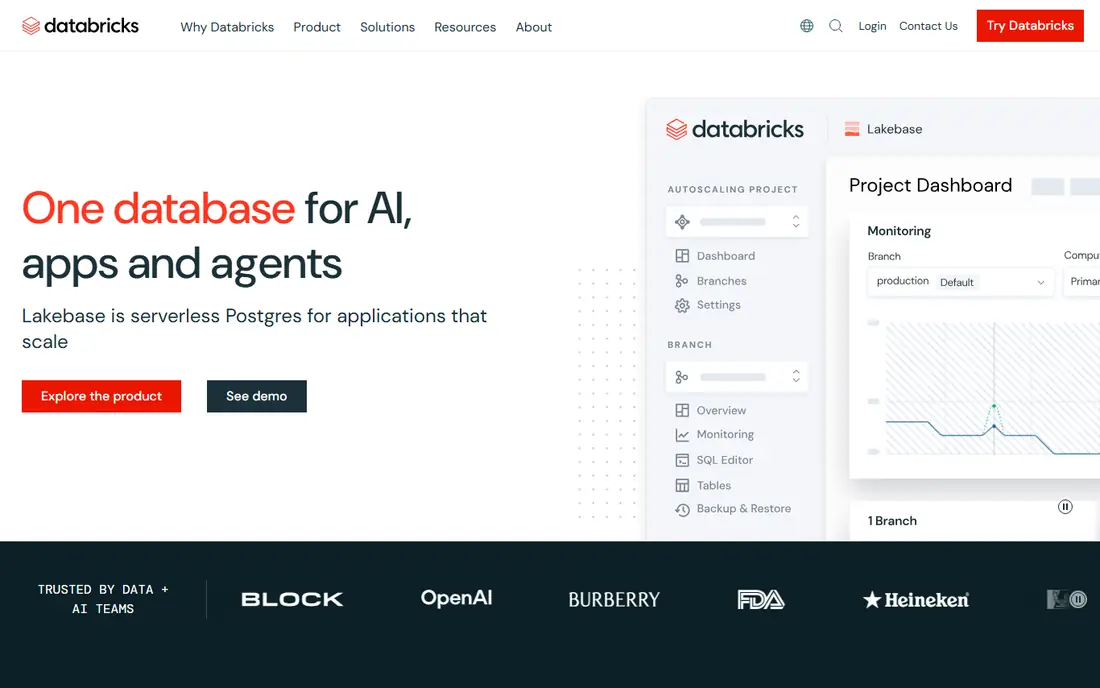
Databricks SQL suits teams that want analytics and machine learning on one lakehouse platform. It combines SQL warehouses with Spark, notebooks and governance, and supports open formats such as Delta Lake and Iceberg. For teams building both dashboards and ML pipelines, that unity avoids moving data between separate systems.
The downside is operational discipline. Clusters, jobs and warehouses can sprawl if no one owns them, and idle compute adds cost. Databricks fits best when a data engineering team can govern clusters, or when serverless SQL is used to limit that sprawl.
- Unified SQL, Spark, machine learning and governance
- Lakehouse support for open formats
- Serverless SQL options
- Cluster sprawl and idle compute can raise costs
- Needs data engineering skills for full value
ClickHouse is the speed pick in this list. Its columnar engine handles high-throughput analytical queries on events, logs and dashboards very well, and the open source version is free to self-host. ClickHouse Cloud adds managed operations with usage-based compute and storage pricing.
The trade-off is operations for self-hosted use. MergeTree tuning, ingestion design and cluster management need expertise, so teams without that skill should start with ClickHouse Cloud. ClickHouse also fits analytical workloads better than transactional ones, so keep operational databases separate.
- Very fast columnar OLAP queries
- Open source self-hosted option
- Cloud option with usage-based pricing
- Self-hosting needs tuning and operations
- Less suited to general transactional workloads
Microsoft Fabric suits teams already using Power BI, Azure and Microsoft 365. It unifies data engineering, warehousing, real-time analytics and BI in a SaaS platform, with OneLake as a shared storage layer. For Power BI-heavy teams, that integration can simplify reporting and governance.
The downside is pricing clarity. Capacity-based pricing, plus storage and licensing factors, can be hard to model without a Microsoft partner or trial. Test Fabric on a real Power BI workload, and confirm which features sit in your capacity tier before committing.
- Unified SaaS analytics on Azure
- Strong Power BI integration
- OneLake for shared data storage
- Capacity-based pricing can be confusing
- Best value inside Microsoft licensing
Azure Synapse Analytics remains a solid Microsoft cloud warehouse, with dedicated SQL pools for steady workloads and serverless pools for ad hoc queries. It integrates with Azure Data Lake, Power BI and Azure machine learning services, which helps Microsoft-centric teams build end-to-end analytics.
The trade-off is choice. Newer Microsoft projects may prefer Fabric, while Synapse suits teams that already run it or need dedicated pool control. Dedicated pools also need sizing and workload management, so serverless pools are often better for sporadic queries.
- Dedicated and serverless SQL pools
- Strong Azure and Power BI integration
- Enterprise security and governance
- Dedicated pools need sizing and management
- Fabric may suit newer Microsoft projects better
Dremio suits teams that want to query data where it already lives, rather than loading everything into a warehouse first. Its lakehouse platform supports open formats, including Apache Iceberg, and a semantic layer helps teams define metrics once and reuse them across BI tools. That approach can reduce data movement and duplication.
The limit is lake discipline. Dremio works best when data is well organised, partitioned and governed, because messy lakes produce slow or confusing queries. Teams with a clean lake and strong BI needs will get more value than teams still building their data foundations.
- Queries data in place on open formats
- Semantic layer for consistent metrics
- Iceberg-native lakehouse features
- Needs a well-organised data lake to shine
- Smaller community than the largest warehouses
MotherDuck brings DuckDB to the cloud as a serverless service. It suits startups, analysts and small teams that want fast SQL analytics without managing clusters or warehouses. The free tier lets you test real workloads, and per-second billing can keep small, sporadic workloads cheap.
The trade-off is scale and ecosystem. MotherDuck is newer and smaller than enterprise warehouses, so teams with heavy concurrency, complex governance or petabyte-scale estates should test it carefully against Snowflake or Databricks. For interactive analytics and prototyping, it is a strong, low-friction choice.
- Serverless DuckDB in the cloud
- Free tier for small workloads
- Per-second compute billing described by the vendor
- Smaller scale story than enterprise warehouses
- Ecosystem is newer than Snowflake or Redshift
DuckDB is the local analytics pick. It is a free, open source, embedded columnar engine that runs inside an app, notebook or script, with no server to manage. For local processing, prototyping and analysing files up to terabyte scale, it is remarkably fast and simple.
The limit is multi-user scale. DuckDB is not a managed cloud warehouse with built-in concurrency, governance and sharing, so teams that outgrow local use must add MotherDuck, a warehouse or their own serving layer. Start with DuckDB when speed and simplicity matter more than shared, managed infrastructure.
- Free open source embedded OLAP engine
- Very fast local queries
- Simple to embed in apps and notebooks
- Not a managed multi-user warehouse
- Scaling beyond local use needs extra engineering
How we picked these
We compared official feature pages, pricing pages, documentation and public reviews, and kept only data warehouses and analytical engines that are live in October 2026 and support SQL analytics at scale. We mixed managed cloud warehouses, lakehouse platforms and open source engines, because BigQuery users range from solo analysts to enterprise data teams. Where a price could not be verified on the vendor site, we wrote See website rather than guessing.
How to choose the right data warehouse
Start with your query pattern. If queries are sporadic and exploratory, a serverless or per-query model may be cheapest. If queries are steady and heavy, a provisioned or capacity model may be more predictable. Run your top 20 queries on each shortlisted platform, and compare both speed and cost, not just one.
Next, check data location and governance. A warehouse close to your source data reduces transfer costs and latency, while governance, access controls and audit logs matter more as teams grow. Confirm support for your BI tools, your data formats and your residency needs before you migrate.
Finally, plan migration in stages. Move one dataset and one dashboard set first, validate results against BigQuery, and only then move the rest. Pay attention to SQL dialect differences, partitioning, clustering and cost controls, because those details decide whether a migration feels faster or just different.
Frequently asked questions
What is the closest alternative to BigQuery?
Snowflake is often the closest enterprise match, with a managed, governed warehouse and separation of storage and compute. Databricks SQL is closer if you also need machine learning, while Redshift is closer if you are already on AWS.
Is Snowflake cheaper than BigQuery?
It depends on workload. BigQuery charges mainly by data scanned or by slot capacity, while Snowflake charges by credits and storage. Test your real queries on both, with cost alerts enabled, because query design changes the answer more than list prices do.
Can I use ClickHouse or DuckDB instead of a cloud warehouse?
Yes, for many analytical workloads. ClickHouse suits real-time, high-throughput analytics, while DuckDB suits local and embedded analytics. Both need more operational work than a managed warehouse if you need multi-user scale and governance.
Do I need to leave Google Cloud to use these alternatives?
Not always. Snowflake and Databricks run on Google Cloud as well as AWS and Azure, and ClickHouse Cloud offers multi-cloud options. Check the exact region and deployment options for your shortlist before you decide.
How do I migrate from BigQuery without breaking dashboards?
Migrate in stages, starting with one dataset and its dashboards. Validate row counts, totals and key metrics against BigQuery, check SQL dialect differences, and keep BigQuery live until the new warehouse passes validation.
Which alternative is best for a small team?
MotherDuck, DuckDB and ClickHouse Cloud are strong low-cost starting points for small teams. Snowflake and Databricks offer free trials, but their full value and cost control matter more once a team grows beyond a few analysts.
Sources
See where you really rank - block by block
ProMapRanker scans Google Maps across a grid of your service area. Simple monthly plans from $19, white-label on every plan.
Start freeKeep reading
 zyte alternatives
Best Zyte Alternatives in 2026
These zyte alternatives cover managed scraping APIs, proxy networks and no code tools for lawful collection from your own or consented sources only in 2026.
Read → zerto alternatives
Best Zerto Alternatives in 2026
Compare the best zerto alternatives for disaster recovery and replication, with recovery targets, cloud options and honest trade-offs for teams in 2026.
Read → zerofox alternatives
Best ZeroFox Alternatives in 2026
We compared 9 zerofox alternatives for brand protection, phishing takedowns, dark web monitoring, and social impersonation, with clear coverage notes.
Read →