 ProMapRanker
Best YouTube Downloader App in 2026

Key takeaways
- YouTube Premium is the only option here that gives official offline viewing inside the YouTube app, and it is the safest starting point for most people.
- 4K Video Downloader Plus and SnapDownloader suit creators who need playlists, channels, and subtitles for content they have rights to use.
- yt-dlp and JDownloader are free, powerful tools for technical users, but they need comfort with commands or a busy interface.
- Downie and Pulltube are the cleanest Mac options, with simple paste-and-download workflows.
- Only download your own videos, public domain or Creative Commons content, or material you have clear permission to use, and use official offline viewing for everything else.
Quick comparison
| Pick | Great for | Pricing starts at | Free tier | |
|---|---|---|---|---|
 YouTube Premium | Official offline viewing | $13.99 per month | Free trial | Visit |
 4K Video Downloader Plus | Playlists and channels | $15 per year | Yes | Visit |
 Downie | Simple Mac downloads | $22.99 one-time | Free trial | Visit |
 ClipGrab | Free basic downloads | Free | Yes | Visit |
 yt-dlp | Advanced and scripted downloads | Free | Yes | Visit |
 SnapDownloader | Batch downloads across sites | $7.99 per month | Free trial | Visit |
 JDownloader | Free batch and link handling | Free | Yes | Visit |
 VideoProc Converter AI | Downloads plus conversion and editing | See website | Free trial | Visit |
 Pulltube | Trimming clips on Mac | $19.99 one-time | Free trial | Visit |
The best YouTube downloader apps
A YouTube downloader app saves a video file to your device, which is useful for your own uploads, classroom material you have rights to use, and Creative Commons content. This list covers only legitimate options, and it states the limit plainly: downloads are for your own videos, public domain or Creative Commons content, or offline viewing through official services. Do not use these tools to copy copyrighted videos you do not own or have permission to use.

YouTube Premium is the option we recommend first for most people who just want to watch offline. It saves videos inside the YouTube app on a phone or tablet, plays them without ads, and allows background play, all within YouTube terms. You do not need to install a downloader, chase updates when YouTube changes, or wonder if a file is safe.
The limit is that you do not get a portable video file. Downloads live in the app, they need a periodic check-in, and they go away if you cancel. Creators who need to edit their own footage should look at the desktop tools below. For travel, commutes, and offline watching, Premium is the simplest and cleanest choice, with a one-month trial in the United States.
- Official offline playback inside the YouTube app
- Ad-free viewing and background play
- No third-party tool to maintain
- Downloads stay inside the YouTube app and expire if you cancel
- Monthly price adds up
- No open video file to edit
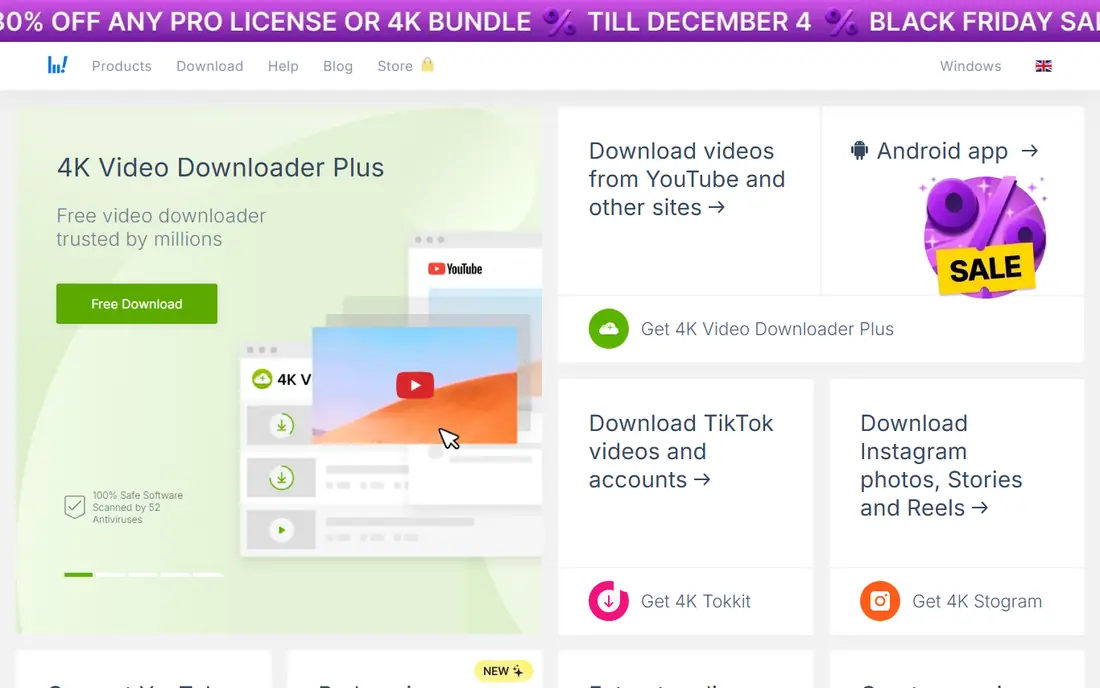
4K Video Downloader Plus is the desktop tool most creators reach for when they need their own videos in bulk. Paste a link, pick a format and quality, and download a single video, a playlist, or a whole channel you own, with subtitles where available. Support for up to 8K quality and for 360-degree video where the source offers it makes it useful for archiving your own high-resolution uploads.
The free Starter plan caps downloads per day, and the Lite plan starts at $15 per year, with higher tiers for full features. Make sure you download the Plus version, because the original app was discontinued in February 2026. Use it for your own channel, licensed material, and Creative Commons videos, and keep the rights note with any project you publish.
- Playlist, channel, and subtitle support
- Up to 8K quality where the source allows
- Works on Windows, Mac, and Linux
- Free plan caps daily downloads
- Original 4K Video Downloader was discontinued in February 2026, so get the Plus version
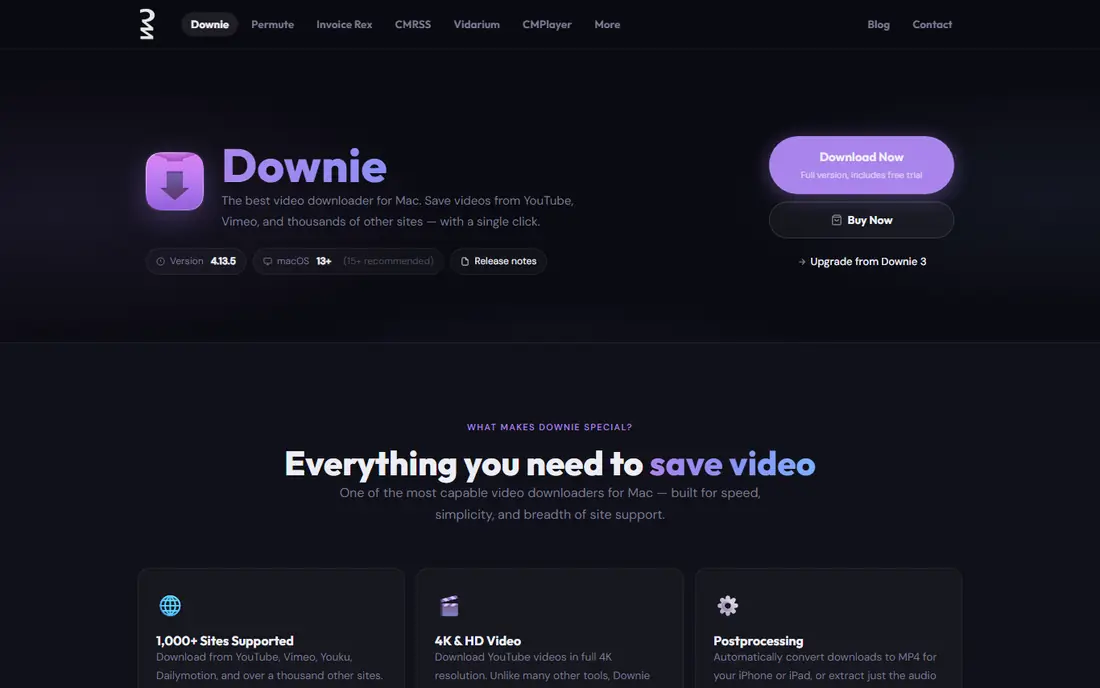
Downie is the Mac downloader for people who want as little friction as possible. Drag a link onto the app or paste it, and Downie fetches the video, with support for more than a thousand sites and options for audio extraction and filename formatting. It also syncs history over iCloud between Macs, which helps if you work on more than one machine.
The trade-off is platform and price. Downie is Mac only, and the standalone price is listed at $22.99, with a trial to test it first. Windows and Linux users should look at 4K Video Downloader Plus or ClipGrab instead. For Mac users who download their own videos often, Downie is the cleanest desktop workflow here.
- Very simple drag-and-drop or paste workflow
- Supports many sites beyond YouTube
- Fast downloads and post-processing options
- Mac only
- Paid app with a trial rather than a free tier
- Some advanced options need shell or script knowledge
ClipGrab is the free starting point for occasional downloads. It includes a built-in search, lets you pick a format, and converts clips without a separate converter app. For a creator who needs one of their own videos now and then, or a student saving a Creative Commons lecture, ClipGrab covers the job at no cost.
Reliability is the catch. Free downloaders depend on keeping up with site changes, and users report periods when ClipGrab needs an update before downloads work again. Playlist and batch features are also thinner than in paid tools. Use ClipGrab for light, occasional use, and move to a paid tool if you download often or need playlists.
- Free
- Built-in search and format conversion
- Works on Windows, Mac, and Linux
- Interface is basic
- Download reliability can vary when sites change
- Fewer batch and playlist features than paid tools
yt-dlp is the tool behind many other downloaders, and it is the most powerful free option here. It is open source, it supports a very large number of sites, and it lets technical users script downloads, pick exact formats, extract audio, and handle playlists with precision. For archiving your own channel or automating a licensed workflow, nothing else here matches its control.
There is no graphical interface in the core tool, so you work from a terminal and read documentation to learn the options. That is a real barrier for casual users, and it is why we rank friendlier apps first for most readers. If you are comfortable with the command line, yt-dlp is free, fast, and hard to beat. If not, start with ClipGrab or 4K Video Downloader Plus.
- Free and open source
- Huge format and site support
- Scriptable for batch and scheduled work
- Command-line only, with no built-in graphical interface
- Learning curve for beginners
- You must keep it updated
SnapDownloader suits users who download in batches. It handles playlists, supports hundreds of sites, offers scheduling, and lets you pick quality up to 8K where the source video offers it. That combination helps creators who archive their own series or teachers who gather licensed material for a course.
The price starts at $7.99 per month, with yearly and lifetime options listed by the vendor, and the free option is a short trial rather than a lasting tier. The interface also shows many options at once, which can feel busy next to Downie. Pick SnapDownloader when batch work is the main job, and pick 4K Video Downloader Plus when you want a lower yearly starting price.
- Batch downloads and scheduling
- Supports many sites
- Up to 8K quality where the source allows
- No ongoing free plan, only a trial
- Monthly cost is higher than some one-time rivals
- Interface packs in many options
JDownloader is a free download manager that also handles video links, and it shines when you paste many links at once. It grabs links from the clipboard, queues them, resumes interrupted downloads, and handles captchas and wait timers on supported file hosts. For a creator gathering their own uploads in bulk, that queue system saves repeated manual work.
The interface is the drawback. It packs in menus, plugins, and settings that a simple downloader hides, and installation screens need attention to avoid optional offers. If you only download one video at a time, a simpler tool will feel better. If you manage large batches and want a free tool, JDownloader is worth the learning time.
- Free and open source
- Strong link grabbing and batch queues
- Works on Windows, Mac, and Linux
- Interface feels crowded
- Setup takes longer than a simple downloader
- Occasional bundled offer screens during install need care
VideoProc Converter AI fits creators who download their own video and then need to do something with it. After a download, you can convert formats, compress a large file, trim a clip, and prepare versions for phones, tablets, or editing software, all in one place. That saves a second app for many everyday jobs.
It is a bigger install than a simple downloader, and its editing tools do not replace a full video editor for serious projects. Pricing also varies by license and current offer, so we list it as See website. Choose VideoProc when conversion and light editing matter as much as the download itself. Choose a simpler tool when you only need the file.
- Downloads, conversion, compression, and basic editing in one app
- Good for preparing files for other devices
- Hardware acceleration on supported systems
- Pricing varies by license and offer
- Larger app than a single-purpose downloader
- Editing tools are basic next to a full editor
Pulltube is a Mac downloader with one standout feature: you can trim a clip by timecode before you download it. That helps creators who need only a segment of their own long video, or teachers who want a short licensed excerpt for a lesson, without downloading the whole file and trimming it later. The interface is clean, and a browser extension speeds up capture.
It is Mac only, and the standalone price is listed at $19.99, so Windows and Linux users need another option. Site coverage is also narrower than Downie or SnapDownloader. Pick Pulltube when trimming on a Mac is the main job, and pick Downie when you want broader site support on the same platform.
- Trim videos by timecode before downloading
- Clean Mac interface
- Browser extension for quick capture
- Mac only
- One-time price still needs a purchase after the trial
- Fewer sites than Downie or SnapDownloader
How we picked these
We compared official product pages, pricing pages, and feature lists, and we kept only tools that are actively maintained and available in October 2026. We put YouTube Premium first because it is the official route to offline viewing, and we ranked desktop tools by ease of use, playlist support, and price transparency. We left out web downloaders that rely on aggressive ads and tools marketed to copy copyrighted content, because the legal and safety risks outweigh any convenience.
What to check before you download
First, check your right to download the video. Your own uploads, public domain material, and Creative Commons videos with the right license are clear cases. For anything else, use YouTube Premium offline viewing inside the app, or ask the owner for permission. Second, check the format you need. MP4 suits most devices, while audio-only extraction suits podcasts and lectures you own.
Third, test the free tier or trial with one of your own videos before you pay. Check quality, subtitles, and playlist handling, and check that the app still works after a YouTube change. Finally, download only from the official site for the tool you pick. Copycat download sites are a common source of bundled software and malware, and the official page is the safest source.
Frequently asked questions
What is the best YouTube downloader app for most people?
YouTube Premium is best for watching offline, because it is official, simple, and works inside the YouTube app. For a portable file of your own video, 4K Video Downloader Plus is the best desktop pick for most creators. Choose Premium for viewing and a desktop tool for files you own and need to edit.
What is the best free YouTube downloader app?
ClipGrab and yt-dlp are the strongest free options. ClipGrab is easier for beginners, with a graphical interface and format conversion. yt-dlp is more powerful and scriptable, but it runs from the command line. Both are free and open source, and both need updates when sites change.
Is it legal to download YouTube videos?
It depends on the video and your rights. Downloading your own videos, public domain content, and Creative Commons content under its license terms is a legitimate use. Downloading copyrighted videos you do not own, without permission, can breach YouTube terms and copyright law. When in doubt, use YouTube Premium offline viewing or get permission first.
What is the best YouTube downloader software for playlists?
4K Video Downloader Plus and SnapDownloader both handle playlists and channels well, with subtitle support and quality choices. Test with a short playlist you own before you buy, because playlist handling and daily caps differ between free and paid tiers. For scripted playlist work, yt-dlp gives the most control.
Can I download YouTube videos on a phone?
YouTube Premium gives official offline downloads inside the YouTube app on phones and tablets. Third-party downloader apps are limited on iOS by App Store rules, and Android users should be careful with apps from outside official stores. For phone viewing, Premium is the safest and simplest route.
Sources
See where you really rank - block by block
ProMapRanker scans Google Maps across a grid of your service area. Simple monthly plans from $19, white-label on every plan.
Start freeKeep reading
 zoho inventory alternatives
6 Alternatives to Zoho Inventory, Compared on Price and Fit
Zoho Inventory alternatives: 6 tools compared on price, free plans and fit. Katana leads the list for manufacturers. Fit and flaws are laid out for each entry.
Read → zoho crm alternatives
Best Zoho CRM Alternatives (2026)
Need Zoho CRM alternatives? We compare 7 tools on cost, free access and who each suits. Every pick gets a straight assessment. Built for quick decisions.
Read → zelle alternatives
Best Zelle Alternatives in 2026
Compare the best Zelle alternatives for sending money to friends, paying sellers and moving funds abroad, with honest notes on fees, speed and safety in 2026.
Read →