 ProMapRanker
Best Writing Software for Authors in 2026


Long novels, series, and research heavy projects · Pricing starts at: 59.99 dollars one time
Key takeaways
- Scrivener remains the standard for long, research heavy books, while Atticus suits self publishers who want drafting and formatting in one tool.
- Ulysses and iA Writer suit Apple and minimalist writers who value a clean editor and simple export, rather than a full project binder.
- Reedsy Studio and Google Docs give new authors a free starting point, with Reedsy adding book formatting that Google Docs does not offer.
- Dabble and Novlr suit writers who want goals, plot tools, and a friendly interface without Scrivener learning curve.
- Plottr is a planning tool, not a full drafting tool, so pair it with a writing app rather than expecting it to replace one.
Quick comparison
| Pick | Great for | Pricing starts at | Free tier | |
|---|---|---|---|---|
| Scrivener | Long novels, series, and research heavy projects | 59.99 dollars one time | No | Visit |
 Atticus Atticus | Self publishers who want writing and formatting in one place | 147 dollars one time | No | Visit |
 Ulysses Ulysses | Apple writers who want a focused, beautiful editor | 5.99 dollars per month | No | Visit |
 Dabble Dabble | Fiction writers who want drafting plus a plot grid | 9 dollars per month | No | Visit |
 Novlr Novlr | Writers who want goals and a gentle, browser based workflow | Free | Yes | Visit |
 Plottr Plottr | Visual plotting, timelines, and series planning | 60 dollars per year | No | Visit |
 Reedsy Studio Reedsy Studio | Free drafting and book formatting for self publishers | Free | Yes | Visit |
 Google Docs Google Docs | Free, simple drafting and collaboration | Free | Yes | Visit |
The best writing software for authors
Writing software differs by workflow. Some authors plan on a corkboard, others write straight through in a clean editor, and self publishers need formatting for print and ebook. The tools below cover those workflows, so an author can pick by process rather than by popularity alone.
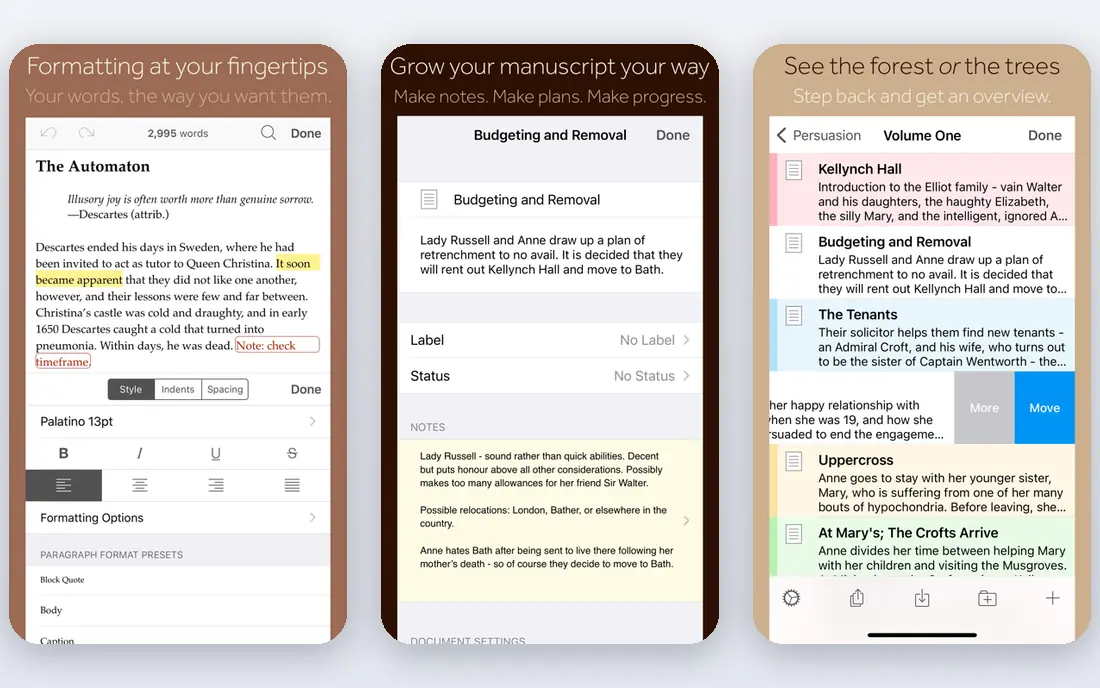
Scrivener works like a digital binder for a book. Chapters, scenes, research notes, images, and character sheets live in one project, and the corkboard view lets an author rearrange scenes by dragging cards. Compile then turns that project into a Word document, PDF, or ebook, with formatting options for different outputs. The learning curve is real. New users often spend a week learning binder, compile, and project settings before writing feels natural. The price is also per operating system, so a Mac and Windows user pays twice, plus a separate iOS price in some listings. For a long book with research, that investment pays off. For a short book or a single essay, a simpler editor may be faster.
- Binder and corkboard organisation, templates, compile to many formats, research storage
- Steep learning curve, price is per operating system, sync needs Dropbox or iCloud setup
Atticus solves the last step that frustrates many self publishers: turning a draft into a book that looks professional. Authors draft in a clean editor and see formatting live, with themes for print PDF and EPUB, chapter headings, and front matter. That removes the need to learn a separate formatting tool or to hire a formatter for a first book. The 147 dollar one time price is a barrier for a new author who has not yet published, and a professional designer still offers more control for a complex layout. For an indie author who publishes regularly, Atticus saves time on every book, because drafting and formatting stay in one workflow from first chapter to final export.
- Live formatting preview, print and ebook themes, collaboration, works on Mac, Windows, and web
- One time price is high for a new author, formatting depth is less than a professional designer, limited offline use on web version
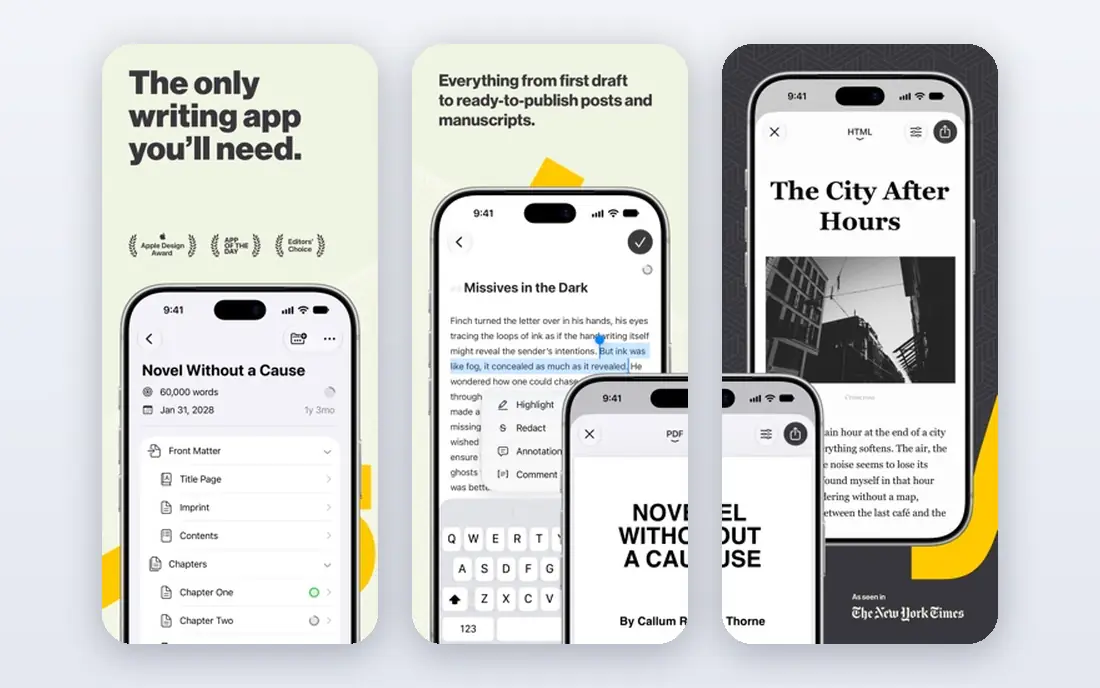
Ulysses is the calmest writing app on this list for Apple users. Its Markdown editor hides formatting clutter, its library organises sheets and groups, and iCloud sync keeps Mac, iPhone, and iPad in step. Export to Word, PDF, EPUB, and HTML covers most publishing needs without a separate tool. The limits are platform and price. Ulysses does not run on Windows or Android, so a writer who switches platforms will need another app. The subscription, listed at 5.99 dollars per month or 49.99 dollars per year in some comparisons and 39.99 dollars per year in others, also adds up over years compared with a one time purchase. For an Apple only writer who values focus, it is a pleasure to use daily.
- Clean Markdown editor, iCloud sync, library organisation, export to Word, PDF, and ebook
- Mac and iOS only, subscription cost adds up, no Windows or Android version
Dabble offers a friendlier path than Scrivener for fiction writers. Its plot grid tracks subplots, character arcs, and notes alongside the manuscript, and goals and progress tracking help a writer keep a daily habit. The interface is clean, and the desktop app works offline, which helps writers who travel or who work without a stable connection. Pricing needs care. Plans start at 9 dollars per month in recent comparisons, with higher tiers for more features, and a lifetime Author plan has been listed at 699 dollars, which is a large upfront cost. Export is mainly to Word format, so a self publisher will still need Atticus or Reedsy for final formatting. For drafting and plotting, Dabble is a strong, low friction choice.
- Plot grid for subplots, goals and progress tracking, friendly interface, offline desktop app
- Monthly price adds up, lifetime price is high, export is mainly Word format
Novlr suits a writer who wants a simple, encouraging drafting space in a browser. Goals, word counts, and progress tracking help build a habit, and the editor stays focused on the current chapter rather than a complex project view. Its author owned co operative model also appeals to writers who want a tool run by writers rather than a large company. The trade is depth. Novlr is browser only, so offline work is limited, and its formatting for print is basic compared with Atticus or Reedsy Studio. Research storage is also lighter than Scrivener. For a new author who needs a free, friendly place to finish a first draft, Novlr is a good starting point.
- Free tier, goals and progress tracking, focused drafting, author owned co operative model
- Browser only, print formatting is basic, fewer research tools than Scrivener
Plottr is not a drafting app, and that distinction matters. It gives a writer a visual timeline, story templates, and places to track characters, locations, and series details, which helps a plotter or a series writer keep a complex story straight. Templates for common story structures help a new plotter start without a blank page. Because Plottr does not replace a writing editor, a buyer should budget for both Plottr and a drafting app. The yearly price is listed at 60 dollars per year, with a lifetime option at 150 dollars in recent comparisons. For a pantser who writes without a plan, Plottr may feel like extra work. For a plotter or a series author, it can prevent timeline errors that are hard to fix later.
- Visual timeline, story templates, character and place tracking, series bible features
- Planning only, needs a drafting app alongside it, lifetime price is higher
Reedsy Studio is the best free option for an author who wants to draft and format a book without paying upfront. It offers a clean browser editor, chapter organisation, and export to EPUB and print PDF, plus real time collaboration and tracked changes for editors and co authors. Add ons, listed up to about 10.99 dollars per month in some comparisons, add extra features but are not required for a basic book. Browser only use is the main limit. A writer without internet cannot work, and research storage is lighter than Scrivener. For a self publisher on a budget, though, Reedsy Studio covers the two hardest steps, drafting and formatting, at no cost, which makes it a strong first tool.
- Free, browser based drafting, EPUB and print PDF export, real time collaboration, tracked changes
- Browser only, add ons cost extra, fewer research tools than Scrivener, needs internet
Google Docs remains a practical choice for many authors, because it is free, familiar, and excellent for collaboration. An editor can comment and suggest changes in real time, autosave prevents lost work, and sharing a link is simpler than sending files back and forth. For a first draft, a short book, or a co written project, Google Docs is often enough. Book specific features are missing. There is no corkboard, plot grid, or book formatting system, and a very long manuscript with many images can slow down. An author who finishes a book in Google Docs will still need Reedsy Studio or Atticus for final formatting. For drafting and editing, though, its simplicity and free price are hard to beat.
- Free, familiar, real time collaboration, comments and suggestions, autosave, easy sharing
- No book specific organisation, formatting for print books is manual, large manuscripts can slow down
How we picked these
We compared official feature and pricing pages, app store listings, and public reviews for writing software that is live in October 2026. We kept only tools that support book length projects, offer a clear drafting or formatting workflow, and have a published price or free tier. We checked platform coverage, because a Mac only app is a poor fit for a Windows writer, and we checked export formats, because a tool that traps a manuscript in a closed format creates a long term risk. We also matched tools to workflow. A plotter, a pantser, a minimalist, and a self publisher need different tools, so the list includes a strong option for each style rather than eight similar editors.
How to choose writing software
Start with your process, not the feature list
A plotter should test Plottr, a minimalist should test Ulysses or iA Writer, and a research heavy novelist should test Scrivener. A tool that fights your process will slow you down, even if it has more features.
Check export before you commit
Export a test chapter to Word, PDF, and EPUB before writing a full book in a new tool. If export is messy or locked, choose another tool while switching is still easy.
Test sync on your real devices
Write on a phone, a tablet, and a computer during a trial, and check that changes sync without duplicates. A tool that syncs well on one platform may struggle on another.
Budget for formatting separately
Drafting and formatting are different jobs. If you self publish, budget for Atticus, Reedsy Studio, or a formatter, even if your drafting tool is free.
Keep a backup outside the app
Export a Word or plain text backup weekly, regardless of the tool you use. Cloud sync is not a backup, and a regular export protects years of work.
Frequently asked questions
What is the best book writing software for a first novel?
Scrivener is a strong pick for a long first novel with research, while Novlr or Reedsy Studio are better free starting points for a writer who wants a simpler editor. Test both during a trial and pick the one you actually open each day.
What is the best app for writing a book on a Mac?
Ulysses suits Mac writers who want a clean editor and iCloud sync, while Scrivener suits Mac writers with complex projects. Atticus also works on Mac and adds formatting for self publishers.
What is the best writing app for authors who self publish?
Atticus is the best all in one pick for self publishers, because it covers drafting and formatting. Reedsy Studio is a strong free alternative for formatting, and Scrivener plus Reedsy can also work as a pair.
What is the best software for writing a novel with a plot grid?
Dabble offers a plot grid alongside drafting, while Plottr offers a deeper visual timeline and series planning as a separate planning tool. Use Dabble alone for a simpler setup, or Plottr plus a drafting app for a complex series.
Is free writing software enough for authors?
Yes, for many authors. Google Docs and Reedsy Studio cover drafting, collaboration, and basic formatting at no cost. Paid tools add organisation, plotting, or formatting depth that matters more for long, complex, or regularly published books.
Should an author use one tool or several?
Most authors use two tools: one for drafting and one for formatting or editing. A drafting tool plus a formatting tool, such as Scrivener plus Atticus or Reedsy Studio, covers a full book without forcing one tool to do every job.
Sources
- https://www.literatureandlatte.com
- https://www.atticus.io
- https://ulysses.app
- https://www.dabblewriter.com
- https://www.novlr.org
- https://plottr.com
- https://reedsy.com
- https://docs.google.com
- https://www.creativindie.com/25-best-book-writing-apps-and-software-for-authors-write-faster-with-these-amazing-features/
- https://reedsy.com/studio/resources/scrivener-alternatives/
See where you really rank - block by block
ProMapRanker scans Google Maps across a grid of your service area. Simple monthly plans from $19, white-label on every plan.
Start freeKeep reading
 youtube alternatives
Best YouTube Alternatives in 2026
Looking for youtube alternatives in 2026? We compare Vimeo, Dailymotion, Twitch, Rumble, and more on price, audience, monetization, control and privacy.
Read → what's the best ai tool for photo editing
What Is the Best AI Tool for Photo Editing in 2026
What is the best AI tool for photo editing? We compare ten tools for 2026, from Photoshop and Lightroom to Luminar, Topaz, Canva and mobile editors today.
Read → twitter alternatives
Best Twitter Alternatives in 2026
Compare the best twitter alternatives for 2026, from Bluesky, Threads, and Mastodon to Reddit, Tumblr, and Micro.blog, with free plans and audience notes.
Read →