 ProMapRanker
Best Workforce Software for Productivity Tracking in 2026

Key takeaways
- ActivTrak is our pick for team-level productivity analytics, with a free tier for up to three users and paid plans from $10 per user per month.
- Hubstaff and Time Doctor suit remote and field teams that need time tracking tied to payroll and invoicing.
- Teramind is the security-focused choice, while Insightful, DeskTime, Monitask, and Controlio cover lighter, more transparent tracking.
- Use these tools only for lawful, disclosed monitoring. Tell staff what is tracked, get consent where required, and check local law before you deploy.
Quick comparison
| Pick | Great for | Pricing starts at | Free tier | |
|---|---|---|---|---|
 ActivTrak | Team productivity analytics | Free | Yes | Visit |
 Hubstaff | Remote and field teams | $4.99 per user per month | Free trial | Visit |
 Time Doctor | Time tracking and payroll | $6.67 per user per month | Free trial | Visit |
 Teramind | Security and insider risk | $14 per seat per month | Free trial | Visit |
 Insightful | Transparent workforce analytics | $8 per seat per month | Free trial | Visit |
 DeskTime | Automatic time tracking | $6.42 per user per month | Free trial | Visit |
 Monitask | Small remote teams | $6.49 per user per month | Free trial | Visit |
 Controlio | Screen activity evidence | See website | Free trial | Visit |
The best workforce software for productivity tracking
Productivity tracking should help managers spot overload, fix broken workflows, and support staff, not spy on people in secret. We compared official pricing and feature pages, and we frame every tool below as disclosed, work-device monitoring with clear policies. Covert tracking, personal-device snooping, and stalkerware-style use are out of scope and, in many places, unlawful.
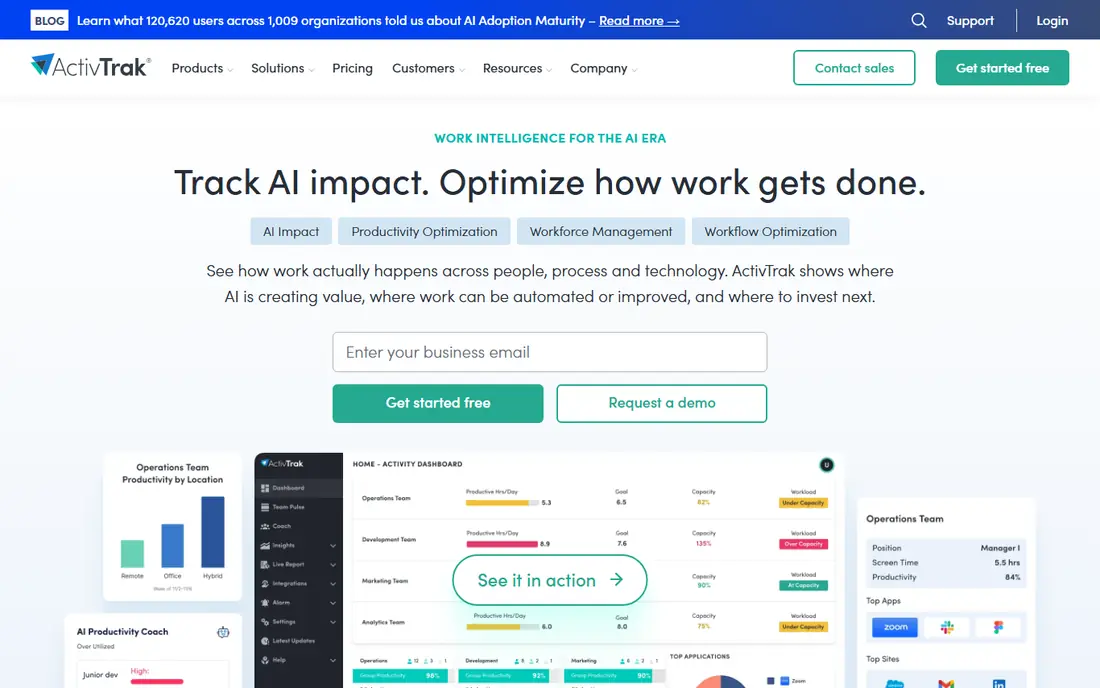
ActivTrak is the best starting point for a team that wants patterns, not surveillance. It shows which apps and sites a team uses, how time splits across productive and unproductive categories, and where workload is uneven, without forcing a manager to watch individual screens all day. The free tier for up to three users lets a small team test that view before paying.
The pricing catch is add-ons. Screenshots, full URL tracking, API access, and longer history can push the real per-user cost above the $10 Essentials headline. Treat ActivTrak as an analytics tool for coaching and workload balance, tell staff what it records, and turn off invasive options you do not need.
- Free tier for up to three users
- Team-level app and website analytics
- Workload and coaching insights
- Screenshots and deeper details cost extra as add-ons
- Paid plans are billed annually with a minimum
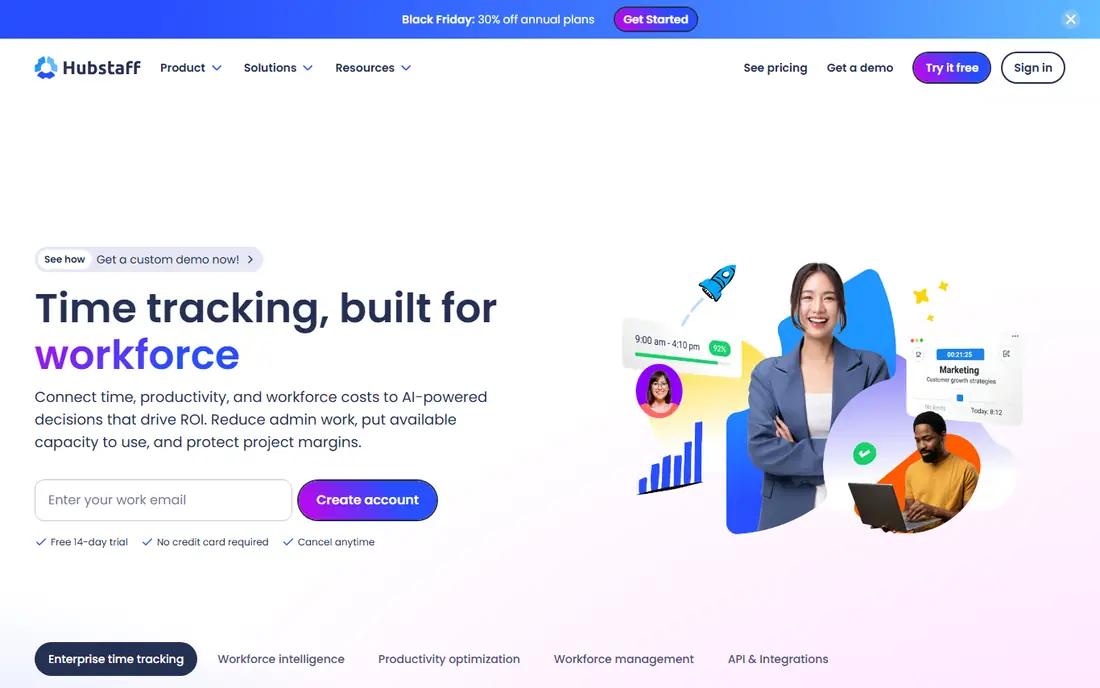
Hubstaff suits agencies, field teams, and remote staff who already track time for pay. Workers start a timer, managers see timesheets and activity, and payroll and invoicing can follow from the same records. GPS helps for mobile workers who visit sites, and screenshots give a record of work in progress for client-facing teams.
GPS is also where Hubstaff needs the most care. Track work time and work locations only, explain the policy in writing, and do not use it to monitor staff outside work hours or on personal devices. With those limits in place, Hubstaff is a practical, affordable bridge between time tracking and payroll.
- Timers, GPS for field work, and payroll links
- Screenshots with staff visibility
- Invoicing for agencies
- GPS tracking needs clear policy and consent
- Deeper features sit on higher tiers
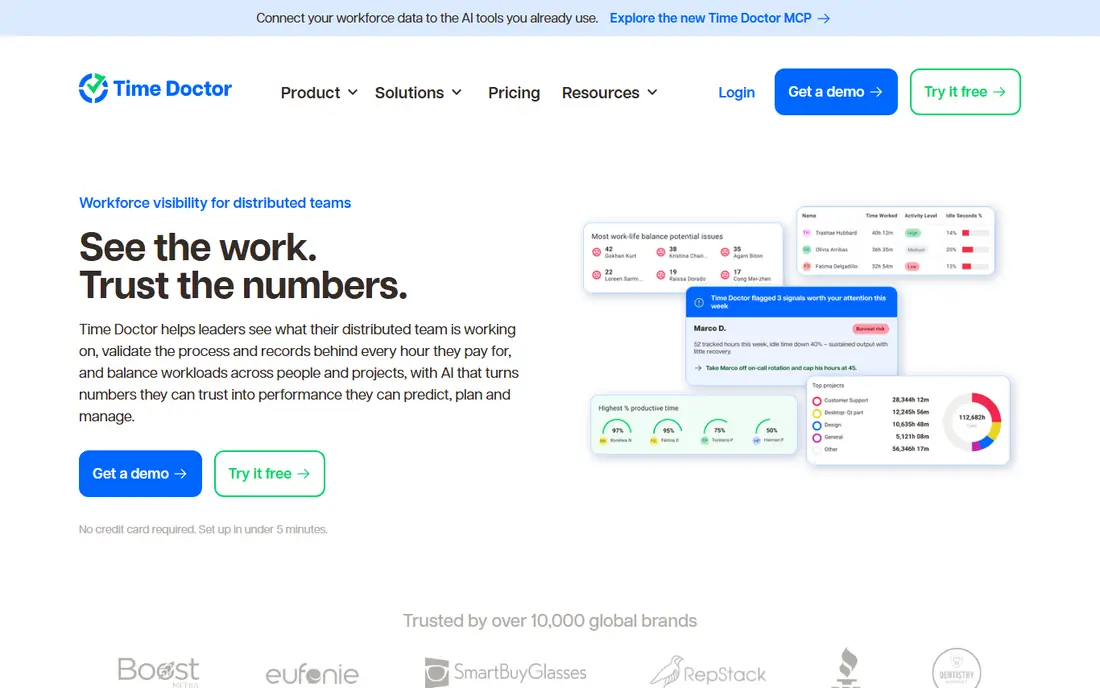
Time Doctor is built for remote teams that need proof of work tied to pay. It records time by task and project, supports payroll calculations, and gives managers a structured view of the workday, including breaks and distraction time. For outsourcing firms and distributed teams, that structure reduces disputes about hours and output.
The risk is cultural, not technical. If managers treat every minute as a test, staff trust falls and the data gets gamed. Use Time Doctor for payroll accuracy, project costing, and workload review, share the reports with staff, and keep screenshot and tracking settings proportionate to the job.
- Structured time records for remote teams
- Payroll workflows
- Distraction and break tracking
- Detailed tracking can feel heavy if managers overuse it
- No free plan, only a trial
Teramind is the security end of this list, and it should only be chosen for that reason. It offers behavior analytics, policy rules, alerts, and data-loss prevention, which help regulated firms, finance teams, and outsourcers protect sensitive data. When a data leak or insider incident is a real risk, Teramind gives an audit trail that lighter tools cannot match.
That power demands governance. Deploy Teramind only on work devices, with written notice, lawful basis, and access limits, and do not use it for casual performance snooping. Its price and seat minimum also make it a poor fit for a small team that only wants time tracking. Choose Teramind for risk control, not for routine productivity checks.
- Behavior rules and alerts
- Data-loss controls
- Forensic-level activity records
- Most invasive option here
- Higher price and a seat minimum
- Needs strong governance
Insightful, formerly Workpuls, aims for a middle path between simple timers and heavy surveillance. It combines time tracking with workforce analytics, so managers can see attendance, app use, and productivity trends, while staff can also see their own data. That transparency helps a hybrid team agree on what good work looks like, rather than arguing about a hidden score.
The main caution is plan choice. Monitoring depth, screenshots, and reporting vary by tier, and older pricing guides list different starting rates, so confirm the current plan on the vendor site. For a mid-size company that wants analytics with a visible, explainable policy, Insightful is a balanced pick.
- Workforce analytics plus time tracking
- Employee-facing visibility options
- Hybrid team support
- Pricing varies by plan in older guides, so confirm current rates
- Deeper monitoring needs higher tiers
DeskTime is the lowest-friction tool on this list. It tracks time automatically by app and document title, so staff do not need to start and stop timers all day, and managers get project time and productivity summaries without chasing timesheets. That automatic style suits office and hybrid teams whose work happens mainly on a computer.
Automatic tracking still needs tuning. Categories must reflect real work, private apps should be excluded or marked private, and staff should know what is recorded. DeskTime keeps screenshots optional, which helps a privacy-conscious rollout. For a team that hates timers, it is the easiest honest tracker here.
- Automatic tracking with no timers to press
- Simple project costing
- Optional screenshots
- Automatic categories need tuning
- Less forensic depth than Teramind
Monitask positions itself as a transparent tracker for small remote teams and freelancers. It records activity, screenshots, and timesheets, with a design that assumes staff know they are being tracked and can see the same records. That stance fits agencies and small teams that want accountability without a heavy enterprise rollout.
The limit is scale and depth. Monitask lacks the analytics, coaching, and security layers of ActivTrak or Teramind, and its integrations are narrower. For a small team that needs clear, affordable tracking with an open policy, that simplicity is enough, and the price stays friendly.
- Consent-based tracking for small teams
- Screenshots and activity levels
- Simple timesheets
- Smaller ecosystem than larger rivals
- Reporting depth is modest
Controlio stands out for video-based evidence of screen activity, which some SMBs want when a dispute or audit needs more than a screenshot. It offers live views and recorded sessions alongside time and activity data, in a package aimed at smaller businesses rather than enterprise security teams.
Video is also the reason to be most careful here. Recording screens continuously is highly invasive, and it should only run on work devices, with explicit notice, a lawful basis, and strict access and retention limits. Many teams will find screenshots or analytics enough. If you choose Controlio, write the policy first, limit who can view recordings, and delete them on a short schedule.
- Video-based screen activity records
- Live session views
- SMB-friendly setup
- Video records raise privacy stakes sharply
- Pricing should be confirmed on the vendor site
How we picked these
We compared official pricing and feature pages, and we favored tools with clear tracking settings, staff-visible data, and a business use case beyond covert observation. We wrote See website for Controlio, where published starting prices varied, rather than repeating an unconfirmed figure. We did not claim hands-on testing, and we treated vendor privacy claims as settings to verify during a trial.
What to check before you deploy
Write the policy before you install anything. State what is tracked, on which devices, during which hours, who can view it, and how long records are kept. Get legal review for your state and for any country where staff work, since consent and notice rules vary, and never track personal devices or personal accounts without a separate, lawful basis.
Then trial the tool with a small, informed team. Check whether reports actually help managers fix workload, broken tools, or unclear priorities, or whether they only produce a ranking that staff resent. The best productivity tool is the one that improves work, with staff able to see and challenge their own data. If a tool cannot pass that test, do not roll it out wider.
Frequently asked questions
Is employee monitoring legal?
It depends on location, device ownership, notice, and consent, so there is no single US answer. Many jurisdictions require notice, and some require consent, especially for invasive methods such as video or keystroke capture. This is general information only, not legal advice, and you should get legal review before deployment.
Should staff know they are being tracked?
Yes. Disclosed monitoring is both fairer and safer than covert tracking, and it usually produces better data, since staff can explain context and correct errors. Tell staff in writing what is tracked, why, and who can see it, and keep tracking to work devices and work hours.
What is the least invasive productivity tool here?
DeskTime and Monitask are the lighter options, with automatic time tracking or consent-based screenshots rather than forensic controls. ActivTrak also works well at team level if you turn off screenshot add-ons. Avoid Teramind and Controlio unless you have a specific security or audit need.
Can productivity software replace management?
No. Tracking shows where time goes, but it does not explain why work is slow, overloaded, or blocked. Use reports to start conversations about tools, staffing, and priorities, not as a standalone performance score.
How much does workforce productivity software cost?
Starting prices on this list range from free for ActivTrak up to three users, to $4.99 to $14 per user per month for paid tiers, billed annually in most cases. Add-ons for screenshots, API access, and history can raise the real cost, so confirm the full plan price before you budget.
Sources
See where you really rank - block by block
ProMapRanker scans Google Maps across a grid of your service area. Simple monthly plans from $19, white-label on every plan.
Start freeKeep reading
 worlds best local seo company
8 Worlds Best Local SEO Companies for Map Pack Growth in 2026
Compare the worlds best local seo company options for Google Business Profile work, citations, reviews, and multi-location rankings and reporting in 2026.
Read → world's best web hosting company
World's Best Web Hosting Company in 2026
Searching for the world's best web hosting company? We compared 10 hosts on price, renewal rates, speed, and support to help you choose well today in 2026.
Read → who's got the best nanny tax services
Who's Got the Best Nanny Tax Services in 2026
We answer who's got the best nanny tax services, comparing full filing, back taxes, software, and pricing so families can handle nanny taxes correctly.
Read →