 ProMapRanker
Best Workforce Management Software in 2026


Scheduling with compliance controls · Pricing starts at: $5 per user per month
Key takeaways
- Deputy and When I Work are the best value picks for shift teams that need scheduling plus time tracking at a clear per user price.
- Homebase and Connecteam are the best free starting points, with free plans for small teams at one location or under a small user limit.
- Sling suits budget teams that want free scheduling and team messaging without a large monthly bill.
- 7shifts is the restaurant specialist, with forecasting and labour tools built around food service schedules.
- UKG and Rippling suit larger or more complex operations, but both need a quote or a broader HR setup, so expect a longer decision.
Quick comparison
| Pick | Great for | Pricing starts at | Free tier | |
|---|---|---|---|---|
| Deputy | Scheduling with compliance controls | $5 per user per month | Free trial | Visit |
 When I Work | Simple shift scheduling | $2.50 per user per month | Free trial | Visit |
 Homebase | Small hourly teams, free start | Free | Yes | Visit |
 Connecteam | Deskless and mobile teams | $29 per month | Yes | Visit |
 Sling | Budget scheduling and messaging | Free | Yes | Visit |
 7shifts | Restaurants | See website | Yes | Visit |
 UKG | Large complex operations | See website | No | Visit |
 Rippling | HR, payroll, and time in one system | $8 per user per month | No | Visit |
The best workforce management software
Workforce management software covers scheduling, time and attendance, team communication, and often payroll or HR tools in one place. The right pick depends on whether your team works shifts, desks, or in the field, how many locations you run, and whether you need payroll in the same system. The eight tools below cover small hourly teams through to large multi site operations.
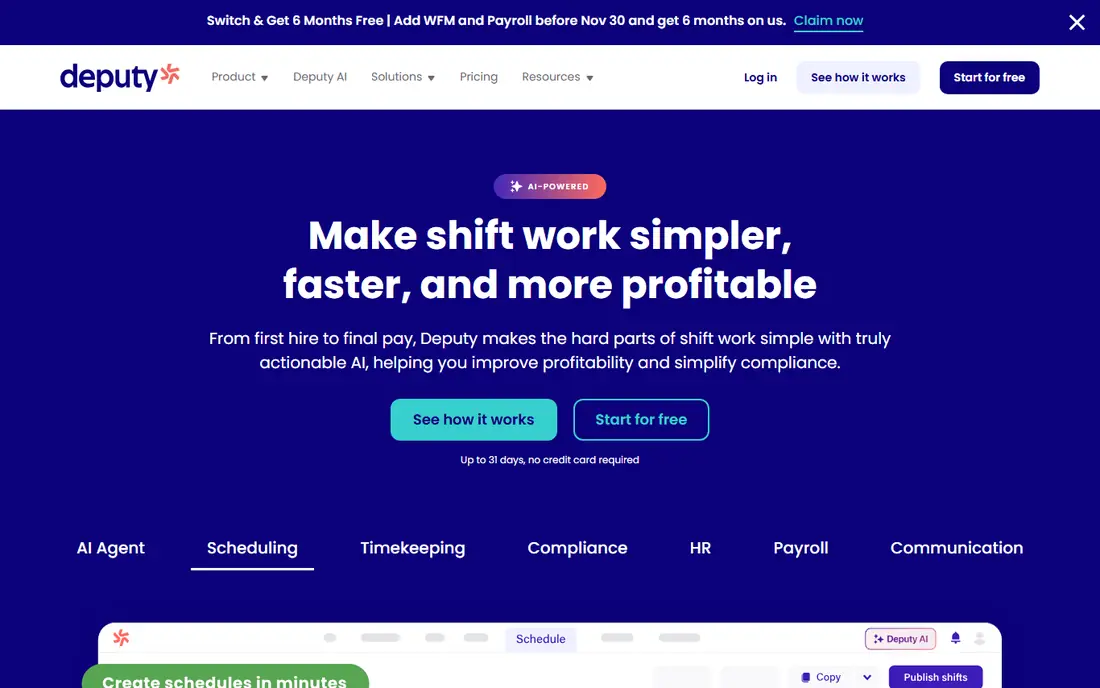
Deputy suits growing businesses that need scheduling with real compliance muscle. You can build schedules around demand, availability, and labour budgets, track time with a mobile clock, and check for conflicts before you publish. Integrations with QuickBooks, Xero, ADP, and Gusto help move approved hours toward payroll without retyping timesheets.
The cost model needs attention. At $5 per user per month on the Lite plan, a small team pays a modest bill, but a large team pays per head, so the total rises with every hire. A monthly minimum also applies in some reports. For a compliance heavy operation with many shifts, Deputy is worth that cost. For a tiny team with simple rotas, a free tool may cover the same basics.
- Strong scheduling and demand based planning
- Compliance controls for breaks, overtime, and labour rules
- Integrations with payroll tools
- Per user pricing climbs with headcount
- Higher features sit on higher tiers
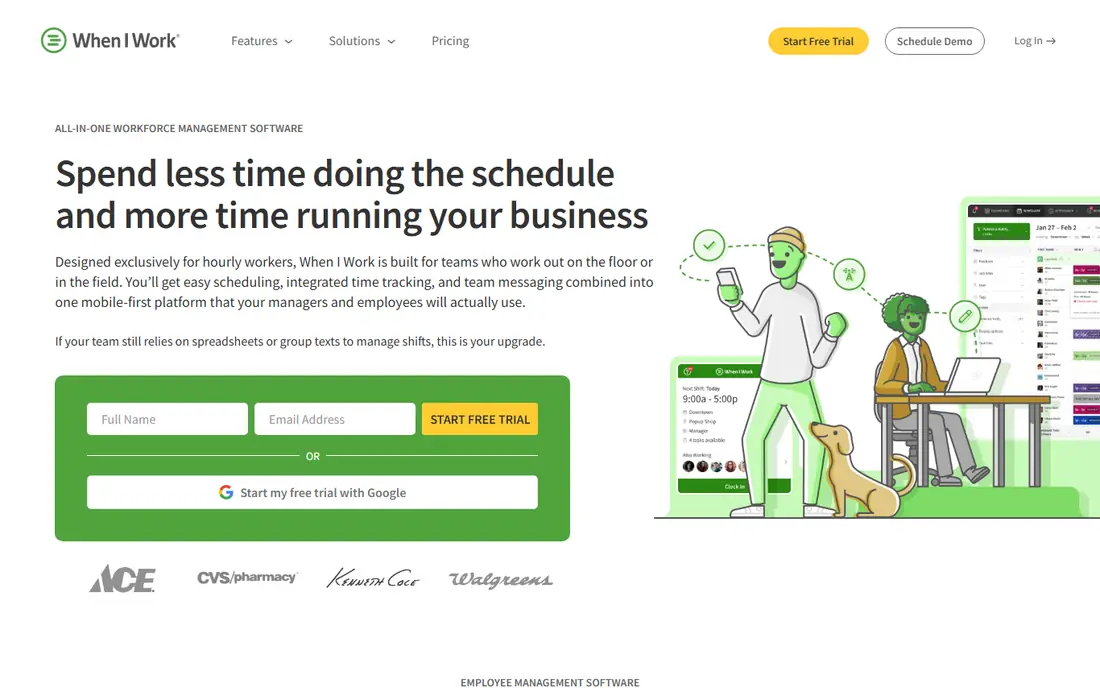
When I Work is the pick for a shift team that wants scheduling live this afternoon. The interface is straightforward, staff can set availability and swap shifts in the app, and managers can publish a weekly rota without a long setup project. At $2.50 per user per month, it is also one of the cheapest serious scheduling tools in this list.
The limits show up as needs grow. Time tracking can require an add on, and advanced forecasting, labour budgeting, and compliance controls are less deep than Deputy or UKG. That is a fair trade for a small team that values speed and price over depth. If your schedules are simple and your team is used to swapping shifts, When I Work is a strong, low cost starting point.
- Very low entry price
- Fast to set up
- Team driven shift swaps and availability
- Time tracking is a paid add on in some reports
- Deeper compliance and forecasting tools are limited
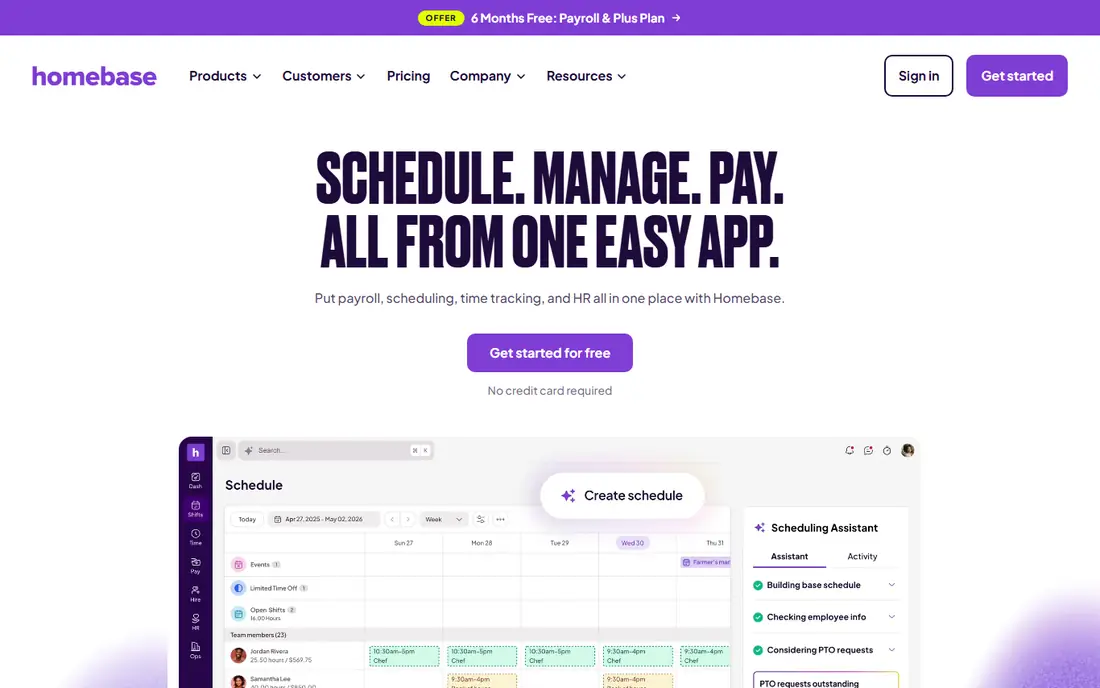
Homebase is the best free starting point for a small hourly business. The free Basic plan covers scheduling and time tracking for one location with up to 10 employees, which is enough for many cafes, shops, and clinics to run a rota without paying. Hiring tools, team messaging, and an optional payroll add on sit in the same app, so a growing business can add features without switching systems.
The per location model is the catch for multi site teams. Each new location adds cost, and payroll is a paid add on, with some controls such as paid time off and scheduling help on higher tiers. For a single location team, though, Homebase offers a rare mix: a usable free plan, a familiar app for staff, and a clear upgrade path. Start free, and move to a paid plan only when you need payroll or more locations.
- Free Basic plan for one location and up to 10 employees
- Scheduling, time clock, and hiring in one app
- Optional payroll add on
- Pricing is per location, so multi site costs rise
- Payroll and some controls sit on paid tiers
Connecteam is built for deskless teams: field staff, cleaners, delivery teams, retail floor staff, and anyone who works away from a desk. The mobile app combines scheduling, a time clock, team chat, forms, and basic HR tools, so a manager can run a dispersed team from one hub. The free plan for teams under 10 users makes it easy to test with a real crew before paying.
The breadth can feel like too much for a tiny desk based team, and the paid model is hub based rather than a simple per user price, so you should confirm the total for your hub and user count. For a mobile workforce that needs communication and daily operations in the same app as scheduling, Connecteam is one of the strongest picks here, and its free tier is genuinely usable for a small crew.
- Free plan for teams under 10 users
- Scheduling, time tracking, communication, and HR in one mobile app
- Good for field and frontline staff
- More functionality than a solo user or a small desk team may need
- Paid pricing is hub based, so compare the full hub cost
Sling suits a budget conscious team that wants free scheduling plus team messaging, without paying for HR features it will not use. The free plan covers scheduling essentials for up to 30 users in recent reports, including shift swaps and communication, which is generous for a small business. Paid plans add more controls at a low per user price.
The trade-off is depth. Sling does not match Deputy for compliance, UKG for enterprise controls, or Rippling for payroll and HR depth. If your main needs are a clear rota, easy swaps, and a way to message the team, Sling covers them at little or no cost. If you need labour forecasting, complex compliance, or payroll in the same system, look at a larger tool.
- Free scheduling essentials for up to 30 users in reports
- Shift swaps and team messaging included
- Low paid price per user
- Advanced workforce features are limited
- Reporting and payroll integrations are narrower than larger tools
7shifts is the restaurant specialist in this list. It builds schedules around sales forecasts and labour targets, tracks time through its time clock app, and connects to point of sale and payroll tools that restaurants already use. That industry focus shows in features like tip handling, department scheduling, and labour cost views that generic tools treat as an afterthought.
The specialisation is also the limit. A retail or logistics team will find less value in restaurant specific forecasting, and pricing is per location, so a multi site group should confirm the total before committing. For a single restaurant or a small restaurant group, 7shifts offers a workflow that fits how kitchens and front of house teams actually work, rather than a generic rota forced onto a restaurant.
- Restaurant specific scheduling and forecasting
- Labour cost controls tied to sales
- Own payroll product and time clock app
- Best value is for restaurants, less so for other industries
- Pricing is per location, so confirm the total for your sites
UKG, formerly UKG Pro and Workforce Management, is the enterprise pick here. It handles scheduling, time and attendance, payroll, and HR for large, multi location organisations with complex labour rules, union agreements, or varied pay structures. For a company with hundreds or thousands of staff across many sites, that depth and compliance control matter more than a low entry price.
The barrier is scale and cost. UKG prices by quote, with no published small business plan, and implementation takes longer and needs dedicated internal time. A small or mid sized team will find Deputy, Homebase, or Connecteam faster and cheaper to run. A large organisation that needs one system for workforce, payroll, and compliance across locations should put UKG on a shortlist and plan for a proper implementation project.
- Deep scheduling, time, payroll, and HR for large organisations
- Strong labour compliance across locations
- Scalable for complex operations
- Quote based pricing with no small business entry plan
- Implementation is longer and needs more internal resource
Rippling takes a different approach from a pure scheduling tool. It treats HR, payroll, time, and device and app access as one connected system, so a promotion, a hire, or a departure updates pay, benefits, and access together. That automation saves time for growing companies that otherwise juggle separate HR, payroll, and scheduling tools with manual exports between them.
The cost story needs care. The $8 per user per month figure is a starting point, and the modules that make Rippling most useful add to the bill. A team that only needs a rota will pay for depth it does not use. A team that wants to consolidate HR and payroll, and that has the time to set up automations properly, will get far more from Rippling than from a scheduling only tool.
- Unifies HR, payroll, time tracking, and scheduling data
- Automates onboarding and access changes
- Payroll ready timesheets
- Starting price is a base figure, and useful modules add cost
- Setup depth suits teams ready to consolidate systems
How we picked these
We compared official pricing pages, product documentation, and recent October 2026 workforce and scheduling comparisons. We kept only tools that were live in the United States in October 2026 and that cover scheduling plus time tracking or a clear workforce management scope, from free small team tools through to enterprise platforms. Prices are starting prices where published, and we wrote See website where a vendor prices by quote, by location, or by hub in a way that varies too much for a single figure.
How to choose the right tool
Start with team type and size. A single location hourly team with up to 10 staff should try Homebase free, Connecteam free, or Sling free first, since all three cover a rota without a bill. A shift team with compliance needs or multiple locations should trial Deputy or When I Work, and compare per user cost against per location cost for your headcount. A restaurant should trial 7shifts, and a large multi site organisation should shortlist UKG and Rippling with a proper requirements list.
Next, test the staff experience, not just the manager view. Ask a few staff members to check a rota, request time off, swap a shift, and clock in on their own phones, and note where they get stuck. A tool that managers love but staff avoid will create no shows and manual workarounds. Also check payroll: confirm whether hours flow to your payroll provider, whether overtime and break rules match your state and local labour rules, and whether the tool supports the pay structures you actually use.
Finally, price a realistic month. Include every scheduled employee, every location, and any add ons for time tracking, payroll, or forecasting. A per user tool looks cheap for 10 staff and costly for 200, while a per location tool looks costly for one small site and cheap for a large site. Run a two week trial on a real rota, compare the published schedule with actual hours, and only then commit to an annual plan for the discount.
Frequently asked questions
Which software is best for workforce management for a small business?
Homebase, Connecteam, and Sling are the best free starting points for small hourly teams, while When I Work at $2.50 per user per month and Deputy at $5 per user per month offer low cost paid scheduling with more control. The best pick depends on team size, locations, and whether you need payroll in the same system. Trial two free plans on a real rota before you pay.
What is the best mobile workforce management software?
Connecteam is the strongest mobile first pick here, since it combines scheduling, time tracking, communication, and HR in one app for deskless teams. Deputy, When I Work, and Homebase also offer mobile apps for staff and managers, so check clock in, shift swap, and messaging on a phone during a trial. The best mobile tool is the one your field staff actually open each day.
What are the top rated workforce management software options for large companies?
UKG and Rippling lead for large or complex operations, with UKG strongest for large scale scheduling and labour compliance, and Rippling strongest for unifying HR, payroll, and time data. Both need a longer decision and implementation than small team tools. Large buyers should run a pilot with one location or department before a full rollout.
What are the best workforce management tools for restaurants?
7shifts is the restaurant specialist, with forecasting, labour cost controls, and point of sale links built for food service. Homebase and When I Work also serve many restaurants at a lower price, especially for a single location. Choose 7shifts if labour forecasting and restaurant specific controls matter most, and a simpler tool if a clear rota and time clock are enough.
Does workforce management software include payroll?
Some do, and some do not. Homebase and Rippling offer payroll in the same system, either as an add on or as a core module, while Deputy, When I Work, and Connecteam mainly integrate with payroll providers. Check whether payroll is included, an add on, or an integration for the plan you choose, and confirm how approved hours move to payroll.
What is the top WFM software for shift based teams?
Deputy leads for shift teams that need compliance and demand based scheduling, with When I Work close behind for simpler, lower cost shift scheduling. Sling and Homebase suit smaller shift teams on a budget. The best shift tool is the one that handles your break, overtime, and availability rules without manual fixes each week.
Sources
See where you really rank - block by block
ProMapRanker scans Google Maps across a grid of your service area. Simple monthly plans from $19, white-label on every plan.
Start freeKeep reading
 galaxy.ai alternatives with lifetime access
Best Galaxy.ai Alternatives With Lifetime Access in 2026
Looking for galaxy.ai alternatives with lifetime access? We compare 7 pay-once AI tools for chat, writing, images, video and SEO work in 2026, in detail.
Read → best wms software
Best WMS Software in 2026: 8 Systems Compared
Compare the best WMS software for warehouses of every size in 2026, from enterprise systems like SAP and Manhattan to mid-market options for growing brands.
Read → best warehouse management software
Best Warehouse Management Software in 2026
Searching for the best warehouse management software? We compare 9 WMS platforms on warehouse workflows, integrations, pricing, and fit by business size.
Read →