 ProMapRanker
Best Workflow Software for Accountants in 2026


Email-driven firm collaboration · Pricing starts at: $59 per user per month
Key takeaways
- Karbon suits firms where client work runs through email, while TaxDome suits firms that want one portal for clients, billing, and documents.
- Financial Cents and Uku offer the lowest entry prices here, which helps small firms move off spreadsheets without a large contract.
- Jetpack Workflow fits firms that only need recurring task tracking, not a full practice suite.
- Canopy and Mango add depth for tax-heavy and time-and-billing firms, but their pricing needs a careful read before signing.
Quick comparison
| Pick | Great for | Pricing starts at | Free tier | |
|---|---|---|---|---|
| Karbon | Email-driven firm collaboration | $59 per user per month | Free trial | Visit |
 Financial Cents | Small firms starting fast | $19 per month | Free trial | Visit |
 Jetpack Workflow | Recurring task tracking only | $40 per user per month | Free trial | Visit |
 Canopy | Tax-heavy practices | $74 per user per month | No | Visit |
 TaxDome | All-in-one client portal | $800 per user per year | No | Visit |
 Pixie | Flat pricing by client count | $129 per month | Free trial | Visit |
 Uku | Profitability on fixed-fee work | $19 per member per month | Free trial | Visit |
 Mango Practice Management | Time and billing with due dates | $35 per user per month | Free trial | Visit |
The best workflow software for accountants
We compared tools that help accounting firms track recurring jobs, deadlines, client requests, and handoffs. We gave extra weight to recurring work, client portals, and how clearly each vendor prices seats, clients, and add-ons.

Karbon fits firms where most client work starts in an inbox. Tasks, emails, and client notes sit in one view, so a team member can pick up a job without hunting through separate threads. That structure helps larger firms where several people touch the same client during tax season.
The cost is the main trade-off. At a per-user price, a growing team pays more with every hire, and some features, such as automatic client reminders and API access, sit on the higher Business tier. Firms should trial Karbon with a real tax-season workflow, not a demo checklist, before committing.
- Work organised around email threads
- Strong team collaboration
- Client portal included
- Price rises fast with headcount
- Some features need the higher tier
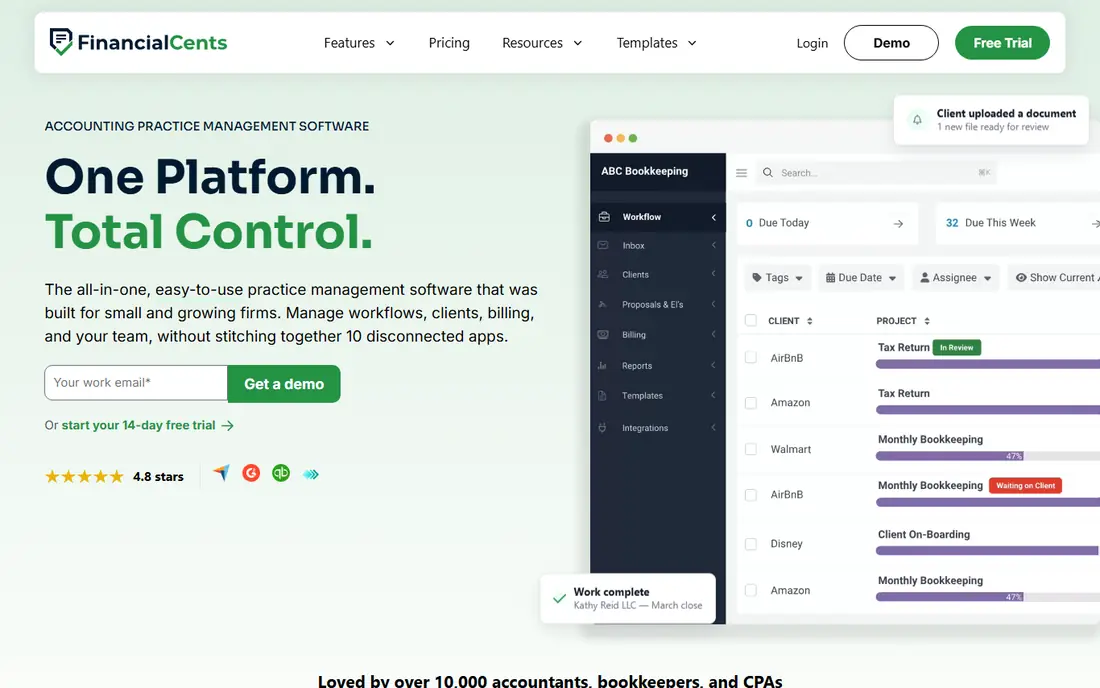
Financial Cents is the easiest shortlist entry for a small firm that still runs on spreadsheets. Its Solo plan is cheap, its template library covers common monthly and annual jobs, and the client portal gives clients one place to send documents. A small team can set up recurring work in days rather than weeks.
Limits show at scale. Very large firms may want deeper capacity planning and reporting than Financial Cents offers at entry tiers. It also lacks a permanent free plan, so the trial period is the time to test client adoption. For firms under about ten people, the value is hard to argue against.
- Low entry price
- Large template library
- Client portal and invoicing included
- Less depth for very large firms
- No permanent free plan
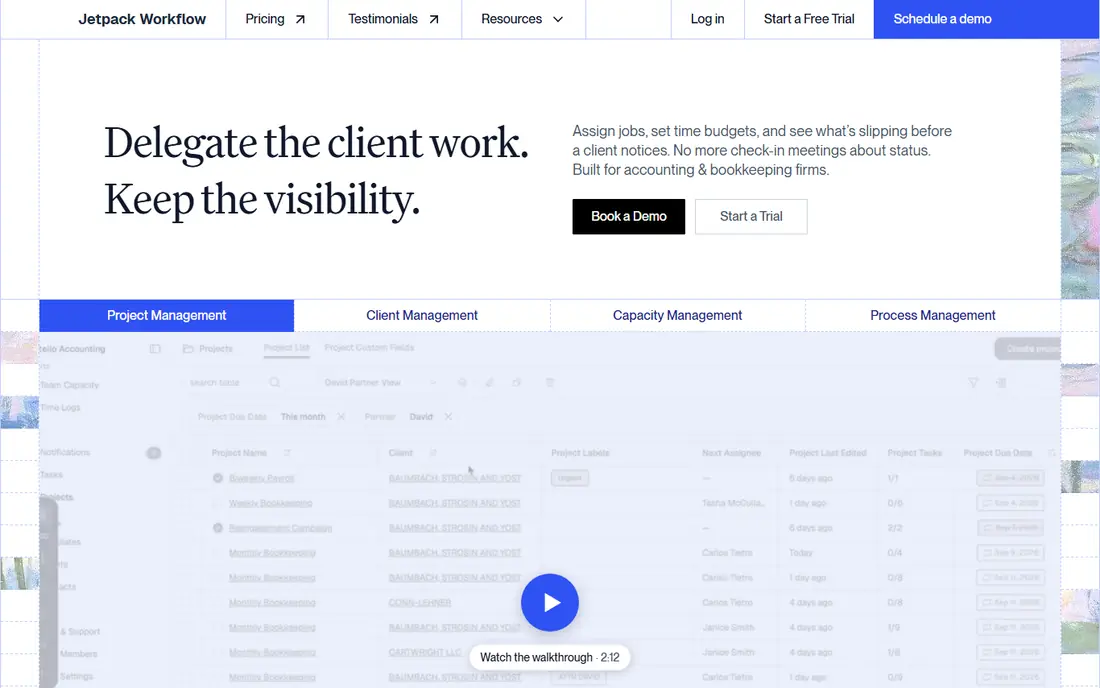
Jetpack Workflow does one job well: it tracks recurring accounting work. Jobs repeat on a schedule, owners are clear, and overdue work stands out. Firms that already have a portal and billing tool elsewhere can add Jetpack without replacing their whole stack.
That focus is also the limit. Jetpack does not offer a full client portal, and billing and document management are limited. Buyers who want an all-in-one suite should look at TaxDome or Karbon instead. Buyers who want a clean workflow core will find Jetpack refreshingly simple.
- Clear recurring job tracking
- Simple setup
- Predictable workflow view
- No client portal
- Limited billing and document tools
Canopy suits tax practices and tax resolution work, where deadlines, documents, and client messages must stay tied to each case. Its workflow, document, and client tools cover the full job, and a client mobile app helps clients respond without email chains. Firms that live in tax season will use most of what Canopy offers.
Pricing needs care. Canopy moved to per-user pricing, but modules and add-ons can push the real total above the headline tier. There is also no free plan, so a demo should cover the exact modules a firm needs. Get a written quote for the full setup before comparing it with a flat-priced rival.
- Strong tax workflow tools
- Client portal and mobile app
- Modular feature choices
- Modular pricing can raise the total
- No free plan
TaxDome is the all-in-one pick for firms that want clients in one portal for messages, documents, signatures, invoices, and payments. Workflows can automate recurring jobs, and the mobile apps help clients respond from a phone. That breadth reduces the number of separate tools a firm must maintain.
Two catches matter. TaxDome bills annually with no monthly option, so the upfront cost is higher than the monthly figure suggests. The feature set is also broad, which means setup and training take time. Firms that commit to using the portal for everything will get the most value from it.
- Client portal, billing, and workflows in one place
- Firm and client mobile apps
- Strong automation
- Annual billing only
- Broad feature set takes time to learn
Pixie takes a different pricing path from most rivals. Instead of charging per user, it charges by client count, so a firm can add team members without adding seat fees. That makes budgeting simple, especially for firms with many staff and a stable client list.
The band jumps are the catch. Crossing from one client band to the next raises the monthly fee in a step, so firms near a band edge should plan for that. Pixie also offers less billing depth than TaxDome or Mango. It fits firms that want workflow and client work first, and billing handled elsewhere or kept simple.
- Flat fee by client count
- Unlimited team members
- Predictable monthly cost
- Pricing jumps at client-count bands
- Less billing depth than full suites
Uku stands out for firms moving to fixed-fee and advisory work. It tracks whether an engagement makes money, not just whether tasks are done, which helps firms spot work that eats hours without paying for them. The entry price is low, and onboarding help is included, which eases the move from spreadsheets.
The trade-off is scale of the vendor footprint. Uku has a smaller US reference base than Karbon or TaxDome, and its integration list is shorter. Firms that depend on a specific niche tool should check the integration before signing. For advisory-focused firms, the profitability view is a genuine difference.
- Profitability tracking on engagements
- Low entry price
- Free onboarding help
- Smaller US reference base
- Fewer integrations than larger rivals
Mango Practice Management, from ProfitSolv, suits firms that bill by time or by project and need due dates kept in view. Time tracking, invoicing, and client due dates sit together, and QuickBooks integration helps firms that already keep books there. Accounting-specific templates help a firm start without building every workflow from scratch.
Mango feels less modern than newer rivals, and its module mix can add cost beyond the base tier. Firms should confirm which modules are included in the quoted tier. For time-and-billing firms that want a proven, accountant-built suite, Mango remains a solid shortlist entry.
- Time and billing built in
- Due date tracking
- QuickBooks integration
- Older interface feel
- Modules can add cost
How we picked these
We compared official pricing and feature pages with recent comparisons that cite vendor pricing from 2026. A tool made the list only if it is actively sold to accounting firms and covers workflow, recurring jobs, or practice management, not just general project software. We marked prices as per user or per firm as published, and we noted where annual-only billing changes the real cost.
What to check before you buy
Start with a real job list, not a feature checklist. Write down the monthly, quarterly, and annual jobs for ten clients, then walk each tool through that list. A tool that looks good on a demo can still fail on a tax-season deadline pattern.
Test client adoption early
A workflow tool only works if clients use the portal. Send a test request to a friendly client during the trial and watch how long it takes them to respond. If clients keep replying by email, the portal will not save the firm time.
Price the full team
Multiply the per-user price by the full team, including seasonal staff, and add modules for billing, signatures, and documents. Compare that total with flat-priced tools such as Pixie. A low headline price can hide a high team total.
Plan the tax-season load
Ask how the tool handles capacity, overdue work, and reassignment when someone is out. Check reporting on who is overloaded before deadlines hit. A clean task list in May is not proof the tool will hold up in March.
Frequently asked questions
What is the best accounting workflow software for a small firm?
Financial Cents and Uku are strong low-cost starting points, with entry prices from $19 per month or per member. Pixie suits firms with many staff and a stable client count because it charges by clients, not seats. Test client adoption during the trial before choosing.
What is the difference between workflow software and practice management software?
Workflow software tracks jobs, deadlines, and handoffs. Practice management software adds client portals, billing, documents, and CRM features around that workflow. Jetpack Workflow is mainly workflow, while TaxDome and Karbon are fuller practice suites.
Does Karbon or TaxDome fit a tax-only firm?
Both can fit, but for different reasons. Karbon suits email-heavy collaboration across a team. TaxDome suits firms that want clients in one portal for documents, signatures, and payments. Canopy is also worth a look for tax resolution work.
Is there free workflow software for accountants?
None of the full tools here offers a permanent free plan, though most offer a free trial. General tools such as spreadsheets or free project apps can track tasks, but they lack client portals, recurring accounting jobs, and deadline templates. A paid trial is the honest way to test fit.
How long does setup take?
Small firms can set up Financial Cents or Jetpack Workflow in days. Full suites such as TaxDome and Karbon often take weeks, especially if client data, templates, and billing must move across. Ask each vendor for a setup timeline tied to your client count.
Sources
- https://karbonhq.com
- https://financial-cents.com
- https://jetpackworkflow.com
- https://canopytax.com
- https://taxdome.com
- https://pixie.co
- https://getuku.com
- https://mangopractice.com
- https://financial-cents.com/resources/articles/cost-of-accounting-practice-management-software/
- https://rankite.com/blog/best-accounting-practice-management-software
See where you really rank - block by block
ProMapRanker scans Google Maps across a grid of your service area. Simple monthly plans from $19, white-label on every plan.
Start freeKeep reading
 zscaler alternatives
Best Zscaler Alternatives in 2026
Looking for zscaler alternatives? We compare 9 SASE and zero trust platforms on architecture, data protection, pricing, and fit for your network and team.
Read → zapier alternatives free
Best Zapier Alternatives Free in 2026
Nine automation tools for zapier alternatives free in 2026, all with genuinely free tiers, plus free plan limits, starting prices and upgrade paths explained.
Read → which platform is best for online reputation
Which Platform Is Best for Online Reputation in 2026
Wondering which platform is best for online reputation? We compare 8 review, listing, and response tools for small and multi-location businesses and agencies.
Read →