 ProMapRanker
Best Workflow Management Software for Accountants in 2026


Firms where client work arrives by email · Pricing starts at: $59 per user per month
Key takeaways
- Karbon and Canopy suit larger firms, while Financial Cents and Uku give small firms a lower starting price.
- Recurring work, client reminders and a client portal matter more than a long feature list during tax season.
- TaxDome bundles the portal, billing and workflows in one seat price, but that price is paid once a year.
- The cheapest plan is rarely the full cost, so check template limits, e-signature charges and add-ons before you commit.
Quick comparison
| Pick | Great for | Pricing starts at | Free tier | |
|---|---|---|---|---|
| Karbon | Firms where client work arrives by email | $59 per user per month | Free trial (14 days) | Visit |
 Canopy | Tax-heavy firms needing IRS tools | $74 per user per month | Free trial | Visit |
 Financial Cents | Small firms wanting fast setup | $19 per month | Free trial (14 days) | Visit |
 TaxDome | Firms wanting portal, billing and workflow together | $800 per user per year | Free trial | Visit |
 Jetpack Workflow | Firms wanting simple recurring task tracking | $40 per user per month | Free trial (14 days) | Visit |
 Pixie | Firms priced by client count rather than seats | See website | Free trial | Visit |
 Mango Practice Management | Firms with standard, repeatable processes | See website | Free trial | Visit |
 Uku | Small firms tracking profitability on advisory work | $19 per user per month | Free trial (14 days) | Visit |
The best workflow management software for accountants
Good workflow software answers one question at any moment: what is the status of every client job, and who is waiting on whom. The eight tools below cover that job in different ways, from full practice suites to leaner tracking tools.

Karbon treats email as work, not as a side inbox. Client messages land in a shared triage view, get linked to the right job and become tasks the whole team can see. That design helps firms where most requests, documents and questions still arrive by email, and it cuts down on work that sits unseen in one person's inbox. Workflow templates, kanban views and reporting give managers a clear view of progress across the firm.
The price needs a careful read. Team starts at $59 per user per month when billed annually, while Business is $89 per user per month on the same basis. Team caps work templates and contact profiles, and it lacks automatic client reminders and API access, so growing firms often need Business from the start. If your firm has ten or more people and lives in email, Karbon earns its price. Smaller firms may find it is more system than they need.
- Shared email triage turns messages into tasks
- Strong workflow automation and templates
- Many integrations with accounting tools
- Key automation sits on the higher Business plan
- E-signatures cost extra

Canopy started as a tax tool, and that history still shows in its strengths. Firms that handle tax resolution work get transcript access and case tools alongside the usual CRM, document handling, portal and billing features. For a general tax practice, that combination means fewer separate tools and less time moving client information between systems.
Canopy now sells bundled per-user plans, starting at $74 per user per month billed annually for Standard, with Plus at $109. That is a higher entry point than Karbon or Financial Cents, so the value case rests on using the tax features and the portal heavily. Firms that do little tax resolution work should compare the Standard plan closely with cheaper workflow tools before signing.
- Client portal, document management and e-signatures in one place
- Tax resolution and IRS transcript tools
- Invoicing and payments included
- Higher per-seat price than several rivals
- Some advanced features carry extra charges
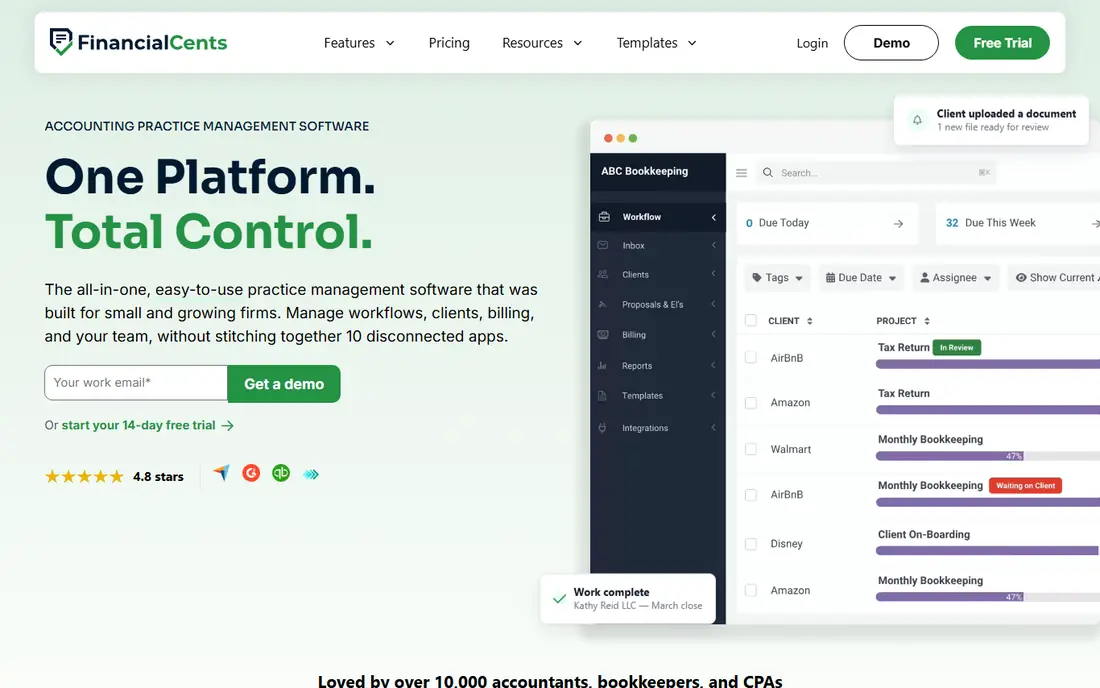
Financial Cents is built for small accounting and bookkeeping firms that want to get moving quickly. Recurring workflows for monthly closes, payroll and sales tax filings can roll forward automatically, and client tasks with reminders help staff collect documents without repeated chasing. The template library, with hundreds of shared templates, gives a new firm a working process on day one rather than a blank page.
Solo costs $19 per month billed annually for a single user, Team is $49 per user per month and Scale is $69, both billed annually. Team adds email integration and e-signatures, while Scale adds auto follow-ups, task dependencies and profitability reporting. Firms should budget for Scale if they want the deeper automation, and firms whose clients use Xero should check the integration gap first.
- Low Solo starting price
- Large template library for recurring work
- Client portal, time tracking and invoicing included
- Advanced automation and profitability reports sit on the Scale plan
- No native Xero integration reported
TaxDome aims to replace several tools at once. Client intake, secure messaging, document requests, workflows, invoicing and payments live in one place, so a firm does not need a separate portal or billing app. Proposals and engagement letters are part of the same flow, which helps tax firms turn a new client into a signed, paying engagement without extra software.
Pricing is quoted per year rather than per month, at $800 per user per year for Essentials on an annual plan in recent listings, with higher tiers above it. That lump sum suits firms that are sure about the platform, but it is a bigger commitment than a monthly plan. Firms that only need workflow tracking, without a portal or billing, will pay for breadth they do not use.
- One system for CRM, portal, workflows, documents and billing
- Proposals and engagement letters included
- Strong automation for tax firms
- Annual per-seat payment is a large upfront cost
- Setup takes time to do well
Jetpack Workflow does one job well: it tracks recurring accounting work and shows who owns each task and when it is due. For firms moving away from spreadsheets, that clarity alone can change tax season. Jobs repeat on schedule, deadlines cascade when dates change, and managers can see overdue work before a client has to ask about it.
The trade-off is breadth. Jetpack Workflow does not include a client portal or invoicing, so firms still need separate tools for client communication and billing. At $40 per user per month billed annually, it is a fair price for focused tracking, but firms that want an all-in-one suite should look at Financial Cents or TaxDome instead.
- Clear recurring task and deadline tracking
- Easy to learn for small teams
- Predictable per-user pricing
- No client portal or built-in invoicing
- Reporting is lighter than full suites
Pixie takes a different pricing angle from most tools on this list. Instead of charging mainly per team member, it prices by the number of clients a firm serves, which can help a firm that adds staff without adding many clients. Workflows, client records and task tracking sit together, so a small team can follow each engagement from start to finish in one view.
The catch is transparency. Because pricing depends on client count and plan, firms need a quote to compare Pixie fairly with per-seat tools. That extra step is worth it for firms with a large team and a stable client base, where per-seat pricing would climb fast. Firms that want a published price on day one may prefer Financial Cents or Jetpack Workflow.
- Pricing follows client numbers, which suits growing teams
- Workflow and client management in one place
- Task automation for recurring work
- Pricing is not published as a simple per-seat rate, so quotes vary
- Time tracking is limited compared with some rivals
Mango Practice Management
Great for: Firms with standard, repeatable processes
Mango Practice Management suits firms whose work follows a standard pattern. Monthly bookkeeping, payroll and tax preparation jobs repeat with similar steps, and Mango gives those jobs a clear template and a single place for client information and documents. For firms that value consistency over deep customization, that structure keeps work uniform across staff.
Customization is the limit. Firms with unusual or highly varied engagements may find the workflow options less flexible than Karbon or Canopy. Pricing is quoted rather than published as one simple rate, so firms should ask what is included at each tier, especially for capacity planning and email integration, before they decide.
- Practice management built for accounting firms
- Workflow templates for standard services
- Client and document handling in one system
- Workflow customization trails more configurable rivals
- Some tools sit on higher tiers
Uku is a lean practice tool for small firms that want to see whether work is actually profitable, not just completed. Workflow tracking sits alongside capacity and profitability views, which helps a small firm spot clients or services that take more time than they pay for. That focus suits firms moving into advisory work, where fixed fees make time control matter.
Solo starts at $19 per user per month billed annually, which puts Uku in the same budget range as Financial Cents Solo. The difference is emphasis: Uku leans toward profitability insight, while Financial Cents leans toward breadth at a low price. Larger firms, or firms needing deep automation and a wide integration list, will likely outgrow Uku sooner.
- Low Solo starting price
- Profitability and capacity views for advisory work
- Clean workflow tracking for small teams
- Less depth for large firms than Karbon or Canopy
- Smaller integration range than the biggest suites
How we picked these
We compared official feature pages, pricing pages and public reviews for tools built for accounting firms, and we kept only tools that handle recurring client work, assignments and deadlines as a core job. General project tools were left out, because accounting work needs client records, recurring jobs and tax-season capacity views that a generic task app does not provide. Prices shown here come from vendor pricing pages and recent third-party pricing checks, and we wrote See website where a vendor quotes rather than publishes a rate.
What to check before you buy
Start with your busiest month, not your quietest one. List the jobs that repeat, the clients who are slow to send documents, and the handoffs that fail most often. Then test each shortlisted tool against that list, not against a feature page. A tool that handles your top ten jobs well beats a tool with fifty features you never open.
Next, count the real cost. Add per-seat fees, e-signature charges, portal costs and any tax or billing add-ons, and check whether annual billing is required for the price you saw. Ask about migration help, template setup and training, because a tool that takes weeks to configure costs staff time even when the monthly fee looks low. Finally, run a trial with real client work and real deadlines, and watch how the team handles overdue jobs and client reminders. That trial tells you more than any demo.
Frequently asked questions
Do accountants need workflow software, or is a spreadsheet enough?
A spreadsheet works until client numbers grow or tax season peaks. Workflow software adds recurring jobs, assignments, reminders and a single view of overdue work, which spreadsheets cannot maintain without constant manual updates.
What is the cheapest good option for a solo accountant?
Financial Cents Solo and Uku Solo both start at $19 per month billed annually. Financial Cents gives broader billing and portal features at that price, while Uku gives stronger profitability views, so the better pick depends on which gap hurts more.
Does Karbon include e-signatures?
E-signatures are a paid add-on on Karbon, separate from the seat price. Firms that need frequent client signatures should add that cost to the Team or Business price before comparing it with tools that include signatures.
Can these tools replace QuickBooks or Xero?
No. Workflow tools manage jobs, clients and deadlines, while QuickBooks and Xero hold the ledger. Most tools on this list integrate with one or both, so check the integration for the ledger your clients actually use.
How long does setup usually take?
Small firms can often run Financial Cents, Jetpack Workflow or Uku within days or a couple of weeks. Larger suites such as Karbon and Canopy need more setup time for templates, portal branding and team training, so budget weeks rather than days.
Should a firm pay annually or monthly?
Annual billing usually lowers the monthly rate, but it locks the firm in for a year. Monthly billing costs more but gives room to change if the tool does not fit, so new firms may prefer monthly until the workflow is proven.
Sources
See where you really rank - block by block
ProMapRanker scans Google Maps across a grid of your service area. Simple monthly plans from $19, white-label on every plan.
Start freeKeep reading
 zoro.to alternatives
Best Zoro.to Alternatives in 2026
We compare the best zoro.to alternatives in 2026, listing only legal licensed anime streaming services, from Crunchyroll to free options for fans today.
Read → zip alternatives
Best Zip Alternatives in 2026
We compare the best zip alternatives for buy now, pay later in 2026, covering pay-in-4 plans, fees, spending limits, and credit reporting options today.
Read → yesware alternatives
Best Yesware Alternatives in 2026
Compare the best yesware alternatives for sales email tracking, templates, and sequences, with current pricing and honest tradeoffs for small sales teams.
Read →