 ProMapRanker
7 Strong Workflow Automation Tools for Sales Teams in 2026


HubSpot CRM users who require data sync and cleanup · Pricing starts at: $10 per seat a month (promotional; $20 regular)
Direct answer
Our first pick is HubSpot Data Hub, best for HubSpot CRM users who require data sync and cleanup. Look at ActiveCampaign for small teams tying marketing automation to a real sales pipeline, and at Zapier for non-technical teams that want the widest app coverage. Details, prices and limits for the rest of the 7 tools are below.
Key takeaways
- Number one here is HubSpot Data Hub, a fit for HubSpot CRM users who require data sync and cleanup.
- Salesloft is the one to check for enterprise teams choosing between the two big engagement products.
- A free plan is available from 4 of the 7 tools: HubSpot Data Hub, Zapier, Make, Clay.
- Zapier comes with a trade-off: task-based pricing gets costly quick.
- Make has the lowest monthly starting price in this list: $9 per month.
Quick comparison
| Pick | Great for | Pricing starts at | Free tier | |
|---|---|---|---|---|
| HubSpot Data Hub | HubSpot CRM users who require data sync and cleanup | $10 per seat a month (promotional; $20 regular) | Yes | Visit |
 ActiveCampaign | Small teams tying marketing automation to a real sales pipeline | $19 per month (1,000 contacts) | Free trial (14 days) | Visit |
 Zapier | Non-technical teams that want the widest app coverage | $19.99 per month (billed yearly) | Yes | Visit |
 Make | Visual builders who want more power per dollar | $9 a month (billed yearly) | Yes | Visit |
 Pipedrive | Sales teams that want CRM and automation in one purchase | $14 per user a month (billed yearly) | Free trial (14 days) | Visit |
 Clay | Outbound teams that live on enrichment and AI research | $167 a month (billed yearly) | Yes | Visit |
 Salesloft | Enterprise teams choosing between the two big engagement systems | See website | No | Visit |
Our 7 workflow automation tools for sales teams
ProMapRanker put together this guide to workflow automation tools for sales teams for readers who want a clear shortlist without reading every vendor page. It compares 7 tools on starting price, free plans, who each one suits and where each one falls short.
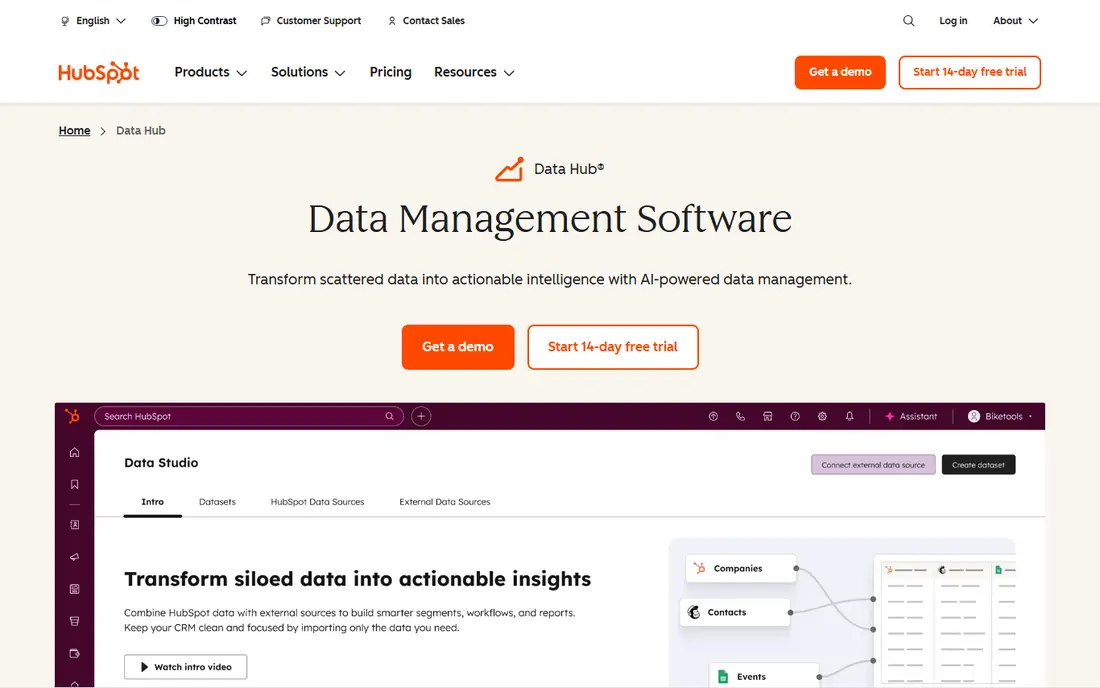
HubSpot Data Hub is built with HubSpot CRM users who require data sync and cleanup in mind. HubSpot renamed Operations Hub to Data Hub in 2026, which tells you where the product is going.
Watch-outs: Credits consumed on data sync outside Data Studio.
More specifically, the weakness is the cliff between Starter and Professional: at $800 per month, Professional targets businesses with serious data operations, and credit consumption on syncs outside Data Studio brings a usage bill on top. On cost, HubSpot Data Hub starts like this: $10 per seat per month. You can start on HubSpot Data Hub without paying.
- Data quality automation built in
- Works natively with every HubSpot hub
- Professional tier jumps to $800 a month
ActiveCampaign
Great for: Small teams tying marketing automation to a real sales pipeline

Think of ActiveCampaign for small teams tying marketing automation to a real sales pipeline. ActiveCampaign is the bridge between marketing automation and a working sales pipeline. The Pipelines and Sales Engagement CRM extras cost additional on top.
Limits to weigh: Contact-based pricing climbs steeply with list size.
Worth adding: the built-in CRM means a small team can run campaigns and work deals without a second subscription. For teams under 5,000 contacts it is capable value; past that, compare carefully against a dedicated CRM plus a less expensive email tool. The starting price for ActiveCampaign: $19 per month. As for free access: Free trial (14 days).
- Built-in CRM with deal pipelines
- 950+ automation recipes and a genuinely feature-rich visual builder
- No permanent free plan
Pick Zapier if this describes you: non-technical teams that want the widest app coverage. The main limit is the billing model.
Teams automating lead routing and follow-up at real volume commonly land on plans far above the headline price. Worth adding: the library of integrations is unmatched, so the obscure scheduling tool or niche dialer your team insists on is probably already supported. Entry price for Zapier: $19.99 per month. You can start on Zapier without paying.
Limits to weigh: Linear workflow model manages complicated branching poorly.
- AI agents and MCP support added in 2026
- 9,000+ app integrations
- No self-hosting choice
Think of Make for visual builders who want more power per dollar. If Zapier is the friendly assistant, Make is the workshop. Beyond that, the tradeoff is a ramp-up time, and niche apps at times need a generic HTTP module instead of a refined connector.
Drawbacks to consider: Smaller app library (around 3,500 apps).
For sales ops people building real pipelines, that visual model pays for itself. Pricing is the other big argument. On top of that, the Core plan costs $9 per month for 10,000 operations. One operation spans what Zapier might count as multiple tasks. On top of that, teams with someone technical enough to own it normally prefer Make. Entry price for Make: $9 per month. Make offers a free plan.
- Operations pricing is far less expensive than Zapier at volume
- Canvas-based visual builder with native branching
- Steeper ramp-up time than Zapier
Pipedrive is a good fit for sales teams that want CRM and automation in one purchase. Most sales teams do not need another product. They need their CRM to stop dropping follow-ups, and Pipedrive's automation builder manages that straight: deal-stage triggers, automatic task creation, email sequences, and lead assignment rules without a separate subscription.
For a five-person team, Lite to Growth costs about $1,500 more a year, still less expensive than bolting Zapier onto a less expensive CRM once you count the second subscription. In daily use, the $14 Lite plan has no automations, no email sync, and no sequences, so the real starting price for automation is $39 per user a month on Growth. As for the details, setup takes days, not weeks, and the activity-based selling model keeps reps centred on the next action. The starting price for Pipedrive: $14 per user per month. As for free access: Free trial (14 days).
Downsides: sequences all need the $39 Growth plan; No free plan.
- Quick setup with 500+ integrations
- Visual pipeline reps actually adopt
- Automations, email sync
Clay is aimed squarely at outbound teams that live on enrichment and AI research. On top of that sits a table-based workflow builder with AI columns for research, qualification, and personalized message drafting. On top of that, teams that run Clay well treat it as infrastructure with a real monthly budget, not a cheap add-on.
Pricing splits into Data Credits and Actions, which is fairer than the old system but still hard to forecast. In practice, enriching a handful of thousand contacts with phone numbers can burn through per month's credits rapidly. The free plan is a trial of the interface, not a production tool. Entry price for Clay: $167 per month. You can start on Clay without paying.
Where it falls short: Credit math is hard to predict before you run real volume.
- Waterfall enrichment across 150+ data providers
- AI agents for research and personalization
- Total cost climbs quick with heavy use
Salesloft
Great for: Enterprise teams choosing between the two big engagement systems
Salesloft makes the most sense for enterprise teams choosing between the two big engagement systems. Cadences, conversation intelligence, deal management, and forecasting are all here, wrapped in a 2026 positioning as a revenue orchestration system with agentic AI.
Where it falls short: No public pricing and no free trial.
More specifically, if you are evaluating both, run the same pilot workflow in each and negotiate hard; neither vendor's list price is the final price. Pricing for Salesloft is not stated here, so ask the vendor for current figures. Salesloft has no free plan.
- Trusted by 4,000+ organizations
- Revenue orchestration positioning with forecasting
- Future roadmap affected by the Clari merger
Our selection method
ProMapRanker used vendor pricing pages and product documentation as the base, then compared plans, free access and documented limits for 7 tools. Prices and plan limits come from vendor pages and can change, so confirm them on the vendor site before you buy. We ordered the tools by general fit, then by how clearly pricing is shown, then by free access. A buyer with unusual needs may reorder them.
Before you commit
- Get a written quote from Salesloft; the list shows no starting price for them.
- Look at free plan limits closely: HubSpot Data Hub, Zapier, Make and Clay have one, and the caps decide whether it is usable for real work.
- Take the trial from ActiveCampaign and Pipedrive and push a live task through it before you pay.
- Before choosing HubSpot Data Hub, weigh its main limit: professional level jumps to $800 a month.
- Ask Make which support channels and response times come with the plan you would buy.
- Check whether Salesloft bills monthly or annually, and what cancelling early costs.
Frequently asked questions
What is the cheapest option for workflow automation tools for sales teams in this list?
On published monthly entry prices, Make is the lowest here at $9 per month. Entry price is only part of the cost, because seats, add-ons and billing terms can change the total.
Which options for workflow automation tools for sales teams have a free plan?
On this list, HubSpot Data Hub, Zapier, Make and Clay include a free plan. Caps on seats, usage or features are common, so test the free plan against your real workload. Several others offer a trial instead.
Is HubSpot Data Hub the right pick for everyone comparing workflow automation tools for sales teams?
No single tool suits every team. HubSpot Data Hub comes first because it fits HubSpot CRM users who need data sync and cleanup, while ActiveCampaign suits small teams tying marketing automation to a real sales pipeline and Zapier suits non-technical teams that want the widest app coverage. Match the tool to your own size, budget and workflow before deciding.
Can I try these tools before paying?
Often, yes. HubSpot Data Hub, Zapier, Make and Clay have a free plan and ActiveCampaign and Pipedrive offer a free trial. Use your own data and a real task during the test, and check what the free tier or trial limits before you rely on it.
Sources
See where you really rank - block by block
ProMapRanker scans Google Maps across a grid of your service area. Simple monthly plans from $19, white-label on every plan.
Start freeKeep reading
 zscaler alternatives
Best Zscaler Alternatives in 2026
Looking for zscaler alternatives? We compare 9 SASE and zero trust platforms on architecture, data protection, pricing, and fit for your network and team.
Read → zapier alternatives free
Best Zapier Alternatives Free in 2026
Nine automation tools for zapier alternatives free in 2026, all with genuinely free tiers, plus free plan limits, starting prices and upgrade paths explained.
Read → which platform is best for online reputation
Which Platform Is Best for Online Reputation in 2026
Wondering which platform is best for online reputation? We compare 8 review, listing, and response tools for small and multi-location businesses and agencies.
Read →