 ProMapRanker
Best Work Schedule App in 2026

Key takeaways
- Homebase is the best free starting point for a single location with up to 10 employees.
- When I Work is the cheapest per-user option for simple shift scheduling at a single location.
- Deputy is the strongest pick when compliance, break rules, and multi-location control matter.
- Free plans differ sharply on users, locations, and features, so price the paid tier you will actually land on.
Quick comparison
| Pick | Great for | Pricing starts at | Free tier | |
|---|---|---|---|---|
 Homebase | Small hourly teams | Free | Yes | Visit |
 Deputy | Compliance and multi-location teams | $5 per month | Free trial | Visit |
 When I Work | Simple low-cost scheduling | $2.50 per month | Free trial | Visit |
 Connecteam | Deskless teams in one app | See website | Yes | Visit |
 Sling | Free scheduling and messaging | Free | Yes | Visit |
 7shifts | Restaurants | See website | Yes | Visit |
 Planday | Shift teams needing working-time rules | See website | Free trial | Visit |
 ZoomShift | Small teams on a budget | $2 per month | Yes | Visit |
 Buddy Punch | Time tracking first, scheduling second | $4.99 per month | Free trial | Visit |
The best work schedule apps
Work schedule apps help managers build rotas, handle shift swaps, track time, and share updates with hourly and shift teams. The best app depends on team size, location count, and whether you need payroll or compliance tools as well. We compared official pricing pages and product pages, and we kept only live apps in October 2026.
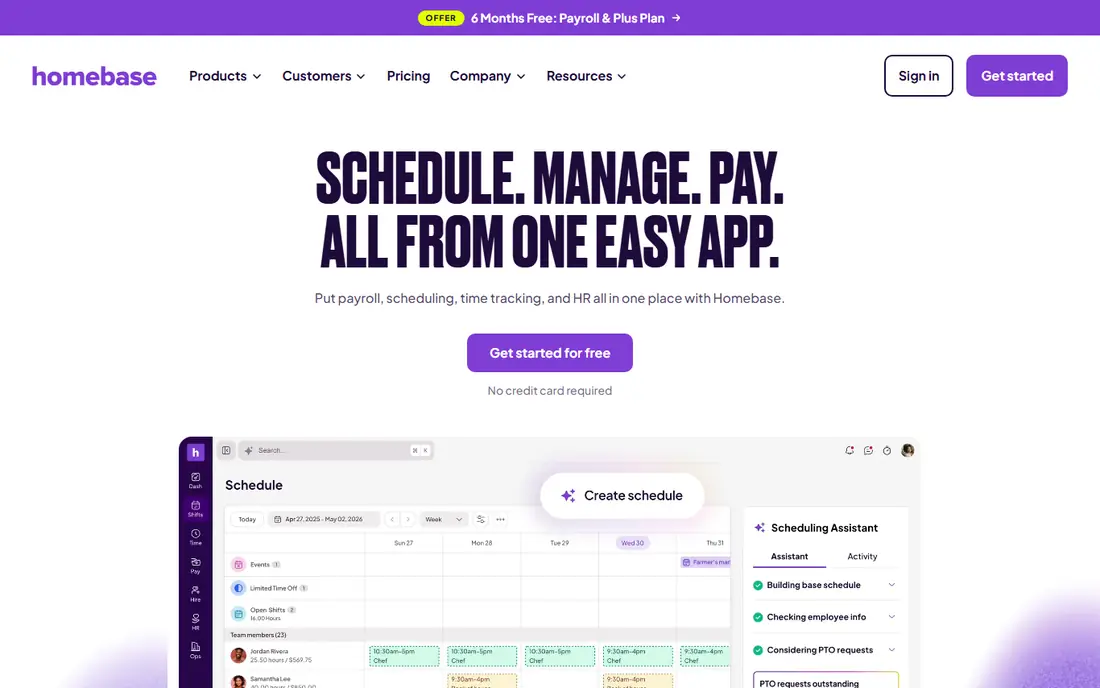
Homebase is the best starting point for a small business with hourly staff. The free Basic plan covers one location and up to 10 employees, with basic scheduling, time tracking, and team messaging. That is enough for a cafe, shop, or salon to move off paper rotas without paying first.
Paid plans start at $24 per location per month billed annually for Essentials, with Plus and All-in-One adding AI scheduling help, PTO controls, and HR tools. Payroll is a paid add-on, so check that cost separately. If you run several locations, per-location pricing adds up fast, and a per-user tool such as When I Work may cost less.
- Free Basic plan for one location and up to 10 employees
- Scheduling plus time clock
- Optional payroll add-on
- Paid plans priced per location
- Some controls sit on higher tiers
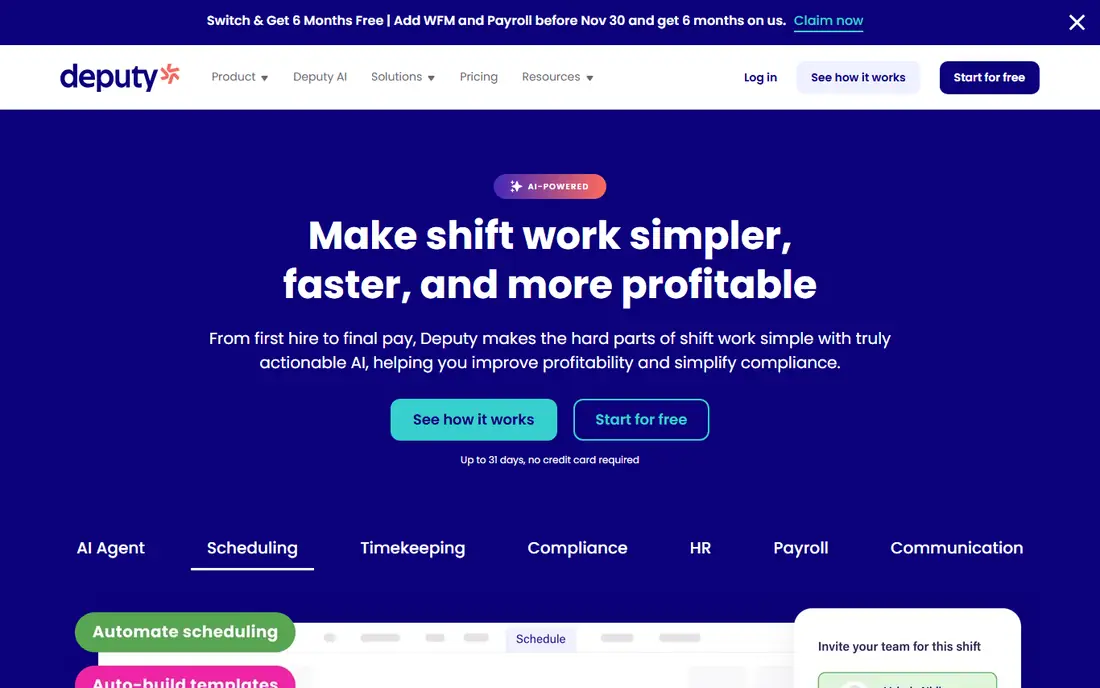
Deputy is the strongest pick when scheduling rules matter, such as break rules, overtime thresholds, rest periods, and fair workweek requirements. The system flags rule problems before you publish a schedule, rather than leaving managers to check them by hand. Demand forecasting also helps managers staff busy periods based on past patterns.
Scheduling starts at $5 per user per month for the Lite plan in recent listings, with higher tiers adding more controls. There is no free plan, only a trial, so budget from the start. Setup takes longer than a simple scheduler, but teams with complex rules or several locations will gain that time back in fewer scheduling errors.
- Strong compliance controls
- Demand forecasting
- Multi-location view
- No free plan, trial only
- More setup than simple schedulers
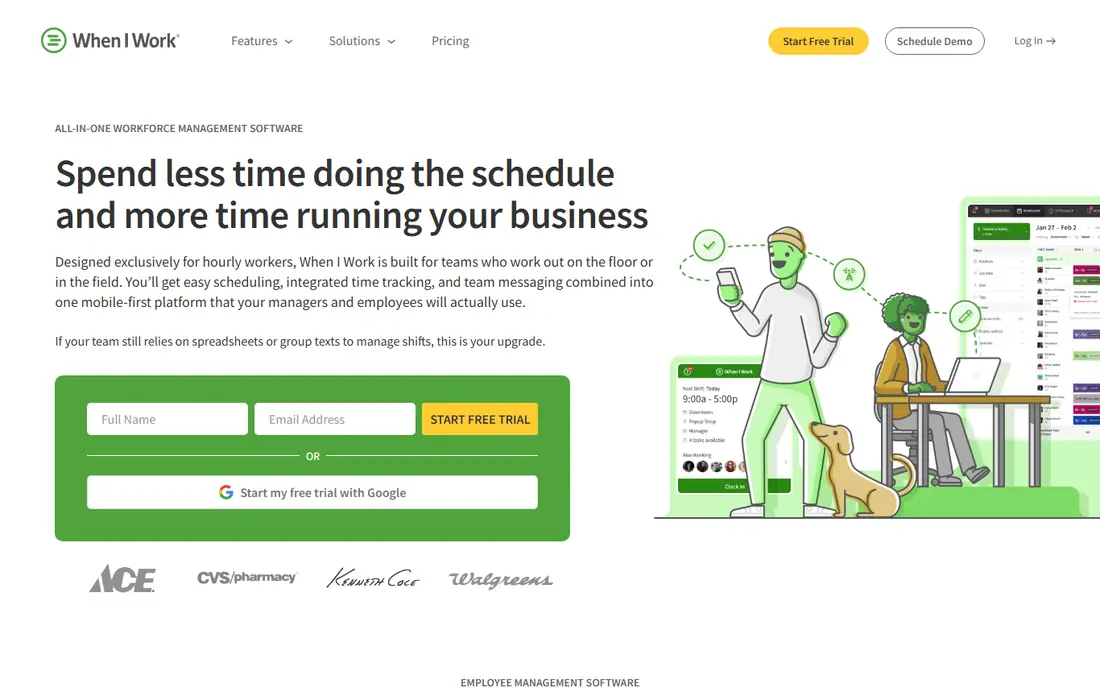
When I Work is built for simple, fast shift scheduling. Managers can build a week in minutes, staff can swap shifts or pick up open shifts with approval, and team messaging keeps cover requests in one place. That simplicity is why small hourly teams adopt it quickly, without a long rollout.
Pricing starts at $2.50 per user per month for a single location and schedule, or $5 per user per month for multiple locations and schedules, with a 14-day trial. There is no free plan. Reporting is more basic than Deputy, and payroll integrations vary, so confirm your provider is supported before you commit.
- Lowest per-user price here
- Fast to set up
- Shift swaps and team messaging
- No free plan, trial only
- Multi-location plan doubles the per-user price
Connecteam is an all-in-one employee app for deskless and frontline teams, covering scheduling, time tracking, communication, training, and HR forms. The free plan covers teams under 10 users with full scheduling controls, which makes it a strong free alternative to Homebase for very small teams. Paid plans start with an operations hub priced from $29 per month for the first 30 users in recent listings.
The breadth is both a strength and a drawback. Teams that only need a rota may find the extra hubs distracting, while teams that need forms, training, and messaging in one app will value the bundle. Check the current hub pricing, since it depends on which hubs you enable and how many users you add.
- Free for teams under 10 users
- Scheduling plus communication and HR tools
- Mobile-first design
- Paid pricing is hub-based and needs checking
- Broad feature set can overwhelm
Sling offers free scheduling essentials with team messaging, which makes it a good budget pick for small teams that mainly need a rota and a way to talk about shifts. Staff can view schedules, request swaps, and message the team without managers juggling personal group chats. Paid plans start at around $2 per user per month in recent listings, with Premium and Business tiers adding time tracking and reporting.
The free plan is genuinely usable, but time tracking and deeper reports sit behind paid plans. Sling also has a smaller integration range than Deputy or Homebase, so check payroll and POS connections if you need them. For a team that wants free scheduling first, Sling is hard to beat.
- Free scheduling essentials
- Team messaging included
- Low paid price
- Time tracking and deeper reporting need a paid plan
- Smaller integration range
7shifts is built for restaurants, with scheduling, availability, time-off, and communication tools shaped around restaurant work. POS integrations help managers link schedules to sales data, and the platform offers its own payroll product for teams that want scheduling through payroll in one place. A free plan covers basic scheduling and communication for one location.
Paid pricing starts at around $39.99 per location per month in recent listings, but we list it as See website since plan details vary. Time tracking may need a separate app on some plans, so confirm that before you buy. For restaurants, 7shifts is the most specialised pick here, while other industries may prefer a general tool.
- Restaurant-focused scheduling
- POS integrations
- Free plan for one location
- Paid pricing is per location and needs checking
- Time tracking needs a separate app in some plans
Planday suits shift-based businesses that need working-time rule compliance, payroll-ready rotas, and multi-location scheduling. It is widely used in retail, hospitality, and healthcare, where rules on hours, breaks, and overtime vary by country and contract. Scheduling, time tracking, and payroll exports sit in one system, which reduces manual admin.
There is no free plan, only a trial, and pricing varies by market, with recent listings around EUR 2.99 to GBP 2.99 per user per month for Starter plans. US teams should check current US pricing and confirm local compliance coverage. For European shift teams, Planday is one of the strongest compliance-focused picks.
- Strong working-time rule support
- Payroll-ready rotas
- Multi-location scheduling
- No free plan, trial only
- Pricing varies by market and currency
ZoomShift is a simple, low-cost scheduler for small hourly teams. The free plan covers up to 20 users at one location in recent listings, which is more generous than many rivals, and paid plans start at $2 per active team member per month. Scheduling, shift swaps, and time-off requests are covered without a complex setup.
Advanced features such as demand forecasting and deep compliance controls are thinner here than in Deputy or Planday. That is fine for a small team with straightforward rotas, but larger or regulated teams should shortlist a stronger tool. For a budget team that wants a free start and a low paid price, ZoomShift is a solid pick.
- Free plan for up to 20 users at one location
- Low paid price
- Simple scheduling
- Fewer advanced features than Deputy
- Smaller user community
Buddy Punch starts as a time tracking tool, with scheduling added on top. That order suits teams where accurate clock-ins, overtime, and payroll reports matter most, and scheduling is a useful extra rather than the main job. Features include GPS clock-ins, PTO tracking, and payroll reporting, with a Starter plan at around $4.99 per user per month plus a $19 monthly base fee in recent listings.
Scheduling alone is simpler here than in When I Work or Deputy, so teams that live by the rota should compare carefully. There is no free plan, only a trial. If time tracking accuracy is your top need, Buddy Punch is a strong pick, and scheduling comes as a useful bonus.
- Strong time clock features
- Scheduling included
- Payroll reports
- Scheduling is secondary to time tracking
- Base fee adds to the per-user price
How we picked these
We compared official pricing pages and product pages for apps that build work schedules, handle shift swaps, and support hourly teams. We favoured apps with a usable free plan or trial, clear per-user or per-location pricing, and mobile apps for staff. Where prices varied by market or plan, we wrote See website rather than publishing a figure we could not confirm.
Choosing a work schedule app
Count locations and staff first, then price the paid tier you will land on. A free plan for 10 users is not free for 30 users, and per-location pricing changes the maths for multi-site teams. Test the mobile app with a few staff members before you commit, since scheduling lives on phones.
Check swaps, availability, and time-off handling
Confirm how shift swaps work, whether manager approval is required, and how availability and time-off requests feed into the schedule. A tool that makes swaps easy reduces manager messages, while a tool that ignores availability creates gaps. Also check open shift posting, since that is how many teams fill last-minute cover.
Confirm compliance and payroll connections
Check break rules, overtime thresholds, and predictive scheduling rules for your state or country, especially if you operate in a regulated city or sector. Confirm payroll and POS integrations with your actual providers, not just a logo list, and test timesheet exports during the trial. A schedule that does not flow into payroll creates weekly admin work.
Trial on a real week, not a demo
Build a real week for your actual team, publish it, handle a swap and a time-off request, and run a payroll export if you use one. That test shows whether the app fits your workflow, whether staff find it clear, and whether the paid tier you need is the one you priced. A demo with sample data hides those answers.
Frequently asked questions
What is the best app for work schedule?
Homebase is the best app for work schedule needs for small teams, since it is free for one location and up to 10 employees. When I Work is best for low per-user cost, while Deputy is best when compliance and multi-location control matter most.
What is the best shift work app?
When I Work and Homebase are the best shift work apps for most small teams. When I Work offers the lowest per-user price for simple scheduling, while Homebase offers a free plan plus time tracking and payroll options. Deputy suits larger or regulated shift teams.
Is there a free work schedule app?
Yes, Homebase, Connecteam, Sling, 7shifts, and ZoomShift all offer free plans, though limits vary. Homebase is free for one location and up to 10 employees, Connecteam is free under 10 users, and ZoomShift is free for up to 20 users at one location. Check location and feature limits before relying on a free plan.
What is the best work schedule app for restaurants?
7shifts is the best work schedule app for restaurants, since it is built around restaurant scheduling, availability, and POS data. Homebase and When I Work are also popular with restaurants, especially smaller ones that want a free or low-cost start.
Can staff swap shifts in these apps?
Yes, most work schedule apps allow staff to swap shifts or pick up open shifts, usually with manager approval. Homebase, When I Work, Deputy, Connecteam, Sling, and 7shifts all support swaps or open shifts, though some swap features sit on paid plans, so check the plan you will use.
Do work schedule apps include time tracking?
Many do, but not all free plans include it. Homebase, Deputy, When I Work, Connecteam, and Buddy Punch include time tracking, while Sling and 7shifts limit it on some plans. Confirm time clock features, GPS rules, and payroll exports during a trial if time tracking matters to you.
Sources
See where you really rank - block by block
ProMapRanker scans Google Maps across a grid of your service area. Simple monthly plans from $19, white-label on every plan.
Start freeKeep reading
 who has the best home internet service
Who Has the Best Home Internet Service in 2026
Who has the best home internet service in 2026? Compare fiber, cable, and 5G providers on speed, price, data caps, and availability at your address today.
Read → visio alternatives
Best Visio Alternatives in 2026
Compare 9 Visio alternatives for flowcharts, org charts, and network diagrams, with free plans, pricing, and the best pick for teams and solo users in 2026.
Read → top 10 logistics software
Top 10 Logistics Software in 2026
We compared the top 10 logistics software tools for transport, warehousing, visibility and shipping, for shippers, carriers and 3PL teams in 2026 today.
Read →