 ProMapRanker
Best Wish List Apps in 2026: 9 Apps Compared

Key takeaways
- Amazon Wish List is the simplest choice when most gifts will come from Amazon, while universal lists work better when gifts come from many stores.
- Giftster and Elfster suit repeat family exchanges, because groups, exclusions and Secret Santa draws stay in one place year after year.
- MyRegistry.com and GiftList handle cash funds and group gifts alongside physical items, which matters for weddings and larger occasions.
- A list only helps if guests can open it without friction, so check whether guests need an account before you choose.
Quick comparison
| Pick | Great for | Pricing starts at | Free tier | |
|---|---|---|---|---|
 Amazon Wish List | Gifts bought mainly on Amazon | Free | Yes | Visit |
 Giftster | Private family groups | Free | Yes | Visit |
 Elfster | Secret Santa draws | Free | Yes | Visit |
 MyRegistry.com | Universal wedding and occasion registries | Free | Yes | Visit |
 GiftList | Free universal lists with cash funds | Free | Yes | Visit |
 Wishes | Quick sharing by link | Free | Yes | Visit |
 WishApp | Simple lists with hidden reservations | Free | Yes | Visit |
 GoWish | Price alerts and shared lists | Free | Yes | Visit |
 Things To Get Me | Simple lists for any occasion | Free | Yes | Visit |
The best wish list apps
We compared universal adding, sharing, duplicate prevention and cost. These nine cover the most common situations, from a birthday list to a full wedding registry.
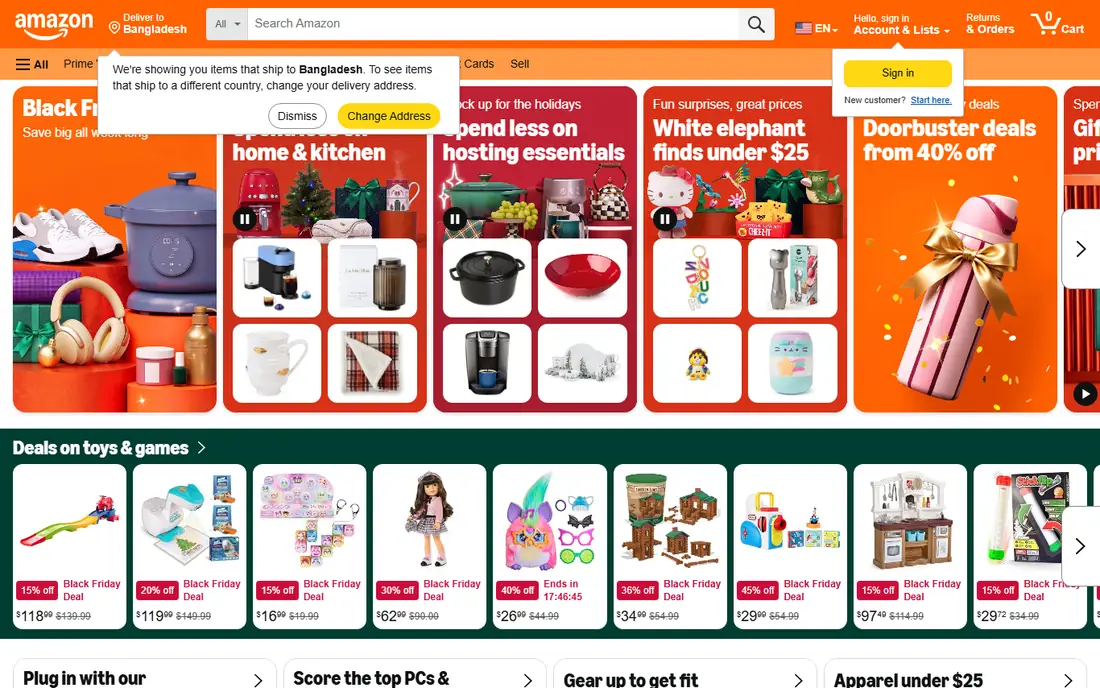
Amazon Wish List fits a straightforward job. You add items while you shop on Amazon, set quantities and priorities, and share one list with family and friends. Guests can see what has been bought, which cuts down on duplicate gifts. For a household that already shops on Amazon, there is almost nothing new to learn.
The trade-off is scope. Items from independent shops, local stores and other retailers do not sit naturally in an Amazon list. If your family buys from many places, a universal list will save you from running two lists at once. Amazon Wish List also lacks the full Secret Santa draw tools found in Elfster and Giftster. Use it when convenience on Amazon matters more than universality.
- Very easy for Amazon shoppers
- Price and availability updates on Amazon items
- Simple sharing by link
- Limited to Amazon items
- Less useful for gifts from other stores
- Fewer group exchange tools

Giftster is built around groups rather than single public links. A family can keep one group running across birthdays, holidays and graduations, and each member keeps a list inside that group. That structure suits families who exchange gifts several times a year and do not want to rebuild a list each time. Items can come from many online stores, and the group setting keeps lists private from people outside the circle.
The cost of that privacy is a small amount of setup. Guests need to join the group, which is fine for close family and less ideal for a casual list you want to send to acquaintances. Giftster also works well for Secret Santa draws inside the group. If your main need is one quick public list, a simpler link-based option may suit you better.
- Private groups for families
- Items from many stores
- Secret Santa features for repeat exchanges
- Guests need to join the group
- Setup takes longer than a single link list
- Some features are easier on the website than in the app

Elfster is the strongest pick when the exchange itself is the hard part. Organisers can set exclusions so couples do not draw each other, keep children from being paired with adults, and avoid repeating last year's matches. Participants are notified by email, and each person can keep a wishlist from many online stores. Groups can be large, which helps for workplaces and extended families.
That completeness comes with a requirement: everyone in the exchange signs up. For a committed group, that is a small step. For a group that resists new accounts, a no-account draw tool may get better participation. Elfster is also more exchange-focused than registry-focused, so it is less suited to cash funds and wedding registries. Choose it when fair draws and clear rules matter most.
- Strong draw rules and exclusions
- Email assignments
- Wishlists from many stores
- Every participant needs an account
- Best for organised exchanges rather than casual lists
- Email delivery can be missed
MyRegistry.com is the most complete universal registry in this roundup. You can add products from any store, add experiences, and add cash funds for a honeymoon or a home project. One list can cover a wedding, a baby arrival and a birthday, rather than forcing a new registry for each event. Guests can mark gifts as purchased, which helps prevent duplicates.
The fuller feature set means a slightly longer setup than a basic wishlist app. Cash fund fees depend on the payment method used, so check the current terms before you add a fund. Guests will also complete purchases at different retailers, which is the natural result of a universal list. For weddings and large occasions, that flexibility is usually worth it.
- Add items from any store
- Cash and experience funds
- One list for many occasions
- Cash funds may carry fees depending on the payment route
- Guests buy from different retailers
- Setup is fuller than a basic list
GiftList presents itself as free with no limits on lists or items, and that makes it easy to recommend for a first universal list. You can paste a product link from any store, use a browser extension, and share one link with guests. Cash funds and group gifting let several people contribute to one larger item, which is useful for weddings and milestone birthdays.
Because GiftList is less familiar to many guests than Amazon, a short note in your invitation helps. Tell guests that they do not need to buy from one store and that they can reserve an item on the web. GiftList also supports gift exchanges for groups, so it can cover both a registry and a holiday draw. It is a strong all-round free option.
- Free to create and share
- Items from any store
- Cash funds and group gifting
- Less well known than Amazon or Elfster
- Some guests may need guidance on first use
- Feature depth varies by occasion
Wishes is the fastest route from an idea to a shared list. You create a list, send one link, and guests can browse in a browser without installing an app. Booking a gift marks it as taken so nobody buys it twice. A free Secret Santa group is also available, which suits a small, informal exchange.
The free plan limits the number of wishlists, with a paid tier lifting that limit. Wishes also lacks the exclusion rules that make Elfster strong for complex draws, and it sends no email reminders. If you need one or two lists and you value speed above all else, Wishes is hard to beat. If you run many lists each year, check the paid tier first.
- Very fast setup
- Guests can browse without an app
- Booked gifts show as taken
- Free plan covers a limited number of wishlists
- No exclusion rules for draws
- Fewer registry features than MyRegistry.com
WishApp keeps the core job simple: add a gift from any online store, share one link, and let friends reserve it without spoiling the surprise. Hidden reservations are the key detail. Guests see that an item is taken, but the reservation stays private enough to protect the surprise. Apps for iPhone and Android plus a browser extension make adding items quick.
WishApp does not try to be a wedding registry platform or a full exchange manager, and that focus is a strength for birthdays and holidays. The smaller user base means fewer friends will already have the app, so your shared link does most of the work. If you want a clean, free universal list without extra layers, WishApp is a solid choice.
- Add gifts from any store
- Hidden reservations prevent duplicates
- Apps for iPhone and Android
- Smaller community than the big names
- No price-drop alerts in the basic flow
- Fewer occasion-specific templates
GoWish combines a universal wishlist with price tracking. You add items from many stores, share the list, and get alerts when prices drop. That helps both the list owner, who can spot a good time to hint at a gift, and guests, who can wait for a better price. Secret Santa support makes it useful for holiday groups as well as birthdays.
The experience depends partly on the store, since items come from across the web rather than one catalogue. GoWish also leans more toward wishlist sharing than toward wedding registry tools such as cash funds. For a family that likes to watch prices and share lists widely, it is a practical free option.
- Items from many stores
- Price-drop alerts
- Secret Santa support
- Guest experience varies by store
- Some features are web-first
- Less registry depth than MyRegistry.com
Things To Get Me does the basics well and stays out of the way. You create a list, add items from different stores, and share it with family or friends. Secret Santa features cover holiday exchanges, and the overall flow is simple enough for guests who are not comfortable with apps. That simplicity matters when your list will be opened by grandparents, colleagues and distant relatives.
The trade-off is depth. Things To Get Me is not the best pick for a large wedding registry with complex cash funds, and its design is plainer than GiftList or MyRegistry.com. For birthdays, graduations and holidays, however, plain and reliable is often exactly right. It earns its place as a low-friction backup option.
- Easy to create and share
- Items from many stores
- Secret Santa features
- Plainer design than some rivals
- Fewer cash fund options
- Less guidance for large registries
How we picked these
We compared official feature pages, pricing pages and app store listings for each product, and we checked that each one is live and fits a wishlist job in October 2026. We favoured products that let guests reserve items, share by link, and add items from more than one store where that was promised. We left out products that had shut down, products that only covered one narrow occasion, and products that required payment before a basic list could be shared.
What to check before you share your list
Start with the guest experience, not the owner experience. Open your list in a private browser window and see what a guest sees. If guests must create an account, download an app and join a group before they can view a single item, some will give up. A link that opens in a browser is the lowest-friction option for casual guests.
Next, decide how you will handle duplicates. Hidden reservations protect surprises, while visible reservations help guests coordinate. Either approach works, but the whole group should use the same list. Two lists, one on Amazon and one elsewhere, will cause the duplicate gifts you were trying to avoid. Pick one home for the list and point everyone to it.
Finally, check cash and group gifts before you promise them. Fees, payout methods and limits vary, and they can change. If you add a cash fund, state clearly what the money is for and how it will be collected. For weddings, test the fund flow yourself with a small amount if the platform allows it, and keep a backup plan for guests who prefer to give by card or cheque in person.
Frequently asked questions
What is the best wishlist app?
The best wishlist app depends on where your gifts come from. Amazon Wish List suits Amazon-heavy shopping, while MyRegistry.com, GiftList and WishApp suit gifts from many stores. For Secret Santa, Elfster is the strongest choice because of its draw rules.
What are the best wishlist apps for a wedding?
MyRegistry.com and GiftList are the strongest wedding options here because they combine universal items with cash funds and group gifting. Amazon Wish List can work for a wedding too, but it limits guests to Amazon items. Check cash fund fees before you publish a fund.
Are wishlist apps free?
Most wishlist apps in this roundup are free to start, and several are free for a basic list with no paid tier needed. Some charge for extra lists, premium themes or payment processing on cash funds. Read the pricing page before you rely on a paid feature.
Can guests buy from any store with a wishlist app?
Only universal wishlist apps allow that. Amazon Wish List is limited to Amazon, while MyRegistry.com, GiftList, WishApp, GoWish and Things To Get Me accept links from many stores. If your family shops at local and independent stores, choose a universal option.
How do wishlist apps stop duplicate gifts?
Guests mark an item as purchased or reserved, and later guests see it as taken. Some apps hide the buyer from the list owner to protect the surprise, while others show that an item is claimed without naming the buyer. Using one shared list is the key step.
Do guests need an app to view a wishlist?
It depends on the app. Wishes, GiftList and MyRegistry.com let guests browse by link in a browser. Giftster and Elfster ask guests to join a group or sign up, which suits close groups but adds friction for casual guests. Test the guest view before you share widely.
Sources
See where you really rank - block by block
ProMapRanker scans Google Maps across a grid of your service area. Simple monthly plans from $19, white-label on every plan.
Start freeKeep reading
 zscaler alternatives
Best Zscaler Alternatives in 2026
Looking for zscaler alternatives? We compare 9 SASE and zero trust platforms on architecture, data protection, pricing, and fit for your network and team.
Read → zapier alternatives free
Best Zapier Alternatives Free in 2026
Nine automation tools for zapier alternatives free in 2026, all with genuinely free tiers, plus free plan limits, starting prices and upgrade paths explained.
Read → which platform is best for online reputation
Which Platform Is Best for Online Reputation in 2026
Wondering which platform is best for online reputation? We compare 8 review, listing, and response tools for small and multi-location businesses and agencies.
Read →