 ProMapRanker
Best Weekly Planner App in 2026


Fast capture and a clear upcoming week · Pricing starts at: $4 per month
Key takeaways
- Todoist and TickTick are the best low-cost starts for weekly planning, with strong free tiers and clear week views.
- Sunsama suits a calm daily review ritual, while Motion suits people who want tasks placed on the calendar automatically.
- Google Calendar and Microsoft To Do cover the basics free, and they are hard to beat if your week is mostly events and simple lists.
- A weekly review on Sunday, even for 20 minutes, matters more than the app you pick, so choose one you will open every day.
Quick comparison
| Pick | Great for | Pricing starts at | Free tier | |
|---|---|---|---|---|
| Todoist | Fast capture and a clear upcoming week | $4 per month | Yes | Visit |
 TickTick | Tasks, calendar, habits, and focus in one app | $49.99 per year | Yes | Visit |
 Sunsama | A calm guided planning ritual each day | $19.99 per month | Free trial | Visit |
 Motion | Letting software place tasks on your calendar | $29 per month | Free trial | Visit |
 Notion | Building a weekly dashboard your own way | $10 per month | Yes | Visit |
 Any.do | The simplest list, calendar, and reminder combo | $4.99 per month | Yes | Visit |
 Google Calendar | A free week view that everyone can share | Free | Yes | Visit |
 Structured | Visual time blocking for each day | $29.99 per year | Yes | Visit |
 Reclaim AI | Protecting focus time and habits automatically | $10 per month | Yes | Visit |
 Microsoft To Do | Free lists for Outlook and Microsoft 365 users | Free | Yes | Visit |
The best weekly planner apps
A good weekly planner shows the whole week at a glance, lets you move tasks without friction, and survives a busy Monday. We compared task apps, calendar apps, and planning tools on week views, capture speed, prices, and free tiers, so you can pick one that matches how you actually plan.

Todoist wins on capture speed. Type a task in plain words, add a date, and it lands in the right place, which means your weekly plan starts from a list you actually trust. The Upcoming view lays out the next seven days, and projects, labels, and priorities help you separate work, home, and personal tasks without building a complex system.
The free plan is generous for one person, with a small set of projects and filters, while Pro adds calendar views, reminders, and more filters. If your week is mostly tasks with due dates, Todoist is the simplest planner that still scales, and it runs on every major device.
- Natural language input is fast
- Upcoming view shows the week ahead
- Free plan covers most solo needs
- Calendar views and some filters need the paid plan
- No built-in time blocking on the free tier
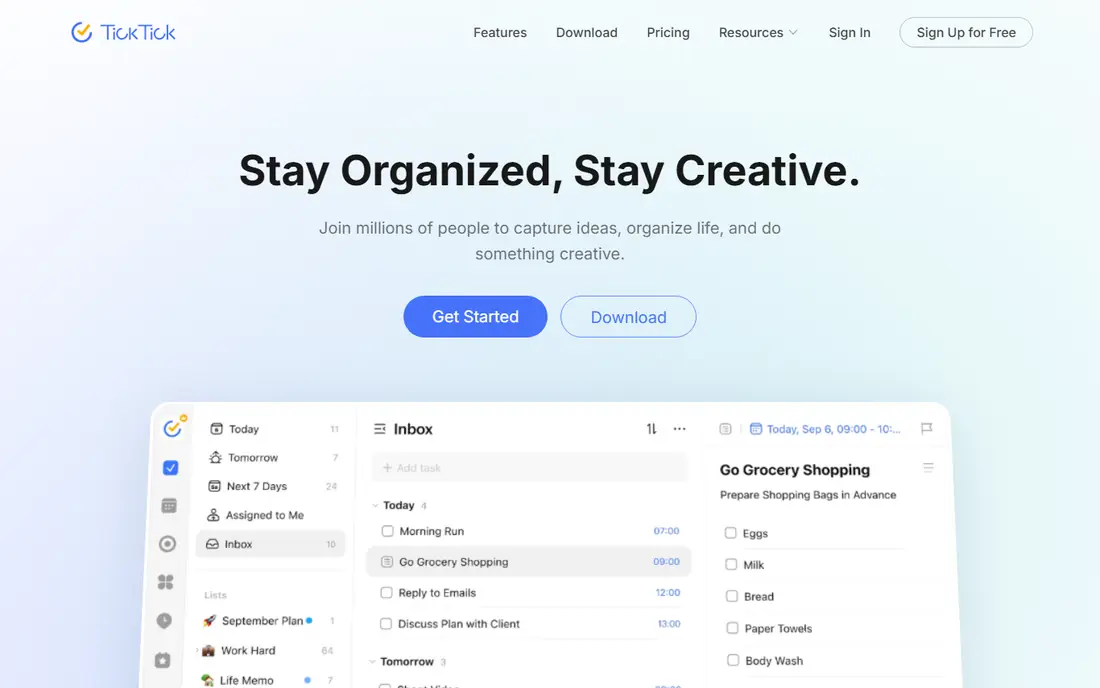
TickTick is the best value if you want more than a list. Tasks and calendar events share one view, so you can drag a task onto a day and see how full that day really is, and the habit tracker and focus timer cover routines and deep work without extra apps. Premium at $49.99 per year adds more lists, calendar subscriptions, and custom views.
The interface packs a lot in, so new users may need a day to settle in. Once you do, TickTick replaces two or three separate apps for many people, and its free tier is one of the strongest in this list for weekly planning.
- Calendar and list views sit side by side
- Habit tracker and Pomodoro timer are built in
- Free tier is strong for solo use
- Design can feel busy at first
- Team features are limited compared with larger work tools
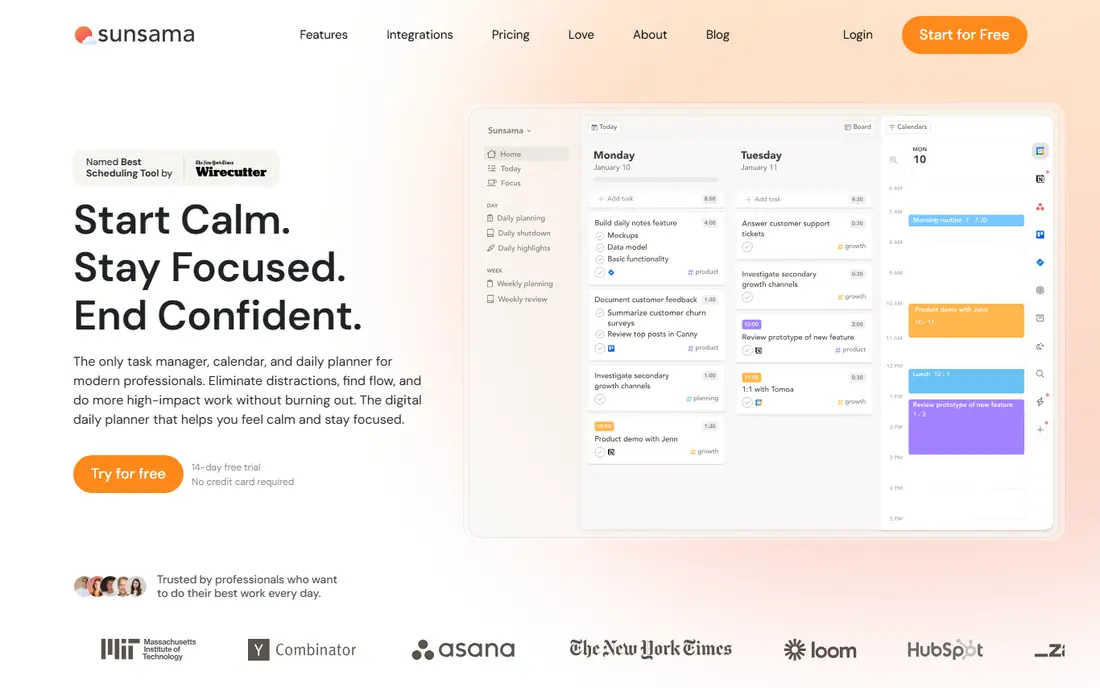
Sunsama treats planning as a ritual, not a dump of tasks. Each morning it walks you through pulling tasks from email, calendars, and other tools, placing them on the day, and setting a realistic finish time, and each week it prompts a review of what got done and what slipped. That structure helps people who overfill their days and end the week feeling behind.
The cost is the catch, at $19.99 per month with a 14-day trial and no free tier. If you already plan daily and just need a better list, Todoist or TickTick will do. If you need help slowing down and choosing fewer, better goals, Sunsama is worth the trial.
- Guided daily planning helps you pick realistic goals
- Tasks from other tools pull into one day view
- Weekly review prompts keep plans honest
- No permanent free tier
- Price is high for a solo planner
- Less suited to heavy project management
Motion is for people whose weeks keep changing. Give it your tasks, deadlines, and priorities, and it places work on your calendar around meetings, then moves tasks when a meeting shifts. That automatic reshuffle saves the nightly replanning that eats time in a busy week, and the combined task and calendar view means you see capacity, not just a list.
Solo pricing at $29 per month on annual billing is steep for personal planning, and the trial is short, so test it during a genuinely busy week. If your calendar is mostly fixed and your tasks are simple, a cheaper list app will serve you just as well.
- Automatically schedules tasks around meetings
- Reshuffles the plan when meetings move
- Combines tasks, projects, and calendar in one place
- No free tier
- Price is high for personal use
- Setup and AI scheduling take time to learn
Notion is a blank workspace that can become a weekly planner, a habit tracker, a notes system, and a project board in one place. You can build a week view from a database, link tasks to notes, and add a review page for Sunday, and the free plan for individuals covers unlimited pages and blocks. Templates from Notion and its community shorten the setup, though you will still spend an evening shaping it.
That freedom is also the risk. If you want to open an app and start planning in two minutes, Todoist or Google Calendar is faster. Notion suits people who enjoy building a system and want notes, goals, and tasks in one home.
- Pages, databases, and calendars combine into one workspace
- Free plan is generous for individuals
- Templates give a fast start
- Setup takes time
- Weekly planning needs building, since it is not a ready-made planner out of the box
Any.do keeps weekly planning simple on purpose. Lists hold your tasks, the calendar shows your week, and reminders nudge you at the right time, with little setup and a clean look that works well on a phone. The free plan covers the basics, and Premium at $4.99 per month on annual billing adds colour-coded tags, unlimited reminders, and more integrations.
Power users may miss TickTick habits or Notion databases, but that is the point. If you want a planner you can explain to a friend in a minute, Any.do is one of the easiest picks here, and it is a good first app for anyone new to digital planning.
- Clean design is easy to learn
- Lists, calendar, and reminders sit together
- Free plan covers basic weekly planning
- Advanced views and integrations need Premium
- Less powerful than TickTick for habits and focus work
Google Calendar is the default weekly planner for good reason. The week view shows events in colour blocks, you can share a calendar with a partner or a team, and Google Tasks adds simple to-dos beside your events. It is free, it syncs across phones and computers, and almost everyone you meet already uses it or can open a shared link.
Its limits show when your week is task-heavy rather than event-heavy. Tasks lack priorities, projects, and rich views, so many people pair Google Calendar with Todoist or TickTick. As a calendar alone, though, it is the free standard that other planners have to beat.
- Week view is clear and colour-coded
- Sharing with family or colleagues is simple
- Integrates with Gmail and Google Tasks
- Task management is basic
- No built-in habit tracking or focus tools
Structured turns your day into a timeline. You place tasks on a visual schedule, see gaps and overlaps at a glance, and move blocks when plans change, which suits people who think in hours rather than lists. The free tier covers basic planning, and Pro at $29.99 per year adds recurring tasks, notifications, and more customisation.
It is lighter as a task manager than Todoist or TickTick, with fewer projects and filters. If your main problem is an overfull day rather than a long task list, Structured is a clear, low-cost way to see the week in time blocks.
- Timeline view makes each day easy to see
- Time blocking feels natural on a phone
- Pro at $29.99 per year is low cost
- Available mainly on Apple devices plus web and Android in newer releases
- Task features are lighter than Todoist
Reclaim AI works on top of the calendar you already use. It defends focus time, schedules recurring habits, and places flexible tasks into open slots, so your week keeps room for deep work even when meetings pile up. The free Lite tier is a genuine starting point, and Starter at $10 per seat per month on annual billing adds more calendars and scheduling features.
It is an add-on, not a replacement for a task list, so pair it with Todoist, Google Calendar, or Outlook. For people whose calendars fill up first and whose tasks get squeezed out, Reclaim is one of the most useful tools on this list.
- Free Lite tier covers basic scheduling
- Auto-schedules tasks, habits, and focus blocks
- Works with Google and Outlook calendars
- Full features need a paid plan
- Setup with existing calendars takes care to avoid double-booking
Microsoft To Do is the free, no-fuss list app for people already in the Microsoft world. My Day gives you a fresh daily list each morning, tasks sync with Outlook, and shared lists work for households and small teams. It costs nothing with a Microsoft account, and it runs on phones, computers, and the web.
It will not replace a calendar or a time-blocking tool, and its planning views are simpler than TickTick or Sunsama. As a free companion to Outlook Calendar, though, it covers weekly task planning cleanly, and it is the easiest pick if your email and calendar already live at Microsoft.
- Free with a Microsoft account
- My Day view suits daily planning
- Syncs with Outlook tasks and Microsoft 365
- Week view is basic
- No calendar time blocking or habit tracking built in
How we picked these
We compared official feature pages, pricing pages, and app listings for weekly planner apps live in October 2026, and we kept tools that show a week view or support a weekly review, rather than single-day timers alone. We included free, low-cost, and premium options, and we marked prices as See website where a vendor price varied by billing or seat count. We left out tools that had shut down, including Clockwise, which closed in March 2026.
How to choose the best free weekly planner app
Start free. Google Calendar, Microsoft To Do, Todoist, TickTick, and Notion all offer free tiers that cover a real weekly routine, so you can test a week view for two weeks before paying anything. Pay only when a limit blocks you every week, such as calendar views, reminders, or extra projects, and check the annual price, since monthly billing often costs more.
Run a Sunday review
Open your planner on Sunday, move unfinished tasks to the new week or delete them, and pick three main goals for the week ahead. That 20-minute review does more than any feature, because it stops old tasks from piling up and gives Monday a clear start. Keep the review short and repeat it weekly.
Keep one planner, not four
It is tempting to run a list app, a calendar app, and a habit app at once, but that split creates extra work. Pick one main planner for the week, let your calendar handle events, and add a second tool only for a clear gap, such as automatic focus time. A single trusted place beats a perfect system you never open.
Frequently asked questions
What is the best app for weekly planning for most people?
Todoist and TickTick are the best starting points, since both offer strong free tiers, clear week views, and fast capture. Choose Todoist for speed and simplicity, and TickTick if you also want habits and a focus timer.
What are the best weekly planner apps that are free?
Google Calendar, Microsoft To Do, Todoist, TickTick, Notion, and Any.do all offer free tiers that support weekly planning. Google Calendar is best for events, while Todoist and TickTick are best for tasks.
What is the best free weekly planner app for iPhone users?
TickTick, Todoist, Google Calendar, and Structured all work well on iPhone, with Structured offering a strong visual timeline view. Pick TickTick for an all-round free planner, and Structured if you plan by time blocks.
Is Sunsama or Motion better for weekly planning?
Sunsama suits a calm daily ritual where you choose realistic goals, while Motion suits busy weeks where tasks need automatic placement around meetings. Sunsama costs $19.99 per month and Motion costs $29 per month on annual billing, so try the trial of each during a real week.
How do I plan my week in 30 minutes?
List every task and event, delete or defer anything that is not due this week, pick three main goals, and place the hardest task on the least busy day. Add buffers between meetings, set reminders for key deadlines, and review the plan again on Sunday.
Sources
See where you really rank - block by block
ProMapRanker scans Google Maps across a grid of your service area. Simple monthly plans from $19, white-label on every plan.
Start freeKeep reading
 zscaler alternatives
Best Zscaler Alternatives in 2026
Looking for zscaler alternatives? We compare 9 SASE and zero trust platforms on architecture, data protection, pricing, and fit for your network and team.
Read → zapier alternatives free
Best Zapier Alternatives Free in 2026
Nine automation tools for zapier alternatives free in 2026, all with genuinely free tiers, plus free plan limits, starting prices and upgrade paths explained.
Read → which platform is best for online reputation
Which Platform Is Best for Online Reputation in 2026
Wondering which platform is best for online reputation? We compare 8 review, listing, and response tools for small and multi-location businesses and agencies.
Read →