 ProMapRanker
Best Website Builder for Service Business in 2026


All-round service sites with booking and payments · Pricing starts at: $17 per month
Key takeaways
- Wix is our pick for most service businesses because it combines templates, booking, payments, and marketing in one account.
- Squarespace suits service firms where polished design matters most, while GoDaddy suits owners who want to launch fast.
- Booking is often gated: check whether quotes, scheduling, and payments are included on the plan you actually buy.
- Hostinger and WordPress.com keep costs lowest, but they need more setup for booking and service pages.
- A custom domain, clear service pages, and a working contact form matter more than a large template library.
Quick comparison
| Pick | Great for | Pricing starts at | Free tier | |
|---|---|---|---|---|
| Wix | All-round service sites with booking and payments | $17 per month | Yes | Visit |
 Squarespace | Polished design for brand-led service firms | $19 per month | Free trial (14 days) | Visit |
 GoDaddy | Fast launch with domain and marketing in one place | $9.99 per month | Yes | Visit |
 WordPress.com | Low-cost sites with strong blogging and content | $4 per month | Yes | Visit |
 Duda | Agencies and owners running several service sites | $25 per month | Free trial | Visit |
 Webflow | Design control without writing code | $15 per month | Yes | Visit |
 Hostinger | Tight budgets with AI-assisted building | $2.99 per month | No | Visit |
 Weebly | Simple sites connected to Square payments | $13 per month | Yes | Visit |
 Durable | Fast AI-built sites for local service firms | $15 per month | Free trial | Visit |
The best website builders for service businesses
A service business site has a different job from a store. It must explain services, show trust, take enquiries, and ideally take bookings or deposits. These nine builders cover that job at different prices and skill levels.
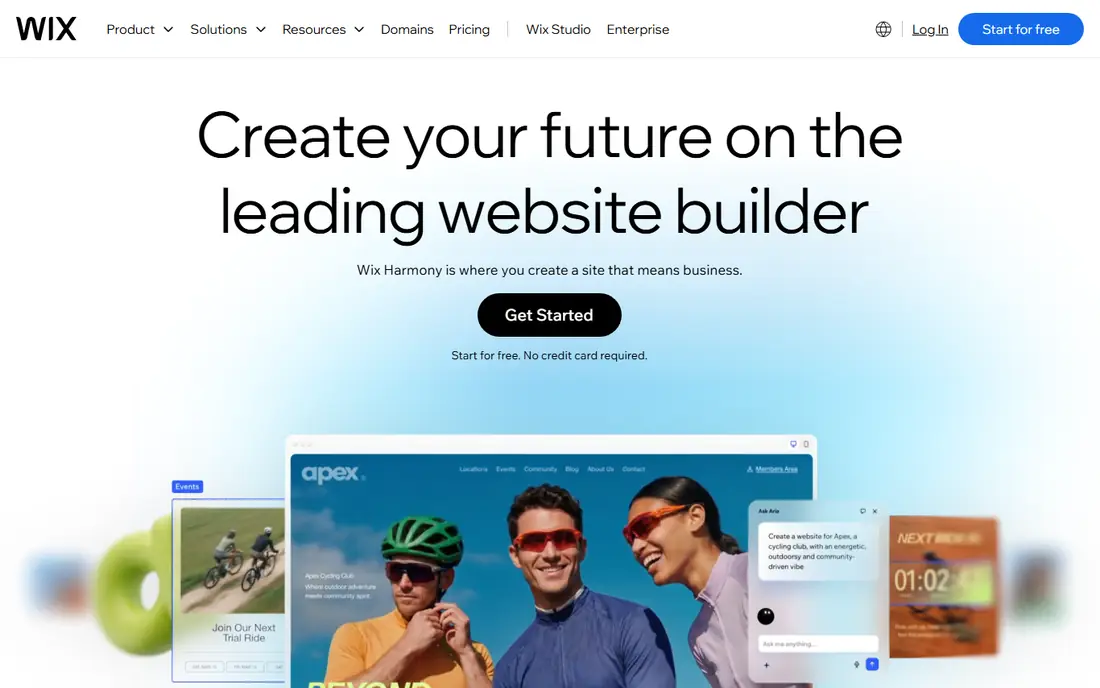
Wix gives a service owner the widest safety net. You can start from a template for cleaners, plumbers, salons, coaches, or consultants, then add booking, forms, and payments as the business grows. The drag-and-drop editor lets you change text, photos, and sections without code, and the app market covers reviews, chat, and email marketing.
The trade-off is choice overload. Plans differ in storage, booking access, and commerce features, so read the plan details before paying. There is also no full site export, which means leaving later means rebuilding. For most small service firms, the breadth and the free starting plan make Wix the safest default.
- Large template range
- Booking and payments tools
- App market for extra features
- No site export
- Booking sits on higher plans
- Many tiers to compare

Squarespace is the pick when first impressions carry the sale, as with photographers, designers, therapists, and boutique consultants. Templates look refined with little effort, and the editor keeps layouts tidy rather than letting pages drift into clutter. Blogging, portfolios, and contact forms are built in, which helps service firms show past work.
Scheduling is the gap to check. Dedicated scheduling tools cost extra beyond the base plan, so a booking-led business should price the full stack, not just the site plan. Squarespace also offers less plugin freedom than WordPress. If design quality matters more than deep customization, it earns its price.
- Strong template design
- Clean editing
- Built-in SEO and analytics tools
- No permanent free plan
- Dedicated scheduling costs extra
- Less flexible than Wix
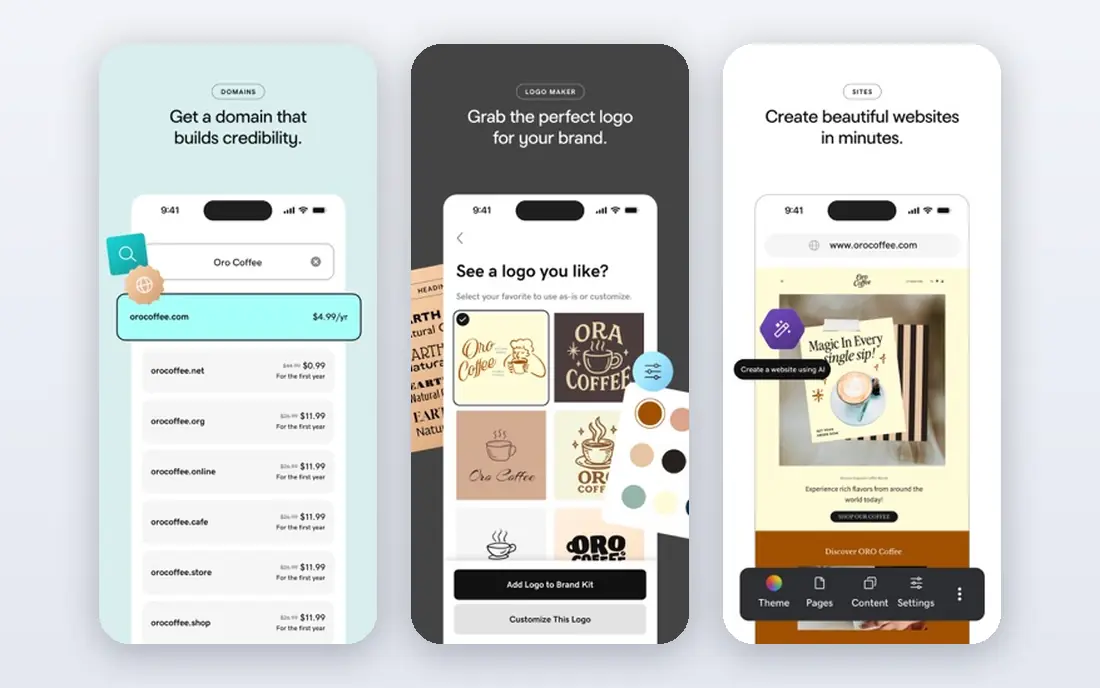
GoDaddy suits owners who want a live site this week, not a design project. Its builder can draft pages from a short business description, and domain registration, hosting, and email marketing sit in the same account. That consolidation saves time for owners who already buy domains from GoDaddy.
Design flexibility is narrower, and the entry plan is basic, with richer marketing and booking features on higher tiers. Still, for a local trades firm or solo consultant who needs services, reviews, and a contact form online quickly, GoDaddy is a practical choice.
- Domain, hosting, and builder in one account
- Phone support
- Simple AI setup
- Templates are plainer than Squarespace
- Advanced design control is limited
WordPress.com is the cheapest hosted route to a proper service site, and it shines for firms that win work through articles, guides, and local search content. The Personal plan connects a custom domain and removes ads, while higher plans add plugins for booking, forms, and payments. Content ownership and portability are stronger here than on closed builders.
The catch is assembly. You may need to pick and configure a booking plugin, which takes more time than using a built-in booking tool. For owners comfortable with that setup, or working with a freelancer, WordPress.com offers long-term value at a low monthly cost.
- Very low entry price
- Strong blogging
- Large theme and plugin range on higher plans
- Booking needs plugins
- Free plan shows ads and uses a subdomain
Duda is built for people who manage websites for clients, but it also works for a service firm with several locations or brands. It offers responsive templates, team roles, and tools to manage content across sites from one dashboard. Local business widgets cover hours, reviews, and contact details without extra plugins.
Solo owners may find the entry price high for a single simple site, and the app range is smaller than Wix. If you run one site and never plan a second, a simpler builder may be better value. If you manage sites for others, Duda saves real admin time.
- Client management tools
- Fast templates
- Built-in widgets for local business
- Higher entry price
- Smaller app range than Wix
- Less known to solo owners
Webflow gives designers and design-led firms near pixel-level control without code. The CMS makes it easy to build repeatable service pages, location pages, and case studies, and hosting, security, and SEO settings are handled in the same system. Sites built in Webflow often look more custom than template sites.
It is not a beginner tool. The editor takes time to learn, there is no native booking system, and you will likely embed a third-party scheduler. Pricing is per site, so several sites add up. Choose Webflow when design is a competitive advantage and you have someone skilled to build the first version.
- Precise design control
- Clean hosting
- CMS for service pages and case studies
- Steeper learning curve
- No native booking
- Pricing is per site
Hostinger Website Builder is the budget pick. Its AI builder can draft a service site from a short prompt, and hosting is included in the plan price. For a new firm testing whether a website brings enquiries, the low entry cost removes a barrier.
Read the billing terms carefully. The lowest headline price requires a long prepayment term, and renewal is higher. Booking and payment features also need checking on the exact plan, since not every tier covers them. If you accept those terms, Hostinger delivers a solid simple site for very little money.
- Lowest entry price
- AI builder drafts pages fast
- Hosting included
- Intro price needs a long term
- Renews higher
- Booking needs setup
Weebly, now part of Square, suits service firms that already take card payments through Square. The editor is simple, setup is quick, and paid plans connect a custom domain and remove Weebly branding. Taking deposits or selling a fixed-price service fits naturally with Square checkout.
The platform has fewer modern templates and fewer new features than Wix or Squarespace, so design-led firms may feel limited. It remains a good fit for a straightforward brochure site with a booking form and payment link. If you need deep customization, look at Wix or WordPress.com instead.
- Simple editor
- Square payment connection
- Free plan for testing
- Fewer modern templates
- Limited advanced features
- Slower feature updates
Durable builds a full service site from a few answers in minutes, including service pages, contact details, and basic SEO text. It also adds customer management and invoicing tools, which helps trades and local service firms handle enquiries and billing in one place. Editing stays simple after launch.
The downside is depth. Content-heavy sites, large blogs, and highly custom designs fit better elsewhere, and template variety is narrower than Wix. For a local service business that needs a credible site plus basic business tools fast, Durable is a strong shortcut.
- Very fast AI site creation
- Built-in CRM and invoicing tools
- Simple editing
- Thin for content-heavy sites
- Templates are less varied
- Monthly billing varies by plan
How we picked these
We compared official pricing pages, booking and payment features, template ranges, and local SEO tools for builders used by US service firms in October 2026. We kept only builders that still operate, support custom domains on paid plans, and offer forms or booking either built in or through apps and plugins. We favored builders with a free plan or trial so owners can test before paying.
How to choose for a service business
Start by listing the actions a visitor must take: call, request a quote, book a slot, or pay a deposit. Then check that those actions work on the plan you plan to buy, not just on the top plan shown in marketing. A builder that charges extra for scheduling can cost more than a pricier builder that includes it.
Next, think about who will update the site. If you will edit it yourself, favor a simple editor and a template close to your trade. If a designer will build it, Webflow or WordPress may repay the extra effort. Also check local search basics: editable page titles, service area pages, Google Business Profile linking, and review display. Finally, test on a phone before launch, since most local service enquiries arrive on mobile.
Frequently asked questions
What is the best website builder for a service based business?
Wix is our pick for most service businesses because booking, forms, payments, and marketing sit in one system. Squarespace wins on design, GoDaddy wins on speed, and WordPress.com wins on low cost and content. Match the builder to whether booking, design, or budget matters most.
What is the best website builder for small service businesses on a budget?
Hostinger offers the lowest entry price, and WordPress.com Personal is also cheap with a custom domain. Both need care with booking setup and renewal prices. If booking is central, price the booking tool or higher plan before comparing headline prices.
Do service businesses need booking on their website?
Not every firm does, but many benefit from it. Booking reduces phone tag, fills gaps in the diary, and lets clients book outside office hours. If your work needs a quote first, a strong quote form with photos and service details may matter more than a calendar.
Can I take payments through a service business website?
Yes, on suitable plans. Wix, Squarespace, GoDaddy, Weebly through Square, and Durable all support payments or deposits, while WordPress.com needs a payment plugin on higher plans. Check transaction fees and payout timing, since those costs sit outside the monthly plan price.
Is a free website builder enough for a service business?
A free plan works for testing a draft, but it usually uses a subdomain and shows builder branding, which looks less professional on a van or business card. Move to a paid plan once the site goes on quotes, invoices, and local listings.
Sources
See where you really rank - block by block
ProMapRanker scans Google Maps across a grid of your service area. Simple monthly plans from $19, white-label on every plan.
Start freeKeep reading
 zoho inventory alternatives
6 Alternatives to Zoho Inventory, Compared on Price and Fit
Zoho Inventory alternatives: 6 tools compared on price, free plans and fit. Katana leads the list for manufacturers. Fit and flaws are laid out for each entry.
Read → zoho crm alternatives
Best Zoho CRM Alternatives (2026)
Need Zoho CRM alternatives? We compare 7 tools on cost, free access and who each suits. Every pick gets a straight assessment. Built for quick decisions.
Read → zelle alternatives
Best Zelle Alternatives in 2026
Compare the best Zelle alternatives for sending money to friends, paying sellers and moving funds abroad, with honest notes on fees, speed and safety in 2026.
Read →