 ProMapRanker
Best Web Scraping Tools in 2026

Key takeaways
- No-code tools like Octoparse and Apify suit non-developers, while Scrapy and Playwright suit developers who want full control.
- Scraping APIs such as ScraperAPI and ScrapingBee remove proxy and rendering work, but you pay per request or per credit.
- Firecrawl is our pick for AI-ready output, because it returns clean Markdown and structured data for search and language model workflows.
- Always check a site terms of use and robots file before scraping, and collect only data you have a lawful reason to use.
- Free tiers are good for a first project, but scheduled, large, or JavaScript-heavy jobs usually need a paid plan.
Quick comparison
| Pick | Great for | Pricing starts at | Free tier | |
|---|---|---|---|---|
 Apify Apify | Ready-made scrapers and cloud runs | See website | Yes | Visit |
 Octoparse Octoparse | No-code visual scraping | See website | Yes | Visit |
 ParseHub ParseHub | Visual scraping of complex pages | See website | Yes | Visit |
 Bright Data Bright Data | Large-scale scraping infrastructure | See website | Free trial | Visit |
 Firecrawl Firecrawl | AI-ready web data | See website | Yes | Visit |
 ScraperAPI ScraperAPI | Simple scraping API | See website | Free trial | Visit |
 ScrapingBee ScrapingBee | API scraping with rendering | See website | Free trial | Visit |
 Zyte Zyte | Managed scraping at scale | See website | Free trial | Visit |
 Scrapy Scrapy | Large code-based crawls | Free | Yes | Visit |
 Playwright Playwright | JavaScript-heavy sites | Free | Yes | Visit |
The best web scraping tools
Scraping tools fall into three groups: visual tools you click through, APIs that fetch and render pages for you, and code libraries you run yourself. The right group depends on your skill level, your volume, and how often the target site changes.
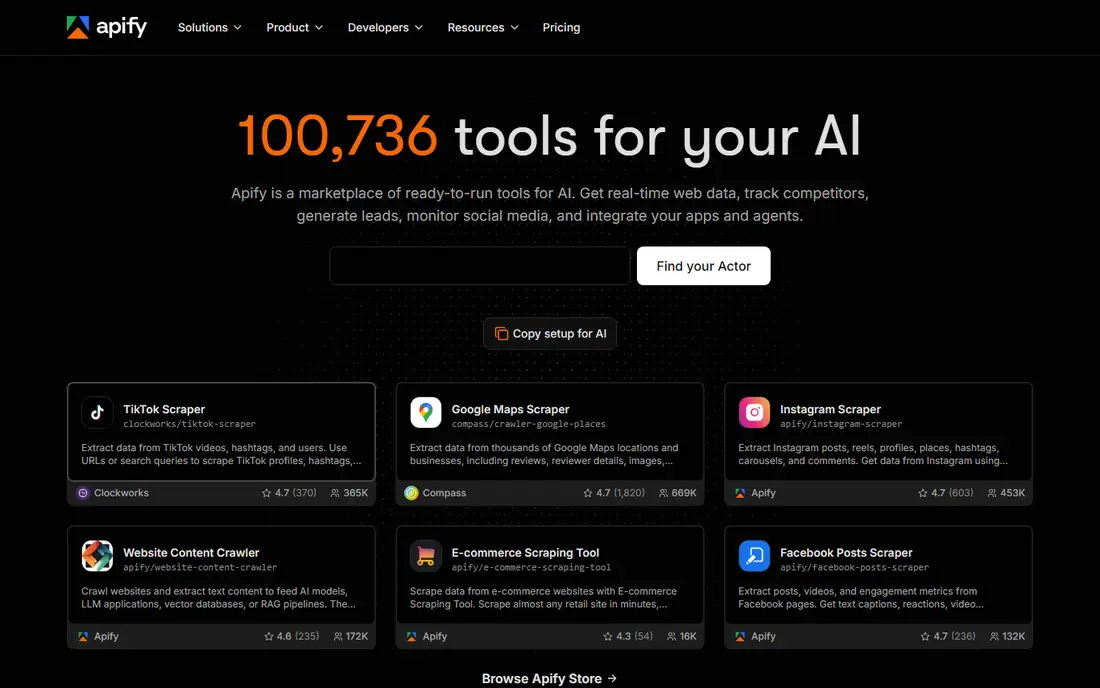
Apify is a good middle ground between a visual scraper and writing everything yourself. You can start with an existing Actor for a common site, run it on a schedule, and store results in a dataset or export them to a spreadsheet. Developers can also build and publish their own Actors on the same platform.
The trade-off is learning curve. A non-developer can run a ready-made Actor, but custom work still needs code and an understanding of how the platform charges for runs. Start with one Actor and a small run before committing to a monthly plan.
- Large library of ready-made scrapers called Actors
- Cloud scheduling and storage built in
- Pay-as-you-go option for uneven workloads
- More technical than a pure no-code tool
- Costs can grow with compute and proxy use
Octoparse suits a researcher, marketer, or small business owner who needs data but does not write code. You click the fields you want on a page, set pagination, and let the tool collect the rest. Cloud runs mean you do not have to leave your own computer running overnight.
The honest catch is maintenance. No visual scraper survives every site redesign untouched, so budget time to fix workflows when a target page changes. For one-off lists and regular small jobs, that trade is usually worth it.
- Point-and-click workflow builder
- Cloud extraction and scheduling on paid plans
- Templates for common site types
- Sites that change layout need workflow updates
- Advanced jobs still benefit from some technical knowledge
ParseHub stands out when a page is not a simple list. It can follow clicks, handle forms, and work through dynamic content that simpler tools miss. That makes it useful for directories, catalogues, and pages that load more results as you scroll.
Price is the main reason to pause. The free tier is fine for learning the tool, but regular use moves you to a paid plan that costs more than Octoparse in many comparisons. Use it when page complexity is the problem, not just volume.
- Handles logins, dropdowns, and infinite scroll
- Desktop app plus cloud options
- Free tier for small tests
- Paid plans are priced above many rivals
- Large jobs can feel slow compared with a code-based crawl
Bright Data is infrastructure, not just a scraper. Teams that need millions of records, many countries, or hard-to-reach pages use its proxies and scraper APIs to keep requests running and unblocked. Pre-built datasets and scrapers can also shorten a project that would otherwise take weeks to build.
Small projects should look elsewhere first. The platform makes sense when volume, geography, or blocking is the main challenge. Read the pricing model carefully and run a small test before scaling up.
- Very large proxy network and pre-built scrapers
- Scraper APIs for search, e-commerce, and social data
- Enterprise controls for compliance and scale
- Pricing is usage-based and can surprise a new user
- Setup is heavier than a simple visual tool
Firecrawl is our pick if the end goal is feeding a search index, a chatbot, or a research workflow. Instead of raw HTML that you must clean yourself, you get readable Markdown or structured fields that a language model can use directly. That saves a whole cleaning step that many teams underestimate.
The limit to watch is credits. A small site is cheap to crawl, but a large site with many pages will use credits quickly. Test on a section of the site first, then set a crawl limit before running the full job.
- Returns clean Markdown and structured JSON
- Handles rendering and crawling in one call
- Good fit for search and retrieval workflows
- Credit use grows fast on large crawls
- Newer than older libraries, so community examples are still growing
ScraperAPI is for developers who want to skip proxy management without buying a full platform. You send a URL, the service fetches it through rotating proxies, and you parse the HTML that comes back. Retries and rendering options remove much of the fiddly work in a DIY scraper.
It is not a finished extraction tool. You still decide what to pull from each page and how to store it. For a team that already writes code, that division of labour is often the right one.
- One API call handles proxies and retries
- JavaScript rendering available
- Simple pricing by request
- You still write parsing code yourself
- Heavy or unusual sites may need a more specialised API
ScrapingBee fills a similar gap to ScraperAPI, with a focus on rendering JavaScript pages through its API. A developer can request a page, get the rendered HTML or a screenshot, and move on to parsing. That is useful for product pages and listings that load content after the first page load.
The same warning applies as with other APIs: rendered pages cost more credits than plain HTML. Test a few representative pages first, and check whether you need full rendering or whether the data is already in the initial HTML.
- Handles headless browsers and proxies in one call
- Simple API for straightforward jobs
- Trial credits for testing
- Not a visual tool for non-developers
- Costs scale with rendered pages and premium proxies
Zyte, formerly known for its Scrapy ecosystem, offers an API that combines proxy rotation, browser rendering, and AI-assisted extraction. Larger teams use it when a scrape must run reliably every day, not just once. Managed options also exist for teams that would rather hand over maintenance.
Smaller teams may find the platform more than they need. If your job is a few hundred pages a month, a simpler API or a visual tool will cost less and be faster to learn. Zyte earns its price on reliability at scale.
- All-in-one API with unblocking and extraction
- Managed services for teams that want help
- Strong fit for e-commerce and data products
- Pricing is usage-based and enterprise-leaning
- Learning curve for a first API project
Scrapy is the standard choice for developers who want full control and no monthly fee for the software itself. You define spiders, rules, and pipelines, and the framework handles requests, retries, and exports. For a large, well-structured crawl, few tools match its speed and flexibility.
The cost is your time and your infrastructure. You provide servers, proxies, and maintenance, and you handle JavaScript rendering separately when a site needs it. If you have developers on staff, Scrapy is often the cheapest long-term option.
- Free and open source
- Fast and well suited to large crawls
- Large Python ecosystem for parsing and storage
- Needs Python knowledge
- JavaScript-heavy sites need an extra rendering tool
Playwright is for sites where the data only appears after JavaScript runs. It drives a real browser, so it can click, scroll, wait for content, and read what a human visitor would see. That makes it a strong partner to Scrapy for dynamic pages, and a good standalone choice for smaller browser-based jobs.
It is overkill for a static page. A plain HTTP request is faster and cheaper when the data is already in the HTML. Use Playwright where rendering is the actual problem, and keep the crawl narrow to control resource use.
- Free and open source
- Real browser automation for dynamic pages
- Works across major browsers
- Code-heavy for simple jobs
- Browser runs use more resources than a plain HTTP crawl
How we picked these
We compared official feature pages, pricing pages, and recent vendor-checked roundups, and kept tools that are live in October 2026 and that truly extract web data. We covered all three approaches, visual tools, APIs, and code libraries, so readers with different skills can find a fit. Prices change often and many vendors charge by credits, requests, or compute, so we wrote See website where a single starting price would mislead. Free tiers are listed as published by each vendor.
How to choose a scraper without breaking site rules
Start by reading the site terms of use and its robots file, and respect any limits they set. Scraping public data is not a free pass to ignore access controls, logins, or rate limits. Slow your requests, identify your crawler honestly where the tool allows it, and avoid personal data unless you have a clear lawful basis and a safe way to store it.
Next, match the tool to the page. A static list needs only a simple request, while a page that loads data with JavaScript needs rendering. A one-off list suits a visual tool, while a daily feed suits an API or a scheduled cloud run. If a target site offers an official API or a data export, use that first. It is usually more stable, more complete, and less likely to break when the site changes.
Finally, test small. Run a few pages, check the output quality, and confirm the cost in credits or requests before scaling. A tool that looks cheap per request can become expensive on a large site, and a tool that looks simple can become a maintenance burden when layouts change.
Frequently asked questions
What is the best web scraping tool for beginners?
Octoparse is a strong beginner pick, because its visual builder lets you select data by clicking rather than writing code. Apify is a good second option if you want ready-made scrapers and cloud scheduling, though it takes a little more learning.
What is the best free web scraping tool?
Scrapy and Playwright are free and open source, but they need programming skills. For non-developers, Octoparse, ParseHub, and Firecrawl offer free tiers that cover small tests and occasional jobs.
What is the best web scraping software for large projects?
Scrapy suits large code-based crawls where you control the infrastructure, while Bright Data and Zyte suit large managed projects where proxies, rendering, and reliability matter more than software cost. The right choice depends on whether your team has developers available.
What is the best tool for web scraping and crawling for AI?
Firecrawl is our pick for AI work, because it returns clean Markdown and structured JSON that search and retrieval systems can use without a separate cleaning step. It is best paired with a clear crawl limit so credit use stays under control.
What is the best web data extraction software for e-commerce prices?
Apify, Bright Data, and Zyte all offer e-commerce scrapers or APIs, and the best fit depends on volume and how often prices change. For a small shop tracking a few competitors, a visual tool with scheduling may be enough. For thousands of products, an API with proxy rotation is more reliable.
Is web scraping legal?
It depends on the site, the data, and how you collect it. Public facts are treated differently from personal data, copyrighted content, or data behind a login. Always check the site terms, respect robots rules and rate limits, and get legal advice before scraping sensitive or personal data at scale.
Sources
See where you really rank - block by block
ProMapRanker scans Google Maps across a grid of your service area. Simple monthly plans from $19, white-label on every plan.
Start freeKeep reading
 youtube alternatives
Best YouTube Alternatives in 2026
Looking for youtube alternatives in 2026? We compare Vimeo, Dailymotion, Twitch, Rumble, and more on price, audience, monetization, control and privacy.
Read → what's the best ai tool for photo editing
What Is the Best AI Tool for Photo Editing in 2026
What is the best AI tool for photo editing? We compare ten tools for 2026, from Photoshop and Lightroom to Luminar, Topaz, Canva and mobile editors today.
Read → twitter alternatives
Best Twitter Alternatives in 2026
Compare the best twitter alternatives for 2026, from Bluesky, Threads, and Mastodon to Reddit, Tumblr, and Micro.blog, with free plans and audience notes.
Read →