 ProMapRanker
10 Best Web Hosting Companies in 2026

Key takeaways
- The lowest first-year price is rarely the lowest three-year price, so check the renewal rate before you commit to a long term.
- Hostinger and SiteGround suit beginners for different reasons, with Hostinger winning on price and SiteGround winning on support depth.
- Managed WordPress hosts such as Kinsta and WP Engine cost more because they handle updates, caching and security for you.
- Cloudways suits growing sites that want cloud power without a long contract, while DreamHost suits buyers who want flexible monthly billing.
- A free domain, free SSL and free migration can matter more than a small monthly saving, especially on a first site.
Quick comparison
| Pick | Great for | Pricing starts at | Free tier | |
|---|---|---|---|---|
 Hostinger | Budget first sites | $2.99 per month | No | Visit |
 SiteGround | WordPress support | $2.99 per month | No | Visit |
 Bluehost | WordPress beginners | $2.95 per month | No | Visit |
 DreamHost | Flexible monthly billing | $2.89 per month | No | Visit |
 Cloudways | Growing cloud sites | $11 per month | Free trial | Visit |
 Kinsta | Premium managed WordPress | See website | No | Visit |
 WP Engine | Managed WordPress at scale | See website | No | Visit |
 InMotion Hosting | Support-led small business | See website | No | Visit |
 HostGator | Simple shared hosting | See website | No | Visit |
 IONOS | Low first-year cost | $1 per month | No | Visit |
The best web hosting companies
We compared shared, managed and cloud hosts on price terms, included features and the kind of site each one serves best. The list below covers the best web hosting companies for beginners, small businesses and growing WordPress sites.
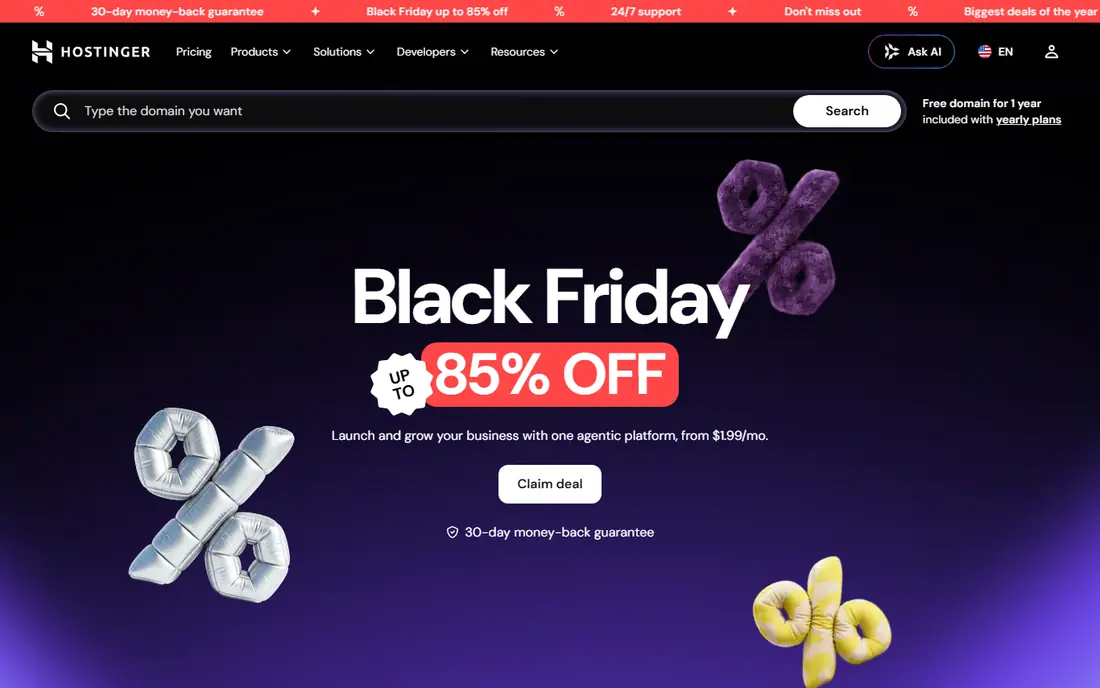
Hostinger is our pick for most people who want a low-cost start without giving up a modern control panel. Its hPanel keeps setup simple, and one-click WordPress installs mean a first site can be live in an afternoon. The included AI builder also helps when you have no design experience and need a presentable page fast.
The catch is the renewal price, which is much higher than the opening offer on long terms. Weekly backups on the entry plan are also thinner than the daily backups offered higher up the range. If you plan to stay for years, compare the renewal figure, not just the first bill, before you choose a 48-month term.
- Low entry price
- Built-in AI website builder
- Free domain on many plans
- Support is chat only
- Renewal price rises sharply

SiteGround earns its place through support and steady performance rather than headline price. Its team is available around the clock, and its WordPress tools cover staging, automatic updates and caching without extra plugins. For a small business owner who wants problems fixed quickly, that help is worth real money.
The renewal price is the main drawback, and it can surprise buyers who only looked at the first year. The entry plan also suits one smaller site rather than a portfolio. Choose SiteGround when support quality matters more to you than the cheapest possible monthly rate.
- Strong support by chat, phone and ticket
- Daily backups
- Google Cloud infrastructure
- Steep renewal price
- Entry plan limits storage
Bluehost remains a sensible first host for WordPress because onboarding is plain and guided. The dashboard walks new users through domain setup, theme choice and plugin installs, and WordPress itself is closely tied to the product. That guidance helps when you have never run a site before.
Costs deserve a careful look, since renewals and optional add-ons push the total above the opening price. Email terms also vary by plan, so check whether a mailbox is included for the full term. Bluehost still fits beginners who want a familiar, WordPress-first path and are happy to review the checkout total before paying.
- WordPress recommended setup
- Free domain for the first year
- Simple onboarding
- Renewal and add-on costs add up
- Email can be a trial on some plans
DreamHost stands out for buyers who dislike long lock-in. Monthly billing is available, and its money-back window for shared hosting is far longer than most rivals offer. That combination makes it easy to try a site idea without committing to several years up front.
The trade-off is support, which leans on chat and email rather than phone help on every plan. Some plans also include email only for a limited period, so confirm that detail if mailboxes matter to you. For independent site owners who value clear terms, DreamHost is a strong, low-pressure choice.
- Long money-back window
- Month-to-month options
- Employee-owned company
- Support is mainly chat and email
- Email can become paid after an introductory period
Cloudways is managed cloud hosting, which means you get server power from providers such as DigitalOcean, Amazon Web Services or Google Cloud without managing the server yourself. It suits sites that have outgrown shared hosting but are not ready for a dedicated team. Scaling resources is simpler here than migrating to a new host.
It is not a beginner product in the same way as shared hosting. You will need to arrange email and a domain separately, and the control panel assumes some comfort with hosting terms. If your traffic is growing and you want room to scale, Cloudways gives you that headroom at a transparent monthly price.
- Choice of cloud providers
- Pay-as-you-go style billing
- Unlimited sites on many plans
- No email or domain included
- More technical than shared hosting
Kinsta targets WordPress sites where speed and uptime directly affect income. Hosting runs on Google Cloud, and the dashboard includes staging, analytics and caching controls in one place. Support staff focus on WordPress, which helps when a plugin conflict or traffic spike needs a fast answer.
The price reflects that service, and entry plans limit storage, so large media libraries need a higher tier. Kinsta is not the right pick for a hobby blog on a tight budget. It is the right pick when a WordPress site earns money and downtime or slow pages cost more than the hosting bill.
- Google Cloud platform
- Strong performance tools
- Expert WordPress support
- Premium pricing
- Storage limits on entry plans
WP Engine handles the server side of WordPress so teams can focus on content and sales. Automatic updates, staging environments and performance tools are built in, and agency plans support multiple client sites. That structure suits businesses and agencies that manage WordPress as a core part of their work.
Pricing sits well above shared hosting, and the range of plans takes time to compare. Small personal sites will not need this level of service. Growing businesses, publishers and agencies that want managed WordPress with room to scale will find the cost easier to justify.
- Fully managed WordPress platform
- Staging and update tools
- Strong agency features
- Higher price than shared hosting
- Plan comparison can be confusing
InMotion Hosting suits small businesses that want a person on the phone when something breaks. Its support covers phone and chat, and longer terms carry a generous money-back window. WordPress plans include the usual one-click setup, backups and security basics, so a business site can run without a developer on staff.
The control panel and plan pages feel less polished than newer rivals, and the best prices depend on the term you pick. Neither point matters much if your priority is steady support for a business site. Check the term and renewal price together, then judge InMotion on service rather than on its opening offer alone.
- Phone and chat support
- Long money-back window on longer terms
- WordPress plans
- Entry pricing varies by term
- Interface feels less modern than some rivals
HostGator is a straightforward shared host for simple sites, portfolios and small business pages. Plans cover the basics, including a free SSL certificate and one-click installs, and support is available by phone and chat. If you want a familiar host without learning a new platform, HostGator keeps the process short.
Renewal pricing is the weak point, and checkout upsells need a careful read so you do not pay for extras you do not need. HostGator fits buyers who want simple shared hosting and are willing to check the renewal rate before signing up. It is less suited to high-traffic WordPress sites that need managed performance tools.
- Familiar shared plans
- Unlimited bandwidth on many plans
- Phone and chat support
- Renewal prices rise
- Upsells appear during checkout
IONOS offers one of the lowest first-year prices in this list, which makes it attractive for testing an idea. Plans include daily backups on many tiers, and the company also sells VPS and dedicated options, so a growing site can scale without changing provider. That path suits buyers who expect steady growth.
The renewal price is much higher than the opening offer, so the first-year saving should not decide the choice on its own. Paid migration help is another detail to check if you plan to move an existing site. IONOS works best when you want a cheap first year and a clear upgrade path, with eyes open about renewal costs.
- Very low first-year price
- Daily backups on many plans
- Room to scale to VPS
- Renewal price rises sharply
- Migration help can be paid
How we picked these
We compared official pricing pages, plan features, money-back terms and public reviews for established hosts that serve US buyers. We favoured hosts with a clear plan range, free SSL, backups and a support route that matches the price. We excluded hosts with no verifiable current plan page or with terms that made a fair price comparison impossible. We did not claim hands-on testing, and prices here reflect opening or annual-billing offers that can change, so check the plan page before you pay.
What to check before you buy hosting
Start with the renewal price, the billing term and what is included. A host that looks cheap for 12 months can cost more over three years than a host with a higher opening price and a smaller renewal rise. Look for free SSL, backups, a free domain term, email inclusion and migration help, and note which of those end after the first term.
Next, match the host to the site. A single WordPress blog does not need managed cloud hosting, and a store with daily orders should not sit on the cheapest shared plan. Check traffic limits, storage, staging tools and support hours against how your site actually earns or serves visitors. A short trial, a money-back window or a monthly plan reduces the risk of a wrong first choice.
Finally, think about growth. If you expect more traffic, more sites or a store, pick a host with a clear upgrade path rather than the cheapest entry plan alone. Moving hosts later is possible, but it takes time and can disrupt email and search visibility. A host that scales from shared to VPS or managed WordPress saves that move later.
Frequently asked questions
What is the best web hosting company for beginners?
Hostinger, Bluehost and SiteGround are the simplest starting points, with guided WordPress setup and low entry prices. Hostinger wins on opening cost, Bluehost wins on familiarity for WordPress, and SiteGround wins on support depth. Pick the one whose renewal price and support style fit your budget and comfort level.
Which is the best company for web hosting if I run WordPress?
For most WordPress sites, SiteGround, Bluehost or DreamHost cover the basics well. For higher traffic or income-earning WordPress sites, Kinsta and WP Engine add managed updates, staging and stronger performance tools. The right choice depends on traffic, budget and how much server work you want to handle yourself.
What are the best rated web hosting companies for small business?
Small businesses tend to rate support, uptime and clear renewal terms above the lowest price. SiteGround, InMotion Hosting and DreamHost score well on support and terms, while Cloudways suits businesses that have outgrown shared hosting. Read recent public reviews for the exact plan you intend to buy, since service can vary by tier.
Is the cheapest web hosting company a good idea?
A cheap first year can be a good idea for testing an idea, but only if you accept the renewal price. IONOS and Hostinger offer low opening rates, yet both renew higher. If you plan to keep the site for years, compare the total three-year cost, including domain, email and backup terms, before choosing on price alone.
Do I need managed hosting or shared hosting?
Shared hosting suits a new site with modest traffic and a small budget. Managed WordPress or cloud hosting suits a site with steady traffic, a store or income tied to uptime. Shared hosting shares server resources with other sites, while managed hosting adds updates, caching and support that reduce your workload.
Sources
See where you really rank - block by block
ProMapRanker scans Google Maps across a grid of your service area. Simple monthly plans from $19, white-label on every plan.
Start freeKeep reading
 zscaler alternatives
Best Zscaler Alternatives in 2026
Looking for zscaler alternatives? We compare 9 SASE and zero trust platforms on architecture, data protection, pricing, and fit for your network and team.
Read → zapier alternatives free
Best Zapier Alternatives Free in 2026
Nine automation tools for zapier alternatives free in 2026, all with genuinely free tiers, plus free plan limits, starting prices and upgrade paths explained.
Read → which platform is best for online reputation
Which Platform Is Best for Online Reputation in 2026
Wondering which platform is best for online reputation? We compare 8 review, listing, and response tools for small and multi-location businesses and agencies.
Read →