 ProMapRanker
Best Video Surveillance Companies in 2026

Key takeaways
- Cloud systems are fastest to deploy across many sites, while on-premises video suits firms with strict data control needs.
- Most enterprise video pricing is quote based, so compare five year totals including cameras, licenses and installation.
- Verkada and Rhombus require their own cameras, while Genetec, Milestone and Eagle Eye work with many camera brands.
- Analytics, retention, bandwidth and privacy rules should be agreed before cameras are bought, not after.
Quick comparison
| Pick | Great for | Pricing starts at | Free tier | |
|---|---|---|---|---|
 Verkada | Cloud video across many sites | See website | Free trial | Visit |
 Genetec Security Center | Unified enterprise security | See website | No | Visit |
 Avigilon | Motorola ecosystem video | See website | No | Visit |
 Milestone XProtect | Camera flexible video management | See website | Yes | Visit |
 Eagle Eye Networks | Camera agnostic cloud video | See website | No | Visit |
 Rhombus | Modern cloud video for distributed sites | See website | No | Visit |
 Axis Communications | Cameras and open platform video | See website | No | Visit |
 ADT Commercial | Managed commercial security | See website | No | Visit |
The best video surveillance companies
We compared official product pages, pricing pages, partner documentation and public reviews for providers that serve offices, retail, warehouses and public sector sites. The list mixes cloud native vendors, open platform software and managed service providers, since the right choice depends on your sites, cameras and IT capacity.
Verkada is the simplest route to cloud video for a business with many offices, stores or schools. Cameras connect to a cloud managed platform, so security teams can search, share clips and manage sites from a browser without running local servers. The same platform can add access control, intercoms, alarms and sensors, which helps firms that want one vendor for physical security rather than several separate systems.
The catch is lock-in. Verkada video requires Verkada cameras, so an existing camera fleet usually cannot move over, and license fees recur per device over the life of the system. For a new build or a multi-site refresh, that simplicity is often worth it. For a site with hundreds of good cameras already installed, an open platform will usually cost less over time.
- Fast cloud deployment
- Simple browser based review
- Cameras, access control and alarms in one platform
- Requires Verkada cameras
- Per camera licenses add up across large fleets
Genetec Security Center suits large and regulated organizations that need video, access control and related security tools in one governed system. Its open architecture works with a wide range of cameras and devices, so buyers are not forced into a single camera brand. Security Center is available on-premises and as a cloud service, with per connection pricing published for the cloud version, which helps multi-site teams plan license costs.
The downside is complexity and cost. Enterprise deployments are normally delivered through certified partners, and a large rollout needs careful design around storage, bandwidth, retention and user permissions. Smaller firms may find the platform more than they need. For airports, cities, hospitals and large enterprises with strict security and audit needs, that depth is the point.
- Video, access control and license plate recognition in one system
- Open hardware choices
- On-premises and cloud options
- Pricing is quote based
- Large deployments need skilled integrators and planning
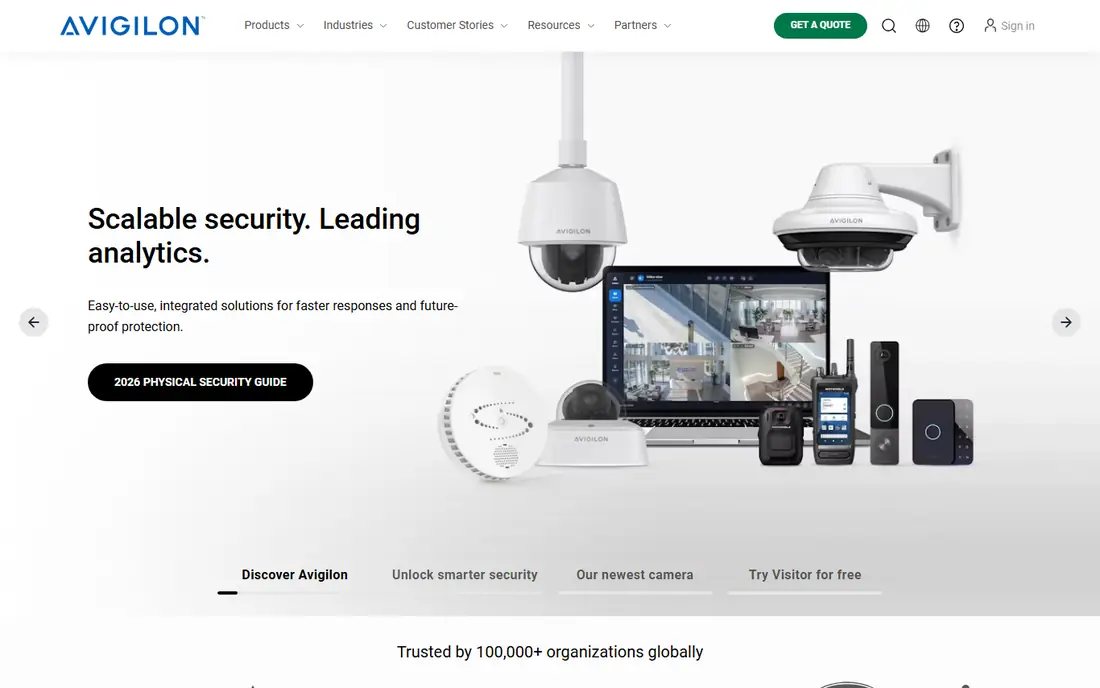
Avigilon, part of Motorola Solutions, offers Avigilon Alta for cloud native video and Avigilon Unity for on-premises video with cloud management. Both put analytics at the center, including appearance search and event detection that help teams find relevant footage faster than manual review. The platform also connects with Motorola radios and safety tools, which matters for public safety and large campus customers.
The trade-off is that the smoothest experience comes with Avigilon cameras, even though Alta can connect third party cameras through cloud connectors. Pricing is quoted through Avigilon or certified partners, so budget work needs a site survey. For organizations already using Motorola tools, or for enterprises that want strong analytics without building a custom system, Avigilon is a solid shortlist pick.
- Built in video analytics
- Cloud and on-premises options
- Integration with Motorola safety tools
- Pricing is quote based through partners
- Some features work best inside the Avigilon camera range
Milestone XProtect is the open platform choice for buyers who want to keep camera freedom. It supports a very wide range of cameras and devices, and its partner ecosystem adds analytics, access control and business integrations on top of core video. Small sites can start with XProtect Essential Plus, which is free for up to 8 cameras, making it a low risk way to test the software before a larger rollout.
The honest catch is that advanced analytics are usually bought as add-ons rather than built into every edition, so the final feature set depends on the bundle you choose. Licensing is per camera for paid editions, and large systems still need server and storage planning. For IT teams that want control, mixed camera fleets and room to extend later, Milestone remains a strong pick.
- Works with thousands of camera models
- Large partner and integration ecosystem
- Free edition for up to 8 cameras
- Analytics often come from third party add-ons
- Larger editions are licensed per camera
Eagle Eye Networks gives multi-site operators cloud video without forcing a full camera replacement. Existing IP cameras can often connect through bridges, and the cloud dashboard covers live view, playback, user access and health monitoring across sites. Pricing is set per camera per month by resolution and retention, which suits chains and property managers that want predictable operating costs instead of local servers at every site.
The weakness is that published pricing is limited, so exact costs need a quote for your camera count and retention needs. Analytics are useful for everyday security work but are not as deep as specialist forensic tools. For franchises, retail chains and managed service providers that value camera choice plus cloud simplicity, Eagle Eye is a practical middle path between closed cloud systems and on-premises software.
- Cloud video that works with many camera brands
- Multi-site management
- Retention and resolution based pricing
- Pricing is not published per camera
- Analytics depth is narrower than specialist analytics vendors
Rhombus targets distributed businesses that want modern cloud video without running servers. Cameras ship with cloud licenses, and teams can review footage, set alerts and manage access from a central console. Upper tiers add AI features such as people and vehicle detection, and an open API lets IT teams connect video to other tools. The company also publishes a license price point around $149 per camera per year in some materials, though final quotes vary by tier and volume.
The catch follows the same pattern as other cloud camera systems. Core video requires Rhombus cameras, and the most useful AI features sit in higher tiers, so the cheapest license is not always the right comparison. For offices, schools and retail groups starting fresh, the setup speed is a real advantage. For sites with a large installed camera base, check adapter options and total license cost first.
- Cloud native setup
- AI features in upper tiers
- Open API and integrations for custom work
- Requires Rhombus cameras for core video
- License cost rises with AI tiers
Axis is best known for cameras, but for buyers it functions as a full surveillance provider through its cameras, video software and partner ecosystem. Its range covers dome, bullet, thermal, panoramic and body worn style cameras for offices, warehouses, transport and harsh outdoor sites. Because Axis supports open standards, its cameras work with Milestone, Genetec and other open platforms, which protects a buyer from being tied to one software vendor.
The downside is that Axis does not offer one simple all-in price. Cameras, software licenses, storage and installation are quoted separately, often through partners, so comparison takes more work. For buyers who care about image quality, camera choice and long system life, that effort is worthwhile. For buyers who want a single monthly price per camera, a cloud vendor may be simpler.
- Wide camera range for indoor, outdoor and specialty sites
- Open platform and partner ecosystem
- Strong build quality
- Full system price depends on software and integrator choices
- No single all-in cloud price
ADT Commercial suits businesses that want video as part of a managed security service rather than a system they run themselves. ADT designs, installs and monitors commercial video, intrusion, access control and fire systems, and its national footprint helps multi-site companies standardize service across states. That managed model appeals to firms without a dedicated security IT team.
The trade-off is control and contract detail. Pricing is quoted after a site survey, and monitoring, maintenance and contract length should be checked line by line. Companies that want to self manage video software or pick every camera brand may prefer an open platform. Companies that want one accountable provider for design, installation and monitoring will find ADT Commercial a useful option.
- Nationwide managed service and monitoring
- Video plus intrusion, access and fire options
- Single provider for many sites
- Pricing is quote based
- Contract and service terms need careful review
How we picked these
We compared official product and pricing pages, partner documentation and public reviews, and we favored providers with current commercial offerings in the United States. We treated cloud and on-premises systems as different answers to different needs, and we marked quote based pricing as See website instead of repeating third party estimates as fact. Camera compatibility, analytics, retention, multi-site management and privacy controls weighed heavily in the final list.
What to check before you buy
Decide cloud, on-premises or hybrid first
Cloud video removes local servers and speeds up multi-site rollout, but it creates recurring license costs and depends on bandwidth and vendor retention rules. On-premises video gives more control over footage and storage, but it needs IT capacity for servers, updates and backups. Hybrid systems keep local recording with cloud management, which suits firms with strict data rules and many sites.
Price cameras, licenses, storage and labor together
A cheap camera with an expensive annual license can cost more over five years than a pricier camera on a lower license. Ask for camera, license, storage, installation, maintenance and monitoring costs in one total, and confirm retention periods, resolution and analytics tiers. Also confirm who owns the footage, how exports work and how quickly you can add or remove users.
Set privacy and access rules early
Decide who can view live and recorded video, how long footage is kept, and how requests for clips are logged. Put cameras only where they serve a security or safety purpose, and check state and local rules for audio recording, employee notice and public areas. Clear rules protect staff and customers, and they make incident review faster when it matters.
Frequently asked questions
Should I choose cloud or on-premises video surveillance?
Cloud video suits multi-site businesses with limited IT staff, since updates and remote access are handled centrally. On-premises video suits firms that need local storage control, low latency or strict data residency. Many larger firms choose hybrid video, with local recording and cloud management, to balance both needs.
Can I keep my existing cameras?
It depends on the vendor. Open platforms such as Milestone, Genetec and Eagle Eye work with many IP camera brands, while Verkada and Rhombus require their own cameras for core video. Check your camera models against each vendor compatibility list before you assume a reuse saving.
How much does business video surveillance cost?
Costs vary widely by camera count, resolution, retention, analytics and installation. Cloud systems charge recurring per camera licenses, while on-premises systems charge software licenses plus servers and storage. Always compare a five year total, not just the camera price or the first year license.
Do I need a professional installer?
Small cloud systems with a few cameras can often be self installed, but larger systems, outdoor cabling, access control and enterprise video usually need a certified integrator. Budget installation separately from licenses, and ask whether the quote includes cabling, mounting, network setup and staff training.
What about privacy and audio recording?
Video privacy rules vary by state and by setting, and audio recording is restricted in many places. Avoid cameras in restrooms, changing areas and other private spaces, and set clear retention and access policies. If you plan audio, get legal advice for each state where cameras will operate.
Sources
See where you really rank - block by block
ProMapRanker scans Google Maps across a grid of your service area. Simple monthly plans from $19, white-label on every plan.
Start freeKeep reading
 worlds best local seo company
8 Worlds Best Local SEO Companies for Map Pack Growth in 2026
Compare the worlds best local seo company options for Google Business Profile work, citations, reviews, and multi-location rankings and reporting in 2026.
Read → world's best web hosting company
World's Best Web Hosting Company in 2026
Searching for the world's best web hosting company? We compared 10 hosts on price, renewal rates, speed, and support to help you choose well today in 2026.
Read → who's got the best nanny tax services
Who's Got the Best Nanny Tax Services in 2026
We answer who's got the best nanny tax services, comparing full filing, back taxes, software, and pricing so families can handle nanny taxes correctly.
Read →